It is currently Sun Aug 02, 2026 8:10 am


All times are UTC - 5 hours [ DST ]


Post new topic Reply to topic  [ 317 posts ]  Go to page Previous  1, 2, 3, 4, 5, 6 ... 16  Next
Author Message
 Post subject: Re: Ive got Wood!
PostPosted: Thu Apr 21, 2016 9:04 pm  (#41) 
Offline
GimpChat Member
User avatar

Joined: Jun 22, 2015
Posts: 233
Image
Image
Image
Image
Image


Top
 Post subject: Re: Ive got Wood!
PostPosted: Thu Apr 21, 2016 9:07 pm  (#42) 
Offline
GimpChat Member
User avatar

Joined: Jun 22, 2015
Posts: 233
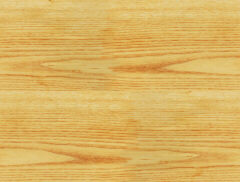
You should be able to right click on them and save them

Let me know if you guys use them, and if I should post some more


Top
 Post subject: Re: Ive got Wood!
PostPosted: Thu Apr 21, 2016 11:10 pm  (#43) 
Offline
GimpChat Member

Joined: May 12, 2015
Posts: 4693
Thank you, Norseman, I only have a few wood designs so I'll be sure to use these!

Also, I wanted to ask. How do you insert the lettering? Do it after you have put all the individual images together? Or is it just considered another image when you decide all your colors for each image?


Top
 Post subject: Re: Ive got Wood!
PostPosted: Fri Apr 22, 2016 4:51 am  (#44) 
Offline
GimpChat Member

Joined: Feb 21, 2016
Posts: 34
Norseman143 wrote:
gimptest wrote:
Very nice, really nice. But I couldn't understand it. Can you do a step by step PDF tutorials?

As you saw, I am not very good at tuts, I will try again

Find an image you like, with 3 or 4 colors

Set your color picker and fuzzy select to about 30. Make sure you add an alpha channel

Decide what color you want and using the color picker to the colors not needed

If you go back and look, I took the norseman logo and broke it down to all five colors

One image, is yellow, nothing else but yellow on that
Then go to purple, you erase everything, but the purple

Select what colors you want to change, alpha to selection and then pick what wood pattern you want from your patterns
I would pick a lighter color wood for the yellow ect, Make sure to shut off the shadow

Try it with just one or two colors first, once you see how it works, you will figure it out

The shine alpha plugin lets you use any of the patterns you have in your patterns folder. It also lets you see the pattern, unlike Bevel Reflect logo does


Thanks Norseman143, I have found and use image shine. Effect is really beautiful


Top
 Post subject: Re: Ive got Wood!
PostPosted: Fri Apr 22, 2016 7:28 pm  (#45) 
Offline
Global Moderator
User avatar

Joined: Oct 02, 2014
Posts: 5011
Location: Sydney Australia
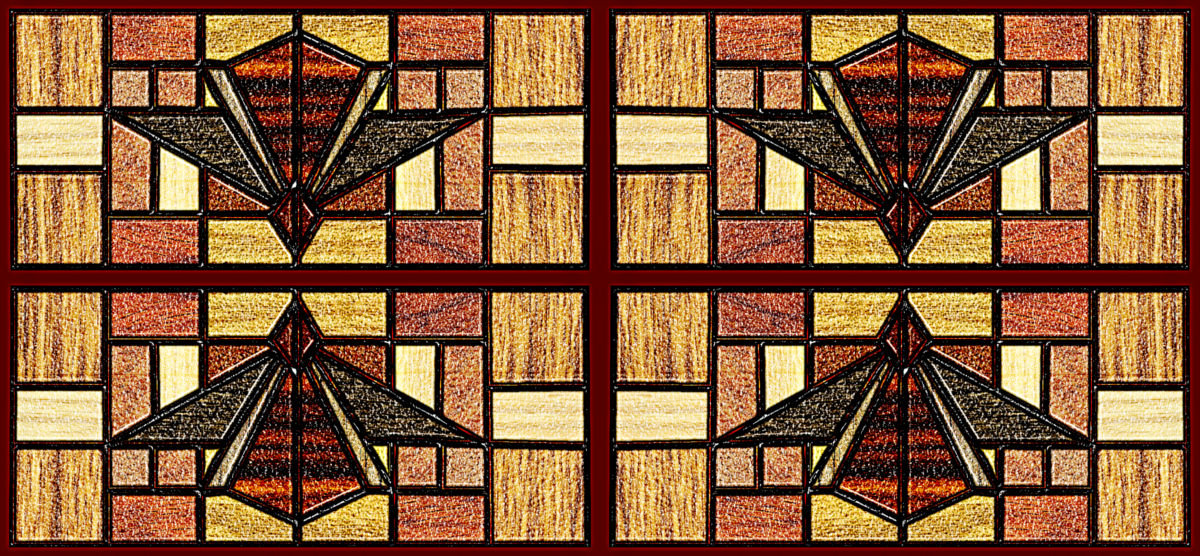
Started out as wood, then wondered what it would look like with added frosted glass and then applied Ofnuts quad-symmetry plug-in -

Image

_________________
Image

Respect should be offered freely but hard earned


Last edited by oldmangrumpy on Fri Apr 22, 2016 9:29 pm, edited 1 time in total.

Top
 Post subject: Re: Ive got Wood!
PostPosted: Fri Apr 22, 2016 7:55 pm  (#46) 
Offline
GimpChat Member
User avatar

Joined: Dec 10, 2013
Posts: 1004
Beautiful Omg - love the combination of all. :clap

_________________
Image
Macbook Air - MacOS Sierra 10.12
McGimp 2.8.14
G'mic 1.6.5


Top
 Post subject: Re: Ive got Wood!
PostPosted: Fri Apr 22, 2016 11:52 pm  (#47) 
Offline
GimpChat Member

Joined: May 12, 2015
Posts: 4693
I started out just trying to see if I had any line art or images to play with and came up with it. Combination of woods, metal, glass. Hope it all works!
Attachment:
Wood Design Norseman Thread.png
Wood Design Norseman Thread.png [ 1.21 MiB | Viewed 1999 times ]


Top
 Post subject: Re: Ive got Wood!
PostPosted: Sat Apr 23, 2016 12:11 am  (#48) 
Offline
Global Moderator
User avatar

Joined: Apr 01, 2012
Posts: 8447
Location: On the other side of your screen
Very nice Pat. Combinations go well together too :)

_________________
Image
Free Fun Photo Editing & resources
Poems from the Lord
Gimp Newby
Gimp version 3.2.4 and GMIC-Qt 4.2.0 OS :- Windows 10 Home 64


Top
 Post subject: Re: Ive got Wood!
PostPosted: Sat Apr 23, 2016 12:14 am  (#49) 
Offline
Global Moderator
User avatar

Joined: Apr 01, 2012
Posts: 8447
Location: On the other side of your screen
oldmangrumpy wrote:
Started out as wood, then wondered what it would look like with added frosted glass and then applied Ofnuts quad-symmetry plug-in -

[ Image ]

wtg OMG, this is beautiful !

_________________
Image
Free Fun Photo Editing & resources
Poems from the Lord
Gimp Newby
Gimp version 3.2.4 and GMIC-Qt 4.2.0 OS :- Windows 10 Home 64


Top
 Post subject: Re: Ive got Wood!
PostPosted: Sat Apr 23, 2016 1:23 am  (#50) 
Offline
Administrator
User avatar

Joined: Aug 10, 2012
Posts: 14144
Location: Native to NYC living in Arizona, Gimp 2.8 - 3.0, Win 11 PC.
Nice deigns everyone and I like the wood textures/patterns you posted Norseman143.
:bigthup

_________________
Image
"A wise man learns more from a foolish question than a fool can learn from a wise answer"
Image


Top
 Post subject: Re: Ive got Wood!
PostPosted: Sat Apr 23, 2016 8:52 am  (#51) 
Offline
GimpChat Member
User avatar

Joined: Mar 01, 2014
Posts: 14101
Location: Spain, Aragón
Lovely textures Norseman143, I've used them in this creation. I love wood its colours and texture. You created beautiful wooden outcomes. :coolthup :gimp
Pat, OMG you have here good representation in wood :coolthup


Attachments:
Wood-Issa.JPG
Wood-Issa.JPG [ 228.37 KiB | Viewed 1563 times ]

_________________
Image

Gimp 2.10.30(samj) portable _ OS Windows 10 Home_ 64bits
Don’t be afraid to start over. It’s a new chance to rebuild what you want.
Top
 Post subject: Re: Ive got Wood!
PostPosted: Sat Apr 23, 2016 2:50 pm  (#52) 
Offline
GimpChat Member
User avatar

Joined: Dec 10, 2013
Posts: 1004
Pat625! Stunning! Love how that came out.

Issabella as always, great work!

_________________
Image
Macbook Air - MacOS Sierra 10.12
McGimp 2.8.14
G'mic 1.6.5


Top
 Post subject: Re: Ive got Wood!
PostPosted: Sun Apr 24, 2016 2:09 am  (#53) 
Offline
GimpChat Member

Joined: May 12, 2015
Posts: 4693
Thank you Dalia, and Issabella. Everyone has such beautiful creations, and you two always have something very creative. OMG also as always! I've probably missed some people but they are all so nice.


Top
 Post subject: Re: Ive got Wood!
PostPosted: Sun Apr 24, 2016 4:39 am  (#54) 
Offline
GimpChat Member
User avatar

Joined: Mar 01, 2014
Posts: 14101
Location: Spain, Aragón
Thank you Dalia and Pat, I appreciate your comments. :)
I did another wood decoration. Mandalas are great for this. :)


Attachments:
Wood decoration-Issa.JPG
Wood decoration-Issa.JPG [ 454.4 KiB | Viewed 1538 times ]

_________________
Image

Gimp 2.10.30(samj) portable _ OS Windows 10 Home_ 64bits
Don’t be afraid to start over. It’s a new chance to rebuild what you want.
Top
 Post subject: Re: Ive got Wood!
PostPosted: Sun Apr 24, 2016 1:49 pm  (#55) 
Offline
GimpChat Member
User avatar

Joined: Dec 10, 2013
Posts: 1004
Issabella, of course! Great suggestion about the Mandalas. :bigthup

_________________
Image
Macbook Air - MacOS Sierra 10.12
McGimp 2.8.14
G'mic 1.6.5


Top
 Post subject: Re: Ive got Wood!
PostPosted: Sun Apr 24, 2016 6:30 pm  (#56) 
Offline
GimpChat Member

Joined: May 12, 2015
Posts: 4693
Oh, Issabella! That one is really special. Could be a great decoration on many different things.


Top
 Post subject: Re: Ive got Wood!
PostPosted: Sun Apr 24, 2016 8:34 pm  (#57) 
Offline
Global Moderator
User avatar

Joined: Oct 02, 2014
Posts: 5011
Location: Sydney Australia
Isabella - very very beautiful images, especially that last mandala. :yes

Here is one for any Elvis Presley fans - Wooden Heart

Image

... and wooden segments

Image

_________________
Image

Respect should be offered freely but hard earned


Top
 Post subject: Re: Ive got Wood!
PostPosted: Sun Apr 24, 2016 9:14 pm  (#58) 
Offline
GimpChat Member
User avatar

Joined: Dec 10, 2013
Posts: 1004
Really amazing results Omg! :jumpclap

Had to see if I could work with the program after last night's and today's troubles. I'll try a mandala tomorrow.

Image

_________________
Image
Macbook Air - MacOS Sierra 10.12
McGimp 2.8.14
G'mic 1.6.5


Top
 Post subject: Re: Ive got Wood!
PostPosted: Mon Apr 25, 2016 4:41 pm  (#59) 
Offline
Global Moderator
User avatar

Joined: Oct 02, 2014
Posts: 5011
Location: Sydney Australia
Dalia - beautiful Tree of Liife... my favourite clothes shop here (for old hippies!!). Hopefully your computer problems are behind you now.

Thought I would try something in wood ...

Image

_________________
Image

Respect should be offered freely but hard earned


Top
 Post subject: Re: Ive got Wood!
PostPosted: Mon Apr 25, 2016 7:08 pm  (#60) 
Offline
GimpChat Member
User avatar

Joined: Dec 10, 2013
Posts: 1004
Omg, it's amazing what your mind does with all these scripts. Great work!

Gimp is almost back to normal - as you'll see, I've been playing.

Image

_________________
Image
Macbook Air - MacOS Sierra 10.12
McGimp 2.8.14
G'mic 1.6.5


Top
Post new topic Reply to topic  [ 317 posts ]  Go to page Previous  1, 2, 3, 4, 5, 6 ... 16  Next

All times are UTC - 5 hours [ DST ]


* Login  


Powered by phpBB3 © phpBB Group