It is currently Tue Aug 11, 2026 8:13 am


All times are UTC - 5 hours [ DST ]


Post new topic Reply to topic  [ 61 posts ]  Go to page Previous  1, 2, 3, 4  Next
Author Message
 Post subject: Re: Diagonals and symmetries, another one to doodle during meetings
PostPosted: Wed Apr 13, 2016 1:20 pm  (#21) 
Offline
GimpChat Member
User avatar

Joined: Nov 16, 2011
Posts: 5127
Location: Metro Vancouver, BC
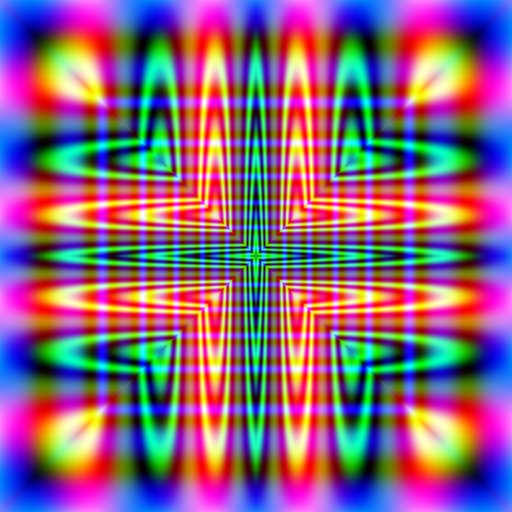
Diagonal symmetries experiment
Image

Using a Qbist render
Image

_________________
Image
Gimp 2.8.18, Linux, median user
Gimp Chat Tutorials Index
Spirit Bear (Kermode)


Top
 Post subject: Re: Diagonals and symmetries, another one to doodle during meetings
PostPosted: Wed Apr 13, 2016 1:28 pm  (#22) 
Offline
Global Moderator
User avatar

Joined: Apr 01, 2012
Posts: 8455
Location: On the other side of your screen
Thank you all

_________________
Image
Free Fun Photo Editing & resources
Poems from the Lord
Gimp Newby
Gimp version 3.2.4 and GMIC-Qt 4.0.2 OS :- Windows 10 Home 64


Top
 Post subject: Re: Diagonals and symmetries, another one to doodle during meetings
PostPosted: Wed Apr 13, 2016 3:01 pm  (#23) 
Offline
Script Coder
User avatar

Joined: Oct 25, 2010
Posts: 4812
A bit subtler:

- Diagonal
- Quadrilateral
- Diagonal again
- Quadrilateral
- Quadrilateral

Guess whose avatar I used as a starting point :)

Attachment:
SallyAnn-quad.png
SallyAnn-quad.png [ 1.08 MiB | Viewed 2151 times ]

_________________
Image


Top
 Post subject: Re: Diagonals and symmetries, another one to doodle during meetings
PostPosted: Wed Apr 13, 2016 4:03 pm  (#24) 
Offline
Global Moderator
User avatar

Joined: Oct 02, 2014
Posts: 5016
Location: Sydney Australia
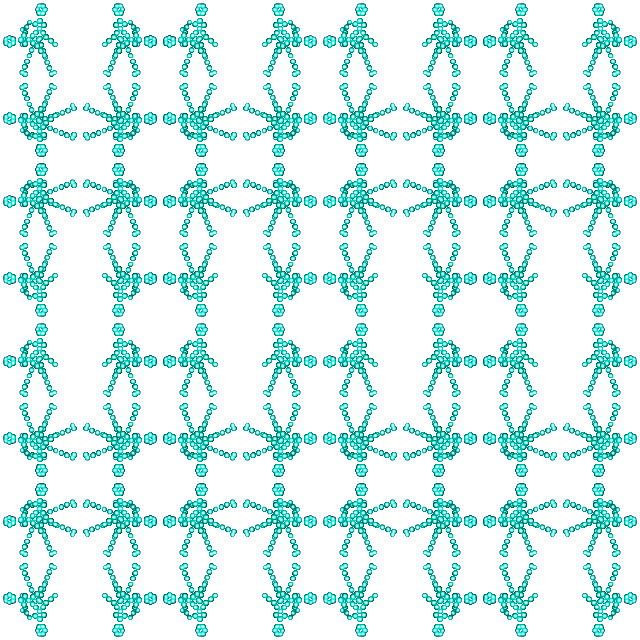
This script is now officially declared as 'highly addictive' - thanks Ofnuts for another good one :jumpclap

Image

Continuous iterative processing of the original with a copy of itself scaled down and placed in the centre each time.

_________________
Image

Respect should be offered freely but hard earned


Top
 Post subject: Re: Diagonals and symmetries, another one to doodle during meetings
PostPosted: Wed Apr 13, 2016 4:32 pm  (#25) 
Offline
GimpChat Member

Joined: May 12, 2015
Posts: 4693
I am missing something. Is this all done on one layer? I might get a second block of my image but after that I am not really getting any pattern. How small of an image do you start with? How large is the basic layer for the image? After the 3rd or 4th quadrilateral it crashes my program and shuts down Gimp entirely.


Top
 Post subject: Re: Diagonals and symmetries, another one to doodle during meetings
PostPosted: Wed Apr 13, 2016 4:48 pm  (#26) 
Offline
Global Moderator
User avatar

Joined: Oct 02, 2014
Posts: 5016
Location: Sydney Australia
Pat - today I started with 2 images one at 200x200 and one at 400x400 pixels. Eventually the image in my last post got to 6000x6000 pixels. Yes it works on a single layer.

I think start small and grow big works for the 'quad' function.

_________________
Image

Respect should be offered freely but hard earned


Top
 Post subject: Re: Diagonals and symmetries, another one to doodle during meetings
PostPosted: Thu Apr 14, 2016 12:28 am  (#27) 
Offline
Global Moderator
User avatar

Joined: Apr 01, 2012
Posts: 8455
Location: On the other side of your screen
awe thank you ofnuts :)
I guess you could use just about any thing, like
Image

_________________
Image
Free Fun Photo Editing & resources
Poems from the Lord
Gimp Newby
Gimp version 3.2.4 and GMIC-Qt 4.0.2 OS :- Windows 10 Home 64


Last edited by sallyanne on Thu Apr 14, 2016 12:44 am, edited 1 time in total.

Top
 Post subject: Re: Diagonals and symmetries, another one to doodle during meetings
PostPosted: Thu Apr 14, 2016 12:43 am  (#28) 
Offline
Global Moderator
User avatar

Joined: Apr 01, 2012
Posts: 8455
Location: On the other side of your screen
oldmangrumpy wrote:
This script is now officially declared as 'highly addictive' - thanks Ofnuts for another good one :jumpclap

[ Image ]

Continuous iterative processing of the original with a copy of itself scaled down and placed in the centre each time.

You should see my Flickr page...I was doing a few last night/early this morning

_________________
Image
Free Fun Photo Editing & resources
Poems from the Lord
Gimp Newby
Gimp version 3.2.4 and GMIC-Qt 4.0.2 OS :- Windows 10 Home 64


Top
 Post subject: Re: Diagonals and symmetries, another one to doodle during meetings
PostPosted: Thu Apr 14, 2016 1:01 am  (#29) 
Offline
Global Moderator
User avatar

Joined: Apr 01, 2012
Posts: 8455
Location: On the other side of your screen
Pat625 wrote:
I am missing something. Is this all done on one layer? I might get a second block of my image but after that I am not really getting any pattern. How small of an image do you start with? How large is the basic layer for the image? After the 3rd or 4th quadrilateral it crashes my program and shuts down Gimp entirely.

Biggest one I have done Pat is https://www.flickr.com/photos/115367823 ... 1/sizes/o/.
Just crashed on me as well.

_________________
Image
Free Fun Photo Editing & resources
Poems from the Lord
Gimp Newby
Gimp version 3.2.4 and GMIC-Qt 4.0.2 OS :- Windows 10 Home 64


Top
 Post subject: Re: Diagonals and symmetries, another one to doodle during meetings
PostPosted: Thu Apr 14, 2016 3:14 am  (#30) 
Offline
Script Coder
User avatar

Joined: Oct 25, 2010
Posts: 4812
Pat625 wrote:
I am missing something. Is this all done on one layer? I might get a second block of my image but after that I am not really getting any pattern. How small of an image do you start with? How large is the basic layer for the image? After the 3rd or 4th quadrilateral it crashes my program and shuts down Gimp entirely.

Start small because it grows fast pretty quickly (4X the memory for each quadrilateral).

_________________
Image


Top
 Post subject: Re: Diagonals and symmetries, another one to doodle during meetings
PostPosted: Thu Apr 14, 2016 4:46 am  (#31) 
Offline
GimpChat Member

Joined: May 12, 2015
Posts: 4693
How do you introduce the second photo and keep it all one layer?


Top
 Post subject: Re: Diagonals and symmetries, another one to doodle during meetings
PostPosted: Thu Apr 14, 2016 6:58 am  (#32) 
Offline
Global Moderator
User avatar

Joined: Apr 01, 2012
Posts: 8455
Location: On the other side of your screen
Latest
Image

_________________
Image
Free Fun Photo Editing & resources
Poems from the Lord
Gimp Newby
Gimp version 3.2.4 and GMIC-Qt 4.0.2 OS :- Windows 10 Home 64


Top
 Post subject: Re: Diagonals and symmetries, another one to doodle during meetings
PostPosted: Thu Apr 14, 2016 7:02 am  (#33) 
Offline
Script Coder
User avatar

Joined: Oct 25, 2010
Posts: 4812
Pat625 wrote:
How do you introduce the second photo and keep it all one layer?


There only one picture involved (unless you want to be very fancy)

_________________
Image


Top
 Post subject: Re: Diagonals and symmetries, another one to doodle during meetings
PostPosted: Thu Apr 14, 2016 7:09 am  (#34) 
Offline
Script Coder
User avatar

Joined: Oct 25, 2010
Posts: 4812
Starting with a very narrow stripes pattern

Attachment:
CharredSkin-stripes-quad.jpg
CharredSkin-stripes-quad.jpg [ 1.03 MiB | Viewed 2557 times ]

_________________
Image


Top
 Post subject: Re: Diagonals and symmetries, another one to doodle during meetings
PostPosted: Thu Apr 14, 2016 5:15 pm  (#35) 
Offline
GimpChat Member

Joined: May 12, 2015
Posts: 4693
I think I got this, somewhat! At first, I could not see anything additional on the screen until I did a few more iterations.
Attachment:
Symmetries.jpg
Symmetries.jpg [ 1.98 MiB | Viewed 2535 times ]


Top
 Post subject: Re: Diagonals and symmetries, another one to doodle during meetings
PostPosted: Thu Apr 14, 2016 5:41 pm  (#36) 
Offline
Script Coder
User avatar

Joined: Oct 25, 2010
Posts: 4812
See? Not that hard...

_________________
Image


Top
 Post subject: Re: Diagonals and symmetries, another one to doodle during meetings
PostPosted: Fri Apr 22, 2016 10:44 pm  (#37) 
Offline
Global Moderator
User avatar

Joined: Apr 01, 2012
Posts: 8455
Location: On the other side of your screen
Tried some more of these last night.
A flower I multi scaled then symmetrized
Image

Couple of months back I did a line drawing of a car smash and this is the result
Image

House I did shine wood texture on
ImageImage

_________________
Image
Free Fun Photo Editing & resources
Poems from the Lord
Gimp Newby
Gimp version 3.2.4 and GMIC-Qt 4.0.2 OS :- Windows 10 Home 64


Top
 Post subject: Re: Diagonals and symmetries, another one to doodle during meetings
PostPosted: Fri May 20, 2016 8:00 am  (#38) 
Offline
GimpChat Member
User avatar

Joined: Apr 09, 2016
Posts: 580
Location: Sheffield UK
Great results, still can't figure out how to introduce another image? thanx of nuts - in Peace RJKD
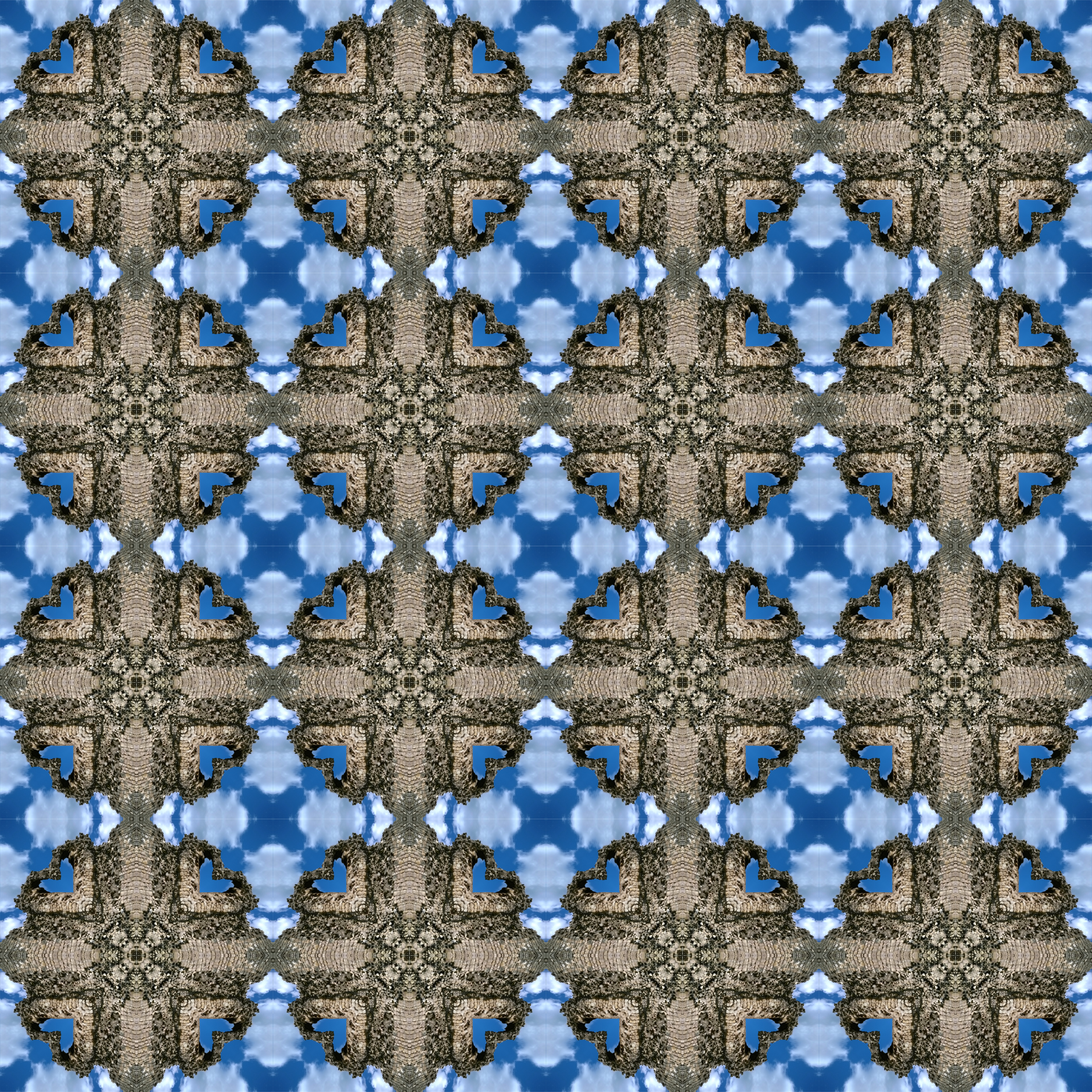
Here's Conisborough Castle nr. Doncaster UKImage

_________________
Image


Top
 Post subject: Re: Diagonals and symmetries, another one to doodle during meetings
PostPosted: Fri May 20, 2016 8:05 am  (#39) 
Offline
GimpChat Member
User avatar

Joined: Apr 09, 2016
Posts: 580
Location: Sheffield UK
and I keep crashing my GIMP :oops: :gaah

_________________
Image


Top
 Post subject: Re: Diagonals and symmetries, another one to doodle during meetings
PostPosted: Fri May 20, 2016 8:53 am  (#40) 
Offline
Administrator
User avatar

Joined: Aug 10, 2012
Posts: 14150
Location: Native to NYC living in Arizona, Gimp 2.8 - 3.0, Win 11 PC.
RJKD wrote:
and I keep crashing my GIMP :oops: :gaah

The last image you posted was nearly 3000x3000,
which is quite large.
These images tend to grow exponentially,
as you run the script consecutively.
Scaling the image to a smaller size from the start.
Can help to control that growth.
Also, if RAM/Memory is at a premium on your system.
This may also keep Gimp from crashing,
due to lack of Ram.

One other thing,
which would be helpful to everyone wishing to upload very large images.
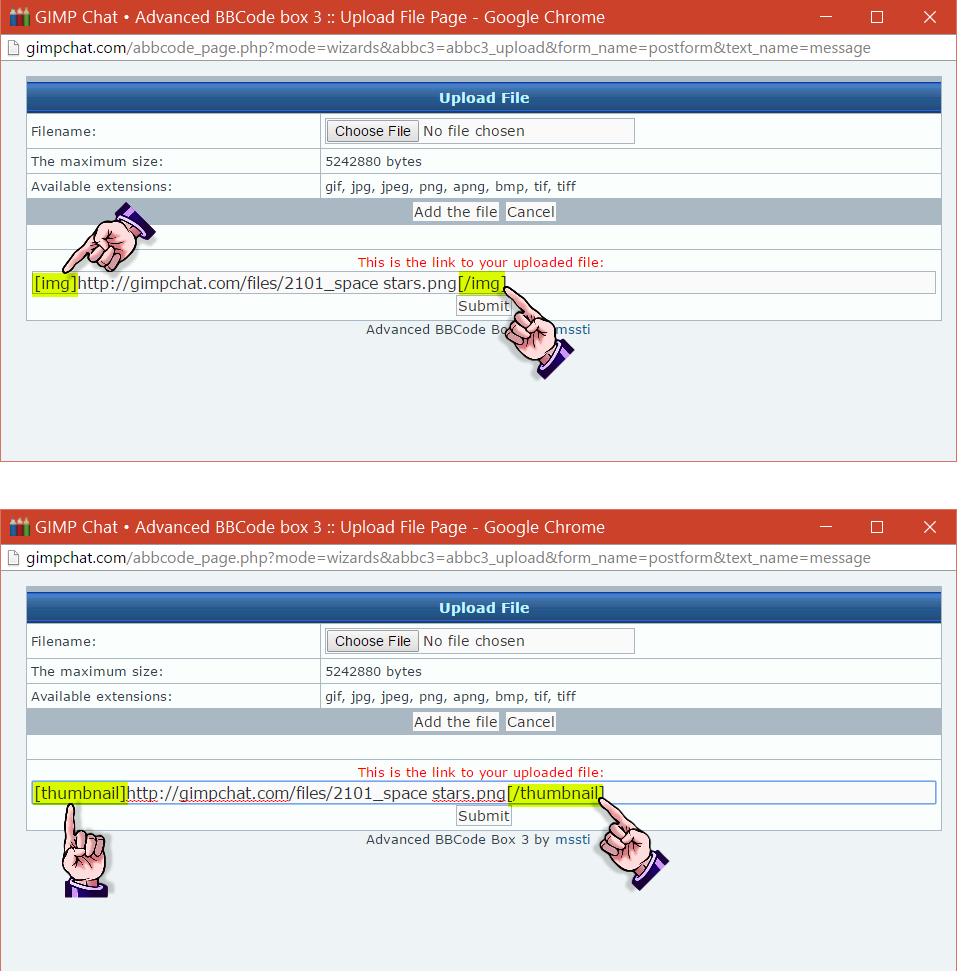
Would be to use thumbnail images,
whenever you have a very large image you would like to post.

To enable a thumbnail image.
Use the Upload File Link Tab Image to upload an image.
When you upload a file,
change the word img to thumbnail,
as seen in the thumbnail example image below.

Image

_________________
Image
"A wise man learns more from a foolish question than a fool can learn from a wise answer"
Image


Top
Post new topic Reply to topic  [ 61 posts ]  Go to page Previous  1, 2, 3, 4  Next

All times are UTC - 5 hours [ DST ]


* Login  


Powered by phpBB3 © phpBB Group