It is currently Sat Jul 25, 2026 5:30 pm


All times are UTC - 5 hours [ DST ]


Post new topic Reply to topic  [ 34 posts ]  Go to page Previous  1, 2
Author Message
 Post subject: Re: [G'MIC] New filter 'Colors / Curves [interactive]'
PostPosted: Mon Oct 27, 2014 8:15 am  (#21) 
Offline
GimpChat Member
User avatar

Joined: Jan 03, 2011
Posts: 1656
I've just updated the filter, and now, it should work with alpha-channels too.
Thanks again for your report!


Top
 Post subject: Re: [G'MIC] New filter 'Colors / Curves [interactive]'
PostPosted: Mon Oct 27, 2014 8:22 am  (#22) 
Offline
GimpChat Member
User avatar

Joined: Apr 07, 2010
Posts: 14182
Thank you David, I really like that feature

_________________
Image


Top
 Post subject: Re: [G'MIC] New filter 'Colors / Curves [interactive]'
PostPosted: Mon Oct 27, 2014 9:03 am  (#23) 
Offline
Global Moderator
User avatar

Joined: Apr 01, 2012
Posts: 8434
Location: On the other side of your screen
Brilliant , love how you have got this interactive window and using it for more and more things.

_________________
Image
Free Fun Photo Editing & resources
Poems from the Lord
Gimp Newby
Gimp version 3.2.4 and GMIC-Qt 4.2.0 OS :- Windows 10 Home 64


Top
 Post subject: Re: [G'MIC] New filter 'Colors / Curves [interactive]'
PostPosted: Fri Nov 14, 2014 10:51 am  (#24) 
Offline
GimpChat Member
User avatar

Joined: Oct 24, 2014
Posts: 49
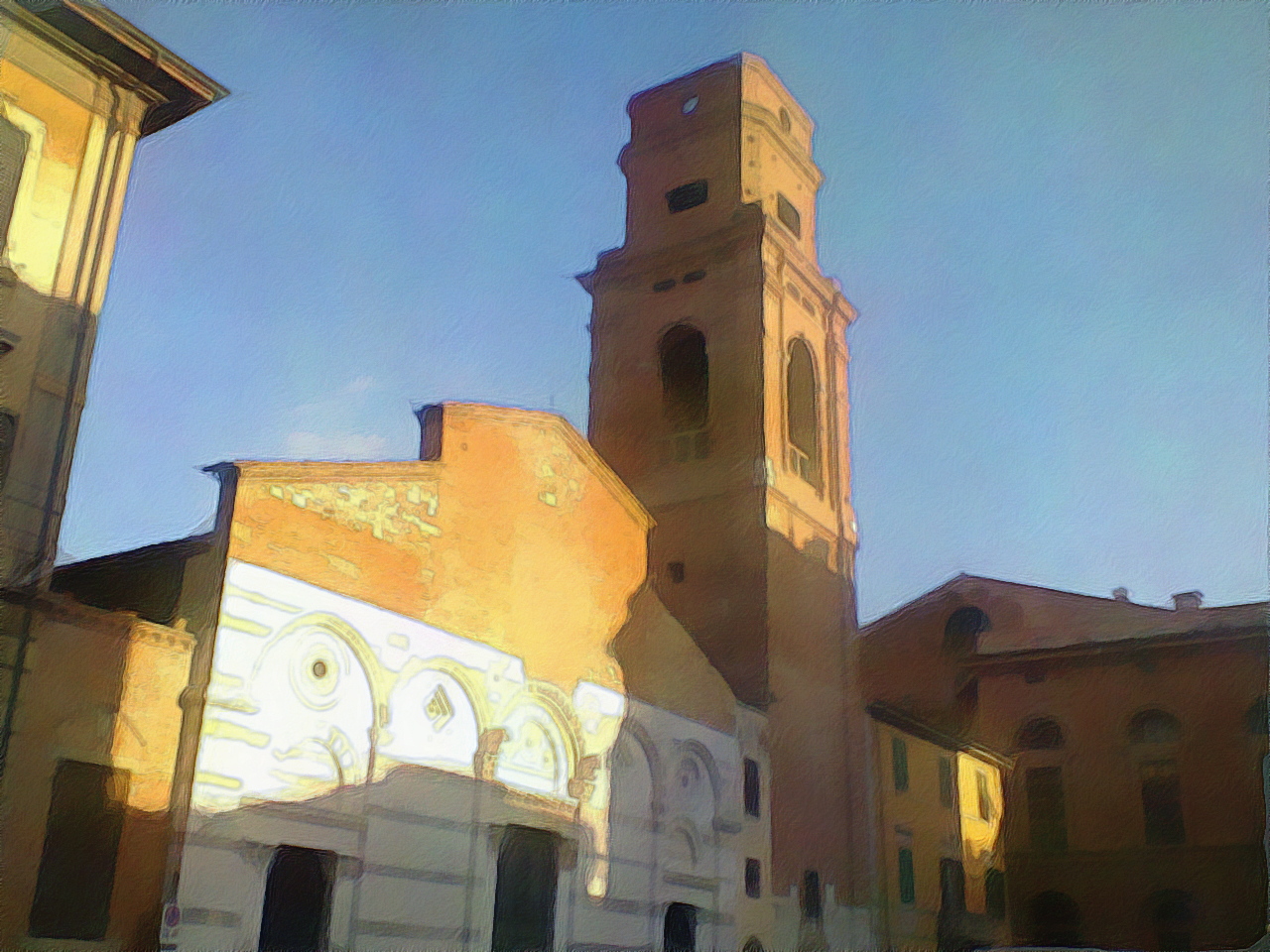
I'm late here but I love to mess with this filter (especially with hsl and lab).
Before:
Image
After:
Image
With hsl curves and rgb.


Top
 Post subject: Re: [G'MIC] New filter 'Colors / Curves [interactive]'
PostPosted: Wed Mar 30, 2016 3:12 am  (#25) 
Offline
GimpChat Member
User avatar

Joined: Mar 28, 2016
Posts: 312
Location: Netherlands
David, would it be possible to lock the horizontal movement of a color control point on a curve in the curve windows? So you will have more precise control over the color control points.

For example:
Holding the y-key (or middle mouse button) would block the movement of the color control point in x-direction and only allow movement in y-direction. Maybe this also can be done with the arrow keys with the same behaviour as in GIMP?


Top
 Post subject: Re: [G'MIC] New filter 'Colors / Curves [interactive]'
PostPosted: Wed Mar 30, 2016 7:08 am  (#26) 
Offline
GimpChat Member
User avatar

Joined: Jan 03, 2011
Posts: 1656
Good idea iarga.
Try refreshing your filters, I've added shortcuts : 'CTRL+mouse' to constrain to horizontal motion only, and 'SHIFT+mouse' for vertical motion.
Let me know what you think about it.


Top
 Post subject: Re: [G'MIC] New filter 'Colors / Curves [interactive]'
PostPosted: Wed Mar 30, 2016 8:01 am  (#27) 
Offline
GimpChat Member
User avatar

Joined: Mar 28, 2016
Posts: 312
Location: Netherlands
It seems to work. This was exactely what I meant. Thank you very much David. :bigthup

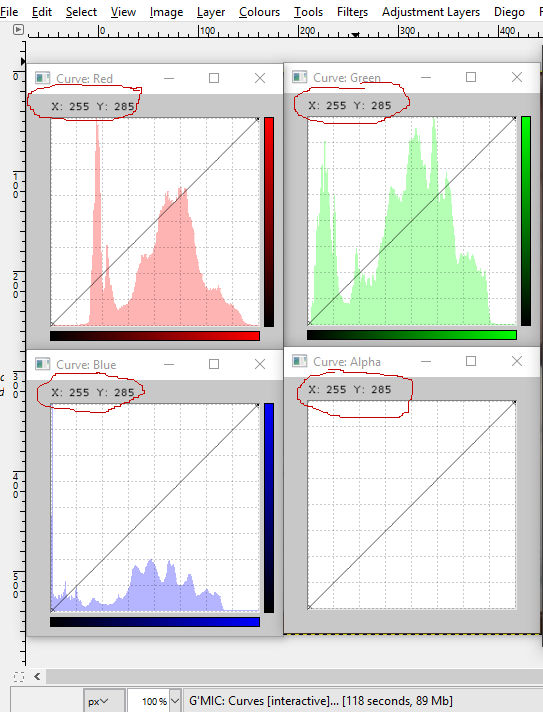
But...the X and Y values are uneven. In RGB the X value is 255 (as you expect) but the Y value is 280. In other color spaces The Y value is also wrong.


Top
 Post subject: Re: [G'MIC] New filter 'Colors / Curves [interactive]'
PostPosted: Wed Mar 30, 2016 8:21 am  (#28) 
Offline
GimpChat Member
User avatar

Joined: Jan 03, 2011
Posts: 1656
I don't observe that. Could you describe the steps that lead to this observation ?
Thanks.


Top
 Post subject: Re: [G'MIC] New filter 'Colors / Curves [interactive]'
PostPosted: Wed Mar 30, 2016 8:40 am  (#29) 
Offline
GimpChat Member
User avatar

Joined: Mar 28, 2016
Posts: 312
Location: Netherlands
Image

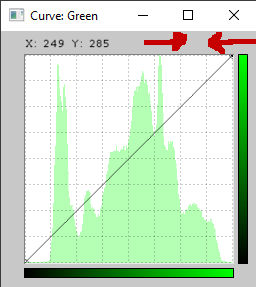
If I move the cursor to high, then Y goes to 285. It is not uneven spaced, but you gan go into the GUI of the curve with the Y value. But if it does something in the image, I don't think so? If you stay in the curve graph, with the cursor, the Y value doesn't go above 255, but it should not go above that. If I place the cursor a little bit higher out of the graph and in the GUI, then the Y goes above 255.

edit: if I point with my cursor on this place.
Image


Top
 Post subject: Re: [G'MIC] New filter 'Colors / Curves [interactive]'
PostPosted: Wed Mar 30, 2016 8:50 am  (#30) 
Offline
GimpChat Member
User avatar

Joined: Jan 03, 2011
Posts: 1656
I see now. I'll fix that, thanks :)


Top
 Post subject: Re: [G'MIC] New filter 'Colors / Curves [interactive]'
PostPosted: Wed Mar 30, 2016 9:15 am  (#31) 
Offline
GimpChat Member
User avatar

Joined: Mar 28, 2016
Posts: 312
Location: Netherlands
Now the the Y values are not going above 255. Thank you again.


Top
 Post subject: Re: [G'MIC] New filter 'Colors / Curves [interactive]'
PostPosted: Tue May 31, 2016 7:39 am  (#32) 
Offline
GimpChat Member
User avatar

Joined: Mar 28, 2016
Posts: 312
Location: Netherlands
New :bump

David,

Would it be possible to give the color control points a number in the order I pick them in the image?

Something like this:

Image

Sometimes I use a lot of color control points to correct colors. It is easy to be puzzled with a lot of control points on the curve.

Even better would be that I can see this numbers on the image, so I can see where I picked this color contol points. But there has to be an option to switch those numbers on and off, so I can have a clear look on the image.

:grooving


Top
 Post subject: Re: [G'MIC] New filter 'Colors / Curves [interactive]'
PostPosted: Wed Jun 01, 2016 8:48 am  (#33) 
Offline
GimpChat Member
User avatar

Joined: Jan 03, 2011
Posts: 1656
Well, not a bad idea, but a big tough to achieve !


Top
 Post subject: Re: [G'MIC] New filter 'Colors / Curves [interactive]'
PostPosted: Wed Jun 01, 2016 10:55 am  (#34) 
Offline
GimpChat Member
User avatar

Joined: Mar 28, 2016
Posts: 312
Location: Netherlands
David, thank you for your reaction. I already thought it would be complex. I don't know other image editing software that does this with curves, but maybe there is? Otherwise it is an innovative idea that would make Curves [interactive] and G'MIC more unique. And maybe there is a sound reason it doesn't exist (as far as I know).

I can imagine not everyone needs this feature. Maybe it creates confusion for some people. So if it is not too tough to achieve finally, then it should be possible to turn this feature on and off, I think, but perhaps there are other possibilities. Maybe clear information about the interactions under the description of the filter, will be sufficient.

I am already very happy with Curves [interactive], so if it is too tough, too time-consuming to make, too complex, too exotic or perhaps even impossible, I would still be content with it. Thank you for your attention.

:wizwand


Top
Post new topic Reply to topic  [ 34 posts ]  Go to page Previous  1, 2

All times are UTC - 5 hours [ DST ]


* Login  


Powered by phpBB3 © phpBB Group