It is currently Wed Sep 02, 2026 4:50 am


All times are UTC - 5 hours [ DST ]


Post new topic Reply to topic  [ 259 posts ]  Go to page Previous  1 ... 7, 8, 9, 10, 11, 12, 13  Next
Author Message
 Post subject: Re: Lurifax Blender Art
PostPosted: Fri Jun 03, 2016 8:15 pm  (#181) 
Offline
GimpChat Member
User avatar

Joined: Jul 04, 2010
Posts: 2253
Location: Retired Moderator Slowly Returning to the Living.
You have some absolutely amazing work here! I tried Blender many years ago and got nowhere fast. Maybe it's time I should try again?

_________________
Artists aren't crazy! We're eccentric! ~G.M. Ross

Image

My Sigs = My Photos
Check out my work at http://www.flickr.com/photos/photomastergreg.


Top
 Post subject: Re: Lurifax Blender Art
PostPosted: Fri Jun 03, 2016 10:46 pm  (#182) 
Offline
GimpChat Member
User avatar

Joined: Dec 10, 2013
Posts: 1004
Have lost track on how many times I tried the coffee cup - at least I have no holes now. I'm leaving the cup for now and will try something else. Here it is - not perfect but it was a great lesson on where things are located (interface) and what they do.

Image

_________________
Image
Macbook Air - MacOS Sierra 10.12
McGimp 2.8.14
G'mic 1.6.5


Top
 Post subject: Re: Lurifax Blender Art
PostPosted: Fri Jun 03, 2016 10:52 pm  (#183) 
Offline
Global Moderator
User avatar

Joined: Oct 02, 2014
Posts: 5033
Location: Sydney Australia
Dalia - well done; that is an excellent attempt. :clap

Looks like I shall have to rev up Blender too; its been on my system for 15 months and I only tried it out once. :)

_________________
Image

Respect should be offered freely but hard earned


Top
 Post subject: Re: Lurifax Blender Art
PostPosted: Sat Jun 04, 2016 3:07 am  (#184) 
Offline
GimpChat Member
User avatar

Joined: Feb 14, 2013
Posts: 462
Location: Stockholm
PhotoMaster wrote:
You have some absolutely amazing work here! I tried Blender many years ago and got nowhere fast. Maybe it's time I should try again?


Thank you PhotoMaster.

Long time ago I did some of Fenceposts Rotating Sigs.

_________________
Late 2017 iMac Retina 4K 21,5 inch Mac OS High Sierra version 10.13.4
3,6 GHz Intel Core i7
16 GB Ram 2400 MHz DDR4
Graphic card Radeon Pro 560 4096 MB
Affinity Photo and Affinity Designers.


Top
 Post subject: Re: Lurifax Blender Art
PostPosted: Sat Jun 04, 2016 3:33 am  (#185) 
Offline
GimpChat Member
User avatar

Joined: Feb 14, 2013
Posts: 462
Location: Stockholm
Ocean Time.

Image

Image

_________________
Late 2017 iMac Retina 4K 21,5 inch Mac OS High Sierra version 10.13.4
3,6 GHz Intel Core i7
16 GB Ram 2400 MHz DDR4
Graphic card Radeon Pro 560 4096 MB
Affinity Photo and Affinity Designers.


Last edited by Lurifax73 on Wed Jun 13, 2018 6:35 am, edited 1 time in total.

Top
 Post subject: Re: Lurifax Blender Art
PostPosted: Sat Jun 04, 2016 12:23 pm  (#186) 
Offline
GimpChat Member
User avatar

Joined: Jul 04, 2010
Posts: 2253
Location: Retired Moderator Slowly Returning to the Living.
Hey Lurifax, I'm guessing your avatar was made in blender?

_________________
Artists aren't crazy! We're eccentric! ~G.M. Ross

Image

My Sigs = My Photos
Check out my work at http://www.flickr.com/photos/photomastergreg.


Top
 Post subject: Re: Lurifax Blender Art
PostPosted: Sat Jun 04, 2016 12:39 pm  (#187) 
Offline
GimpChat Member
User avatar

Joined: Feb 14, 2013
Posts: 462
Location: Stockholm
PhotoMaster wrote:
Hey Lurifax, I'm guessing your avatar was made in blender?


Yes PhotoMaster. My avatar ar made in Blender.

Image


Image

_________________
Late 2017 iMac Retina 4K 21,5 inch Mac OS High Sierra version 10.13.4
3,6 GHz Intel Core i7
16 GB Ram 2400 MHz DDR4
Graphic card Radeon Pro 560 4096 MB
Affinity Photo and Affinity Designers.


Top
 Post subject: Re: Lurifax Blender Art
PostPosted: Sat Jun 04, 2016 12:51 pm  (#188) 
Offline
GimpChat Member
User avatar

Joined: Feb 14, 2013
Posts: 462
Location: Stockholm
Fun for the road.

Image

Image

_________________
Late 2017 iMac Retina 4K 21,5 inch Mac OS High Sierra version 10.13.4
3,6 GHz Intel Core i7
16 GB Ram 2400 MHz DDR4
Graphic card Radeon Pro 560 4096 MB
Affinity Photo and Affinity Designers.


Top
 Post subject: Re: Lurifax Blender Art
PostPosted: Mon Jun 06, 2016 7:26 am  (#189) 
Offline
GimpChat Member
User avatar

Joined: Jan 20, 2013
Posts: 590
Lurifax73 wrote:
Brick wall destroyer

https://player.vimeo.com/video/19593932

Old Eye

https://player.vimeo.com/video/25647532

Rotating logo

https://player.vimeo.com/video/21057449

Goggles

https://player.vimeo.com/video/31661699

Bolean, perfect tool if you need to make holes.

https://player.vimeo.com/video/27713218

Fun in the pool.

https://player.vimeo.com/video/44616425

Box with flaps

https://player.vimeo.com/video/67713581

Cartoon

[ Image ]

Ocean Time.

[ [url=http://gimpchat.com/files/2596_Skärmavbild%202016-06-04%20kl.%2012.55.27.png]Image[/url] ]

[ Image ]

Good effects, Lurifax. How did you get the effect of yellow plastic?

_________________
Image


Top
 Post subject: Re: Lurifax Blender Art
PostPosted: Mon Jun 06, 2016 7:48 am  (#190) 
Offline
GimpChat Member
User avatar

Joined: Mar 01, 2014
Posts: 14164
Location: Spain, Aragón
Carlos, So good to see you in the forum. :bigthup :hi5
Nice results in this Blender Art programme. I like seeing your progress. :coolthup

_________________
Image

Gimp 2.10.30(samj) portable _ OS Windows 10 Home_ 64bits
Don’t be afraid to start over. It’s a new chance to rebuild what you want.


Top
 Post subject: Re: Lurifax Blender Art
PostPosted: Mon Jun 06, 2016 8:25 am  (#191) 
Offline
GimpChat Member
User avatar

Joined: Feb 14, 2013
Posts: 462
Location: Stockholm
Carlos Diniz wrote:
Lurifax73 wrote:
Brick wall destroyer

https://player.vimeo.com/video/19593932

Old Eye

https://player.vimeo.com/video/25647532

Rotating logo

https://player.vimeo.com/video/21057449

Goggles

https://player.vimeo.com/video/31661699

Bolean, perfect tool if you need to make holes.

https://player.vimeo.com/video/27713218

Fun in the pool.

https://player.vimeo.com/video/44616425

Box with flaps

https://player.vimeo.com/video/67713581

Cartoon

[ Image ]

Ocean Time.

[ [url=http://gimpchat.com/files/2596_Skärmavbild%202016-06-04%20kl.%2012.55.27.png]Image[/url] ]

[ Image ]

Good effects, Lurifax. How did you get the effect of yellow plastic?


Hello Carlos.

I dont know which project with yellow plastic material you talking abouth.

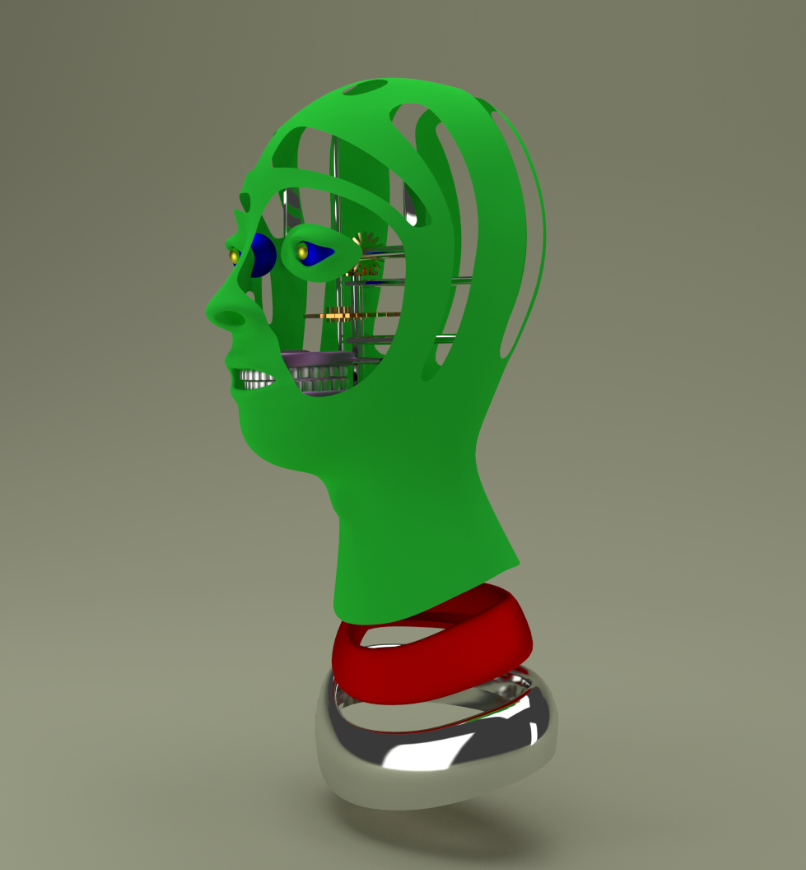
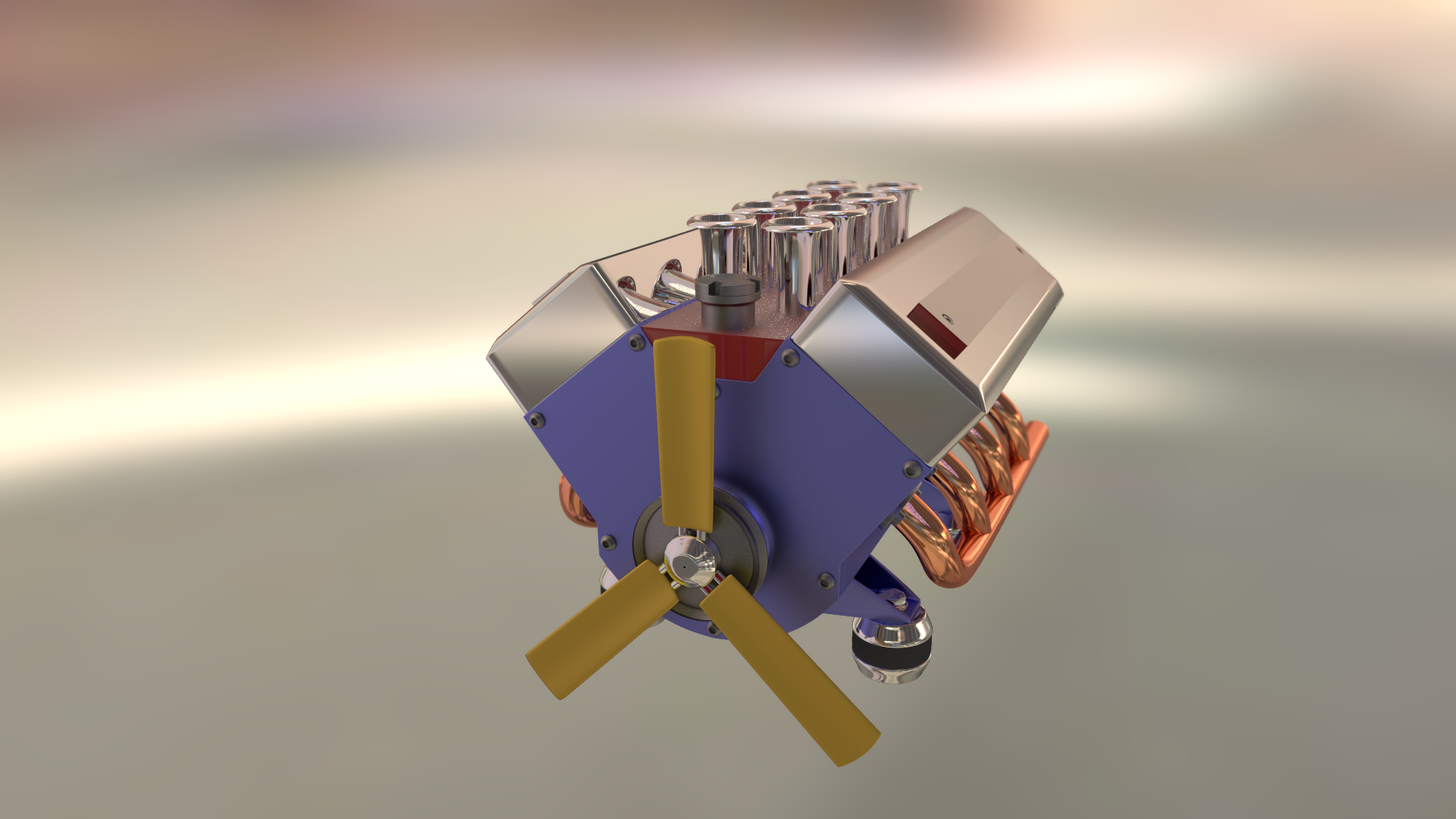
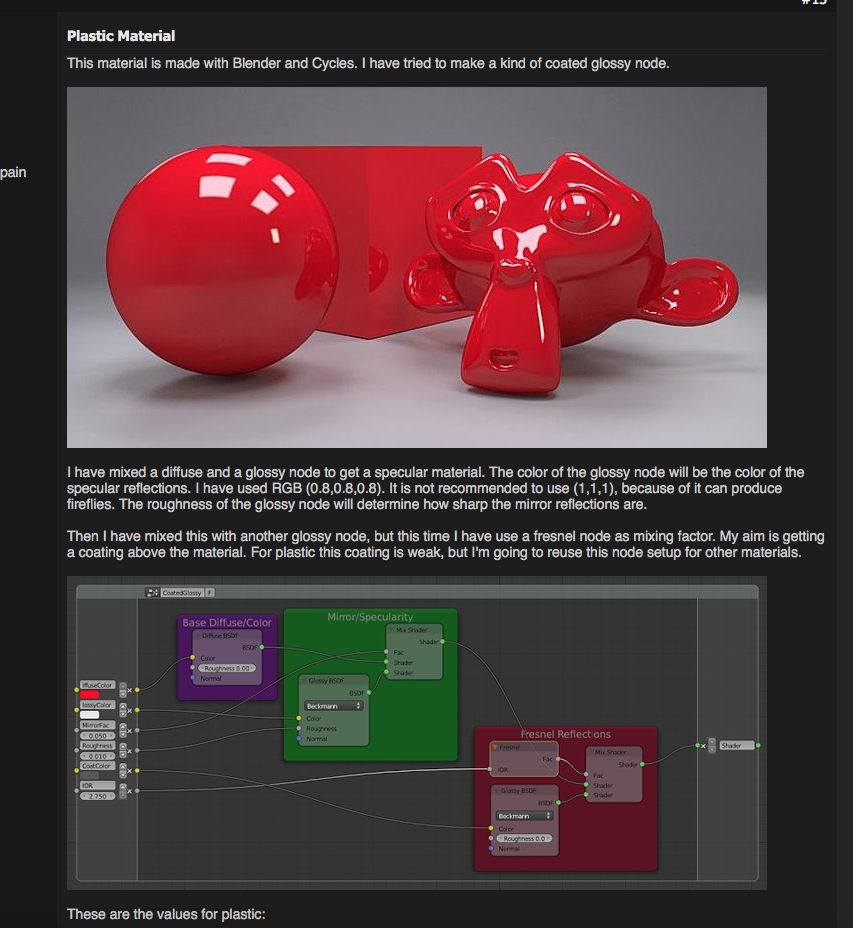
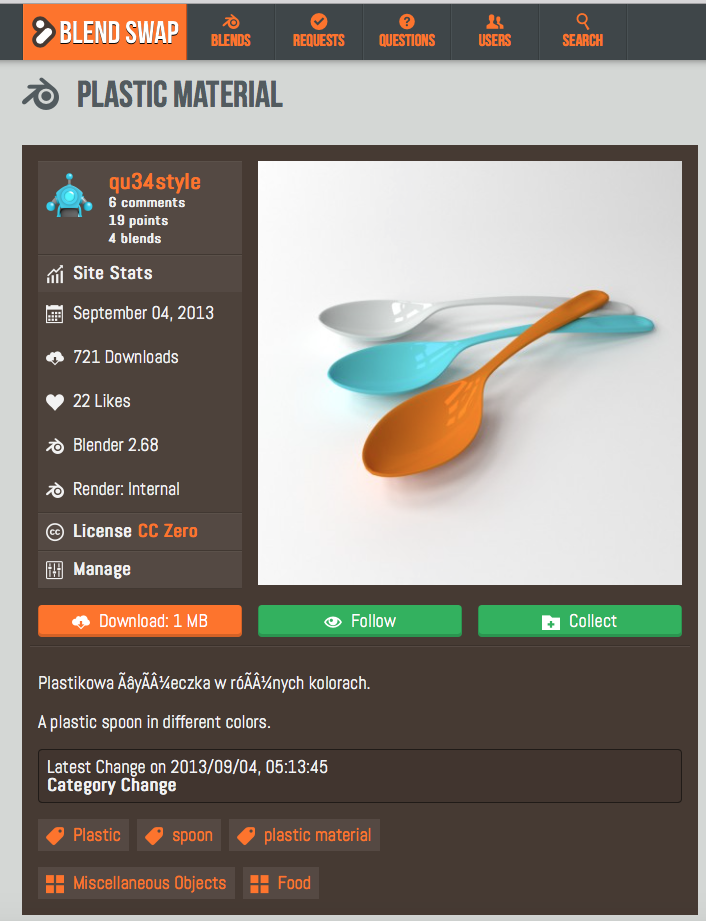
You vill have hard time If you try to get perfect plastic effect from your own laborations on your nodesetting at Node Editor. I always have my cool locking materials from Blendswap.

Image

Image

Lurifax

_________________
Late 2017 iMac Retina 4K 21,5 inch Mac OS High Sierra version 10.13.4
3,6 GHz Intel Core i7
16 GB Ram 2400 MHz DDR4
Graphic card Radeon Pro 560 4096 MB
Affinity Photo and Affinity Designers.


Top
 Post subject: Re: Lurifax Blender Art
PostPosted: Mon Jun 06, 2016 8:43 am  (#192) 
Offline
GimpChat Member
User avatar

Joined: Feb 14, 2013
Posts: 462
Location: Stockholm
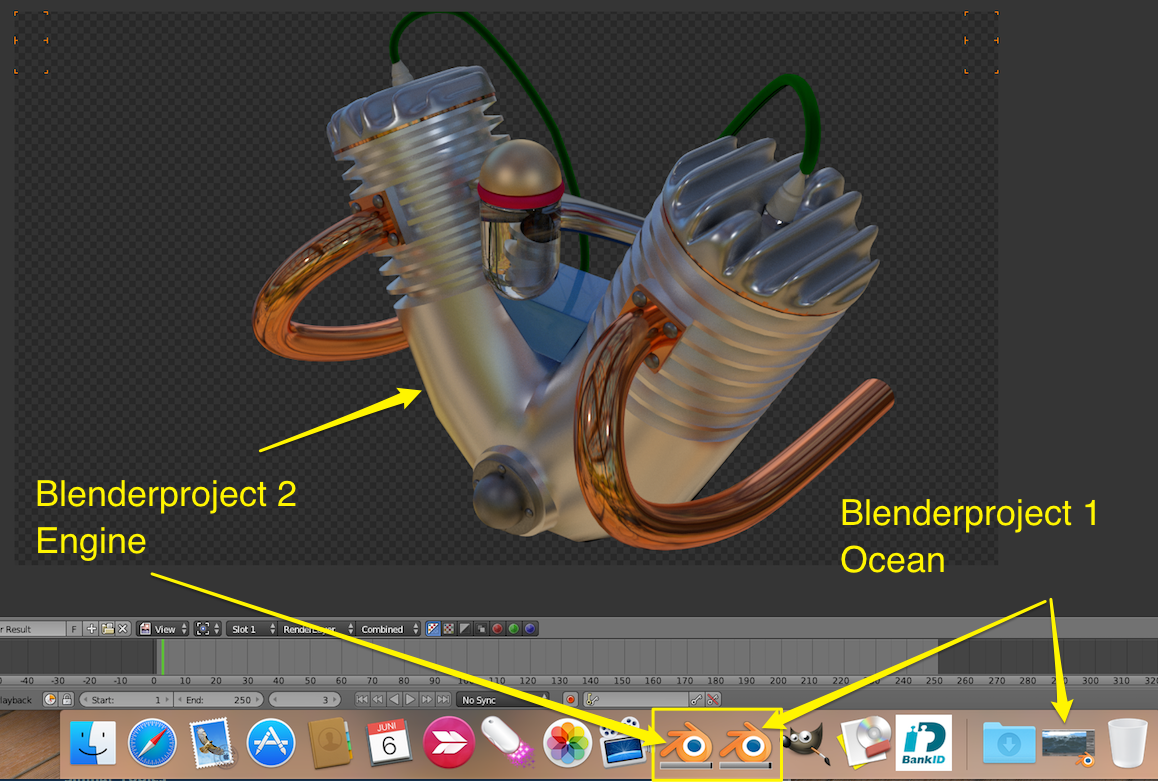
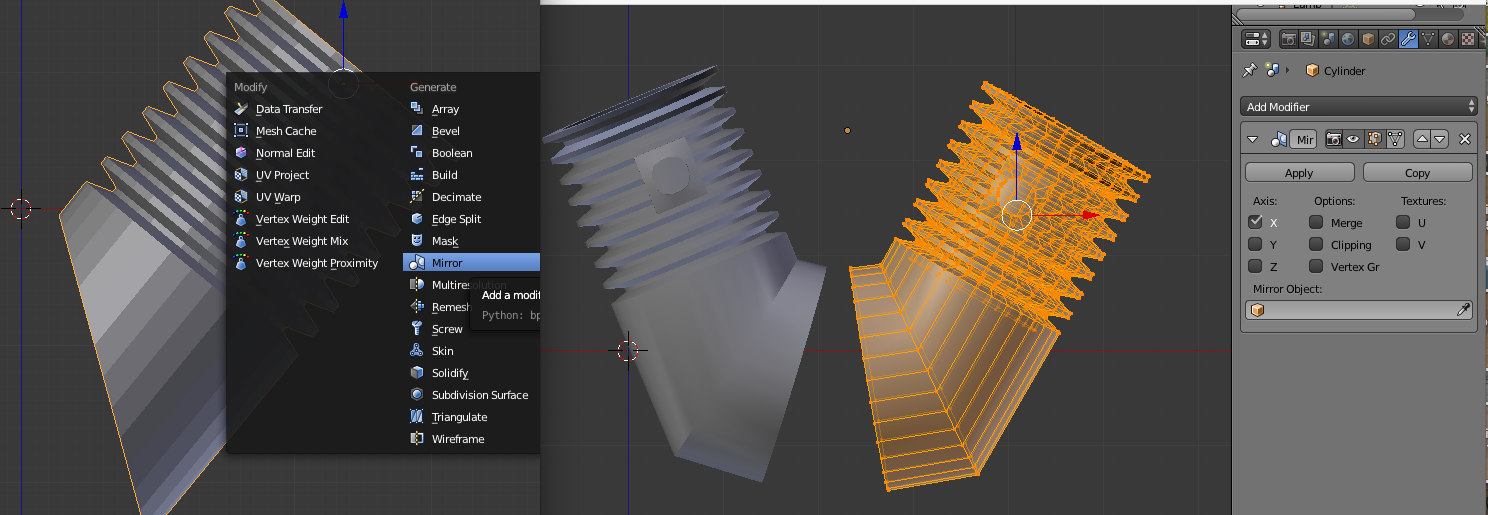
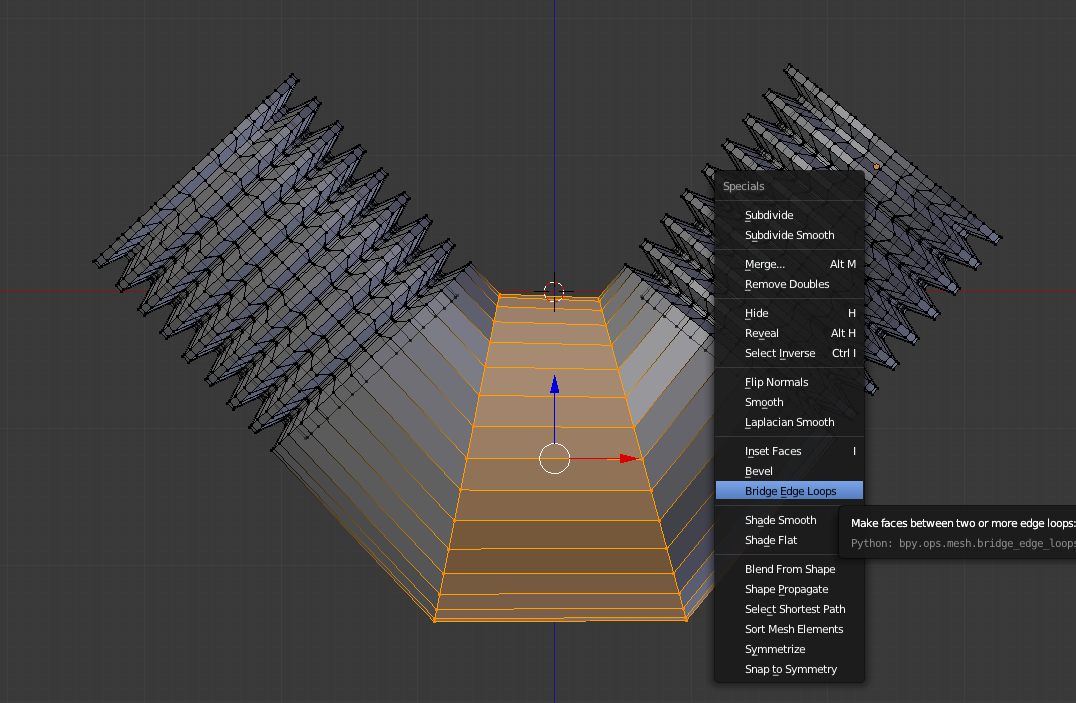
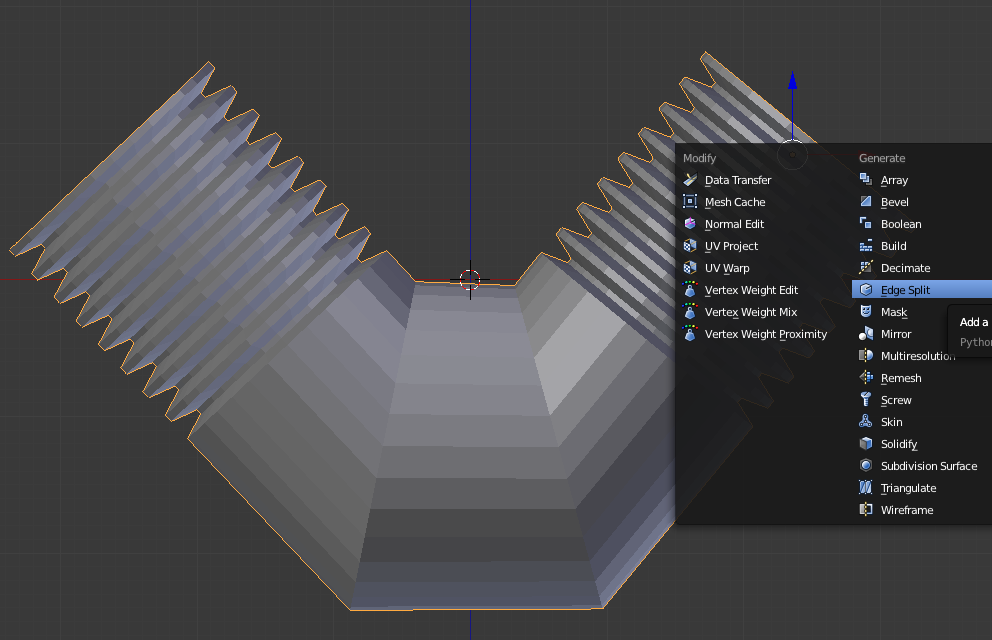
How to make a engine in Blender cycle.

This first image show you there is possible to work with 2 Blender projects at the same time.

Image

1.
Add cylinder and add 4 Loop Cuts by pressing Ctrl+R

Image

2.
Use Tool Array

Image

3.

Extrude and make bevel.
Image

4.
Use Tool Mirror to make left side of the engine.

Image

5.

Use Tool Bridge inside W to fill up the gap.

Image

6.

Use Tool Edge Split.

Image

7.

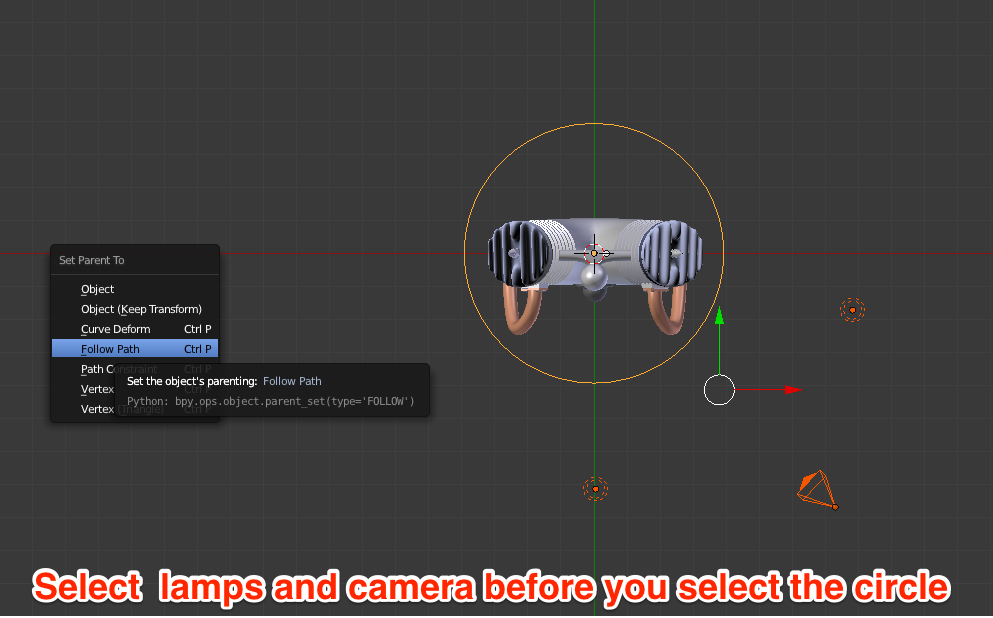
To let the Camera rotate around the object (Engine) for animation.

Add a Circle
Select 2 Lamp+ Camera before you select the Circle (You need to hold the Shift button down when you select more than one item)

Press Ctrl+P + Follow Path.

Image


Lurifax.

_________________
Late 2017 iMac Retina 4K 21,5 inch Mac OS High Sierra version 10.13.4
3,6 GHz Intel Core i7
16 GB Ram 2400 MHz DDR4
Graphic card Radeon Pro 560 4096 MB
Affinity Photo and Affinity Designers.


Last edited by Lurifax73 on Wed Jun 13, 2018 6:36 am, edited 2 times in total.

Top
 Post subject: Re: Lurifax Blender Art
PostPosted: Tue Jun 07, 2016 7:04 am  (#193) 
Offline
GimpChat Member
User avatar

Joined: Jan 20, 2013
Posts: 590
Thanks for the answer, Lurifax.

_________________
Image


Top
 Post subject: Re: Lurifax Blender Art
PostPosted: Tue Jun 07, 2016 7:29 am  (#194) 
Offline
GimpChat Member
User avatar

Joined: Jan 20, 2013
Posts: 590
Image
Issabella wrote:
Carlos, So good to see you in the forum. :bigthup :hi5
Nice results in this Blender Art programme. I like seeing your progress. :coolthup

Hi, Issabella. I'm preparing a surprise for you. Wait for the news. Perhaps the video takes a few days to become available. I suppose I don't know how to embed videos in gimp chat.
[https://youtu.be/y7LWosk47pM]

_________________
Image


Last edited by Carlos Diniz on Wed Jun 08, 2016 7:07 am, edited 3 times in total.

Top
 Post subject: Re: Lurifax Blender Art
PostPosted: Tue Jun 07, 2016 8:00 am  (#195) 
Offline
GimpChat Member
User avatar

Joined: May 26, 2015
Posts: 410
Location: United Kingdom
You've got some really cool Blender works in this thread Lurifax73 :). Some nice little tips and tricks as well - I didn't realise Blender had a fully modelled bolt mesh that you could just add! Thanks for sharing mate!

_________________
“Today, give a stranger one of your smiles. It might be the only sunshine he sees all day.” -- H. Jackson Brown Jr.


Top
 Post subject: Re: Lurifax Blender Art
PostPosted: Tue Jun 07, 2016 9:17 am  (#196) 
Offline
GimpChat Member
User avatar

Joined: Feb 14, 2013
Posts: 462
Location: Stockholm
Artloader wrote:
You've got some really cool Blender works in this thread Lurifax73 :). Some nice little tips and tricks as well - I didn't realise Blender had a fully modelled bolt mesh that you could just add! Thanks for sharing mate!


Thank you Artloader.

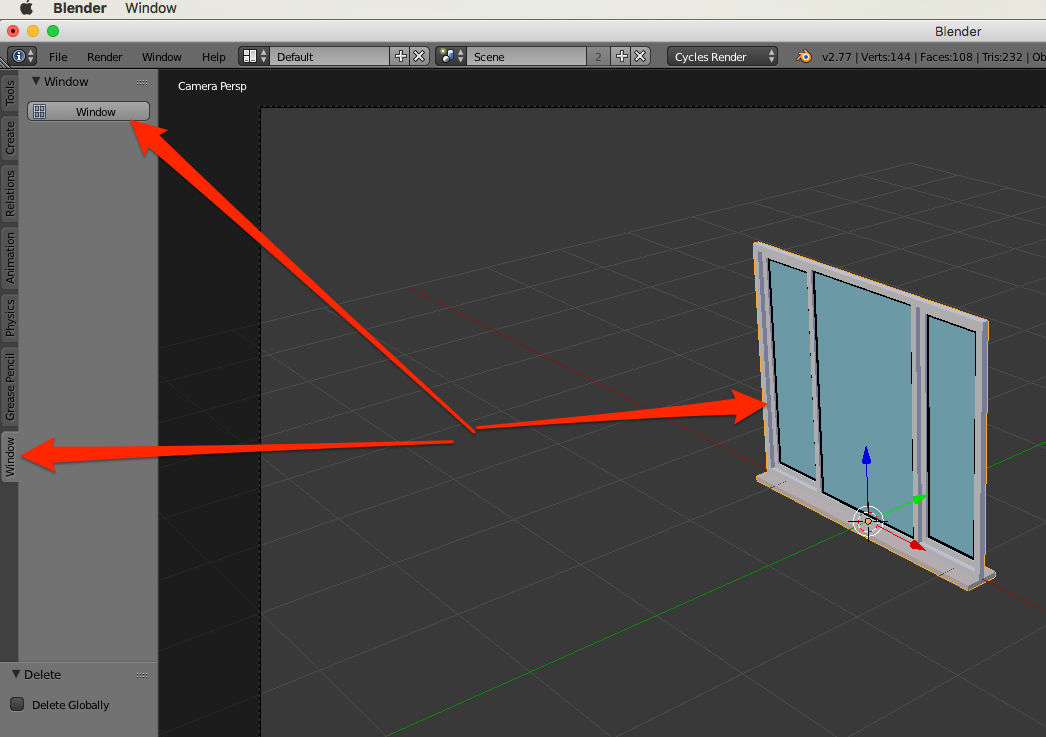
Yes you have over 100 AddOns for Blender on this AddOn List. But many of them you need to pay. http://blenderaddonlist.blogspot.se

Here is one example how i downloaded and installed AddOn Tools and object for Window.

Image

Image

Image

_________________
Late 2017 iMac Retina 4K 21,5 inch Mac OS High Sierra version 10.13.4
3,6 GHz Intel Core i7
16 GB Ram 2400 MHz DDR4
Graphic card Radeon Pro 560 4096 MB
Affinity Photo and Affinity Designers.


Top
 Post subject: Re: Lurifax Blender Art
PostPosted: Wed Jun 08, 2016 3:45 pm  (#197) 
Offline
GimpChat Member
User avatar

Joined: Feb 14, 2013
Posts: 462
Location: Stockholm
Out at sea on a fishing boat bobbing on the waves.

https://www.youtube.com/embed/tZabY0-i9Mc?rel=0

_________________
Late 2017 iMac Retina 4K 21,5 inch Mac OS High Sierra version 10.13.4
3,6 GHz Intel Core i7
16 GB Ram 2400 MHz DDR4
Graphic card Radeon Pro 560 4096 MB
Affinity Photo and Affinity Designers.


Last edited by Lurifax73 on Wed Jun 13, 2018 3:43 am, edited 1 time in total.

Top
 Post subject: Re: Lurifax Blender Art
PostPosted: Fri Jun 10, 2016 8:12 am  (#198) 
Offline
GimpChat Member
User avatar

Joined: Feb 14, 2013
Posts: 462
Location: Stockholm
There is 5 possible ways to animate your projects in Blender.

A.
Armature
Lattice
Empty

B-C

You have inside Armature few options, depending on your need.

D
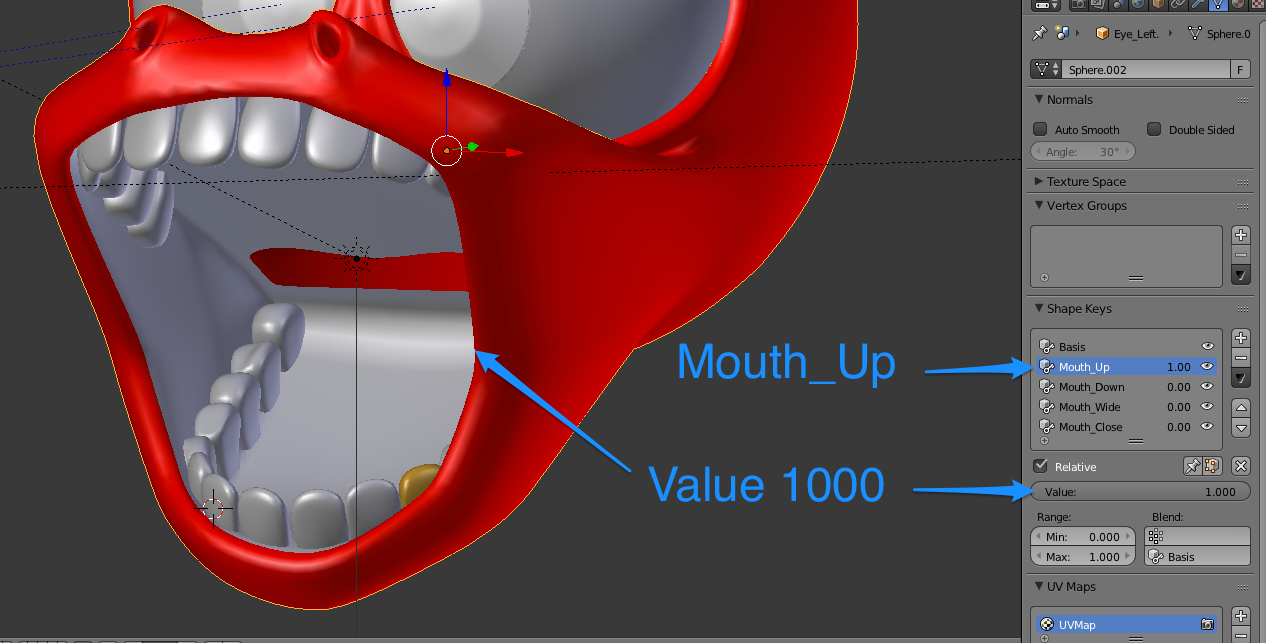
The easiest metode to animate your projects ar Shape Keys

E.

You animate Empty and Lattice together with Constraints.

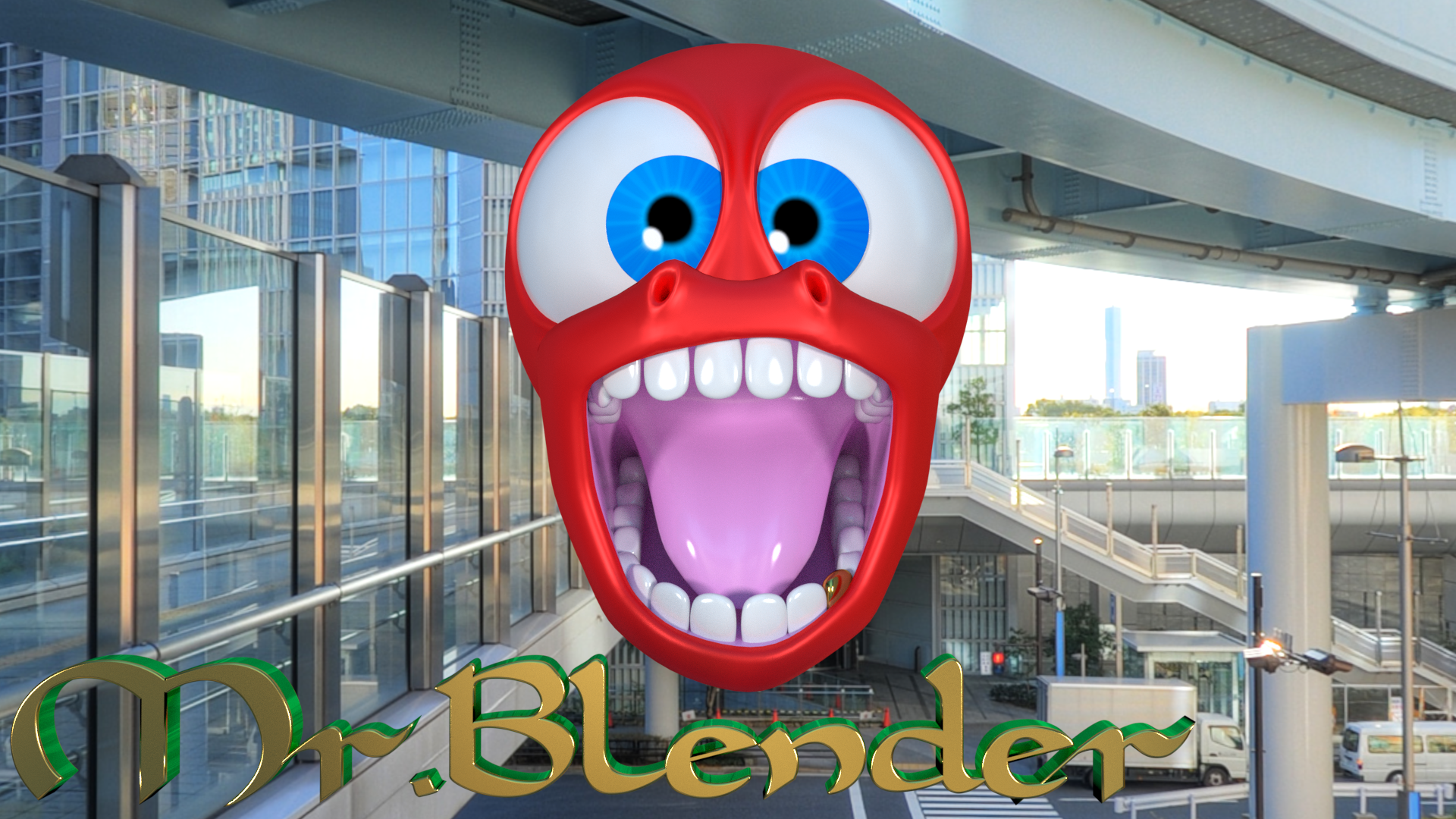
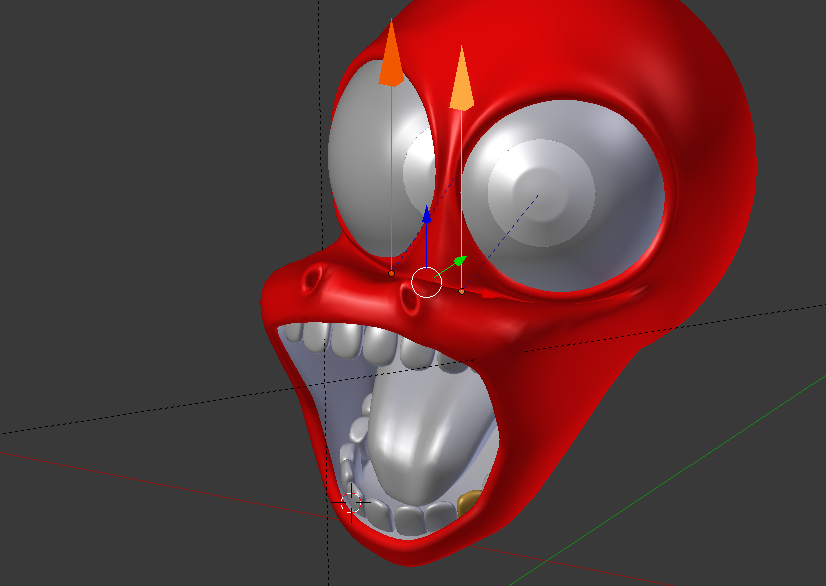
We going to animate my head "Cartoon Mr: Blender"

I have 2 different animation system for Mr:Blender
1.
Empty+Constraints for the eyes
2.
Shape Keys

Image

Image

I hide the toung inside M to get less stuff inside the mouth.
Image

Select upper Jaw and move it up.

Image

If you move the handle you open and close the mouth.

Image

Value 1000 mouth wide open.

Image

Select Lower Jaw and move it down.

Image

The eyes have Empty+Constraints as animate the eyes.

Image

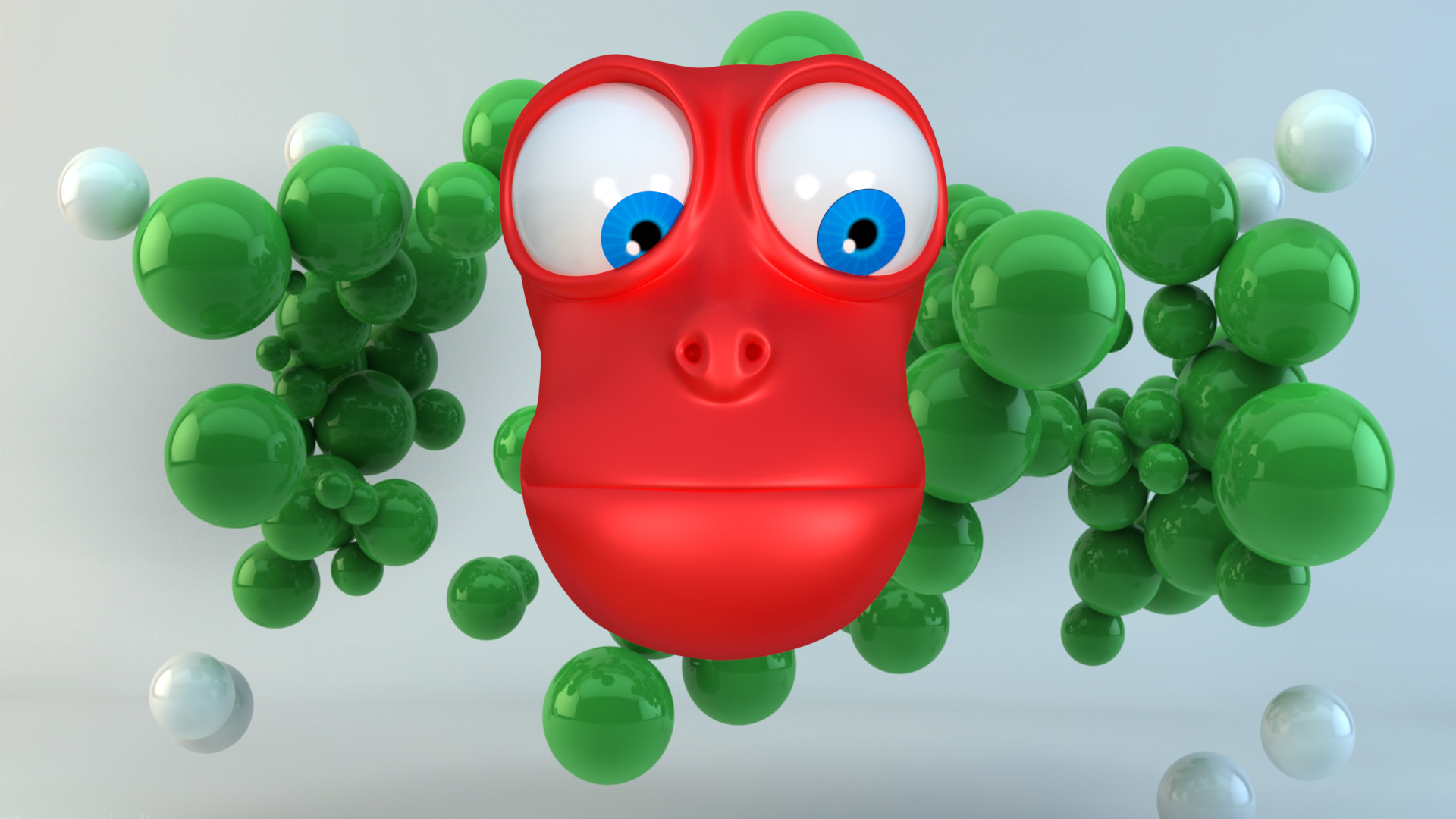
Here is 3 rendered images in different animated poses.
Image

Image


Image

Lurifax

_________________
Late 2017 iMac Retina 4K 21,5 inch Mac OS High Sierra version 10.13.4
3,6 GHz Intel Core i7
16 GB Ram 2400 MHz DDR4
Graphic card Radeon Pro 560 4096 MB
Affinity Photo and Affinity Designers.


Top
 Post subject: Re: Lurifax Blender Art
PostPosted: Tue Jun 14, 2016 5:42 pm  (#199) 
Offline
GimpChat Member
User avatar

Joined: Feb 14, 2013
Posts: 462
Location: Stockholm
Here are some Cartoons

Image

Image

Image

_________________
Late 2017 iMac Retina 4K 21,5 inch Mac OS High Sierra version 10.13.4
3,6 GHz Intel Core i7
16 GB Ram 2400 MHz DDR4
Graphic card Radeon Pro 560 4096 MB
Affinity Photo and Affinity Designers.


Top
 Post subject: Re: Lurifax Blender Art
PostPosted: Fri Jun 17, 2016 10:40 pm  (#200) 
Offline
GimpChat Member
User avatar

Joined: Feb 14, 2013
Posts: 462
Location: Stockholm
Out for a trip on the ocean waves.

Project made on Blender Cycle and Modifier Ocean

Resolution:

1920x1080 100 procent
AVI H.264
Bitrate 10000
Sample 300
Preview 32
Clamp Inderect 1.0
Frames 1- 250

Lamps.

One World- Background- Environment HDR- Texture

One Wallpaper-Sky- Emission

One Lamp Sun.


Material Ocean. Nodes: Glass 0.15 + Fresnel 200 + Foam 0.2


Connect and stick the boat on to the oceansurface with Modifier + Shrinkwrap and Constraints + Shrinkwrap + Copy Location + Copy Rotation

Renderingtime. 24 hours.

Image


One other type of lamp.

You can use image with sky as lamp if you use (Emission) ( A )

Add a plane ( C )
Add your sky texture on the plane ( B )
Use Emission ( A )

Image


Lurifax

_________________
Late 2017 iMac Retina 4K 21,5 inch Mac OS High Sierra version 10.13.4
3,6 GHz Intel Core i7
16 GB Ram 2400 MHz DDR4
Graphic card Radeon Pro 560 4096 MB
Affinity Photo and Affinity Designers.


Last edited by Lurifax73 on Wed Jun 13, 2018 6:38 am, edited 1 time in total.

Top
Post new topic Reply to topic  [ 259 posts ]  Go to page Previous  1 ... 7, 8, 9, 10, 11, 12, 13  Next

All times are UTC - 5 hours [ DST ]


* Login  


Powered by phpBB3 © phpBB Group