It is currently Wed Sep 02, 2026 3:30 pm


All times are UTC - 5 hours [ DST ]


Post new topic Reply to topic  [ 624 posts ]  Go to page Previous  1, 2, 3, 4, 5 ... 32  Next
Author Message
 Post subject: Re: Custom-Font-XCF-Files
PostPosted: Tue Oct 11, 2016 9:25 am  (#21) 
Offline
Global Moderator
User avatar

Joined: May 16, 2010
Posts: 16169
hardy111 wrote:
Hello,
I have a user font for you to download.

Download
http://www.kanzler-brd.de/dateien/WEIHNACHTEN-COMIC-01.zip

Attachment:
WEIHNACHTEN-COMIC-01.jpg


Attachment:
WEIHNACHTEN-COMIC-02.jpg


Attachment:
WEIHNACHTEN-COMIC-03.jpg


Regards Hardy111

Image

_________________
Image


Top
 Post subject: Re: Custom-Font-XCF-Files
PostPosted: Tue Oct 11, 2016 10:03 am  (#22) 
Offline
Global Moderator
User avatar

Joined: May 16, 2010
Posts: 16169
Hardy i wanted folks to see your "WEIHNACHTEN-COMIC" font on a non white background so you can see the snow on the letters. :) :bigthup

Image

_________________
Image


Top
 Post subject: Re: Custom-Font-XCF-Files
PostPosted: Tue Oct 11, 2016 12:06 pm  (#23) 
Offline
Script Coder
User avatar

Joined: May 07, 2014
Posts: 4528
Location: Canada
wow that really looks like winter feel

_________________
TinT


Top
 Post subject: Re: Custom-Font-XCF-Files
PostPosted: Wed Oct 12, 2016 10:13 am  (#24) 
Offline
Global Moderator
User avatar

Joined: May 16, 2010
Posts: 16169
Reptile Skin Font (created with my own reptile text script)
Download the script here
viewtopic.php?f=9&t=13384

Download XCF font file here
https://sourceforge.net/projects/rods-c ... les/files/

Image

Image

I will clean up the XCF and re upload later, or you can clean it up yourself. Everything is included and that is why it is 75 MB in size. Just remove everything in the layer group.

_________________
Image


Last edited by Rod on Wed Nov 16, 2016 3:10 pm, edited 2 times in total.

Top
 Post subject: Re: Custom-Font-XCF-Files
PostPosted: Wed Oct 12, 2016 10:21 am  (#25) 
Offline
Global Moderator
User avatar

Joined: May 16, 2010
Posts: 16169
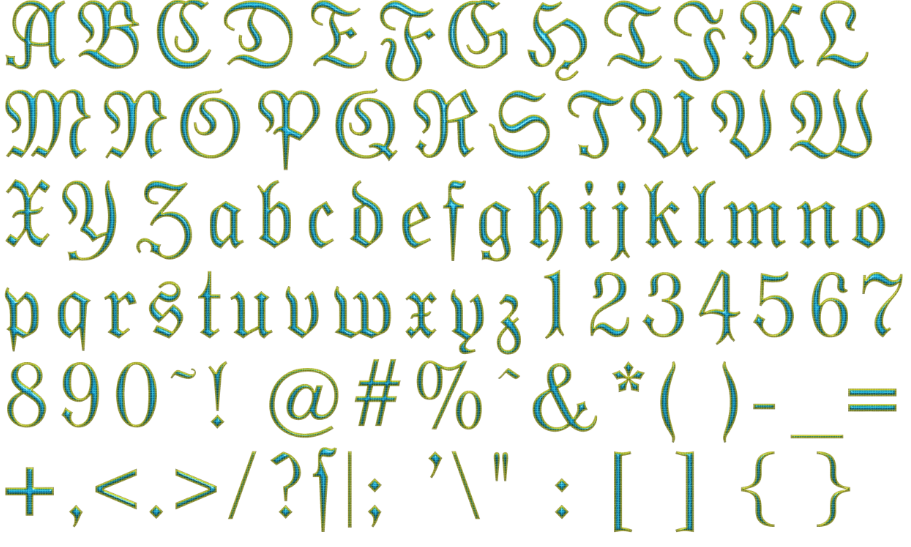
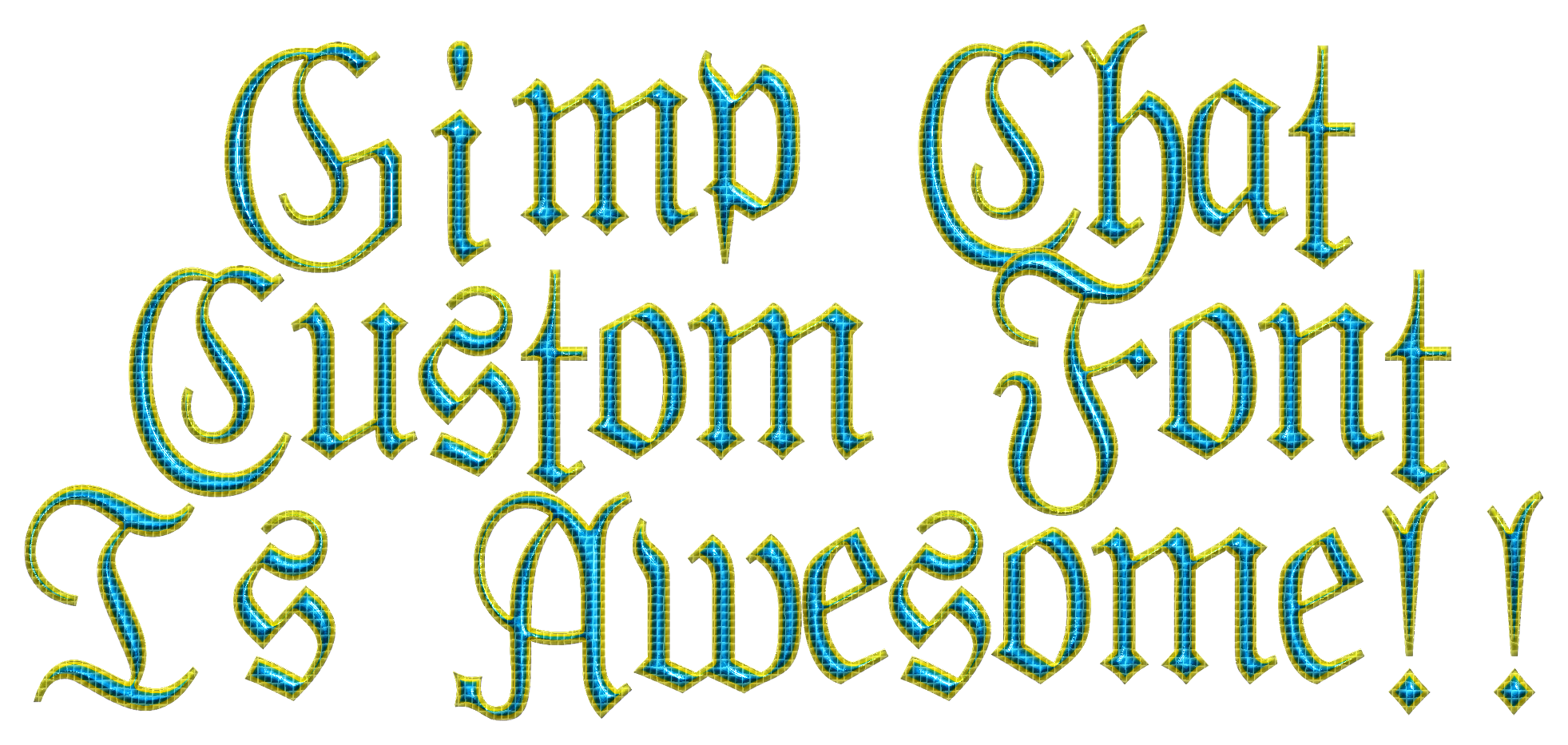
Oh by the way the font face is "Moderne Fraktur" I attached the zip.

Attachment:
moderne_fraktur.zip [24.51 KiB]
Downloaded 198 times

_________________
Image


Top
 Post subject: Re: Custom-Font-XCF-Files
PostPosted: Wed Oct 12, 2016 4:40 pm  (#26) 
Offline
GimpChat Member

Joined: May 12, 2015
Posts: 4693
Rod, that really is a beautiful font for your Snakeskin text script. Makes it very pretty!


Top
 Post subject: Re: Custom-Font-XCF-Files
PostPosted: Wed Oct 12, 2016 5:38 pm  (#27) 
Offline
Global Moderator
User avatar

Joined: May 16, 2010
Posts: 16169
Pat625 wrote:
Rod, that really is a beautiful font for your Snakeskin text script. Makes it very pretty!

I thought it went really well with the snake theme. Got that squiggly look to it.

_________________
Image


Top
 Post subject: Re: Custom-Font-XCF-Files
PostPosted: Thu Oct 13, 2016 9:51 am  (#28) 
Offline
Retired Staff
User avatar

Joined: May 22, 2008
Posts: 6946
Location: Somewhere in GIMP
How do you use the fonts?

_________________
Image
World War IV will be fought with sticks and stones. - Albert Einstein


Top
 Post subject: Re: Custom-Font-XCF-Files
PostPosted: Thu Oct 13, 2016 10:27 am  (#29) 
Offline
Global Moderator
User avatar

Joined: May 16, 2010
Posts: 16169
Oregonian wrote:
How do you use the fonts?

O if you go here viewtopic.php?f=9&t=14045&start=0 you will find out all about Trans "Custom Font" script for GIMP. It basically creates Photofonts utilizing a font xcf file. :bigthup .

Open GIMP go to Script-Fu>Create New>Custom Font and when the dialog opens select your values and run the filter. You will get your text written out with the decorative font you use. Make sure any characters you use are contained within the font. Or you will get an error telling you which one it cannot find. I try to add all the characters to my fonts but i miss one sometimes.

_________________
Image


Last edited by Rod on Sat Mar 16, 2019 10:36 pm, edited 1 time in total.

Top
 Post subject: Re: Custom-Font-XCF-Files
PostPosted: Thu Oct 13, 2016 11:51 am  (#30) 
Offline
Retired Staff
User avatar

Joined: May 22, 2008
Posts: 6946
Location: Somewhere in GIMP
:tyspin Rod!

_________________
Image
World War IV will be fought with sticks and stones. - Albert Einstein


Top
 Post subject: Re: Custom-Font-XCF-Files
PostPosted: Thu Oct 13, 2016 12:26 pm  (#31) 
Offline
Script Coder
User avatar

Joined: May 07, 2014
Posts: 4528
Location: Canada
Rod wrote:
Oregonian wrote:
How do you use the fonts?

O if you go here viewtopic.php?f=9&t=14045&start=0 you will find out all about Trans "Convert Font" filter for GIMP. It basically creates Photofonts utilizing a font xcf file. :bigthup .

Open GIMP go to Script-Fu>Create New>Convert Font and when the dialog opens select your values and run the filter. You will get your text written out with the decorative font you use. Make sure any characters you use are contained within the font. Or you will get an error telling you which one it cannot find. I try to add all the characters to my fonts but i miss one sometimes.


By "convert" do you mean "custom"? :hehe

_________________
TinT


Top
 Post subject: Re: Custom-Font-XCF-Files
PostPosted: Thu Oct 13, 2016 4:17 pm  (#32) 
Offline
GimpChat Member

Joined: May 12, 2015
Posts: 4693
Wallace, I may have missed it but did your pipe font get finished? I know when you were doing phf files I thought you did, but is it finished in the .xcf file format?


Top
 Post subject: Re: Custom-Font-XCF-Files
PostPosted: Thu Oct 13, 2016 5:03 pm  (#33) 
Offline
Administrator
User avatar

Joined: Aug 10, 2012
Posts: 14190
Location: Native to NYC living in Arizona, Gimp 2.8 - 3.0, Win 11 PC.
Pat625 wrote:
Wallace, I may have missed it but did your pipe font get finished?
I know when you were doing phf files I thought you did,
but is it finished in the .xcf file format?

Sorry Pat625,
but no it hasn't been made in the xcf format needed for the Custom Font Script.
I do have xcf files of all the letters and such,
so it can be compiled and made into an xcf file for use with the Custom Font Script.

If anyone is willing to do this,
I will post all the Pipeline xcf files?

_________________
Image
"A wise man learns more from a foolish question than a fool can learn from a wise answer"
Image


Top
 Post subject: Re: Custom-Font-XCF-Files
PostPosted: Thu Oct 13, 2016 5:12 pm  (#34) 
Offline
GimpChat Member

Joined: May 12, 2015
Posts: 4693
Wallace, I have never done that. Is it difficult? What would I do?


Top
 Post subject: Re: Custom-Font-XCF-Files
PostPosted: Thu Oct 13, 2016 5:26 pm  (#35) 
Offline
Administrator
User avatar

Joined: Aug 10, 2012
Posts: 14190
Location: Native to NYC living in Arizona, Gimp 2.8 - 3.0, Win 11 PC.
Pat625 wrote:
Wallace, I have never done that. Is it difficult? What would I do?

All the uppercase, lowercase, numbers and other character.
Need to be in one single xcf file.
Each letter and any other character that make up the font,
need to be on their own layer within the xcf file.

I have one xcf file for the uppercase, lowercase, numbers and one for the other characters.
These files would need to be combined into one xcf file.

_________________
Image
"A wise man learns more from a foolish question than a fool can learn from a wise answer"
Image


Top
 Post subject: Re: Custom-Font-XCF-Files
PostPosted: Thu Oct 13, 2016 8:25 pm  (#36) 
Offline
Global Moderator
User avatar

Joined: May 16, 2010
Posts: 16169
trandoductin wrote:
Rod wrote:
Oregonian wrote:
How do you use the fonts?

O if you go here viewtopic.php?f=9&t=14045&start=0 you will find out all about Trans "Convert Font" filter for GIMP. It basically creates Photofonts utilizing a font xcf file. :bigthup .

Open GIMP go to Script-Fu>Create New>Convert Font and when the dialog opens select your values and run the filter. You will get your text written out with the decorative font you use. Make sure any characters you use are contained within the font. Or you will get an error telling you which one it cannot find. I try to add all the characters to my fonts but i miss one sometimes.


By "convert" do you mean "custom"? :hehe

Yes. Sorry about that.

_________________
Image


Top
 Post subject: Re: Custom-Font-XCF-Files
PostPosted: Thu Oct 13, 2016 9:24 pm  (#37) 
Offline
GimpChat Member

Joined: May 12, 2015
Posts: 4693
Wallace, post or send them to me and I will give it a try.


Top
 Post subject: Re: Custom-Font-XCF-Files
PostPosted: Thu Oct 13, 2016 9:46 pm  (#38) 
Offline
Administrator
User avatar

Joined: Aug 10, 2012
Posts: 14190
Location: Native to NYC living in Arizona, Gimp 2.8 - 3.0, Win 11 PC.
Pat625 wrote:
Wallace, post or send them to me and I will give it a try.

Okay Pat625.
Here you go.

Attachment:
File comment: Caps, Lowercase and Numbers Only
p_line_xcf.zip [7.29 MiB]
Downloaded 164 times


Just the caps, lowercase and number,
no special characters or punctuation.

_________________
Image
"A wise man learns more from a foolish question than a fool can learn from a wise answer"
Image


Top
 Post subject: Re: Custom-Font-XCF-Files
PostPosted: Fri Oct 14, 2016 9:37 am  (#39) 
Offline
GimpChat Member

Joined: May 12, 2015
Posts: 4693
Wallace, I have the xcf files and will start working on them. Do you remember if the placement of any of the letters or numbers needs adjusted?


Top
 Post subject: Re: Custom-Font-XCF-Files
PostPosted: Fri Oct 14, 2016 9:58 am  (#40) 
Offline
Administrator
User avatar

Joined: Aug 10, 2012
Posts: 14190
Location: Native to NYC living in Arizona, Gimp 2.8 - 3.0, Win 11 PC.
Pat625 wrote:
Wallace,
I have the xcf files and will start working on them.
Do you remember if the placement of any of the letters or numbers needs adjusted?

Yes,
I'm pretty sure most if not all the characters in this font,
will need to be adjusted in some way.

If you review the link below.
You'll find resources available that my assist you.

viewtopic.php?f=9&t=14045&start=0#p191639

Good luck...
Image

_________________
Image
"A wise man learns more from a foolish question than a fool can learn from a wise answer"
Image


Top
Post new topic Reply to topic  [ 624 posts ]  Go to page Previous  1, 2, 3, 4, 5 ... 32  Next

All times are UTC - 5 hours [ DST ]


* Login  


Powered by phpBB3 © phpBB Group