It is currently Wed Nov 11, 2026 10:18 pm


All times are UTC - 5 hours [ DST ]


Post new topic Reply to topic  [ 28 posts ]  Go to page 1, 2  Next
Author Message
 Post subject: Script that can do this ?
PostPosted: Tue Nov 08, 2016 7:01 pm  (#1) 
Offline
GimpChat Member
User avatar

Joined: Jul 24, 2016
Posts: 43
GIMP Version: 2.8.14
Operating System: Windows
GIMP Experience: New User


Just wondering it there is a script or plugin that can image map an image and generate a picture similar to the picture below from another image.

I hope that makes sense as reading it back it's seems clear as mud lol


Attachments:
skull blocks.jpg
skull blocks.jpg [ 28.85 KiB | Viewed 3693 times ]
Share on Facebook Share on Twitter Share on Orkut Share on Digg Share on MySpace Share on Delicious Share on Technorati
Top
 Post subject: Re: Script that can do this ?
PostPosted: Tue Nov 08, 2016 7:44 pm  (#2) 
Offline
GimpChat Member

Joined: Sep 20, 2016
Posts: 293
How about G'MIC - Rendering - 3D blocks ?


Top
 Post subject: Re: Script that can do this ?
PostPosted: Tue Nov 08, 2016 8:30 pm  (#3) 
Offline
Administrator
User avatar

Joined: Aug 10, 2012
Posts: 14268
Location: Native to NYC living in Arizona, Gimp 2.8 - 3.0, Win 11 PC.
You could try this...
Image

_________________
Image
"A wise man learns more from a foolish question than a fool can learn from a wise answer"
Image


Top
 Post subject: Re: Script that can do this ?
PostPosted: Tue Nov 08, 2016 9:02 pm  (#4) 
Offline
GimpChat Member
User avatar

Joined: Jul 24, 2016
Posts: 43
Thank you Konstantin & Wallace, off to play now ;)


Top
 Post subject: Re: Script that can do this ?
PostPosted: Tue Nov 08, 2016 9:11 pm  (#5) 
Offline
Script Coder
User avatar

Joined: May 07, 2014
Posts: 4561
Location: Canada
This just gave me an idea for a script maybe not exactly like the effect but something close. I'll have to play and see if it comes out like i picture it in my head.

_________________
Image
Visualize your and others dreams coming true.


Top
 Post subject: Re: Script that can do this ?
PostPosted: Tue Nov 08, 2016 9:56 pm  (#6) 
Offline
GimpChat Member
User avatar

Joined: Sep 24, 2010
Posts: 12856
This would be cool; 3D legos instead of the 2D technique which I try to tweak got come close to 3D. Look forward to your try, Tran. :)

_________________
Lyle

Psalm 109:8

Image


Top
 Post subject: Re: Script that can do this ?
PostPosted: Tue Nov 08, 2016 10:33 pm  (#7) 
Offline
Script Coder
User avatar

Joined: May 07, 2014
Posts: 4561
Location: Canada
Nope i was going to pixelize it and then break it up into different layers then just apply my multiple shadows script but it takes really long to run as i have 16 layers for 16 colors and it didn't turn out all that great.

_________________
Image
Visualize your and others dreams coming true.


Top
 Post subject: Re: Script that can do this ?
PostPosted: Tue Nov 08, 2016 11:03 pm  (#8) 
Offline
Script Coder
User avatar

Joined: May 07, 2014
Posts: 4561
Location: Canada
is this effect (stack_layers_by_colors script) worth sharing?
1) pixelize 10x10
2) ran stack_layers_by_colors script (you choose number of colors it turns into indexed and by layers) this script isn't up or shared yet.
3) multiple shadows (this takes minutes to run).
Image

and this one just has a render pattern grid on top afterwards.
Image

_________________
Image
Visualize your and others dreams coming true.


Top
 Post subject: Re: Script that can do this ?
PostPosted: Wed Nov 09, 2016 8:16 am  (#9) 
Offline
Global Moderator
User avatar

Joined: May 16, 2010
Posts: 16256
Konstantin wrote:
How about G'MIC - Rendering - 3D blocks ?


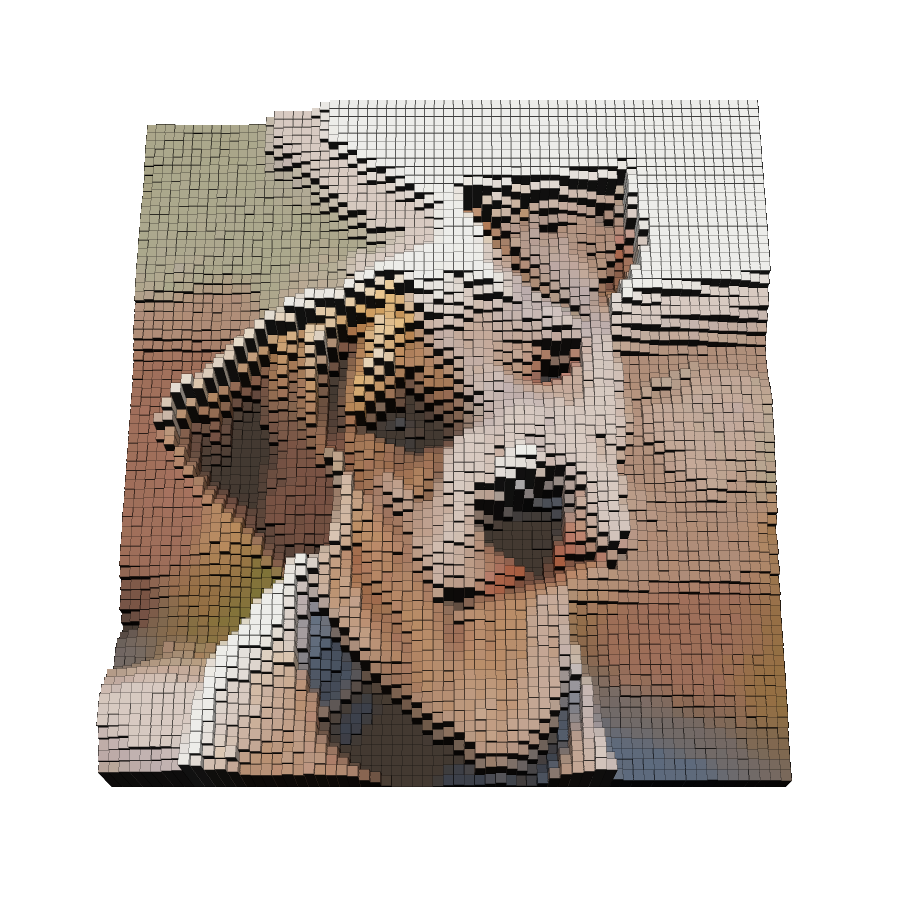
This works well but imho it has too large of blocks so i re edited the update file to 250 for resolution size rather than 128. Now i get much smaller sizes too work with. :)

open your update file in Notepad ++ and search for "3d blocks"
#@gimp <b>Rendering</b>
#@gimp 3d blocks : gimp_blocks3d, gimp_blocks3d(1)
#@gimp : Resolution = int(32,1,128) <--- change this line to #@gimp : Resolution = int(32,1,250)
#@gimp : Smoothness = float(0,0,40)
#@gimp : Elevation = float(4,-10,10)
#@gimp : Size = float(1.5,0,3)
#@gimp : Angle = float(30,0,360)
#@gimp : Tilt = float(60,0,90)
#@gimp : Fov = float(45,1,90)
#@gimp : X-centering = float(50,0,100)
#@gimp : Y-centering = float(50,0,100)

You will have to change it every time you update or refresh G'MIC though.


1000x1000 image with these settings

Image

Image

Seems to work well with smaller images as well.
300x300 image same settings

Image

_________________
Image


Top
 Post subject: Re: Script that can do this ?
PostPosted: Wed Nov 09, 2016 8:22 am  (#10) 
Offline
Global Moderator
User avatar

Joined: May 16, 2010
Posts: 16256
res 250 at 1000x1000 image size otherwise same settings

Image

_________________
Image


Top
 Post subject: Re: Script that can do this ?
PostPosted: Wed Nov 09, 2016 8:23 am  (#11) 
Offline
Global Moderator
User avatar

Joined: May 16, 2010
Posts: 16256
trandoductin wrote:
is this effect (stack_layers_by_colors script) worth sharing?
1) pixelize 10x10
2) ran stack_layers_by_colors script (you choose number of colors it turns into indexed and by layers) this script isn't up or shared yet.
3) multiple shadows (this takes minutes to run).
[ Image ]

and this one just has a render pattern grid on top afterwards.
[ Image ]

I think that warrants a filter in artistic Tran. :bigthup

_________________
Image


Top
 Post subject: Re: Script that can do this ?
PostPosted: Thu Nov 10, 2016 9:02 am  (#12) 
Offline
GimpChat Member
User avatar

Joined: Jul 24, 2016
Posts: 43
trandoductin wrote:
is this effect (stack_layers_by_colors script) worth sharing?
1) pixelize 10x10
2) ran stack_layers_by_colors script (you choose number of colors it turns into indexed and by layers) this script isn't up or shared yet.
3) multiple shadows (this takes minutes to run).
[ Image ]

and this one just has a render pattern grid on top afterwards.
[ Image ]


This is fantastic my friend. Could you please release the "stack_layers_by_colour_script"
And is this the multiple shadow script you used and made ;) ? Shadow Script


Top
 Post subject: Re: Script that can do this ?
PostPosted: Thu Nov 10, 2016 9:21 am  (#13) 
Offline
Global Moderator
User avatar

Joined: May 16, 2010
Posts: 16256
Bob Albion wrote:
trandoductin wrote:
is this effect (stack_layers_by_colors script) worth sharing?
1) pixelize 10x10
2) ran stack_layers_by_colors script (you choose number of colors it turns into indexed and by layers) this script isn't up or shared yet.
3) multiple shadows (this takes minutes to run).
[ Image ]

and this one just has a render pattern grid on top afterwards.
[ Image ]


This is fantastic my friend. Could you please release the "stack_layers_by_colour_script"
And is this the multiple shadow script you used and made ;) ? Shadow Script

viewtopic.php?f=9&t=14889

_________________
Image


Top
 Post subject: Re: Script that can do this ?
PostPosted: Thu Nov 10, 2016 5:03 pm  (#14) 
Offline
GimpChat Member
User avatar

Joined: Jul 24, 2016
Posts: 43
Thank you Rod ;)


Top
 Post subject: Re: Script that can do this ?
PostPosted: Thu Nov 10, 2016 7:19 pm  (#15) 
Offline
GimpChat Member
User avatar

Joined: Sep 24, 2010
Posts: 12856
3D blocks works particularly well with depth maps. If you have a depth map of a skull that you could share here, that would be cool. :)

In the meantime, I'll give you a hand. ;)

:)


Attachments:
ahand.png
ahand.png [ 599.15 KiB | Viewed 2077 times ]

_________________
Lyle

Psalm 109:8

Image
Top
 Post subject: Re: Script that can do this ?
PostPosted: Fri Nov 11, 2016 7:11 am  (#16) 
Offline
Global Moderator
User avatar

Joined: May 16, 2010
Posts: 16256
Lyle does G'MIC have a way to render depth maps from images?

_________________
Image


Top
 Post subject: Re: Script that can do this ?
PostPosted: Fri Nov 11, 2016 7:14 am  (#17) 
Offline
GimpChat Member
User avatar

Joined: Sep 24, 2010
Posts: 12856
Yes, but so slow and I've not used these presets in quite a while now. They are located under Stereoscopic 3D. Just as a side, has anyone heard anything about Tom Keil? :)

_________________
Lyle

Psalm 109:8

Image


Top
 Post subject: Re: Script that can do this ?
PostPosted: Fri Nov 11, 2016 8:15 am  (#18) 
Offline
Global Moderator
User avatar

Joined: May 16, 2010
Posts: 16256
Thanks Lyle.

Hey i recompiled elsamukos depthmap plugin for GIMP-2.8 64 bit and tested in windows 10 64 bit
http://registry.gimp.org/node/10217
I will attach it here along with original c src file in a zip folder.

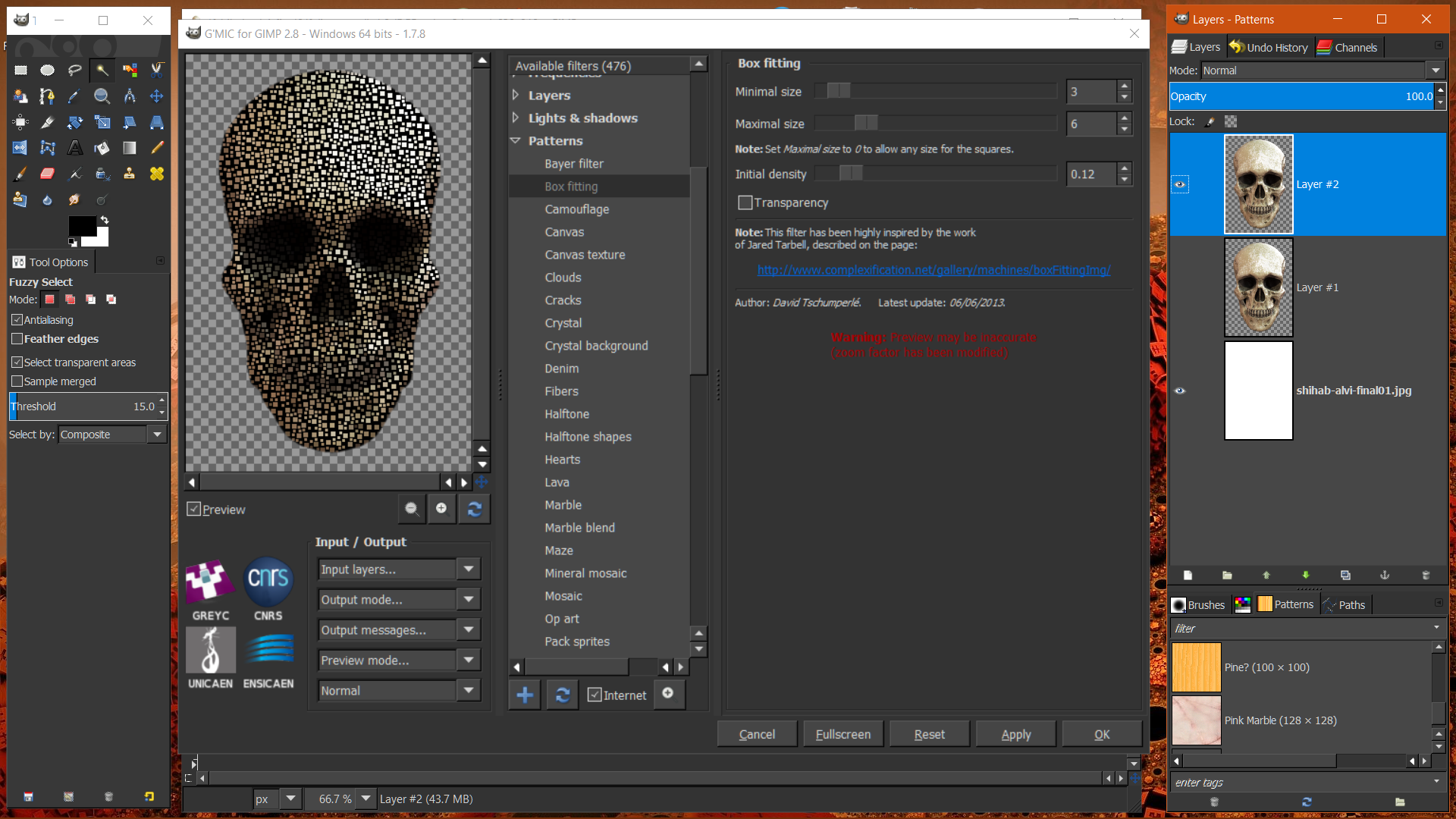
You know another neat way to get great blocks is to use Trans layer by color filter (i used 20 colors for this one) then these settings for G'MIC 3d blocks. Run G'MIC on the bottom layer in the new image that Trans filter creates.

Image

Results
Image

Depthmap plugin -
place in the plug-ins folder and restart GIMP.
Menu locale is Filters>Map>Depthmap.

Directions for use.
Open any image duplicate it and desaturate one. Run the filter select values click ok.

Image


Attachments:
File comment: Depthmap plugin for GIMP-2.8 64 bit Windows ONLY! c src included.
elsamuko-depthmap_0-Win10-64bit_RD.zip [13.69 KiB]
Downloaded 122 times

_________________
Image


Last edited by Rod on Fri Nov 11, 2016 8:22 am, edited 1 time in total.
Top
 Post subject: Re: Script that can do this ?
PostPosted: Fri Nov 11, 2016 8:16 am  (#19) 
Offline
Global Moderator
User avatar

Joined: May 16, 2010
Posts: 16256
Image

_________________
Image


Top
 Post subject: Re: Script that can do this ?
PostPosted: Fri Nov 11, 2016 9:40 am  (#20) 
Offline
Administrator
User avatar

Joined: Aug 10, 2012
Posts: 14268
Location: Native to NYC living in Arizona, Gimp 2.8 - 3.0, Win 11 PC.
Rod wrote:
Thanks Lyle.

Hey i recompiled elsamukos depthmap plugin for GIMP-2.8 64 bit and tested in windows 10 64 bit
http://registry.gimp.org/node/10217
I will attach it here along with original c src file in a zip folder.

You know another neat way to get great blocks is to use Trans layer by color filter (i used 20 colors for this one) then these settings for G'MIC 3d blocks. Run G'MIC on the bottom layer in the new image that Trans filter creates.

[ Image ]

Results
[ Image ]

Depthmap plugin -
place in the plug-ins folder and restart GIMP.
Menu locale is Filters>Map>Depthmap.

Directions for use.
Open any image duplicate it and desaturate one. Run the filter select values click ok.

[ Image ]

Nice! :bigthup
Hey Rod,
does the elsamuko-depthmap_0.c file also need to be placed into the plug-ins folder, along with the executable?

_________________
Image
"A wise man learns more from a foolish question than a fool can learn from a wise answer"
Image


Top
Post new topic Reply to topic  [ 28 posts ]  Go to page 1, 2  Next

All times are UTC - 5 hours [ DST ]


* Login  


Powered by phpBB3 © phpBB Group