It is currently Sun Jul 12, 2026 2:54 am


All times are UTC - 5 hours [ DST ]


Post new topic Reply to topic  [ 15 posts ] 
Author Message
 Post subject: Parallax animation script for GIMP
PostPosted: Wed Feb 08, 2017 4:43 pm  (#1) 
Offline
Script Coder
User avatar

Joined: May 07, 2014
Posts: 4497
Location: Canada
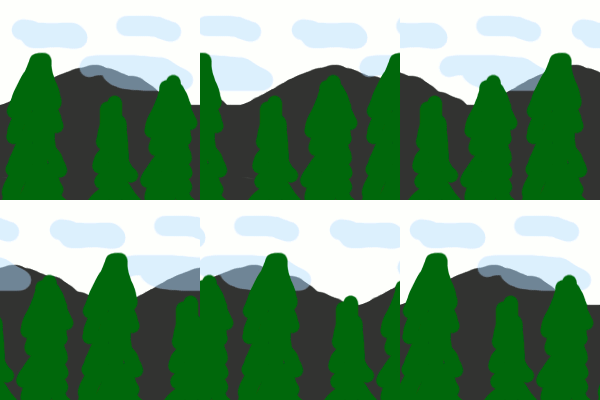
After the scrolling script....of course a Parallax animation script has to be done.
Image
Sorry I am not so great at drawing....but you see mountains moving slowest at lowest layer...then clouds, then trees move the fastest...creates a parallax illusion

More details and instructions here --> Parallax animation script for GIMP

_________________
TinT


Last edited by trandoductin on Sun Sep 10, 2017 3:27 pm, edited 1 time in total.

Share on Facebook Share on Twitter Share on Orkut Share on Digg Share on MySpace Share on Delicious Share on Technorati
Top
 Post subject: Re: Parallax animation script for GIMP
PostPosted: Wed Feb 08, 2017 5:22 pm  (#2) 
Offline
Script Coder
User avatar

Joined: Oct 25, 2010
Posts: 4812
Technically, the clouds should be after the mountains. As they are they look more like smoke.

Cool script, otherwise.

_________________
Image


Top
 Post subject: Re: Parallax animation script for GIMP
PostPosted: Wed Feb 08, 2017 5:35 pm  (#3) 
Offline
Script Coder
User avatar

Joined: May 07, 2014
Posts: 4497
Location: Canada
you're right. I wasn't thinking right...
clouds should be further than mountains.. i guess they're fog or smoke then hehe.

"Cool script" coming from you means a lot to me. Thanks.

_________________
TinT


Top
 Post subject: Re: Parallax animation script for GIMP
PostPosted: Thu Feb 09, 2017 12:15 am  (#4) 
Offline
GimpChat Member

Joined: Dec 29, 2015
Posts: 223
Good.


Top
 Post subject: Re: Parallax animation script for GIMP
PostPosted: Thu Feb 09, 2017 6:14 am  (#5) 
Offline
Script Coder
User avatar

Joined: Oct 25, 2010
Posts: 4812
trandoductin wrote:
"Cool script" coming from you means a lot to me. Thanks.


I haven't looked at the code yet :)

_________________
Image


Top
 Post subject: Re: Parallax animation script for GIMP
PostPosted: Thu Feb 09, 2017 4:22 pm  (#6) 
Offline
Script Coder
User avatar

Joined: May 07, 2014
Posts: 4497
Location: Canada
don't look at the code....
I like it to stay a "Cool script".

_________________
TinT


Top
 Post subject: Re: Parallax animation script for GIMP
PostPosted: Thu Feb 09, 2017 6:55 pm  (#7) 
Offline
Script Coder
User avatar

Joined: Oct 25, 2010
Posts: 4812
Well, looked at the code. Not bad, but I would do it differently:

  • Duplicate the layers horizontally (number of duplicates=relative speed, so you have N+1 copies total), while keeping the canvas the same.
  • Then your loop:
    • shifts layers by 1,2,4 pixels... (you can just update their offsets directly IIRC)
    • does a new-from-visible (frame = pdb.gimp_layer_new_from_visible(source_image, animation_image, name))
    • adds that frame layer to animation_image

Likely faster and simpler since you have two images.

And your loop for each frame can contain a loop over the N layers (this avoids some more code repetition), making it easy to make a script that supports more than 3 layers if necessary. For instance you can have the shift coded in the layer name, or required N layers (N=8 or so), shifted 1px, 2px, 3px... and for the the speeds that are not used the user just adds a transparent layer.

Script still cool, but can become cool, efficient and elegant :)

_________________
Image


Top
 Post subject: Re: Parallax animation script for GIMP
PostPosted: Thu Feb 09, 2017 7:11 pm  (#8) 
Offline
Script Coder
User avatar

Joined: May 07, 2014
Posts: 4497
Location: Canada
I said don't look at the code heheheh.

maybe you can do the elegant version and post it on http://www.gimp-forum.net

Edit: Thanks ofnuts, with your suggestions. I used some.
Such as creating layers with N+1 duplicates. and translating layer then get layer from visible and it's way faster and what's nice is you get to see the animation run in layers window as it's generating. I don't think i'll add the ability to create dynamic number of layers because I think next layer is 8x speed is too fast.
I am happy with it right now (version 3).

_________________
TinT


Top
 Post subject: Re: Parallax animation script for GIMP
PostPosted: Fri Feb 10, 2017 10:14 pm  (#9) 
Offline
GimpChat Member

Joined: May 12, 2015
Posts: 4693
Attachment:
Parallax Valentine 1.gif
Parallax Valentine 1.gif [ 5.89 MiB | Viewed 5442 times ]


Thanks Tin, I really like this script!


Top
 Post subject: Re: Parallax animation script for GIMP
PostPosted: Mon Jun 05, 2017 4:37 pm  (#10) 
Offline
GimpChat Member
User avatar

Joined: Jan 06, 2017
Posts: 204
Hi, need help w/ the Parallax plug-in..
I've used it before and it seemed fine, now I'm trying to do a short animation using it and can't seem to get it to work..
I'm using the version (3) and have 4 layers - one background to remain stationary and 3 layers above it (paintbrush on alpha channel x 3)
and when I run the plug-in I get the following message:

"Traceback (most recent call last):
File "C:\Program Files\GIMP 2\32\lib\gimp\2.0\python\gimpfu.py", line 736, in response
dialog.res = run_script(params)
File "C:\Program Files\GIMP 2\32\lib\gimp\2.0\python\gimpfu.py", line 361, in run_script
return apply(function, params)
File "C:\Users\marti\.gimp-2.8\plug-ins\parallax.py", line 113, in python_parallax
pdb.gimp_layer_translate(new_bg,scrollx,0)
RuntimeError: Procedure 'gimp-layer-translate' has been called with an invalid ID for argument 'layer'. Most likely a plug-in is trying to work on a layer that doesn't exist any longer."

So, could someone help me out with this, as stated it used to work fine when I first used it (was on 2.8.20 then - on 2.8.22 currently..)

Thanks,

Martin

EDIT: I now just got it to work, but strangely I first had to change the order of layers by putting the bottom layer up to second place, then run the script, it did what it was supposed to do (but in the wrong order) then I deleted that and went back to the original (where it had created copies of the 4 layers) deleted the copies then re-ordered so it was back to how i wanted it, then ran it again and it worked fine!! Hopefully this is a work round to the problem, not sure if it'll happen again or why it's happening in first place... anyway - it's a FANTASTIC script (when it works ;))


Top
 Post subject: Re: Parallax animation script for GIMP
PostPosted: Mon Jun 05, 2017 5:06 pm  (#11) 
Offline
Script Coder
User avatar

Joined: May 07, 2014
Posts: 4497
Location: Canada
I can't reproduce this error.
I am running 2.8.22
and version (3).

_________________
TinT


Top
 Post subject: Re: Parallax animation script for GIMP
PostPosted: Mon Jun 05, 2017 5:14 pm  (#12) 
Offline
GimpChat Member
User avatar

Joined: Jan 06, 2017
Posts: 204
trandoductin wrote:
I can't reproduce this error.
I am running 2.8.22
and version (3).


OK, no problem, thanks for trying.. well it seems to be something to do with my set-up perhaps, but I got it to work now luckily so it's all good - and thanks for all your great scripts! I must admit I have quite a few from you now, in fact I used your cross stitch script in a way it was probably not intended lol ... check it out around 1:17..
www.youtube.com Video from : www.youtube.com


Cheers!


Top
 Post subject: Re: Parallax animation script for GIMP
PostPosted: Mon Jun 05, 2017 5:34 pm  (#13) 
Offline
GimpChat Member
User avatar

Joined: Jan 06, 2017
Posts: 204
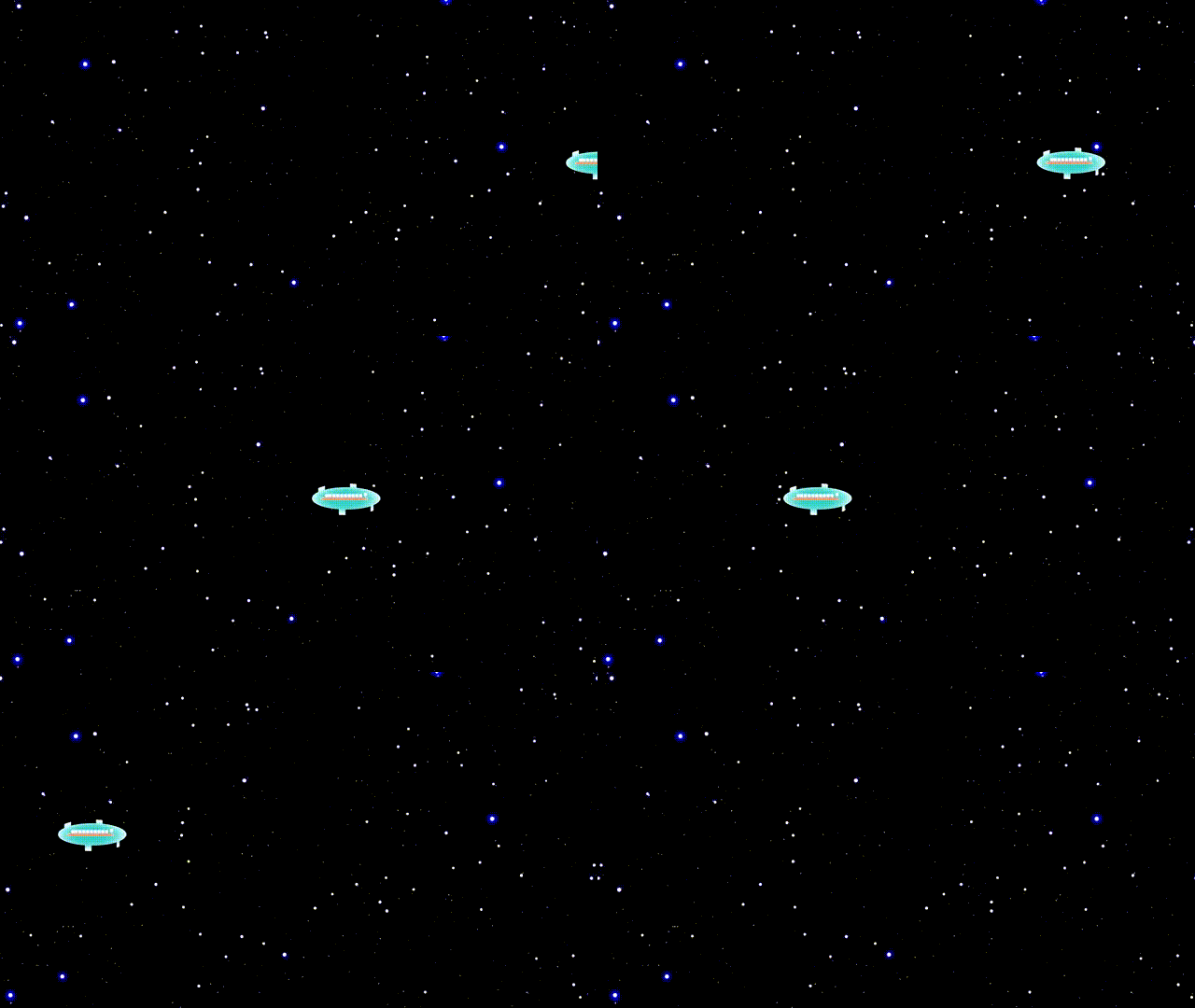
This was done using one version of the parallax script..
Image


Top
 Post subject: Re: Parallax animation script for GIMP
PostPosted: Mon Jun 05, 2017 6:30 pm  (#14) 
Offline
Script Coder
User avatar

Joined: May 07, 2014
Posts: 4497
Location: Canada
trippy video.
cool parallax

_________________
TinT


Top
 Post subject: Re: Parallax animation script for GIMP
PostPosted: Tue Jun 06, 2017 3:49 am  (#15) 
Offline
GimpChat Member
User avatar

Joined: Apr 15, 2017
Posts: 1837
It works here too. It could use additional options like direction etc.

Attachment:
earth.gif
earth.gif [ 1.33 MiB | Viewed 2164 times ]


Top
Post new topic Reply to topic  [ 15 posts ] 

All times are UTC - 5 hours [ DST ]


* Login  


Powered by phpBB3 © phpBB Group