It is currently Tue Jun 30, 2026 4:26 am


All times are UTC - 5 hours [ DST ]


Post new topic Reply to topic  [ 29 posts ]  Go to page 1, 2  Next
Author Message
 Post subject: Magic Mix (Center Position) Script for GIMP
PostPosted: Thu Jul 27, 2017 6:21 pm  (#1) 
Offline
Script Coder
User avatar

Joined: May 07, 2014
Posts: 4469
Location: Canada
I thought I would make a variation of script for those who like Mixed shapes centered instead of randomly positioned.
Image

more details here --> Magic Mix (Center Position) Script for GIMP

_________________
TinT
My GIMP 2.10 plug-in writer Fiverr Gig
Plaid Community Forum
Imageplaid-patterns.com


Share on Facebook Share on Twitter Share on Orkut Share on Digg Share on MySpace Share on Delicious Share on Technorati
Top
 Post subject: Re: Magic Mix (Center Position) Script for GIMP
PostPosted: Thu Jul 27, 2017 6:43 pm  (#2) 
Offline
Administrator
User avatar

Joined: Aug 10, 2012
Posts: 14100
Location: Native to NYC living in Arizona, Gimp 2.8 - 3.0, Win 11 PC.
I was thinking that,
if it were possible to add transparency to each layer.
Only leaving the corresponding shape?
ie. everything outside the shape is given a clear alpha channel.

_________________
Image
"A wise man learns more from a foolish question than a fool can learn from a wise answer"
Image


Top
 Post subject: Re: Magic Mix (Center Position) Script for GIMP
PostPosted: Thu Jul 27, 2017 6:54 pm  (#3) 
Offline
Script Coder
User avatar

Joined: May 07, 2014
Posts: 4469
Location: Canada
You can manually do that I guess.
Maybe use original scale it down to have pixelized then scale it back up (multiplied by dimension).
Then use the original alpha to cut away the Red Green Blue layers, I guess.
The image is altered when my script pixel blurs so i don't know what the selection might look like anymore
and using original selection would look weird becaues everything else is pixelized.

_________________
TinT
My GIMP 2.10 plug-in writer Fiverr Gig
Plaid Community Forum
Imageplaid-patterns.com


Top
 Post subject: Re: Magic Mix (Center Position) Script for GIMP
PostPosted: Thu Jul 27, 2017 7:01 pm  (#4) 
Offline
Administrator
User avatar

Joined: Aug 10, 2012
Posts: 14100
Location: Native to NYC living in Arizona, Gimp 2.8 - 3.0, Win 11 PC.
trandoductin wrote:
You can manually do that I guess.
Maybe use original scale it down to have pixelized then scale it back up (multiplied by dimension).
Then use the original alpha to cut away the Red Green Blue layers, I guess.
The image is altered when my script pixel blurs so i don't know what the selection might look like anymore
and using original selection would look weird becaues everything else is pixelized.


Why pixelate the original image?
Maybe duplicate the original image to a new layer and than pixelate the duplicate,
leaving the original?

As far as I can tell...
there is no way to make a selection,
or isolate the outside of the shape on each layer created by the script?

_________________
Image
"A wise man learns more from a foolish question than a fool can learn from a wise answer"
Image


Top
 Post subject: Re: Magic Mix (Center Position) Script for GIMP
PostPosted: Thu Jul 27, 2017 7:04 pm  (#5) 
Offline
Script Coder
User avatar

Joined: May 07, 2014
Posts: 4469
Location: Canada
Even if i did that.
The original would transparency would look weird when applied to pixelated layers because it'll chop portions of tiles off.

Maybe I just don't know how to apply transparency of original layer (if it had transparency to new created layers) I am having problem doing it manually.

_________________
TinT
My GIMP 2.10 plug-in writer Fiverr Gig
Plaid Community Forum
Imageplaid-patterns.com


Top
 Post subject: Re: Magic Mix (Center Position) Script for GIMP
PostPosted: Thu Jul 27, 2017 7:11 pm  (#6) 
Offline
Administrator
User avatar

Joined: Aug 10, 2012
Posts: 14100
Location: Native to NYC living in Arizona, Gimp 2.8 - 3.0, Win 11 PC.
trandoductin wrote:
Even if i did that.
The original would transparency would look weird when applied to pixelated layers because it'll chop portions of tiles off.

What I'm talking about,
is to create the shapes without any layer mode being used.
Just create the shapes for each color independently with alpha.

Does the make sense?

What I'm thinking about,
is to make allowances of transparency within an image and not filling the transparent pixels with color.

_________________
Image
"A wise man learns more from a foolish question than a fool can learn from a wise answer"
Image


Top
 Post subject: Re: Magic Mix (Center Position) Script for GIMP
PostPosted: Thu Jul 27, 2017 7:16 pm  (#7) 
Offline
Script Coder
User avatar

Joined: May 07, 2014
Posts: 4469
Location: Canada
I need to use Addition mode to come up with similar average color as original.
I don't know how to create shapes freely while keeping similar average color for each tile.

But I think i think i have a solution for original layer with alpha... will try to make that happen soon maybe tonight.
See my edited post above...

_________________
TinT
My GIMP 2.10 plug-in writer Fiverr Gig
Plaid Community Forum
Imageplaid-patterns.com


Top
 Post subject: Re: Magic Mix (Center Position) Script for GIMP
PostPosted: Thu Jul 27, 2017 7:18 pm  (#8) 
Offline
Administrator
User avatar

Joined: Aug 10, 2012
Posts: 14100
Location: Native to NYC living in Arizona, Gimp 2.8 - 3.0, Win 11 PC.
trandoductin wrote:
I need to use Addition mode to come up with similar average color as original.
I don't know how to create shapes freely while keeping similar average color for each tile.

But I think i think i have a solution for original layer with alpha... will try to make that happen soon maybe tonight.
See my edited post above...


What I'm thinking about,
is to make allowances of transparency within an image and not filling the transparent pixels with color.

_________________
Image
"A wise man learns more from a foolish question than a fool can learn from a wise answer"
Image


Top
 Post subject: Re: Magic Mix (Center Position) Script for GIMP
PostPosted: Thu Jul 27, 2017 7:55 pm  (#9) 
Offline
Script Coder
User avatar

Joined: May 07, 2014
Posts: 4469
Location: Canada
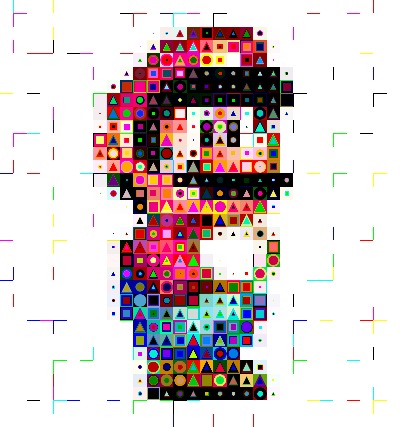
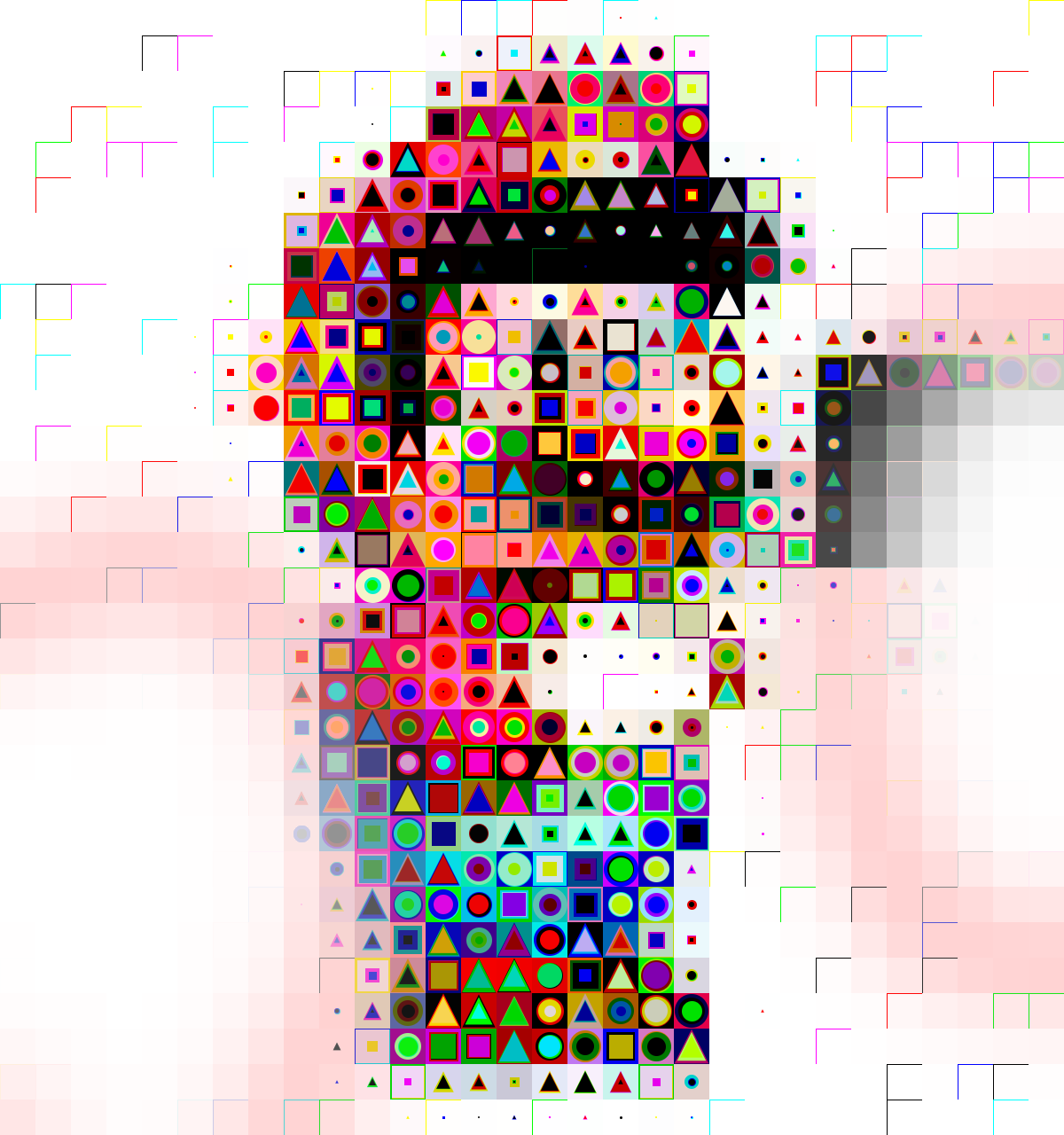
version 2 of Center position script allows transparency now.
so you can have soemthing like this
Image

_________________
TinT
My GIMP 2.10 plug-in writer Fiverr Gig
Plaid Community Forum
Imageplaid-patterns.com


Top
 Post subject: Re: Magic Mix (Center Position) Script for GIMP
PostPosted: Thu Jul 27, 2017 7:56 pm  (#10) 
Offline
Administrator
User avatar

Joined: Aug 10, 2012
Posts: 14100
Location: Native to NYC living in Arizona, Gimp 2.8 - 3.0, Win 11 PC.
trandoductin wrote:
version 2 of Center position script allows transparency now.
so you can have soemthing like this
[ Image ]

What is that?

_________________
Image
"A wise man learns more from a foolish question than a fool can learn from a wise answer"
Image


Top
 Post subject: Re: Magic Mix (Center Position) Script for GIMP
PostPosted: Thu Jul 27, 2017 9:38 pm  (#11) 
Offline
Script Coder
User avatar

Joined: May 07, 2014
Posts: 4469
Location: Canada
It's mario but with my test with transparency

_________________
TinT
My GIMP 2.10 plug-in writer Fiverr Gig
Plaid Community Forum
Imageplaid-patterns.com


Top
 Post subject: Re: Magic Mix (Center Position) Script for GIMP
PostPosted: Thu Jul 27, 2017 10:02 pm  (#12) 
Offline
GimpChat Member
User avatar

Joined: Sep 24, 2010
Posts: 12783
Yes; I saw that right away, Tran. lol

:)

_________________
Lyle

Psalm 109:8

Image


Top
 Post subject: Re: Magic Mix (Center Position) Script for GIMP
PostPosted: Thu Jul 27, 2017 11:58 pm  (#13) 
Offline
GimpChat Member
User avatar

Joined: Sep 24, 2010
Posts: 12783
OK; I'm really liking my new toy, Tran. :)

ref: http://www.fontplay.com/freephotos/sixt ... 06-001.jpg

https://www.flickr.com/photos/34520999@ ... 3/sizes/o/

Image

_________________
Lyle

Psalm 109:8

Image


Top
 Post subject: Re: Magic Mix (Center Position) Script for GIMP
PostPosted: Fri Jul 28, 2017 12:10 am  (#14) 
Offline
GimpChat Member
User avatar

Joined: Sep 24, 2010
Posts: 12783
And to add a bit of complexity, ran ICE4 and blended (anti-aliased with G'MIC) to taste. :)


Attachments:
fp091706-001.png
fp091706-001.png [ 1.39 MiB | Viewed 2403 times ]

_________________
Lyle

Psalm 109:8

Image
Top
 Post subject: Re: Magic Mix (Center Position) Script for GIMP
PostPosted: Fri Jul 28, 2017 12:36 am  (#15) 
Offline
Script Coder
User avatar

Joined: May 07, 2014
Posts: 4469
Location: Canada
Glad you like the toy

_________________
TinT
My GIMP 2.10 plug-in writer Fiverr Gig
Plaid Community Forum
Imageplaid-patterns.com


Top
 Post subject: Re: Magic Mix (Center Position) Script for GIMP
PostPosted: Fri Jul 28, 2017 12:28 pm  (#16) 
Offline
Script Coder
User avatar

Joined: May 07, 2014
Posts: 4469
Location: Canada
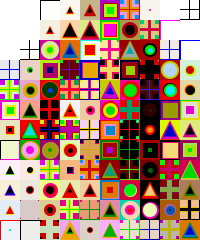
Latest version of script has "Magic Plus" shape added to it.
so you 'll get something like this
Image


We now have 4 shapes similar to Play Station buttons (except instead of X'es we Have Plus'es)

_________________
TinT
My GIMP 2.10 plug-in writer Fiverr Gig
Plaid Community Forum
Imageplaid-patterns.com


Top
 Post subject: Re: Magic Mix (Center Position) Script for GIMP
PostPosted: Fri Jul 28, 2017 3:20 pm  (#17) 
Offline
GimpChat Member
User avatar

Joined: Sep 24, 2010
Posts: 12783
Wow; going to download and play soon, Tran. :)

_________________
Lyle

Psalm 109:8

Image


Top
 Post subject: Re: Magic Mix (Center Position) Script for GIMP
PostPosted: Fri Jul 28, 2017 3:59 pm  (#18) 
Offline
GimpChat Member
User avatar

Joined: Sep 24, 2010
Posts: 12783
Like the update, Tran; was wondering if you can add a switch so you can go from simple (original) pattern type to this more complex one. Like both types. :)

ref: https://openclipart.org/detail/26264/mushroom

https://www.flickr.com/photos/34520999@ ... 0/sizes/o/

Image

_________________
Lyle

Psalm 109:8

Image


Top
 Post subject: Re: Magic Mix (Center Position) Script for GIMP
PostPosted: Fri Jul 28, 2017 4:13 pm  (#19) 
Offline
Script Coder
User avatar

Joined: May 07, 2014
Posts: 4469
Location: Canada
working on that version right now
I'll let you choose a toggle for each of the shapes (Squares,Circle,Triangle,Diamond,X'es,Plus)
I will reply again once it's available

_________________
TinT
My GIMP 2.10 plug-in writer Fiverr Gig
Plaid Community Forum
Imageplaid-patterns.com


Top
 Post subject: Re: Magic Mix (Center Position) Script for GIMP
PostPosted: Fri Jul 28, 2017 4:17 pm  (#20) 
Offline
Script Coder
User avatar

Joined: May 07, 2014
Posts: 4469
Location: Canada
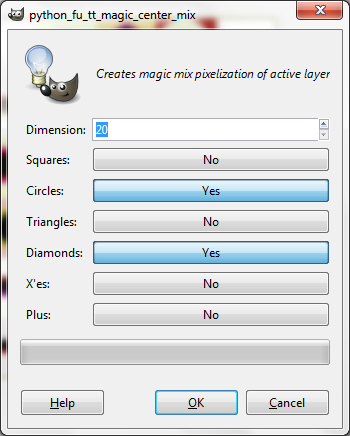
New version is up. Which gives you 63 different possible combinations to choose from.
Let's you Toggle shapes on/off (YES/NO).
Make sure you set at least one shape to YES otherwise it might error(pretty sure it'll error).

Image

_________________
TinT
My GIMP 2.10 plug-in writer Fiverr Gig
Plaid Community Forum
Imageplaid-patterns.com


Top
Post new topic Reply to topic  [ 29 posts ]  Go to page 1, 2  Next

All times are UTC - 5 hours [ DST ]


* Login  


Powered by phpBB3 © phpBB Group