It is currently Sat Jun 27, 2026 6:53 pm


All times are UTC - 5 hours [ DST ]


Post new topic Reply to topic  [ 42 posts ]  Go to page 1, 2, 3  Next
Author Message
 Post subject: Augment Color to a faded color in subject in a jpg photo
PostPosted: Tue Nov 21, 2017 1:24 pm  (#1) 
Offline
GimpChat Member

Joined: Feb 26, 2014
Posts: 248
GIMP Version: 2.8.14
Operating System: Windows
GIMP Experience: Basic Level


Hi there,

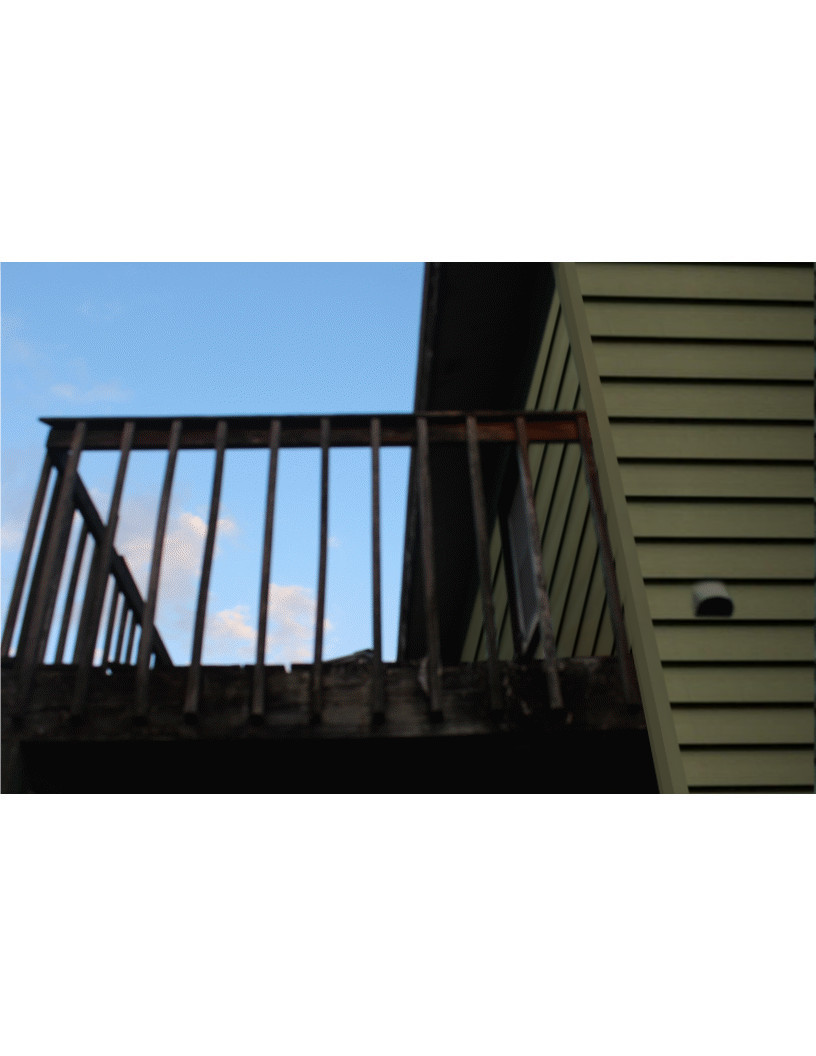
Is there a way to augment color in an area of a subject whose color has faded so it looks vibrant again? Ex. An outside house panel whose sea green color has faded which you’d like to restore it’s former vibrant sea green.

Thanks so much.


Share on Facebook Share on Twitter Share on Orkut Share on Digg Share on MySpace Share on Delicious Share on Technorati
Top
 Post subject: Re: Augment Color to a faded color in subject in a jpg photo
PostPosted: Tue Nov 21, 2017 1:48 pm  (#2) 
Offline
Script Coder
User avatar

Joined: Oct 25, 2010
Posts: 4812
Can you post an extract?

_________________
Image


Top
 Post subject: Re: Augment Color to a faded color in subject in a jpg photo
PostPosted: Sat Nov 25, 2017 10:36 am  (#3) 
Offline
GimpChat Member

Joined: Feb 26, 2014
Posts: 248
Hi Script Coder,

My apologies for my tardy response.

I've uploaded a smaller image of the image I wish to enhance the color on a faded subject.

https://imgur.com/a/UvXps

I very much appreciate all your kind help and thoughts.


Top
 Post subject: Re: Augment Color to a faded color in subject in a jpg photo
PostPosted: Sat Nov 25, 2017 11:00 am  (#4) 
Offline
Administrator
User avatar

Joined: Aug 10, 2012
Posts: 14086
Location: Native to NYC living in Arizona, Gimp 2.8 - 3.0, Win 11 PC.
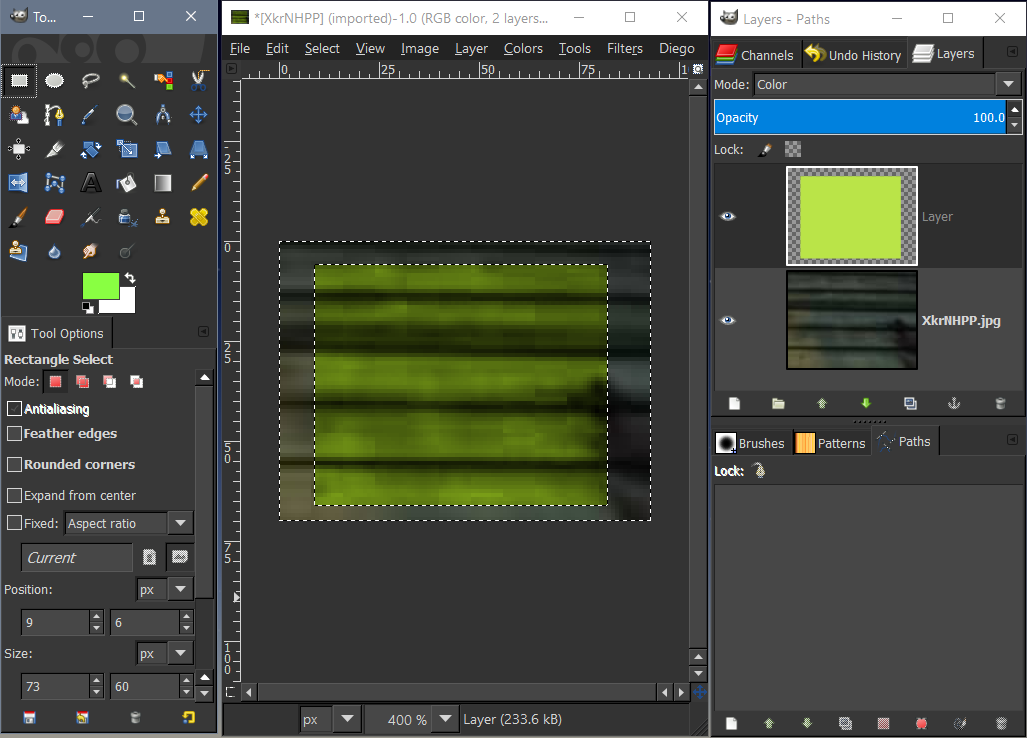
Here is an example image,
showing you what I did to enhance the color.

Image

I first made a selection of the arera I wanted to enhance.
Created a new layer above the image and filled it with a green color.
Then set the layer mode of this green layer to Color.

_________________
Image
"A wise man learns more from a foolish question than a fool can learn from a wise answer"
Image


Top
 Post subject: Re: Augment Color to a faded color in subject in a jpg photo
PostPosted: Sat Nov 25, 2017 11:32 am  (#5) 
Offline
GimpChat Member

Joined: Feb 26, 2014
Posts: 248
Is it possible to make the color look as if it's brand new? Like it was just painted?

Thank you!


Top
 Post subject: Re: Augment Color to a faded color in subject in a jpg photo
PostPosted: Sat Nov 25, 2017 12:12 pm  (#6) 
Offline
Administrator
User avatar

Joined: Aug 10, 2012
Posts: 14086
Location: Native to NYC living in Arizona, Gimp 2.8 - 3.0, Win 11 PC.
eagertolearn wrote:
Is it possible to make the color look as if it's brand new? Like it was just painted?

Thank you!

It's difficult to tell,
the amount of work that might be involved.
The tiny swatch from the image that you provider,
doesn't tell us much about the image.

Image

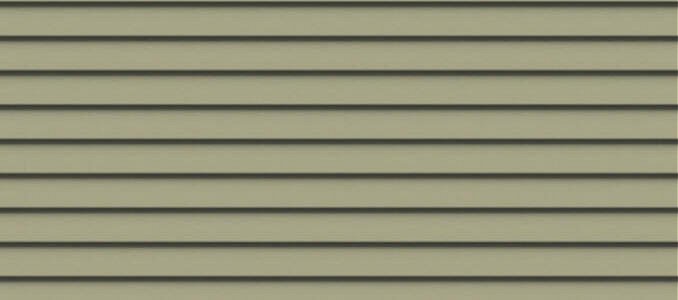
You could replace the wall with something like this.

Image

_________________
Image
"A wise man learns more from a foolish question than a fool can learn from a wise answer"
Image


Top
 Post subject: Re: Augment Color to a faded color in subject in a jpg photo
PostPosted: Sat Nov 25, 2017 12:24 pm  (#7) 
Offline
GimpChat Member
User avatar

Joined: Mar 01, 2014
Posts: 14048
Location: Spain, Aragón
I tried to improve the little sample you gave. I applied a gradient and then set the layer at grain merge. This is the result.


Attachments:
XkrNHPP.jpg
XkrNHPP.jpg [ 957 Bytes | Viewed 9702 times ]
XkrNHPP_Try_Issa.jpg
XkrNHPP_Try_Issa.jpg [ 1.88 KiB | Viewed 9702 times ]

_________________
Image

Gimp 2.10.30(samj) portable _ OS Windows 10 Home_ 64bits
Don’t be afraid to start over. It’s a new chance to rebuild what you want.
Top
 Post subject: Re: Augment Color to a faded color in subject in a jpg photo
PostPosted: Sat Nov 25, 2017 12:27 pm  (#8) 
Offline
GimpChat Member

Joined: Feb 26, 2014
Posts: 248
Hi Wallace,

Could you please share the step-by-step in your process of creating the clean image?

Can one choose sea green as a color?

Thanks so much!


Top
 Post subject: Re: Augment Color to a faded color in subject in a jpg photo
PostPosted: Sat Nov 25, 2017 12:33 pm  (#9) 
Offline
GimpChat Member

Joined: Feb 26, 2014
Posts: 248
Hi Isabella,

That's quite an improvement.

I'm wondering how much work it would take to make the panels look like they were new (newly painted)?

They always depict this work as "just PhotoShop it" on TV shows and films but as I suspected it takes a LOT more work than "just..." whether using PhotoShop or GIMP.

Thank you for your kind help (and education!)

Issabella wrote:
I tried to improve the little sample you gave. I applied a gradient and then set the layer at grain merge. This is the result.


Top
 Post subject: Re: Augment Color to a faded color in subject in a jpg photo
PostPosted: Sat Nov 25, 2017 12:50 pm  (#10) 
Offline
Administrator
User avatar

Joined: Aug 10, 2012
Posts: 14086
Location: Native to NYC living in Arizona, Gimp 2.8 - 3.0, Win 11 PC.
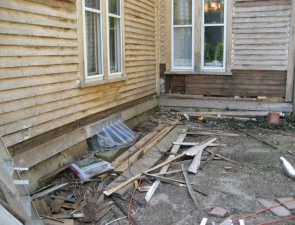
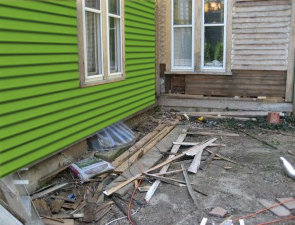
Here is an example of replacing the clapboard of a house.
It's basicly a mater of matching the perspective of the clapboard,
as best you can.
Then cutting out the features required,
from the new siding to fit.

Before
Image

After
Image

_________________
Image
"A wise man learns more from a foolish question than a fool can learn from a wise answer"
Image


Top
 Post subject: Re: Augment Color to a faded color in subject in a jpg photo
PostPosted: Sat Nov 25, 2017 12:53 pm  (#11) 
Offline
GimpChat Member
User avatar

Joined: Mar 01, 2014
Posts: 14048
Location: Spain, Aragón
eagertolearn, thanks. I think that the best solution for your aim is to create a new texture as Wallace did. I think that he will help with his explanation. :bigthup

_________________
Image

Gimp 2.10.30(samj) portable _ OS Windows 10 Home_ 64bits
Don’t be afraid to start over. It’s a new chance to rebuild what you want.


Top
 Post subject: Re: Augment Color to a faded color in subject in a jpg photo
PostPosted: Sat Nov 25, 2017 12:55 pm  (#12) 
Offline
GimpChat Member

Joined: Feb 26, 2014
Posts: 248
That's perfect!

How do I do that step-by-step?

Thank you!


Top
 Post subject: Re: Augment Color to a faded color in subject in a jpg photo
PostPosted: Sat Nov 25, 2017 1:10 pm  (#13) 
Offline
Administrator
User avatar

Joined: Aug 10, 2012
Posts: 14086
Location: Native to NYC living in Arizona, Gimp 2.8 - 3.0, Win 11 PC.
eagertolearn wrote:
That's perfect!

How do I do that step-by-step?

Thank you!

If you would post the image.
I could do it for you,
or at the least get you started.

It's hard to explain every step,
without the explanation becoming a short booklet.
It involves acquiring a pattern or image of the clapboard needed,
the use of the Perspective Tool,
Laying out a few guide lines to help with getting the perspective correct,
among other things.

_________________
Image
"A wise man learns more from a foolish question than a fool can learn from a wise answer"
Image


Top
 Post subject: Re: Augment Color to a faded color in subject in a jpg photo
PostPosted: Mon Nov 27, 2017 1:02 pm  (#14) 
Offline
GimpChat Member

Joined: Feb 26, 2014
Posts: 248
Can I post the image to GIMPCHAT?

How do I do that?

I uploaded to imgur because I thought I couldn't upload images here.

Thanks so much!


Top
 Post subject: Re: Augment Color to a faded color in subject in a jpg photo
PostPosted: Mon Nov 27, 2017 1:39 pm  (#15) 
Offline
Administrator
User avatar

Joined: Aug 10, 2012
Posts: 14086
Location: Native to NYC living in Arizona, Gimp 2.8 - 3.0, Win 11 PC.
eagertolearn wrote:
Can I post the image to GIMPCHAT?

How do I do that?

I uploaded to imgur because I thought I couldn't upload images here.

Thanks so much!

Yes!

Use the Full Editor.

You can then upload images from your computer,
by clicking on this icon seen in the image below.


Image

_________________
Image
"A wise man learns more from a foolish question than a fool can learn from a wise answer"
Image


Top
 Post subject: Re: Augment Color to a faded color in subject in a jpg photo
PostPosted: Mon Nov 27, 2017 2:51 pm  (#16) 
Offline
GimpChat Member

Joined: Feb 26, 2014
Posts: 248
I'm sorry but how do I access the full editor?

I typed that in the search box but did not find any results.

Thank you!


Top
 Post subject: Re: Augment Color to a faded color in subject in a jpg photo
PostPosted: Mon Nov 27, 2017 3:17 pm  (#17) 
Offline
Administrator
User avatar

Joined: Aug 10, 2012
Posts: 14086
Location: Native to NYC living in Arizona, Gimp 2.8 - 3.0, Win 11 PC.
eagertolearn wrote:
I'm sorry but how do I access the full editor?

I typed that in the search box but did not find any results.

Thank you!

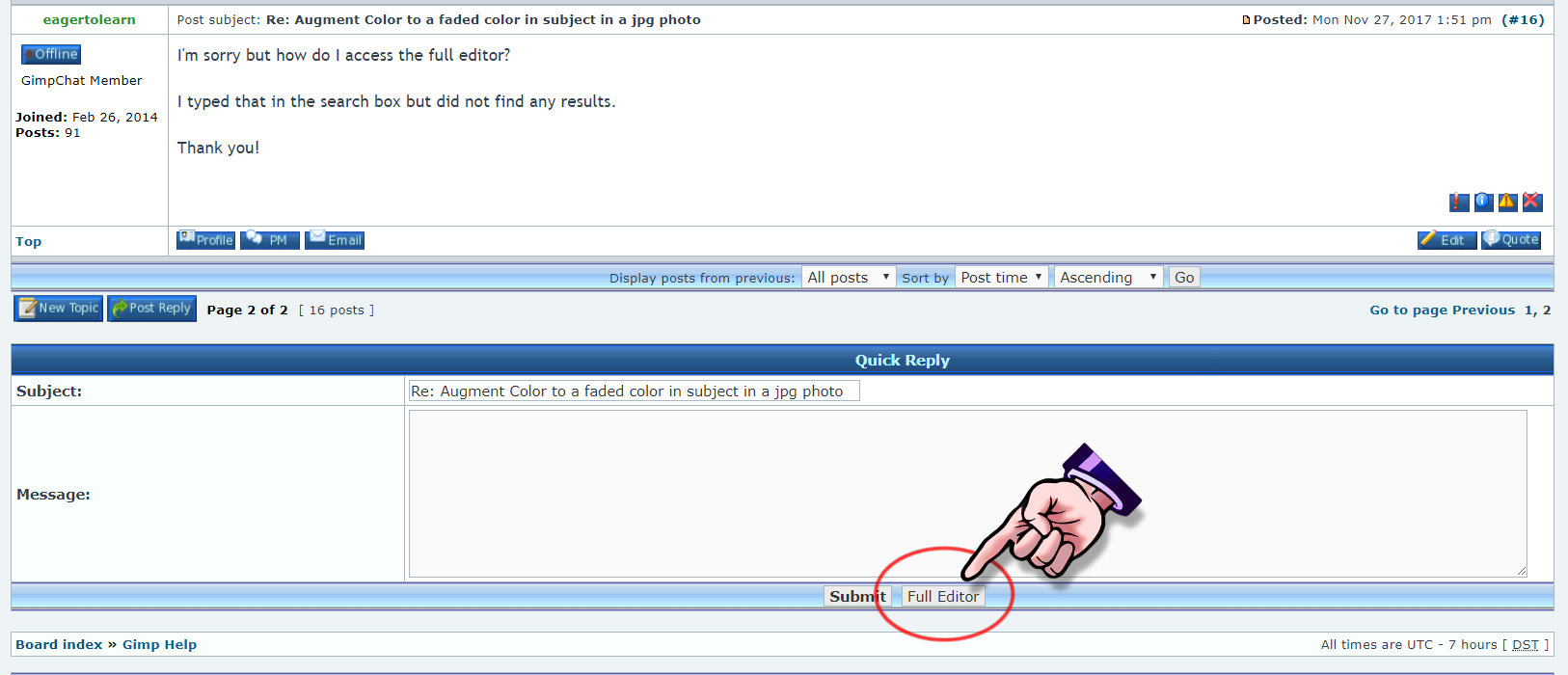
If you scroll down the page a little.
You should notice the Full Editor button,
which will open a new page.
Where you'll have access to the Full Editor.


Image

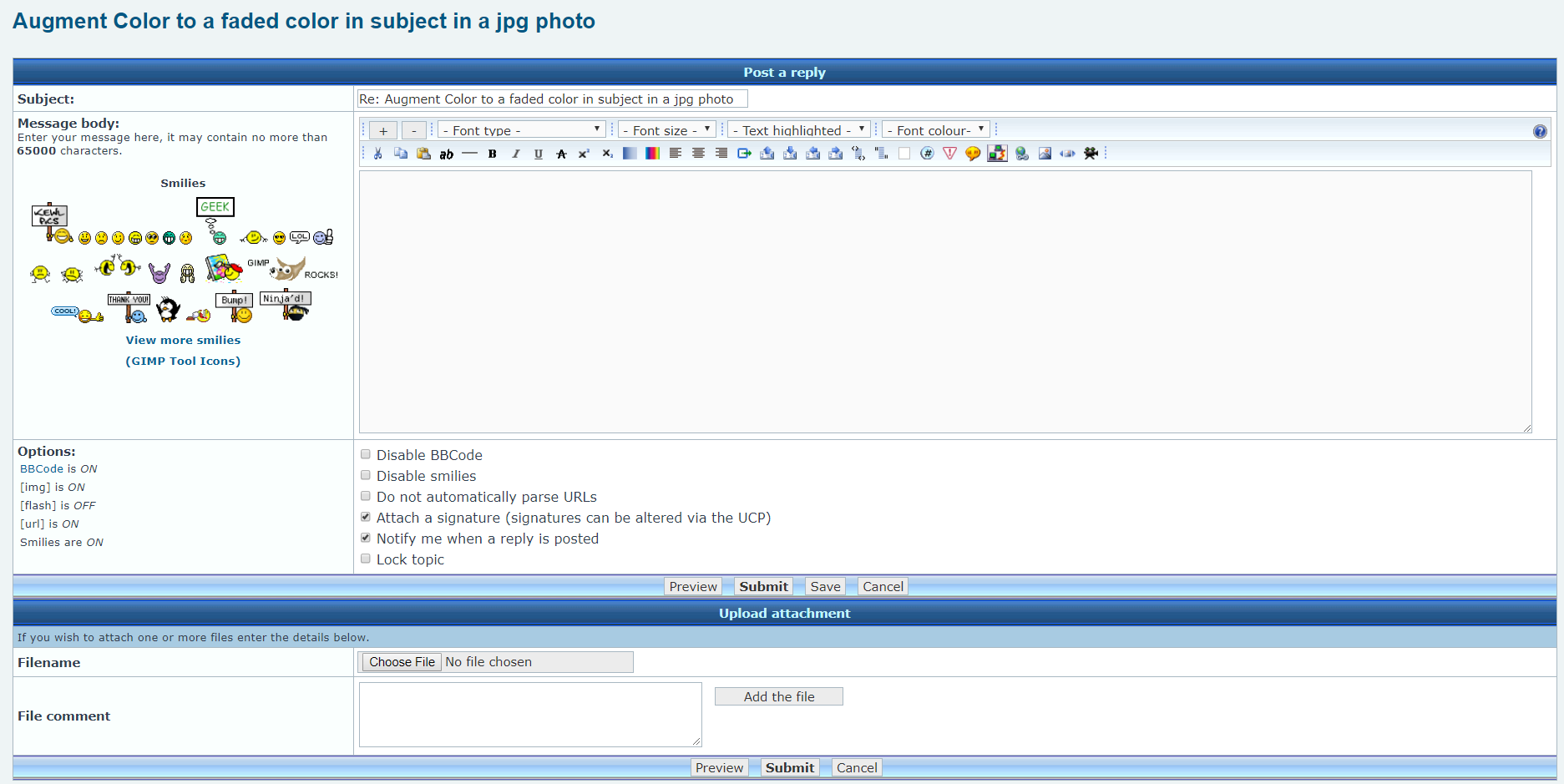
The Full Editor page looks like this image below.
Image


Image

_________________
Image
"A wise man learns more from a foolish question than a fool can learn from a wise answer"
Image


Top
 Post subject: Re: Augment Color to a faded color in subject in a jpg photo
PostPosted: Tue Nov 28, 2017 11:33 am  (#18) 
Offline
GimpChat Member

Joined: Feb 26, 2014
Posts: 248
Thank you for your patience and help!Image


Top
 Post subject: Re: Augment Color to a faded color in subject in a jpg photo
PostPosted: Tue Nov 28, 2017 12:27 pm  (#19) 
Offline
Administrator
User avatar

Joined: Aug 10, 2012
Posts: 14086
Location: Native to NYC living in Arizona, Gimp 2.8 - 3.0, Win 11 PC.
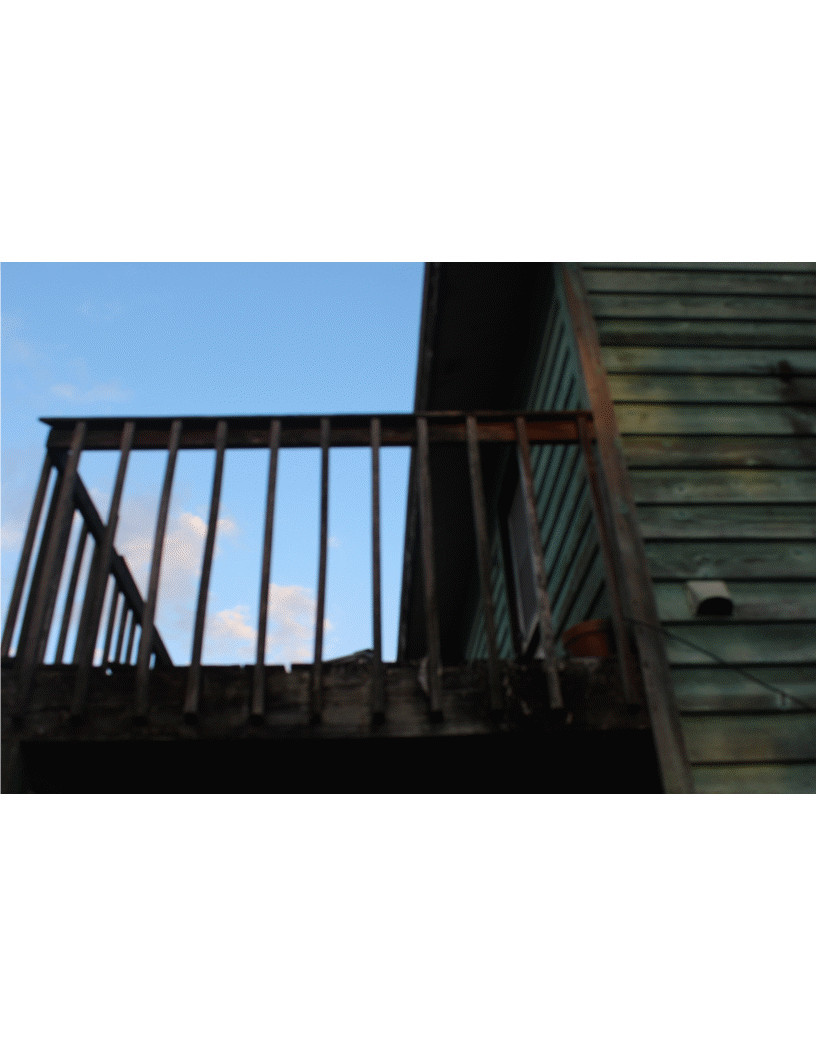
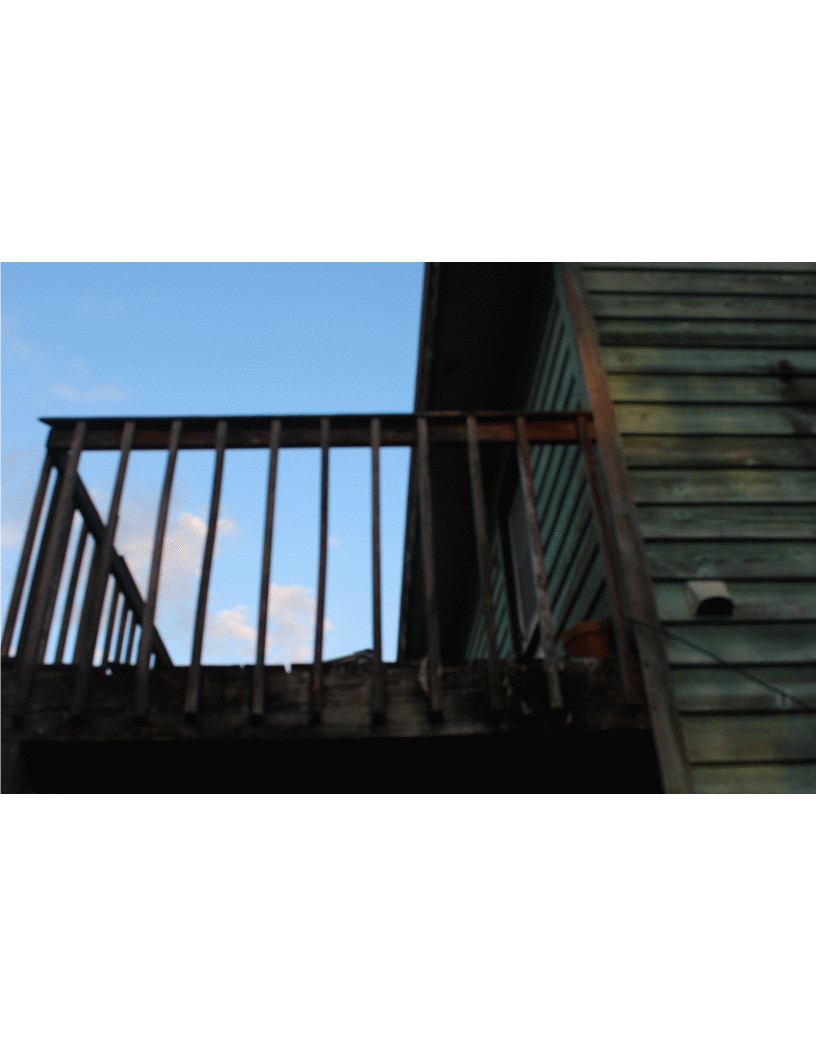
Here's my best shot at it.


Before
Image

After
Image
Attachment:
3460_Panels to be colorized_wallace.xcf [2.28 MiB]
Downloaded 127 times

_________________
Image
"A wise man learns more from a foolish question than a fool can learn from a wise answer"
Image


Top
 Post subject: Re: Augment Color to a faded color in subject in a jpg photo
PostPosted: Tue Nov 28, 2017 12:59 pm  (#20) 
Offline
GimpChat Member

Joined: Feb 26, 2014
Posts: 248
That's great!

Can you possibly share how you did that?

Thank you!


Top
Post new topic Reply to topic  [ 42 posts ]  Go to page 1, 2, 3  Next

All times are UTC - 5 hours [ DST ]


* Login  


Powered by phpBB3 © phpBB Group