Wallace wrote:
WATERMELON wrote:
GIMP Version: 2.8.22
Operating System: Mac OS
GIMP Experience: New User

Hi!
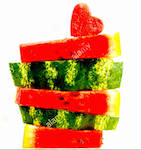
I've erase the background of this image in GIMP to transparent (layer-Alpha selection -fuzzy select).
But still have some spots of color. I've tried erasure tool to clean what was left, but was not working.
Would you please tell me how can I use it?
If it's just one color,
say Green.
You can do a Color to Alpha.
Select the Color Picker Tool  .
.
Sample the color that needs to be removed.
Copy the HTML Color Code for that color.
Past the code into the Color to Alpha Dialog.
Select enter and this color will be removed from the image.Hi!
Color picker - Select by color - Color to Alpha = dialog box with the color selected - enter and the green became brownish with white.
I did it again, same steps, nothing happen, apparently the color selected was not precise.
Tried to drag and drop the color to selection dialog, which ran away behind the image. I am in the same situation with different colors in some parts of the image.
Do you think I miss something?
Thank you.
 Login
Login Register
 Tweets
 FAQ
FAQ Advanced Search