It is currently Thu Nov 12, 2026 9:31 am


All times are UTC - 5 hours [ DST ]


Post new topic Reply to topic  [ 118 posts ]  Go to page Previous  1, 2, 3, 4, 5, 6  Next
Author Message
 Post subject: Re: A Blender question
PostPosted: Sun May 27, 2018 3:11 pm  (#41) 
Offline
GimpChat Member
User avatar

Joined: Apr 15, 2017
Posts: 1837
Ella, just keep experimenting with ramp angle and dice starting height. I can post my Dice project file, if you want.

@Lurifax73, I want to learn how to make that recessed text.

I changed my dice color to glossy red, I like that much better...


Attachments:
Dice_Red.gif
Dice_Red.gif [ 1.13 MiB | Viewed 2490 times ]
Top
 Post subject: Re: A Blender question
PostPosted: Sun May 27, 2018 4:19 pm  (#42) 
Offline
GimpChat Member
User avatar

Joined: Feb 14, 2013
Posts: 462
Location: Stockholm
Ella Louise wrote:
Lurifax73 wrote:
Stop object falling trough the floor


[ [url=http://gimpchat.com/files/2596_Skärmavbild_2018-05-27_kl__20_04_58.png]Image[/url] ]


I'm afraid i wasn't clear enough. The dice don't fall through the flour.
It's the plane you have to create for the dice to fall of and start rolling that i can't get in the right position.
1.
You need to be sure your dice ar located on top of your (Obstacle Plane) otherwice the dice will not roll of the plane.


The dice bounce on the flour and roll backwards out of the camera view.
A little more experimenting to get the angle in the right position

A good example of the lamp settings. Do you change the strength and value of the lamps or just leave them in default?


1.
You need to be sure your dice ar on top of your plane, otherwice the dice dont roll of the plane


2.
Yes you need to laborate with your strengt on the lamps to you ar satesfied


Image


Image

_________________
Late 2017 iMac Retina 4K 21,5 inch Mac OS High Sierra version 10.13.4
3,6 GHz Intel Core i7
16 GB Ram 2400 MHz DDR4
Graphic card Radeon Pro 560 4096 MB
Affinity Photo and Affinity Designers.


Top
 Post subject: Re: A Blender question
PostPosted: Mon May 28, 2018 3:23 am  (#43) 
Offline
GimpChat Member
User avatar

Joined: May 17, 2014
Posts: 1575
racer-x wrote:
Ella, just keep experimenting with ramp angle and dice starting height. I can post my Dice project file, if you want.


That would be very nice, racer-x, maybe i can figure out then what i did wrong.
Nice red glossy dice :)


Lurifax73 wrote:

1.
You need to be sure your dice ar on top of your plane, otherwice the dice dont roll of the plane


2.
Yes you need to laborate with your strengt on the lamps to you ar satesfied


The dice were on top of the plane. But i think the plane wasn't in the right angle to get a good roll :?
The lamp settings, experimenting, experimenting, experimenting ... :)

_________________
Ella's gallery - YouTube


Top
 Post subject: Re: A Blender question
PostPosted: Mon May 28, 2018 3:40 am  (#44) 
Offline
GimpChat Member
User avatar

Joined: Apr 15, 2017
Posts: 1837
Here's my Dice blender file.

Attachment:
Dice.blend.7z [76.54 KiB]
Downloaded 128 times


Last edited by racer-x on Mon May 28, 2018 3:50 am, edited 1 time in total.

Top
 Post subject: Re: A Blender question
PostPosted: Mon May 28, 2018 3:46 am  (#45) 
Offline
GimpChat Member
User avatar

Joined: Feb 14, 2013
Posts: 462
Location: Stockholm
Ella Louise wrote:
racer-x wrote:
Ella, just keep experimenting with ramp angle and dice starting height. I can post my Dice project file, if you want.


That would be very nice, racer-x, maybe i can figure out then what i did wrong.
Nice red glossy dice :)


Lurifax73 wrote:

1.
You need to be sure your dice ar on top of your plane, otherwice the dice dont roll of the plane


2.
Yes you need to laborate with your strengt on the lamps to you ar satesfied


The dice were on top of the plane. But i think the plane wasn't in the right angle to get a good roll :?
The lamp settings, experimenting, experimenting, experimenting ... :)


Wrong. I dont think you have made your plane as obstacle. Try that.

Image

_________________
Late 2017 iMac Retina 4K 21,5 inch Mac OS High Sierra version 10.13.4
3,6 GHz Intel Core i7
16 GB Ram 2400 MHz DDR4
Graphic card Radeon Pro 560 4096 MB
Affinity Photo and Affinity Designers.


Top
 Post subject: Re: A Blender question
PostPosted: Mon May 28, 2018 6:24 am  (#46) 
Offline
GimpChat Member
User avatar

Joined: May 17, 2014
Posts: 1575
Thank you for your blender file, racer-x. Can't figure out what i did wrong.


Yes i did make the plane passive, Lurifax, but the dice are still not rolling well.
I also think the gravity is not right, they don't fall flat on the bottom.

I'll add my blend file.


Attachments:
rolling.dice.zip [103.16 KiB]
Downloaded 114 times

_________________
Ella's gallery - YouTube
Top
 Post subject: Re: A Blender question
PostPosted: Mon May 28, 2018 8:17 am  (#47) 
Offline
GimpChat Member
User avatar

Joined: Apr 15, 2017
Posts: 1837
Your origin was messed up, I set it to "Center of Mass"..

Attachment:
rolling.dice_fixed.blend.7z [70.37 KiB]
Downloaded 116 times


Top
 Post subject: Re: A Blender question
PostPosted: Mon May 28, 2018 10:12 am  (#48) 
Offline
GimpChat Member
User avatar

Joined: May 17, 2014
Posts: 1575
Thank you racer-x for figuring out and fixing my mistake.
I wouldn't have found it myself.
Can't post the animation. Here's my last rendered image.


Attachments:
0125.png
0125.png [ 97.77 KiB | Viewed 2451 times ]

_________________
Ella's gallery - YouTube
Top
 Post subject: Re: A Blender question
PostPosted: Mon May 28, 2018 2:01 pm  (#49) 
Offline
GimpChat Member
User avatar

Joined: Feb 14, 2013
Posts: 462
Location: Stockholm
Tutorial.

2 lamps Sun One on each side of the object. Size. 0.700. Strengt 0.700

Rendering.

Png.

Sampling: 500-1000

Press Renderbutton.

After render save as iMagexxx.png

Image

_________________
Late 2017 iMac Retina 4K 21,5 inch Mac OS High Sierra version 10.13.4
3,6 GHz Intel Core i7
16 GB Ram 2400 MHz DDR4
Graphic card Radeon Pro 560 4096 MB
Affinity Photo and Affinity Designers.


Top
 Post subject: Re: A Blender question
PostPosted: Mon May 28, 2018 4:40 pm  (#50) 
Offline
GimpChat Member
User avatar

Joined: Apr 15, 2017
Posts: 1837
I figured out how to make a nice gold ring band. This gif doesn't do it justice. My Gold E-Map works nicely as a World "Environment Texture".

Attachment:
Rings.gif
Rings.gif [ 1.92 MiB | Viewed 2434 times ]


Top
 Post subject: Re: A Blender question
PostPosted: Tue May 29, 2018 7:41 am  (#51) 
Offline
GimpChat Member
User avatar

Joined: May 17, 2014
Posts: 1575
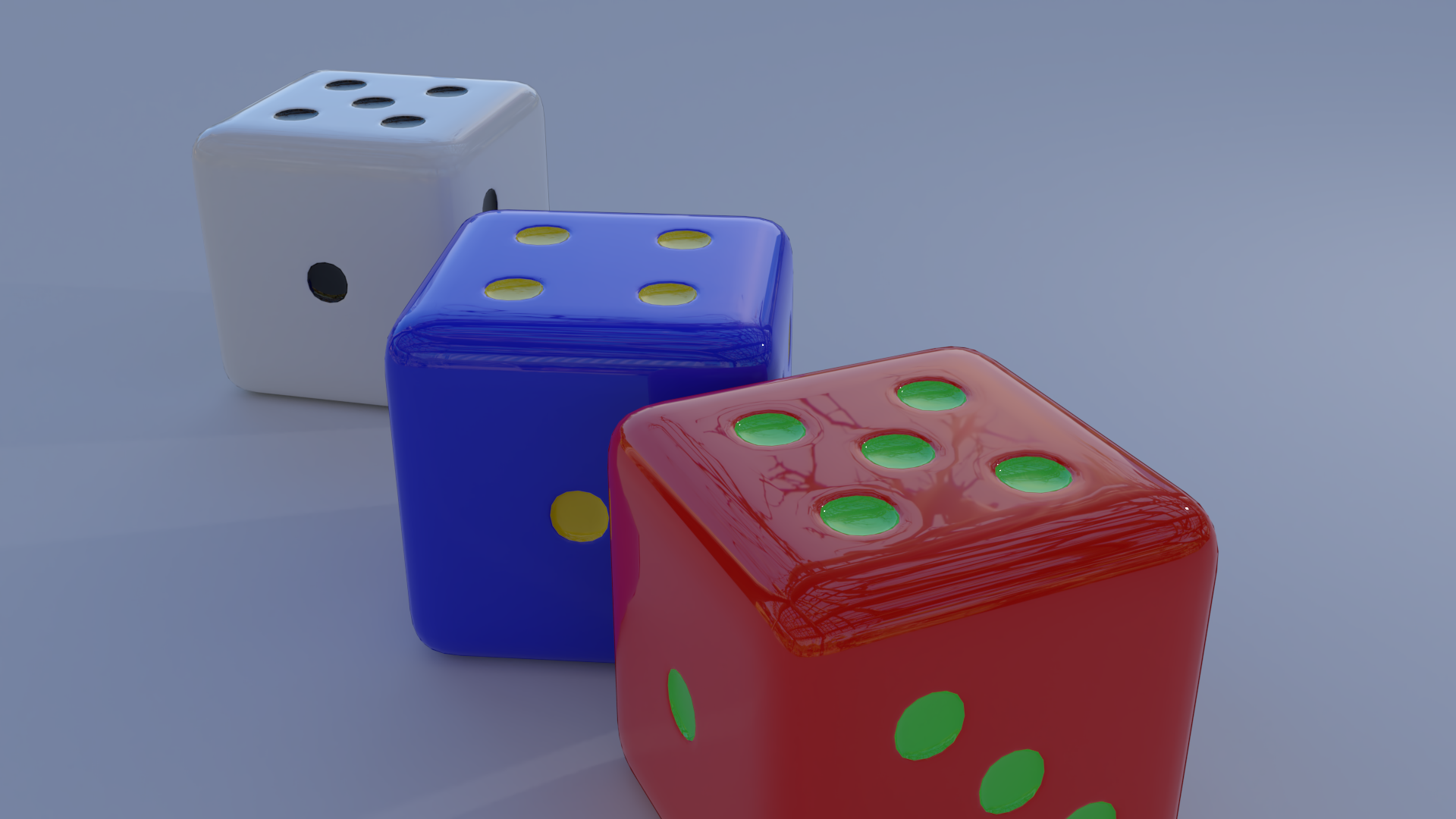
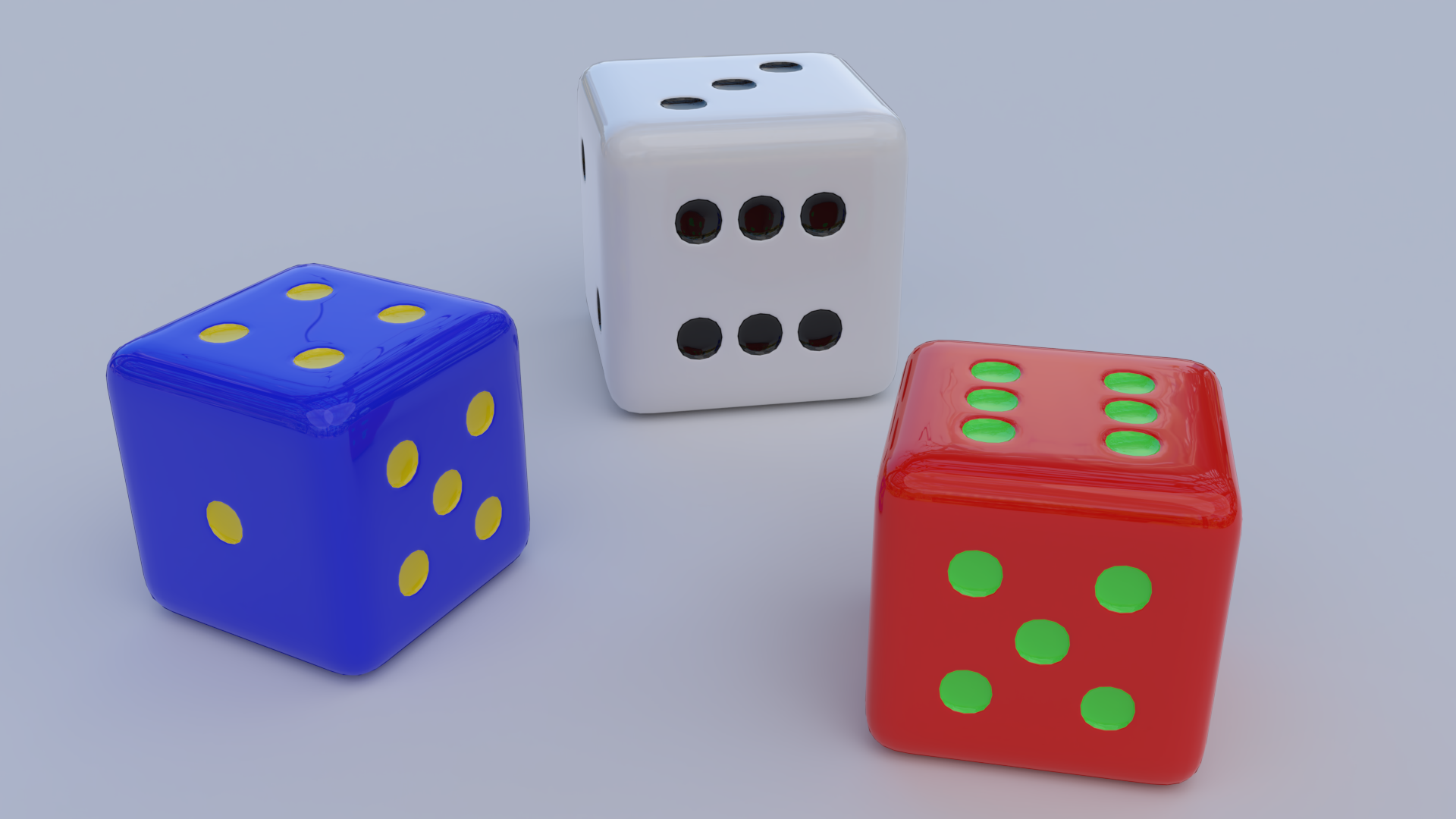
Once again the dice :)
Didn't make them very glossy this time and used the sun lamp settings.
Most of the tutorials a found on the internet used the point lamp.

Racer-x very nice animation with the golden ring.
Indeed a gif outcome reduce the quality of the blender outcome.


Attachments:
dice.sunlamp.settings.png
dice.sunlamp.settings.png [ 128.82 KiB | Viewed 2322 times ]

_________________
Ella's gallery - YouTube
Top
 Post subject: Re: A Blender question
PostPosted: Wed May 30, 2018 7:27 pm  (#52) 
Offline
GimpChat Member
User avatar

Joined: Apr 15, 2017
Posts: 1837
Red acrylic dice with metal flakes...

Attachment:
Dice_Sparkles.gif
Dice_Sparkles.gif [ 758.12 KiB | Viewed 2310 times ]


Top
 Post subject: Re: A Blender question
PostPosted: Fri Jun 01, 2018 12:03 am  (#53) 
Offline
GimpChat Member

Joined: May 12, 2015
Posts: 4693
Beautiful dice, Racer!


Top
 Post subject: Re: A Blender question
PostPosted: Fri Jun 01, 2018 3:53 am  (#54) 
Offline
GimpChat Member
User avatar

Joined: Apr 15, 2017
Posts: 1837
Thanks Pat. I was playing around with various shaders and modifiers and got something I really liked. Here are the shader setting I used if anyone is interested.

Attachment:
dice.jpg
dice.jpg [ 246.42 KiB | Viewed 2291 times ]


Top
 Post subject: Re: A Blender question
PostPosted: Fri Jun 01, 2018 2:46 pm  (#55) 
Offline
GimpChat Member
User avatar

Joined: May 17, 2014
Posts: 1575
Racer, what i especially like about the rolling dice is the reflection of the number six on the opposite one.
And thanks for the settings of the mixed shader. I will try them out as soon as i can.

_________________
Ella's gallery - YouTube


Top
 Post subject: Re: A Blender question
PostPosted: Sat Jun 02, 2018 3:05 pm  (#56) 
Offline
GimpChat Member
User avatar

Joined: May 17, 2014
Posts: 1575
Tried the settings on a torus knot.


Attachments:
torus.knot.racer.png
torus.knot.racer.png [ 168.85 KiB | Viewed 2263 times ]

_________________
Ella's gallery - YouTube
Top
 Post subject: Re: A Blender question
PostPosted: Sat Jun 02, 2018 5:02 pm  (#57) 
Offline
GimpChat Member
User avatar

Joined: Apr 15, 2017
Posts: 1837
Interesting. how did you bend the torus into a knot?


Top
 Post subject: Re: A Blender question
PostPosted: Sat Jun 02, 2018 5:27 pm  (#58) 
Offline
GimpChat Member

Joined: Oct 30, 2016
Posts: 145
This post has been very popular with 870+ views Ella. I hope some viewers will give Blender a try.
Image
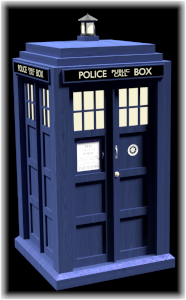
Time And Relative Dimension In Space


Last edited by TimeLord on Sun Jun 03, 2018 6:30 am, edited 1 time in total.

Top
 Post subject: Re: A Blender question
PostPosted: Sat Jun 02, 2018 6:33 pm  (#59) 
Offline
GimpChat Member
User avatar

Joined: Feb 14, 2013
Posts: 462
Location: Stockholm
Image

_________________
Late 2017 iMac Retina 4K 21,5 inch Mac OS High Sierra version 10.13.4
3,6 GHz Intel Core i7
16 GB Ram 2400 MHz DDR4
Graphic card Radeon Pro 560 4096 MB
Affinity Photo and Affinity Designers.


Top
 Post subject: Re: A Blender question
PostPosted: Sun Jun 03, 2018 7:08 am  (#60) 
Offline
GimpChat Member
User avatar

Joined: May 17, 2014
Posts: 1575
racer-x wrote:
Interesting. how did you bend the torus into a knot?


Racer-x, I see Lurifax has already pointed out where you can find the torus knot.
But I first had to check the box "add mesh:extra objects" in the add-ons User Preferences.
In my Blender version it wasn't in default.

TimeLord wrote:
This post has been very popular with 870+ views Ella. I hope some viewers will give Blender a try.


That's true TimeLord. And it all started with my "add new ivy" problem.

I got fascinated in Blender by this thread from Lurifax, started in 2014.
Lurifax Blender Art

Far above my Blender knowledge and capacity. But i wanted to learn it.
Such a pity all the animation links doesn't work anymore.

_________________
Ella's gallery - YouTube


Top
Post new topic Reply to topic  [ 118 posts ]  Go to page Previous  1, 2, 3, 4, 5, 6  Next

All times are UTC - 5 hours [ DST ]


* Login  


Powered by phpBB3 © phpBB Group