It is currently Tue Sep 22, 2026 2:19 pm


All times are UTC - 5 hours [ DST ]


Post new topic Reply to topic  [ 5 posts ] 
Author Message
 Post subject: Colour or hue stretching?
PostPosted: Fri Nov 02, 2018 6:50 am  (#1) 
Offline
New Member

Joined: Nov 02, 2018
Posts: 3
GIMP Version: 2.10.6
Operating System: Windows
GIMP Experience: Basic Level


Well its not a problem as such just want to do something and don't know if its possible with GIMP or how if it is, please help if you can.
Okay so I've loaded a photo into GIMP.
Its mostly red and gold with all the colours in between, oranges etc.
I want to edit the hue so that the red end becomes violet and the gold end becomes green, get me?
Say I had a rainbow gradient and cropped the central portion out and made it fill the image, I want to stretch the hue values to make it a full rainbow again, get me now?
Thanks for reading and if you can help!
Danny

P.S. SOLVED For my purposes many thanks to rich2005 and Nidhogg


Last edited by Danny Gimppy on Fri Nov 02, 2018 3:48 pm, edited 1 time in total.

Share on Facebook Share on Twitter Share on Orkut Share on Digg Share on MySpace Share on Delicious Share on Technorati
Top
 Post subject: Re: Colour or hue stretching?
PostPosted: Fri Nov 02, 2018 12:53 pm  (#2) 
Offline
GimpChat Member
User avatar

Joined: May 10, 2013
Posts: 1442
Location: Finland
I don't know what kind of image you want to convert.
You could simply use rainbow gradient, if it is block or a simple shape.
There is a script called "path blend" that allows to render gradients between 2 paths.

Here's a routine I came up with, to convert a conventional 2-color image into rainbow colors.

Original

Image

1. Colors->Desaturate: Luminosity
2. Colors->Auto: Equalize, or Normalize.
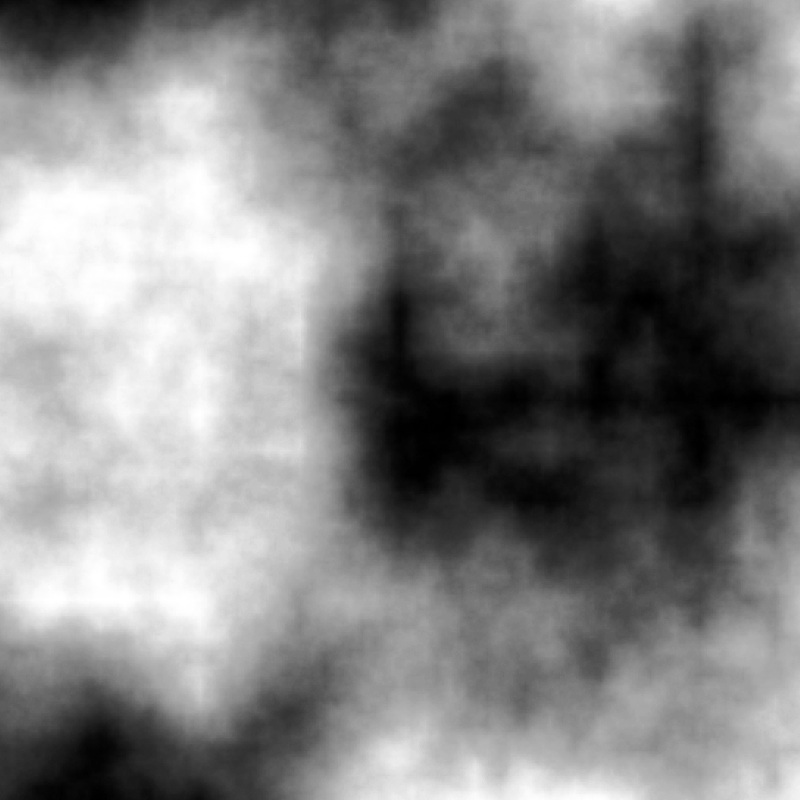
Image

3. Switch to Blend/Gradient Tool. (In 2.8 Gradient is called Blend)
4. Pick a rainbow gradient. Note that I am using custom rainbow gradient, because I don't like how it turns with full spectrum gradient.
5. Colors->Map: Gradient Map.
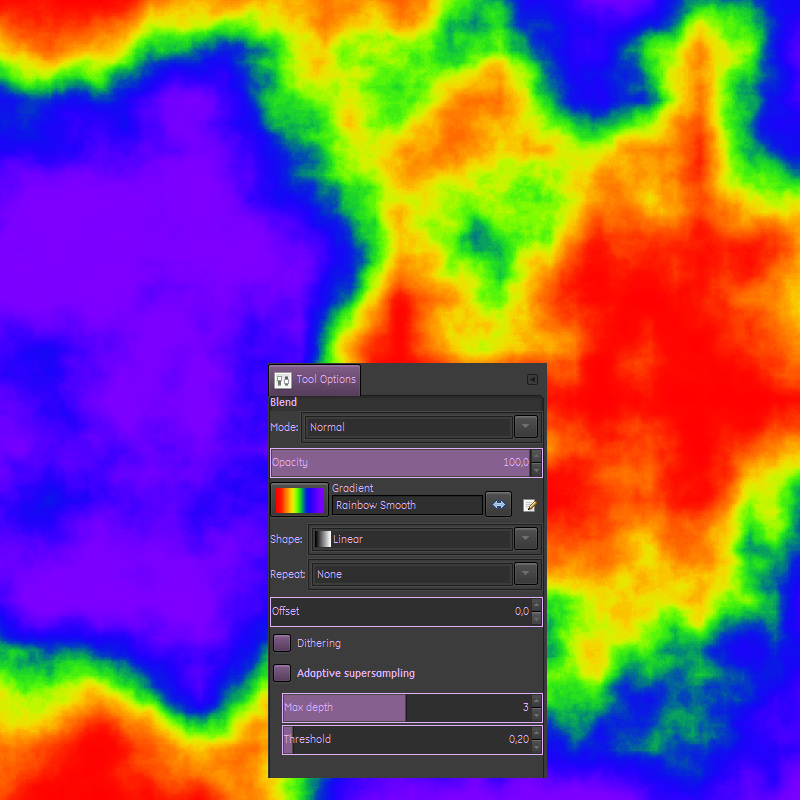
Image


Top
 Post subject: Re: Colour or hue stretching?
PostPosted: Fri Nov 02, 2018 1:21 pm  (#3) 
Offline
New Member

Joined: Nov 02, 2018
Posts: 3
Thanks but not what I'm wanting here, I'll try to explain.
Sorry I can't find how to insert a photo maybe I'm just really dim!
Attachment:
8c76a7e965b524d676bd58ff26235e45.jpg
8c76a7e965b524d676bd58ff26235e45.jpg [ 60.05 KiB | Viewed 3372 times ]

Think I've done it in a messy way!
This is the photo I'm trying to edit, for a bit of fun and maybe a card.
If I go colors->Hue-Saturation and put the hue up a bit (50 on the scale) I get this:
Attachment:
8c76a7e965b524d676bd58ff26235e46.jpg
8c76a7e965b524d676bd58ff26235e46.jpg [ 105.76 KiB | Viewed 3372 times ]

Now if I revert to the original and repeat the process but put the hue down instead of up I get this:
Attachment:
8c76a7e965b524d676bd58ff26235e47.jpg
8c76a7e965b524d676bd58ff26235e47.jpg [ 105.42 KiB | Viewed 3372 times ]

Now what I want is to like zoom in on the rainbow of hue and then display the result as a larger section of the rainbow so that the gold becomes green while the pink becomes violet, get me now?
Is this possible in GIMP?
Thanks either way!
Danny


Top
 Post subject: Re: Colour or hue stretching?
PostPosted: Fri Nov 02, 2018 1:44 pm  (#4) 
Offline
GimpChat Member

Joined: Mar 04, 2011
Posts: 2615
Always better to give an example of the image.

You could try Colors -> Map -> Rotate Colors although for red -> violet and gold -> green requires using the filter twice.

Gimp 2.10 has a split view (new/old) so using that:

1. red -> violet

Image


2. gold -> green

Image


Top
 Post subject: Re: Colour or hue stretching?
PostPosted: Fri Nov 02, 2018 7:02 pm  (#5) 
Offline
GimpChat Member
User avatar

Joined: Mar 28, 2016
Posts: 312
Location: Netherlands
Welcome Danny Gimppy,

This is also possible with G'MIC (GIMP-plugin),

In G'MIC, you can use Color>Customize CLUT:

Image
Image


Top
Post new topic Reply to topic  [ 5 posts ] 

All times are UTC - 5 hours [ DST ]


* Login  


Powered by phpBB3 © phpBB Group

