It is currently Sun Nov 08, 2026 3:16 am


All times are UTC - 5 hours [ DST ]


Post new topic Reply to topic  [ 8 posts ] 
Author Message
 Post subject: An Inner Bevel Question
PostPosted: Mon Feb 04, 2019 2:14 pm  (#1) 
Offline
GimpChat Member
User avatar

Joined: Nov 22, 2018
Posts: 83
GIMP Version: 2.10.8
Operating System: Windows
OS Version: Windows 10
GIMP Experience: New User


Hi All,
Still new to Gimp & finding my way around.... :hehe ...
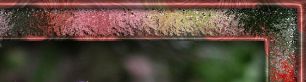
I want to put an inner bevel on a selected border, using similar settings like I used to use in Psp...

Image


giving me these results...

Image


Filters, Decor, Add Bevel doesn't seem to give me many choices, elevation etc.....ICCII FX bevel gives me a few more, but I'm probably not applying them correctly & so far I'm not happy with the results....

Which bevel do you use?....or is there a special inner/outer bevel plug-in to get me similar results?

_________________
Image


Share on Facebook Share on Twitter Share on Orkut Share on Digg Share on MySpace Share on Delicious Share on Technorati
Top
 Post subject: Re: An Inner Bevel Question
PostPosted: Mon Feb 04, 2019 4:03 pm  (#2) 
Offline
GimpChat Member
User avatar

Joined: Nov 22, 2018
Posts: 83
I just found the Layers Effects Plug-in....might be what I'm looking for??...

_________________
Image


Top
 Post subject: Re: An Inner Bevel Question
PostPosted: Mon Feb 04, 2019 6:18 pm  (#3) 
Offline
GimpChat Member
User avatar

Joined: Apr 15, 2017
Posts: 1837
FlutteringBy wrote:
I just found the Layers Effects Plug-in....might be what I'm looking for??...


Yes, it's what I use most of the time...


Top
 Post subject: Re: An Inner Bevel Question
PostPosted: Mon Feb 04, 2019 7:00 pm  (#4) 
Offline
GimpChat Member
User avatar

Joined: Nov 22, 2018
Posts: 83
Great!!...finally on the right track... :hehe ...

Using the above bevel settings, how would you set up the Layers Effects bevel window?....just so I can get an idea...

Many Thanks,

_________________
Image


Top
 Post subject: Re: An Inner Bevel Question
PostPosted: Tue Feb 05, 2019 4:24 am  (#5) 
Offline
Global Moderator
User avatar

Joined: Apr 01, 2012
Posts: 8498
Location: On the other side of your screen
Does Saulgoode's reply (#3rd) in this post viewtopic.php?p=17753 solve your problem?

_________________
Image
Free Fun Photo Editing & resources
Poems from the Lord
Gimp Newby
Gimp version 3.2.6 and GMIC-Qt 4.0.2 OS :- Windows 10 Home 64


Top
 Post subject: Re: An Inner Bevel Question
PostPosted: Tue Feb 05, 2019 4:53 am  (#6) 
Offline
GimpChat Member
User avatar

Joined: Apr 15, 2017
Posts: 1837
I don't know, maybe something like this?

Attachment:
bevel.jpg
bevel.jpg [ 320.42 KiB | Viewed 4855 times ]


Top
 Post subject: Re: An Inner Bevel Question
PostPosted: Tue Feb 05, 2019 4:40 pm  (#7) 
Offline
GimpChat Member
User avatar

Joined: Nov 22, 2018
Posts: 83
Yes racer-x.....those settings are a lot closer than the ones I was getting....I've saved them to my "gimp info" folder so I'll have a starting point to return to....

That's a great parrot image you've created....I recognize the frame too... :hehe ...

Thanks for the suggestion sallyanne....I checked it out but I must have a "rogue" setting somewhere as my bevels remained flat, not rounded as they should have been...I'll keep playing around with it...

Thanks very much for your help racer-x & sallyanne
Much appreciated...

_________________
Image


Top
 Post subject: Re: An Inner Bevel Question
PostPosted: Tue Feb 05, 2019 7:28 pm  (#8) 
Offline
GimpChat Member
User avatar

Joined: Nov 22, 2018
Posts: 83
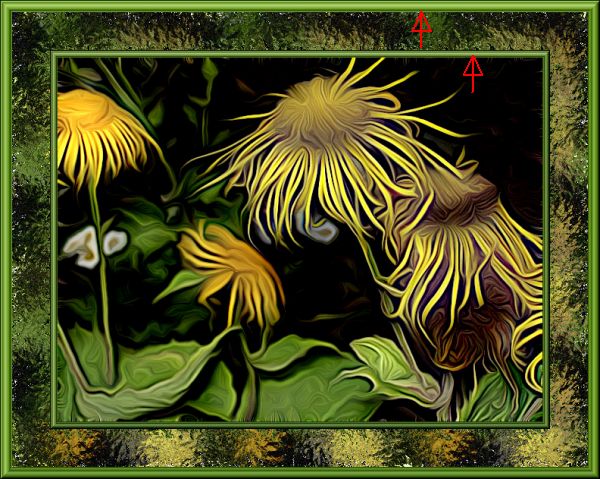
Sallyanne mentioned an older thread that was discussing emboss/bevel....when I saw an example by akky, I thought, I know how to do that....

So I got my inner bevels using a sort of "cheaters" way, using Filters Unlimited, which plays very nicely with Gimp...

Image


I was doing one more example of Peter's Dreamsmoothing tut....

_________________
Image


Top
Post new topic Reply to topic  [ 8 posts ] 

All times are UTC - 5 hours [ DST ]


* Login  


Powered by phpBB3 © phpBB Group