It is currently Sun Jun 14, 2026 4:55 am


All times are UTC - 5 hours [ DST ]


Post new topic Reply to topic  [ 10 posts ] 
Author Message
 Post subject: Tesselate Plugin
PostPosted: Tue May 28, 2019 3:59 am  (#1) 
Offline
GimpChat Member
User avatar

Joined: Jan 13, 2011
Posts: 2639
Location: Poland
Everything is described here:
https://gimplearn.net/viewtopic.php?f=3&t=2404

But our great inspirator has encountered a small problem. :hoh

Information for Diego (and other interested).
I thought you knew about the Python GCC problem with multi-part plugins in Windows.
The solution is to combine it into one file (in the attachment).
I would like it to work for You too :hi5


Attachments:
Test tesselate in Gimp 2.10.5 portable Samj.png
Test tesselate in Gimp 2.10.5 portable Samj.png [ 245.7 KiB | Viewed 6672 times ]
py_tesselate+libvoronoi.zip [8.08 KiB]
Downloaded 219 times

_________________
Image
Share on Facebook Share on Twitter Share on Orkut Share on Digg Share on MySpace Share on Delicious Share on Technorati
Top
 Post subject: Re: Tesselate Plugin
PostPosted: Tue May 28, 2019 4:26 am  (#2) 
Offline
GimpChat Member
User avatar

Joined: Jan 20, 2013
Posts: 14831
Location: roma, italy
GREAT !!!
It works for me too, now.
Thanks a lot.

_________________
"Where am I ?"


Top
 Post subject: Re: Tesselate Plugin
PostPosted: Tue May 28, 2019 4:32 am  (#3) 
Offline
GimpChat Member
User avatar

Joined: Jan 20, 2013
Posts: 14831
Location: roma, italy
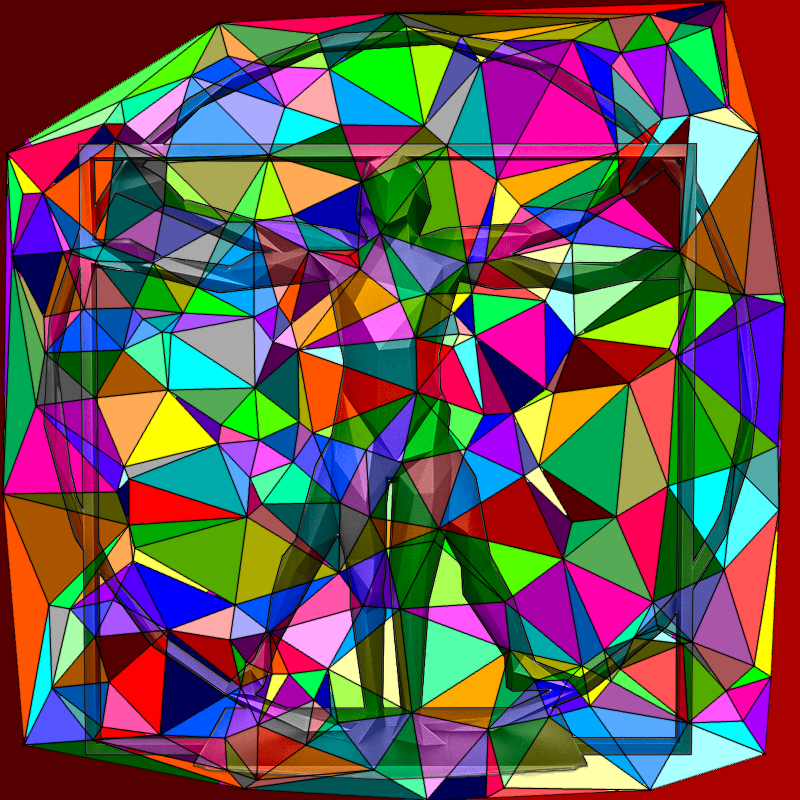
My first test on tesselate.

Attachment:
my-test-of-tesselate.jpg
my-test-of-tesselate.jpg [ 109.27 KiB | Viewed 6658 times ]


Thanks again for the solution.

_________________
"Where am I ?"


Top
 Post subject: Re: Tesselate Plugin
PostPosted: Tue May 28, 2019 5:20 am  (#4) 
Offline
GimpChat Member
User avatar

Joined: Apr 15, 2017
Posts: 1837
Yes interesting...

Attachment:
tessalate.jpg
tessalate.jpg [ 297.58 KiB | Viewed 6649 times ]


Top
 Post subject: Re: Tesselate Plugin
PostPosted: Tue May 28, 2019 5:48 am  (#5) 
Offline
GimpChat Member
User avatar

Joined: May 10, 2013
Posts: 1430
Location: FInland
Thank you for Windows Fix MareroQ, this is cool plugin. :coolthup

Delauney + Multifill (Sega Master System Palette), changed blending mode and stroked the statue.

Image

Image


Top
 Post subject: Re: Tesselate Plugin
PostPosted: Tue May 28, 2019 7:08 am  (#6) 
Offline
GimpChat Member
User avatar

Joined: Jan 20, 2013
Posts: 14831
Location: roma, italy
@MareroQ

I've seen that you did also a nice "normalization" of the "syntax" in the unified plug-in.
This is true up to line 719, from where my python editor (which is Komodo Edit) notifies me remaining syntax errors.
Maybe -if you have time- you may complete your very much appreciated work.

Also, because you are currently playing a lot with python successfully, you could maybe extend the filter possibilities/flexibilities with additional parameter/functions (choosing the lines width, color; adding points and so lines on the layer borders, …).

But again: thanks a heap !

_________________
"Where am I ?"


Top
 Post subject: Re: Tesselate Plugin
PostPosted: Tue May 28, 2019 7:18 am  (#7) 
Offline
GimpChat Member
User avatar

Joined: Jan 20, 2013
Posts: 14831
Location: roma, italy
PostScriptum: I know that the first 2 additions indicated above are easily obtainable modifying the FG color and the brush size, but it's not always pleasant for the user to set/reset context values to play with a filter, which IMHO, should have all the context variants inside the code.
And -obviously and more appropriately- you may think and implement other additions yourself...

_________________
"Where am I ?"


Top
 Post subject: Re: Tesselate Plugin
PostPosted: Tue May 28, 2019 7:31 am  (#8) 
Offline
GimpChat Member
User avatar

Joined: Jan 20, 2013
Posts: 14831
Location: roma, italy
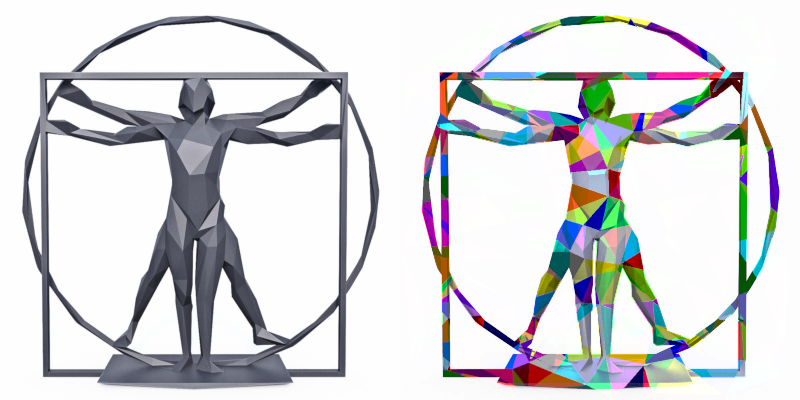
My second test:
- pre-steps: stroke size, increase canvas
- post-steps: cut to source image size, select border and fill
changed also layer mode
Attachment:
my-second-test.jpg
my-second-test.jpg [ 237.81 KiB | Viewed 6615 times ]

_________________
"Where am I ?"


Top
 Post subject: Re: Tesselate Plugin
PostPosted: Tue May 28, 2019 8:58 am  (#9) 
Offline
GimpChat Member
User avatar

Joined: Jan 13, 2011
Posts: 2639
Location: Poland
Thanks all for trying and nice examples.

@Dinasset

Why does the teacher direct such a case to a bad student? :gaah
I sometimes as part of learning - something I will put together in python. :geek
You have mastered Python and Gimp - to an extent that will be unattainable for me for a long time (if ever ... :oops: )

_________________
Image


Top
 Post subject: Re: Tesselate Plugin
PostPosted: Tue May 28, 2019 10:07 am  (#10) 
Offline
GimpChat Member
User avatar

Joined: Jan 20, 2013
Posts: 14831
Location: roma, italy
...ehehehe, you didn't have in mind me but Ofnuts.
Case of mistaken identity...

_________________
"Where am I ?"


Top
Post new topic Reply to topic  [ 10 posts ] 

All times are UTC - 5 hours [ DST ]


* Login  


Powered by phpBB3 © phpBB Group