It is currently Wed Sep 23, 2026 12:24 am


All times are UTC - 5 hours [ DST ]


Post new topic Reply to topic  [ 11 posts ] 
Author Message
 Post subject: [ solved] fonts's choice
PostPosted: Thu Jul 11, 2019 12:55 am  (#1) 
Offline
GimpChat Member

Joined: Apr 09, 2018
Posts: 1888
Location: France
GIMP Version: 2.10.12
Operating System: Windows
GIMP Experience: New User


:wvy
I have a lot of fancy fonts but they are unusable with "text along a path".
How to choose a font to have a correct result?

_________________
Les parfums, les couleurs et les sons se répondent.Baudelaire (Les fleurs du mal)
2.10.36/(Samj) Gimp 2.10.38 OS Windows 10 Home 64 bits


Last edited by level_0 on Thu Jul 11, 2019 11:35 am, edited 1 time in total.

Share on Facebook Share on Twitter Share on Orkut Share on Digg Share on MySpace Share on Delicious Share on Technorati
Top
 Post subject: Re: fonts's choice
PostPosted: Thu Jul 11, 2019 2:09 am  (#2) 
Offline
GimpChat Member

Joined: Sep 20, 2016
Posts: 293
define: fancy
define: unusable (why ?)


Top
 Post subject: Re: fonts's choice
PostPosted: Thu Jul 11, 2019 2:13 am  (#3) 
Offline
GimpChat Member

Joined: Sep 23, 2016
Posts: 317
Could you attach one of the unusable fonts here. A free one, not a commercial one.


Top
 Post subject: Re: fonts's choice
PostPosted: Thu Jul 11, 2019 2:44 am  (#4) 
Offline
GimpChat Member

Joined: Apr 09, 2018
Posts: 1888
Location: France
Konstantin wrote:
define: fancy
define: unusable (why ?)


Konstantin,I will put some examples because not done screenshots yet because not easy to explain with words

_________________
Les parfums, les couleurs et les sons se répondent.Baudelaire (Les fleurs du mal)
2.10.36/(Samj) Gimp 2.10.38 OS Windows 10 Home 64 bits


Top
 Post subject: Re: fonts's choice
PostPosted: Thu Jul 11, 2019 2:46 am  (#5) 
Offline
GimpChat Member

Joined: Apr 09, 2018
Posts: 1888
Location: France
Blighty II wrote:
Could you attach one of the unusable fonts here. A free one, not a commercial one.


Blighty,I only have free fonts.
I'll put some in the day because now I'm going to leave :)

_________________
Les parfums, les couleurs et les sons se répondent.Baudelaire (Les fleurs du mal)
2.10.36/(Samj) Gimp 2.10.38 OS Windows 10 Home 64 bits


Top
 Post subject: Re: fonts's choice
PostPosted: Thu Jul 11, 2019 4:42 am  (#6) 
Offline
GimpChat Member

Joined: Apr 09, 2018
Posts: 1888
Location: France
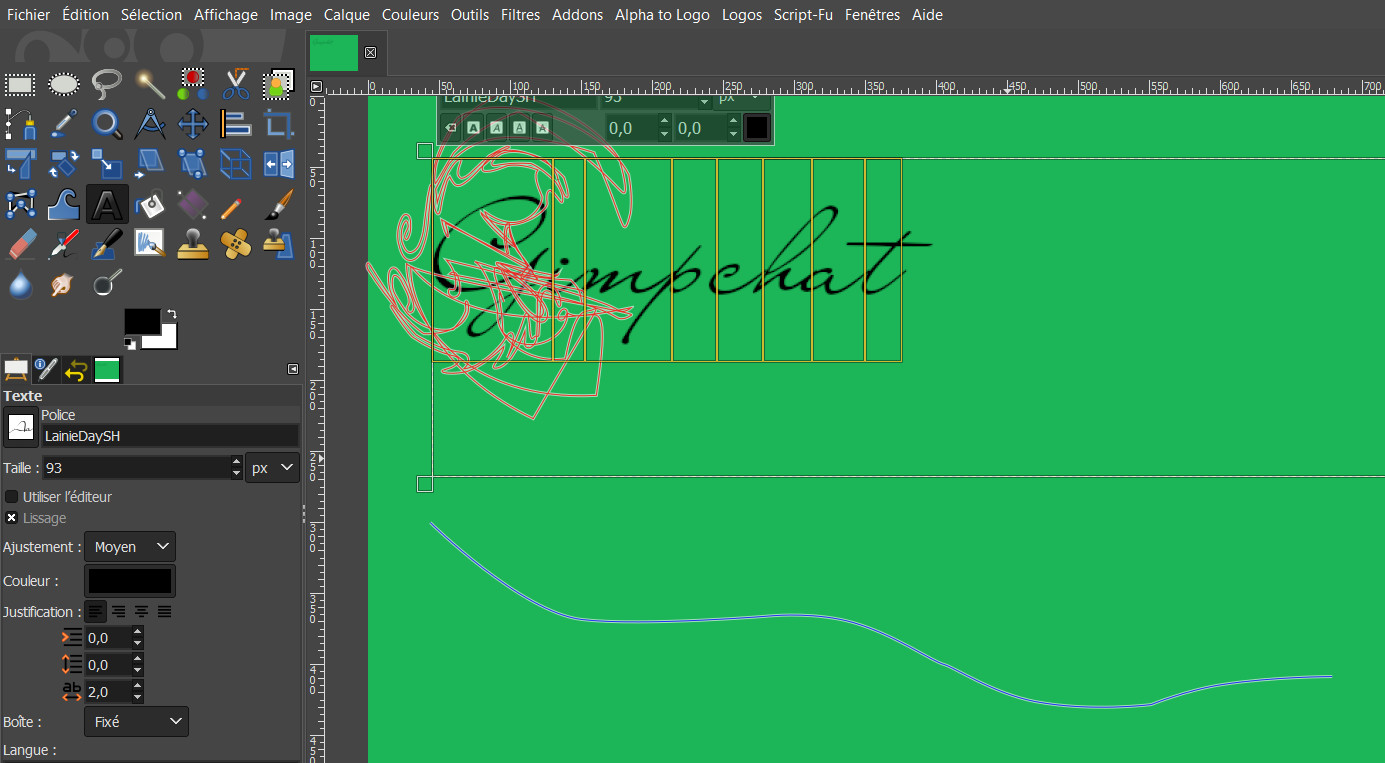
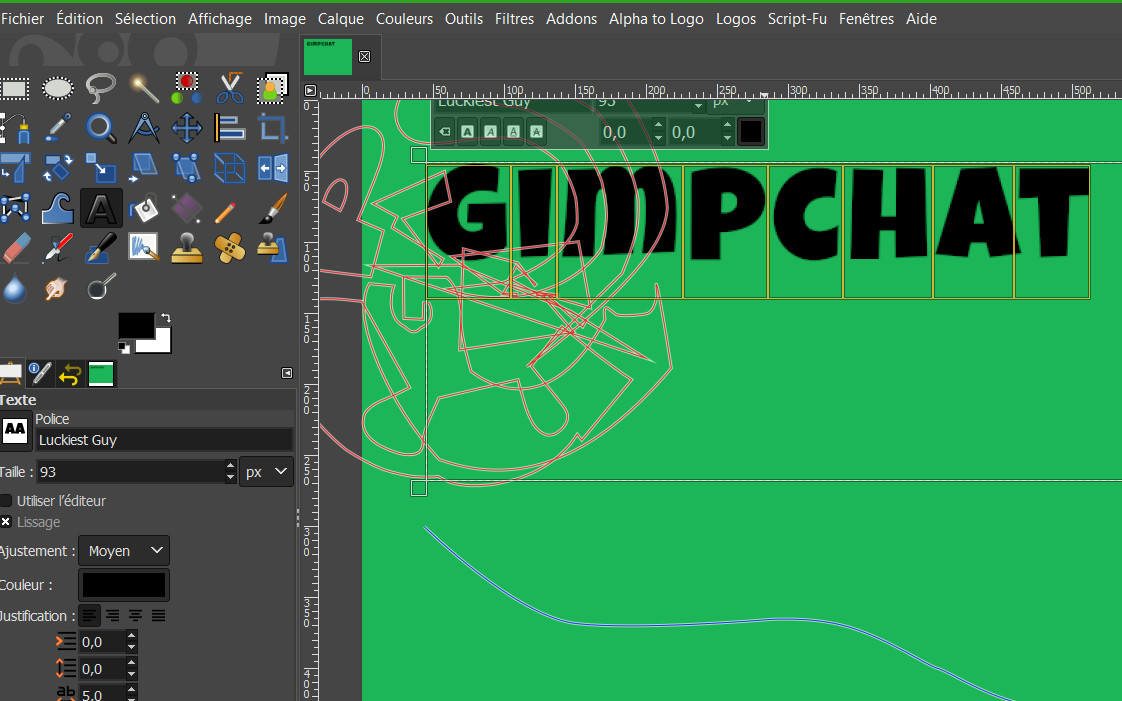
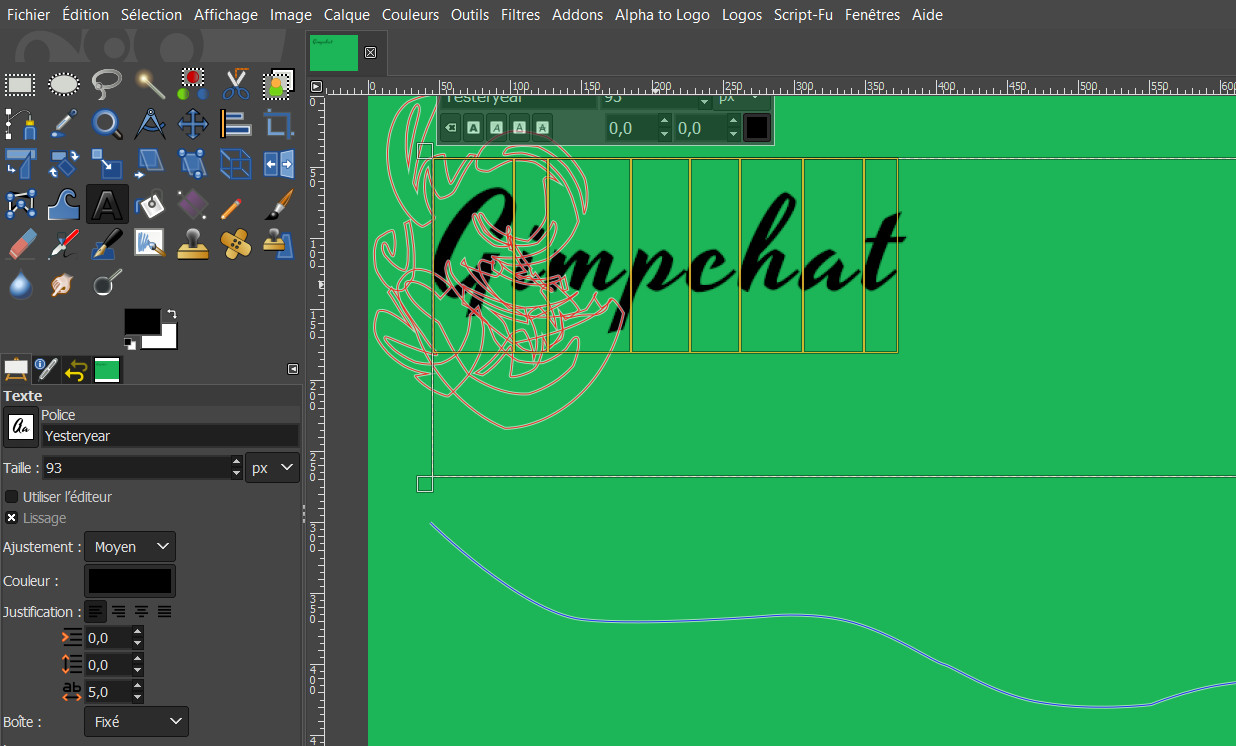
Some fonts:
yesteryear
https://fonts.google.com/?query=yesteryear
Luckiest Guy:
https://fonts.google.com/specimen/Luckiest+Guy
LainieDaySH:
https://fontzone.net/font-details/lainiedaysh
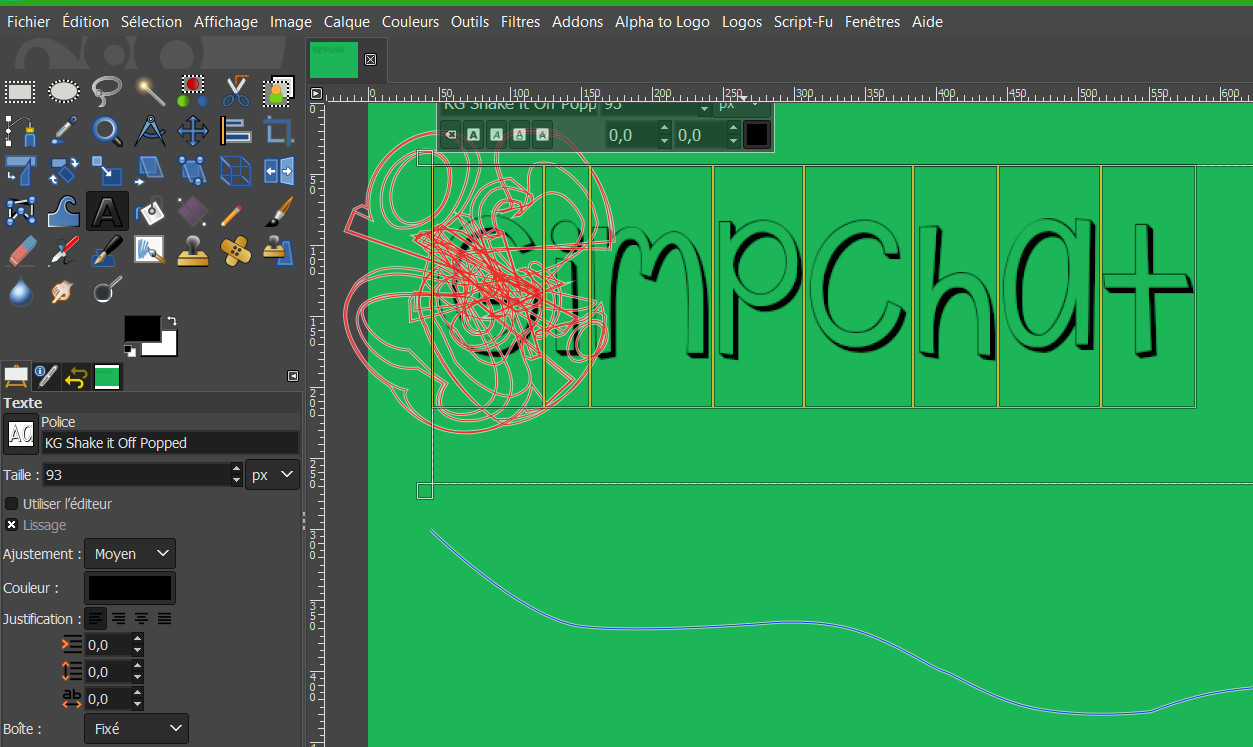
KG Shake it Off Popped
https://www.dafont.com/de/kg-shake-it-off.font
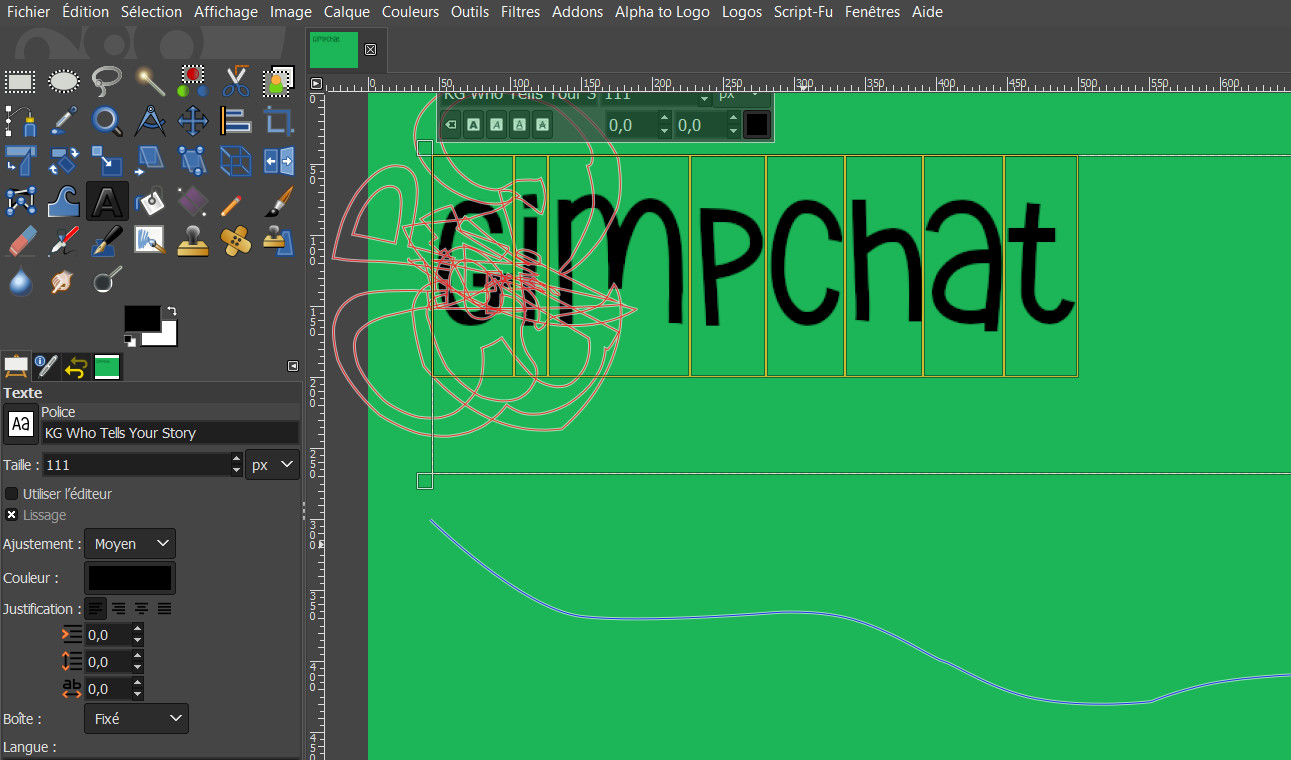
KG Who Tells Your Story:
https://www.dafont.com/fr/search.php?q= ... Your+Story
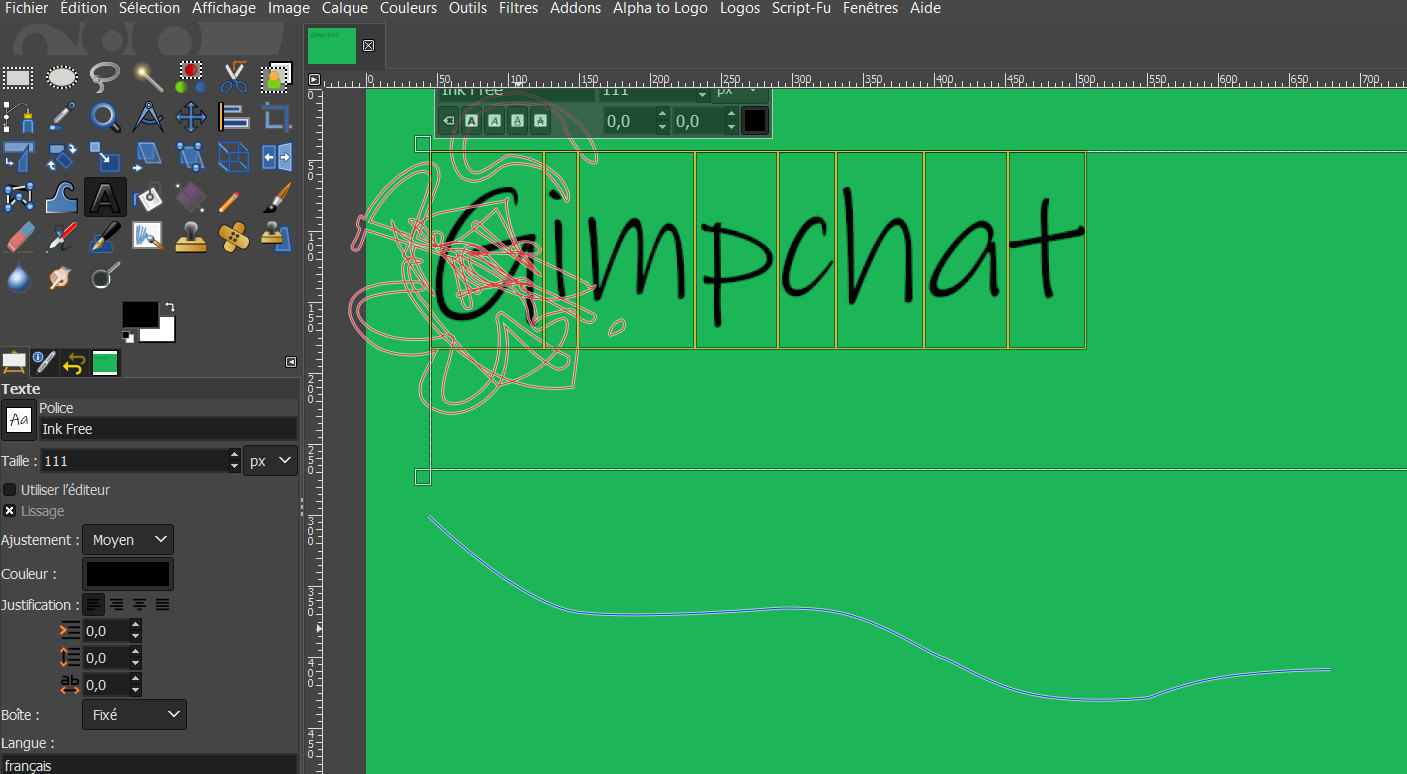
Ink Free:
https://www.cufonfonts.com/font/ink-free

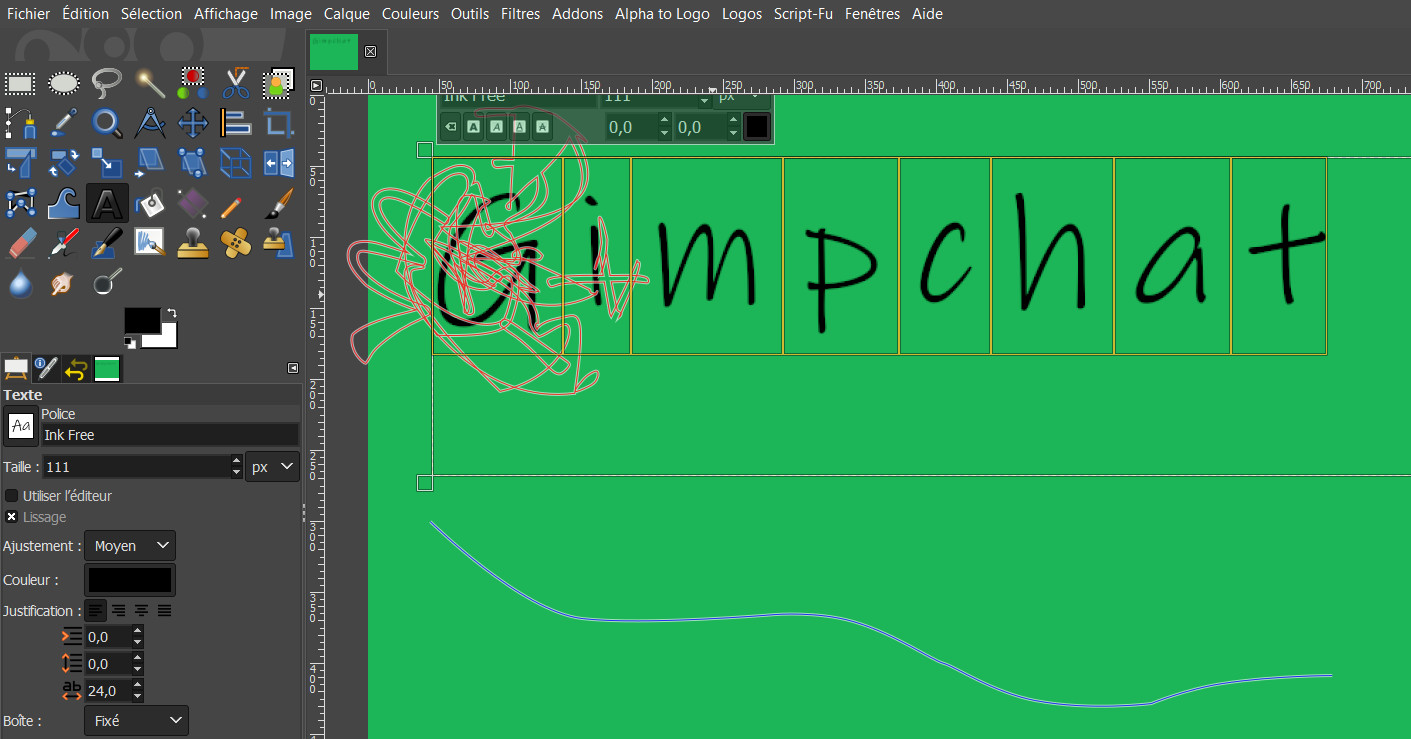
and the results with a very simple path and vary the spacing of the letters does not improve:

Image

Image

Image

Image

Image

Image

Image

_________________
Les parfums, les couleurs et les sons se répondent.Baudelaire (Les fleurs du mal)
2.10.36/(Samj) Gimp 2.10.38 OS Windows 10 Home 64 bits


Top
 Post subject: Re: fonts's choice
PostPosted: Thu Jul 11, 2019 5:25 am  (#7) 
Offline
GimpChat Member

Joined: Sep 20, 2016
Posts: 293
this is not expected behaviour and i don think its because of the font
do you have more than one path in your paths-tab ?

try making an elliptical selection, convert it into a path and put the text on the circle


Last edited by Konstantin on Thu Jul 11, 2019 5:31 am, edited 1 time in total.

Top
 Post subject: Re: fonts's choice
PostPosted: Thu Jul 11, 2019 5:25 am  (#8) 
Offline
GimpChat Member
User avatar

Joined: May 10, 2013
Posts: 1442
Location: Finland
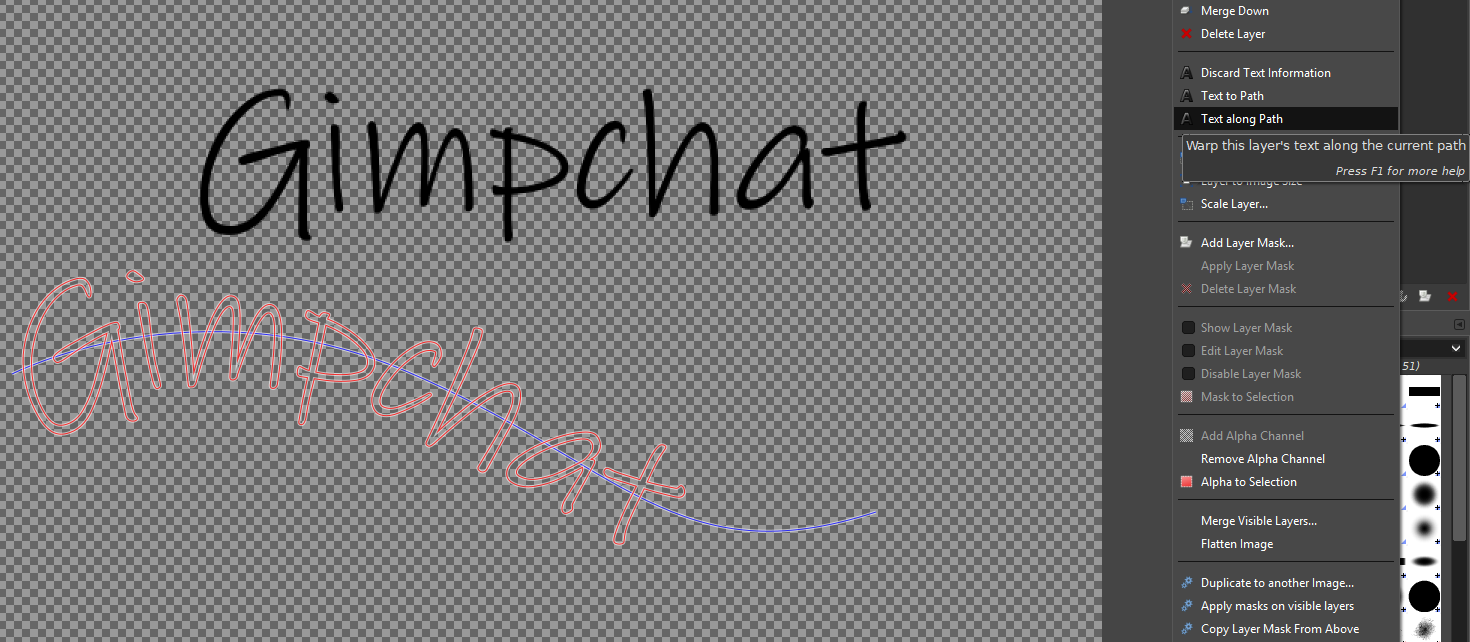
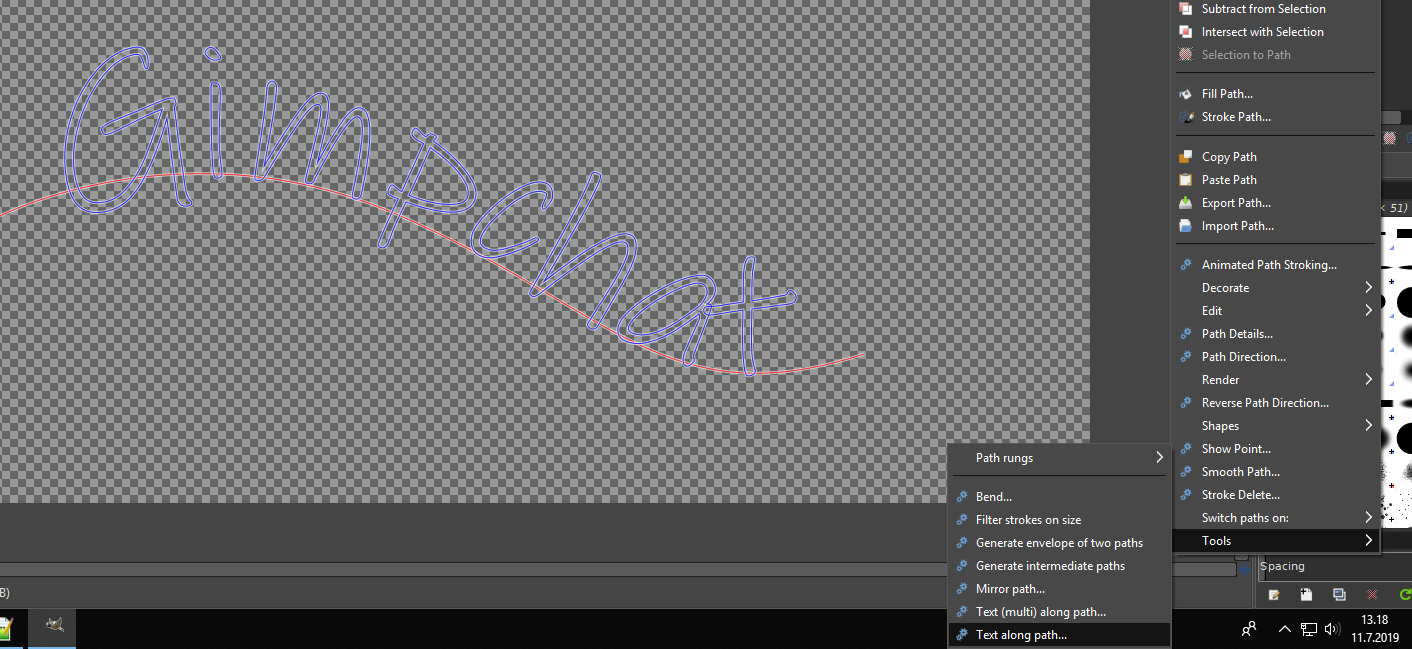
Agree with Konstantin, Gimp 2.10.12 Windows10.
Used the Inkfree font.

Built-in Text along Path.

Image

ofn-text-along-path.py

Image


Top
 Post subject: Re: fonts's choice
PostPosted: Thu Jul 11, 2019 6:56 am  (#9) 
Offline
GimpChat Member

Joined: Mar 04, 2011
Posts: 2615
You really need the paths dialogue open to see what happens.

Example:

Attachment:
01-along.jpg
01-along.jpg [ 84.72 KiB | Viewed 2919 times ]


Make some text (1) and an active path (2) The text along path produces a new path (3)

Attachment:
02-along.jpg
02-along.jpg [ 73.25 KiB | Viewed 2919 times ]


Some new text (or the same as before) (4) The active path (5) is now the path created from the previous text-along-path (or probably from a Text-to-Path) and the new text is rendered on that path (6) In this case trying to use a 'A' and 'L'

You need to change the active path to something suitable.


Top
 Post subject: Re: fonts's choice
PostPosted: Thu Jul 11, 2019 7:19 am  (#10) 
Offline
Script Coder
User avatar

Joined: Oct 25, 2010
Posts: 4812
Your weird results come from your using the text path as the "path". In Text-Along-Path, you use the current text layer, and give the "guide" path (no need to do text-to-path first).

_________________
Image


Top
 Post subject: Re: fonts's choice
PostPosted: Thu Jul 11, 2019 11:34 am  (#11) 
Offline
GimpChat Member

Joined: Apr 09, 2018
Posts: 1888
Location: France
I think I had to make a mistake as indicated by ofnuts and although having only one path in the paths tab, it had to stay in memory.
But now it's over :) and thank you all.Image

_________________
Les parfums, les couleurs et les sons se répondent.Baudelaire (Les fleurs du mal)
2.10.36/(Samj) Gimp 2.10.38 OS Windows 10 Home 64 bits


Top
Post new topic Reply to topic  [ 11 posts ] 

All times are UTC - 5 hours [ DST ]


* Login  


Powered by phpBB3 © phpBB Group