It is currently Sat Nov 07, 2026 10:19 pm


All times are UTC - 5 hours [ DST ]


Post new topic Reply to topic  [ 2 posts ] 
Author Message
 Post subject: Matching my Phone Camera's 'Brightness' Adjustment
PostPosted: Mon Nov 25, 2019 5:50 pm  (#1) 
Offline
New Member

Joined: Jul 29, 2015
Posts: 1
GIMP Version: 2.10.8
Operating System: Windows
OS Version: windows 7
GIMP Experience: Basic Level
URL or Image link: https://imgur.com/a/YQdob7h


Hello everyone, I've recently been given a Samsung Galaxy S6 that has a manually adjustable 'brightness' slider. Trouble is the UI is awful and while using it is sometimes necessary, it can take forever due to said software. I've been trying to mimic the adjustment in Gimp 2.10.8, but I haven't gotten it yet, definitely not just 'brightness' as the UI says - seems to be some mix of white balance, exposure, contrast, levels...maybe more.

I took a base picture (which usually auto sets 'brightness' around 50%) and maxed it out (though sometimes adjusting the slider does nothing). I was hoping someone had an idea as to how to approximate this effect, any ideas are appreciated.

Attachment:
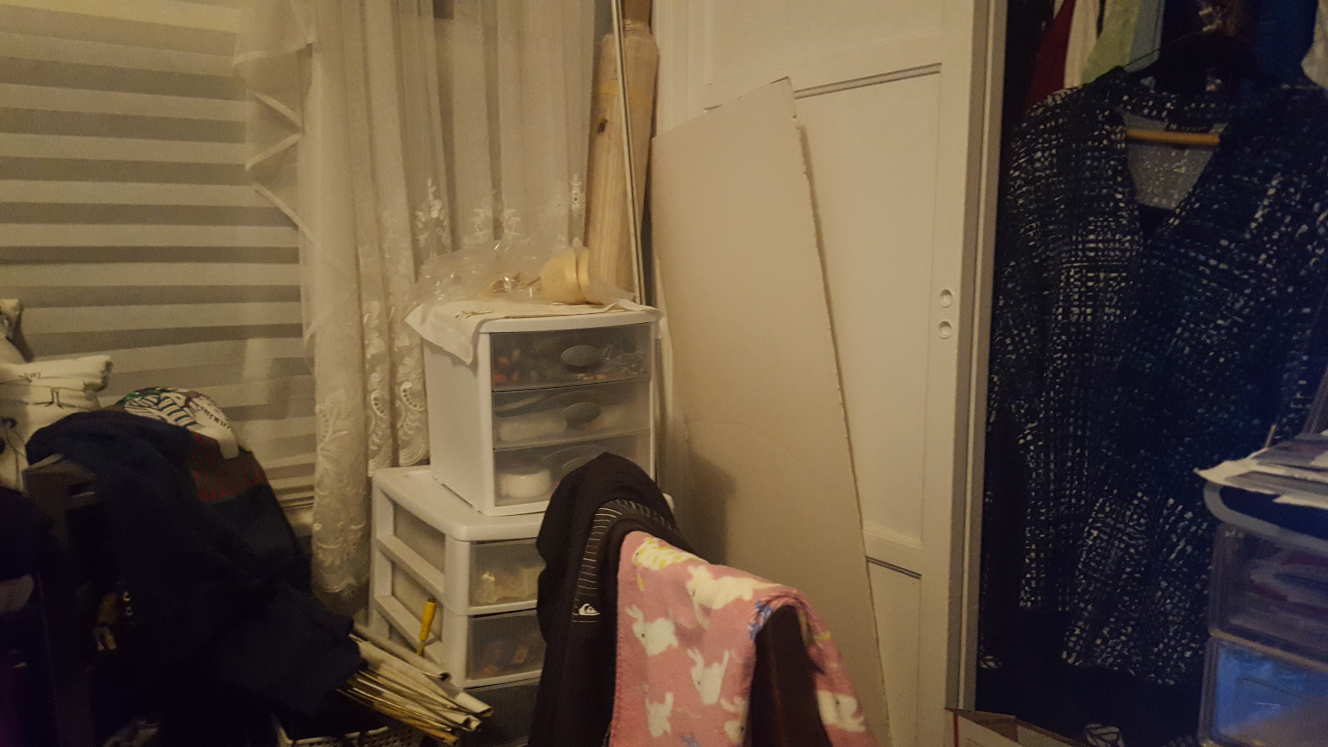
base reduced.jpg
base reduced.jpg [ 367.56 KiB | Viewed 2093 times ]

Attachment:
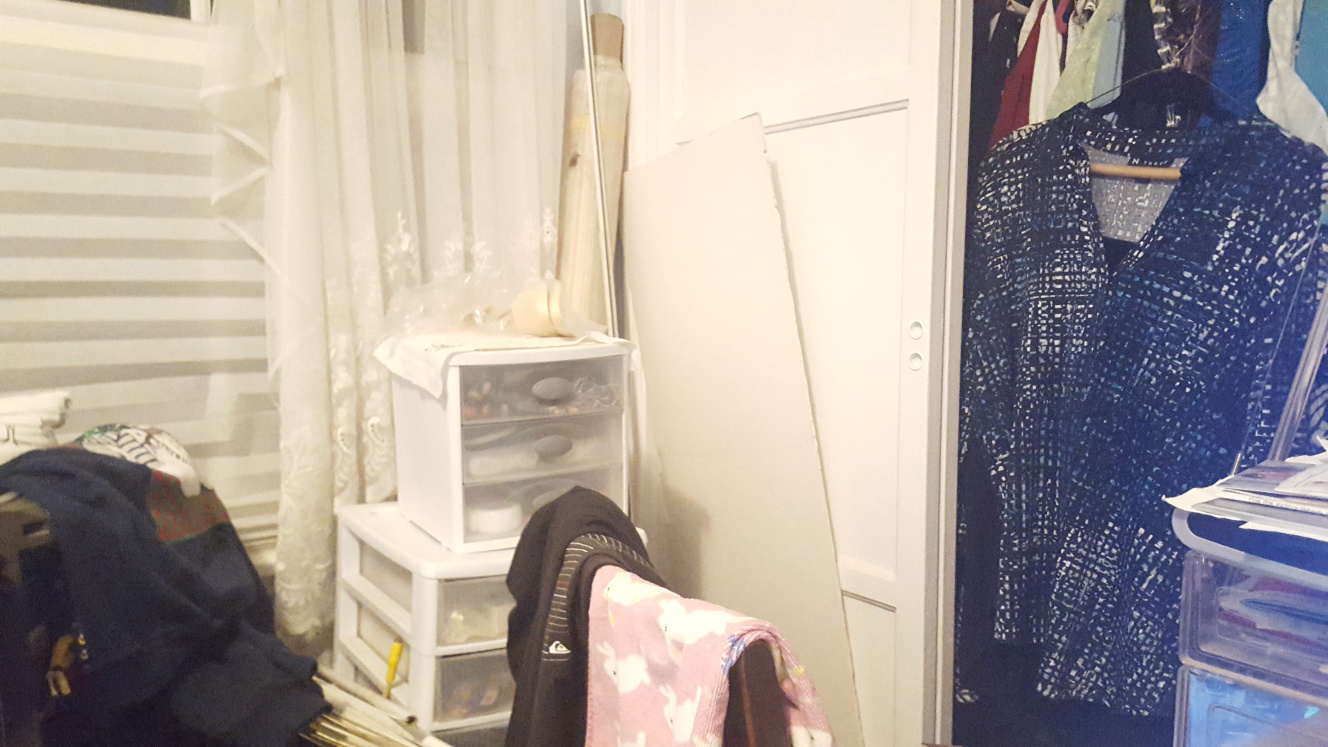
adjusted reduced.jpg
adjusted reduced.jpg [ 351.81 KiB | Viewed 2093 times ]


Share on Facebook Share on Twitter Share on Orkut Share on Digg Share on MySpace Share on Delicious Share on Technorati
Top
 Post subject: Re: Matching my Phone Camera's 'Brightness' Adjustment
PostPosted: Tue Nov 26, 2019 2:09 am  (#2) 
Offline
Global Moderator
User avatar

Joined: Apr 01, 2012
Posts: 8498
Location: On the other side of your screen
Did you take your photo with your indoor light on? I have noticed that any photos I take in one room of my house have a 'yellow' tinge to them. Since it doesn't happen anywhere else I figure this room must be using a warmer light. Could be your problem.

_________________
Image
Free Fun Photo Editing & resources
Poems from the Lord
Gimp Newby
Gimp version 3.2.6 and GMIC-Qt 4.0.2 OS :- Windows 10 Home 64


Top
Post new topic Reply to topic  [ 2 posts ] 

All times are UTC - 5 hours [ DST ]


* Login  


Powered by phpBB3 © phpBB Group
