It is currently Sun Sep 20, 2026 6:21 pm


All times are UTC - 5 hours [ DST ]


Post new topic Reply to topic  [ 14 posts ] 
Author Message
 Post subject: Adding stars to the night sky
PostPosted: Mon Jan 20, 2020 1:32 am  (#1) 
Offline
GimpChat Member

Joined: Nov 19, 2019
Posts: 209
GIMP Version: 2.10.14
Operating System: Linux
OS Version: Ubuntu 18.04
GIMP Experience: Basic Level


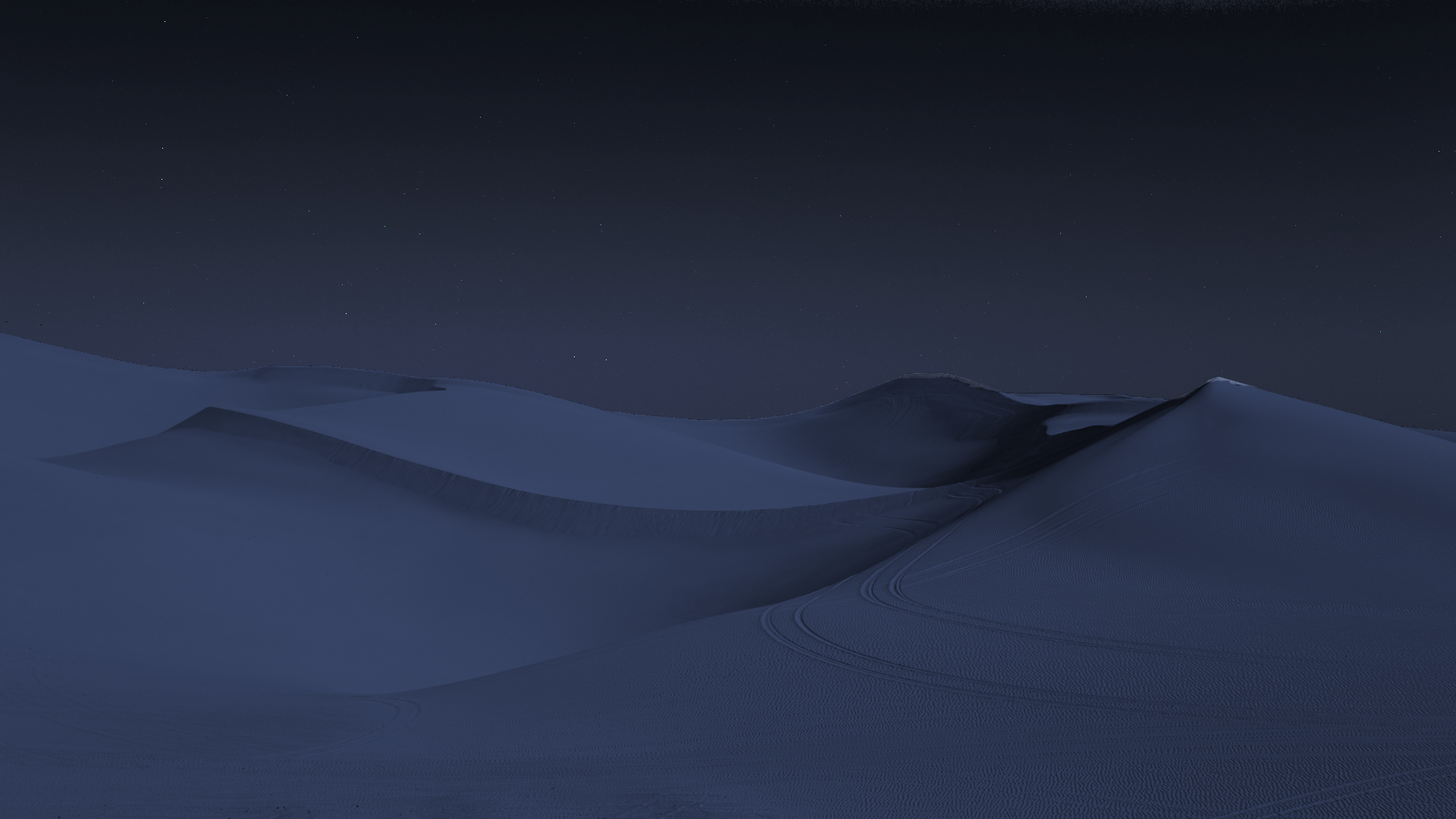
I tried to add realistic stars to the night sky for the attached image. Tried adding noise, using night sky image, tried png of stars. Nothing had the realistic look I was hoping for. Any help will be great.


Attachments:
sahara-desert-dunes-5k night.png
sahara-desert-dunes-5k night.png [ 1.71 MiB | Viewed 5986 times ]
Share on Facebook Share on Twitter Share on Orkut Share on Digg Share on MySpace Share on Delicious Share on Technorati
Top
 Post subject: Re: Adding stars to the night sky
PostPosted: Mon Jan 20, 2020 2:30 am  (#2) 
Offline
Administrator
User avatar

Joined: Aug 10, 2012
Posts: 14206
Location: Native to NYC living in Arizona, Gimp 2.8 - 3.0, Win 11 PC.
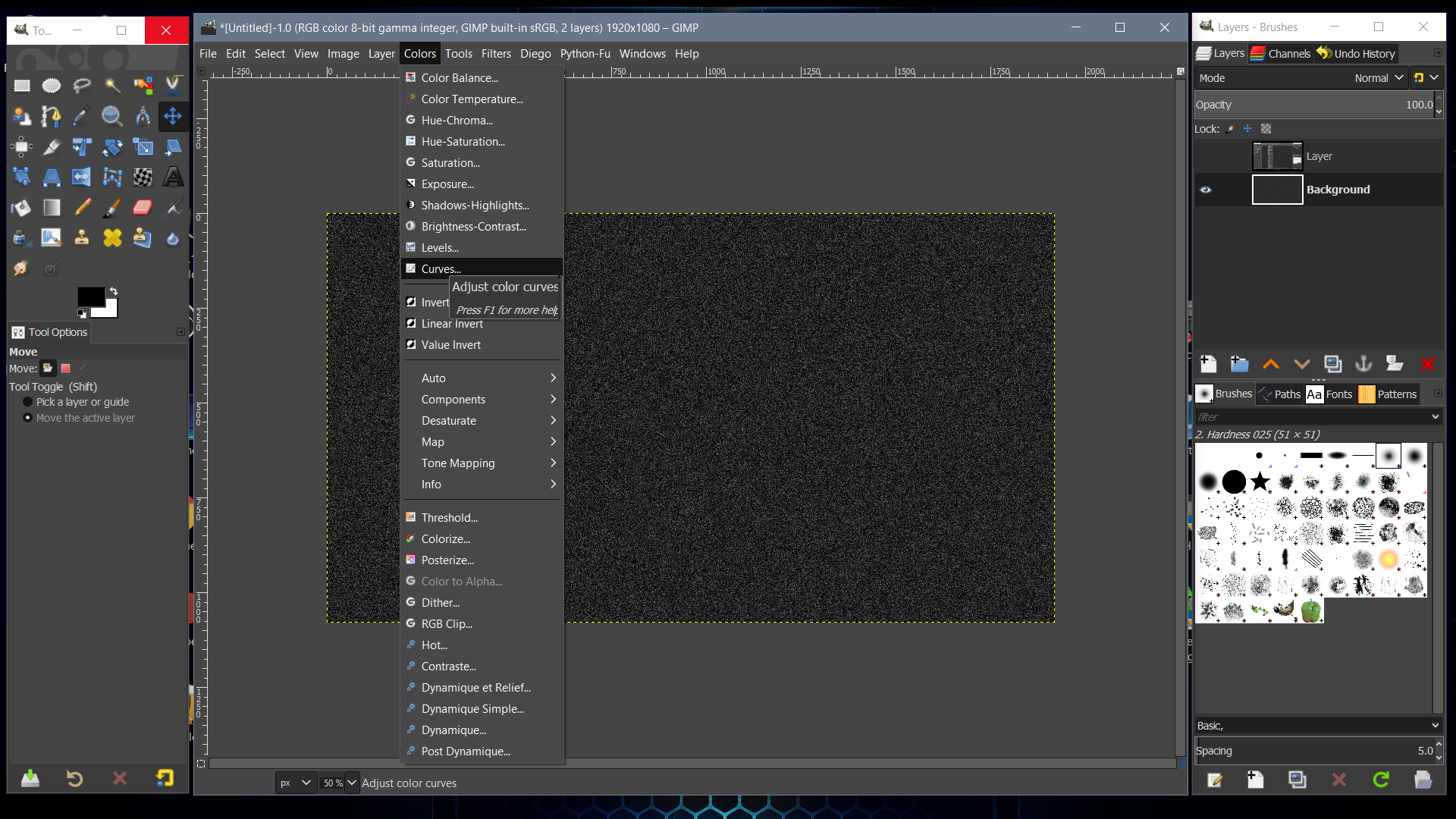
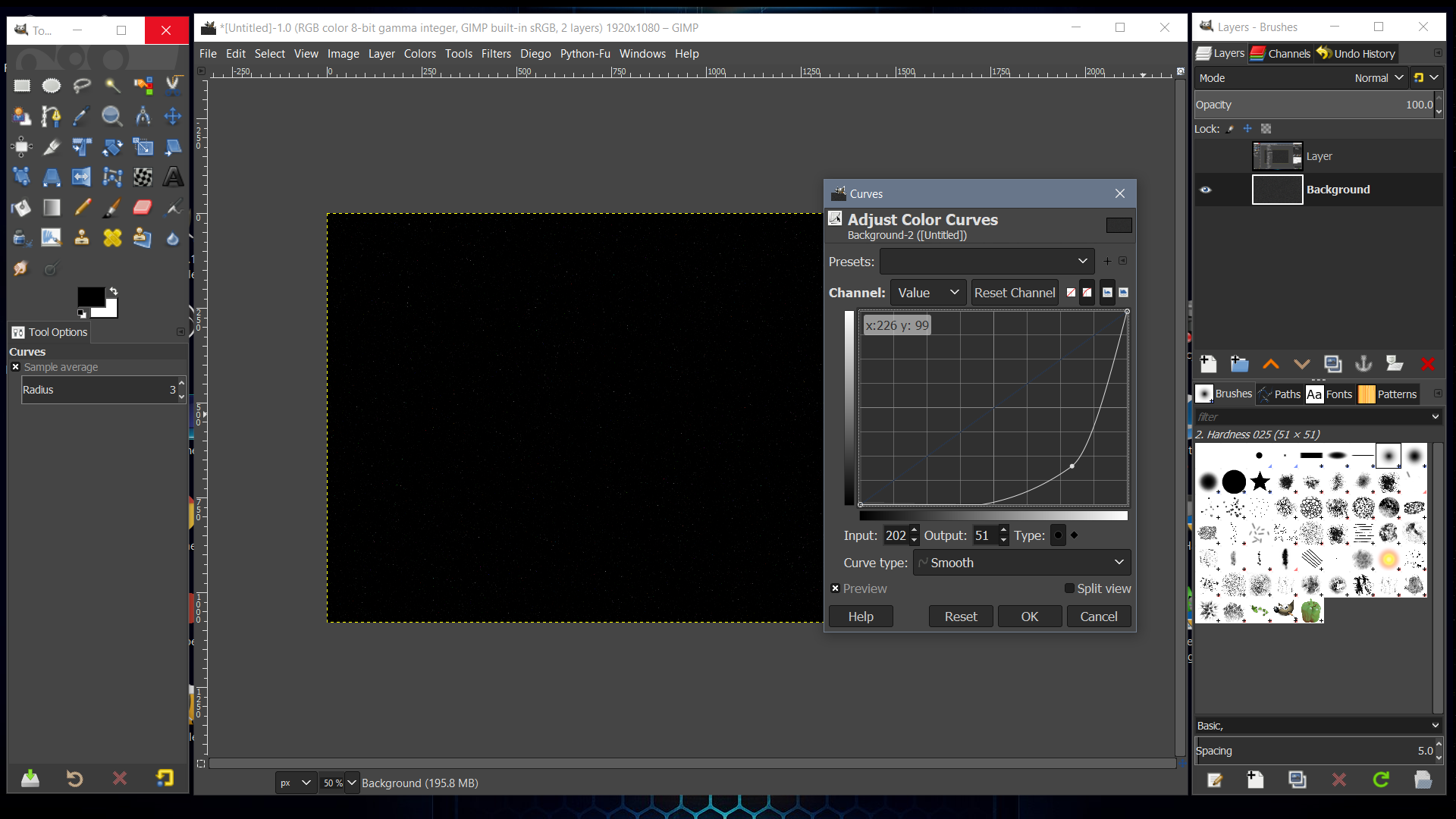
Try HSV Noise on a black layer and use Color Curves.
To get a something that looks star like.
Duplicate this layer twice.
Set top layer to Dodge layer mode and the other to Overlay.
Mask out what's not needed.
Adjust Opacity.


Image

Image

Image

Image

_________________
Image
"A wise man learns more from a foolish question than a fool can learn from a wise answer"
Image


Top
 Post subject: Re: Adding stars to the night sky
PostPosted: Mon Jan 20, 2020 2:53 am  (#3) 
Offline
GimpChat Member

Joined: Nov 19, 2019
Posts: 209
Thanks. I tried filter > Noise . It didn't go well. Is HSV noise different ? Nice to know that we can reduce the no. of dots ( stars ). For me, they were very saturated by volume.

I finally used a night sky image and tried with some amount of Opacity. Looks fine now.


Top
 Post subject: Re: Adding stars to the night sky
PostPosted: Mon Jan 20, 2020 2:56 am  (#4) 
Offline
Administrator
User avatar

Joined: Aug 10, 2012
Posts: 14206
Location: Native to NYC living in Arizona, Gimp 2.8 - 3.0, Win 11 PC.
meetdilip wrote:
Thanks. I tried filter > Noise . It didn't go well. Is HSV noise different ? Nice to know that we can reduce the no. of dots ( stars ). For me, they were very saturated by volume.

I finally used a night sky image and tried with some amount of Opacity. Looks fine now.

Nice.
:bigthup

_________________
Image
"A wise man learns more from a foolish question than a fool can learn from a wise answer"
Image


Top
 Post subject: Re: Adding stars to the night sky
PostPosted: Mon Jan 20, 2020 3:13 am  (#5) 
Offline
GimpChat Member

Joined: Nov 19, 2019
Posts: 209
@Wallace, I want to ask something.

How come the no. of stars in the sky so less when the HSV Noise creates a lot of dots ?


Top
 Post subject: Re: Adding stars to the night sky
PostPosted: Mon Jan 20, 2020 3:31 am  (#6) 
Offline
Administrator
User avatar

Joined: Aug 10, 2012
Posts: 14206
Location: Native to NYC living in Arizona, Gimp 2.8 - 3.0, Win 11 PC.
meetdilip wrote:
@Wallace, I want to ask something.

How come the no. of stars in the sky so less when the HSV Noise creates a lot of dots ?

Use Color > Curves.
Use the Layer Modes I suggested.
ImageImage

_________________
Image
"A wise man learns more from a foolish question than a fool can learn from a wise answer"
Image


Top
 Post subject: Re: Adding stars to the night sky
PostPosted: Mon Jan 20, 2020 3:36 am  (#7) 
Offline
GimpChat Member

Joined: Nov 19, 2019
Posts: 209
+1

You mean, darken the image so that there will be fewer stars ? What is " Layer modes " ?


Top
 Post subject: Re: Adding stars to the night sky
PostPosted: Mon Jan 20, 2020 3:53 am  (#8) 
Offline
Administrator
User avatar

Joined: Aug 10, 2012
Posts: 14206
Location: Native to NYC living in Arizona, Gimp 2.8 - 3.0, Win 11 PC.
meetdilip wrote:
+1

You mean, darken the image so that there will be fewer stars ? What is " Layer modes " ?

Yes.
Layer Modes.
gimp-concepts-layer-modes @ docs.gimp.org

Yes use Color Curves.
To adjust the colors/stars to your desire.
The “Colors” Menu, “Curves” @ docs.gimp.org

_________________
Image
"A wise man learns more from a foolish question than a fool can learn from a wise answer"
Image


Top
 Post subject: Re: Adding stars to the night sky
PostPosted: Mon Jan 20, 2020 4:50 am  (#9) 
Offline
GimpChat Member

Joined: Nov 19, 2019
Posts: 209
Thanks. Not used to with the nomenclature. I think I did those :)


Top
 Post subject: Re: Adding stars to the night sky
PostPosted: Mon Jan 20, 2020 4:52 am  (#10) 
Offline
Administrator
User avatar

Joined: Aug 10, 2012
Posts: 14206
Location: Native to NYC living in Arizona, Gimp 2.8 - 3.0, Win 11 PC.
meetdilip wrote:
Thanks. Not used to with the nomenclature. I think I did those :)

Ok cool.
:hi5

_________________
Image
"A wise man learns more from a foolish question than a fool can learn from a wise answer"
Image


Top
 Post subject: Re: Adding stars to the night sky
PostPosted: Mon Jan 20, 2020 5:22 am  (#11) 
Offline
GimpChat Member

Joined: Nov 19, 2019
Posts: 209
I used opacity + Layer mode - lighten only. It looks fine now :)

You guys are awesome.


Top
 Post subject: Re: Adding stars to the night sky
PostPosted: Mon Jan 20, 2020 6:24 am  (#12) 
Offline
GimpChat Member
User avatar

Joined: Apr 15, 2017
Posts: 1837
There is also the Stary Sky script.

Attachment:
stars.jpg
stars.jpg [ 241.67 KiB | Viewed 4004 times ]


Attachment:
starry-sky.scm.zip [2.19 KiB]
Downloaded 217 times


Top
 Post subject: Re: Adding stars to the night sky
PostPosted: Mon Jan 20, 2020 6:58 am  (#13) 
Offline
GimpChat Member
User avatar

Joined: Apr 09, 2016
Posts: 580
Location: Sheffield UK
I like the outcome produced by using the method in the video...
www.youtube.com Video from : www.youtube.com

_________________
Image


Top
 Post subject: Re: Adding stars to the night sky
PostPosted: Mon Jan 20, 2020 7:51 am  (#14) 
Offline
GimpChat Member

Joined: Nov 19, 2019
Posts: 209
racer-x wrote:
There is also the Stary Sky script.

Attachment:
stars.jpg


Attachment:
starry-sky.scm.zip


Thanks.


Top
Post new topic Reply to topic  [ 14 posts ] 

All times are UTC - 5 hours [ DST ]


cron

* Login  


Powered by phpBB3 © phpBB Group