It is currently Tue Jul 21, 2026 11:01 pm


All times are UTC - 5 hours [ DST ]


Post new topic Reply to topic  [ 26 posts ]  Go to page 1, 2  Next
Author Message
 Post subject: My two "Voronoi" filters
PostPosted: Thu Jan 30, 2020 12:16 am  (#1) 
Offline
GimpChat Member
User avatar

Joined: Jan 20, 2013
Posts: 14831
Location: roma, italy
Out of Lyle's kingdom.
There are my two filters about voronoi.

1.called "fake" voronoi:
filter:
Attachment:
DIEGO_HaveFun_FakeVoronoi210.7z [2.89 KiB]
Downloaded 178 times

patterns used: see next post

2.called "easy" voronoi:
filter:
Attachment:
DIEGO_QUANTIZE_EasyVoronoi.7z [3.18 KiB]
Downloaded 139 times

patterns used: see next post

If you activate correctly the patterns attached below, the filters do work (to double-check, just look at the patterns window if they are present, before complaining)

_________________
"Where am I ?"


Share on Facebook Share on Twitter Share on Orkut Share on Digg Share on MySpace Share on Delicious Share on Technorati
Top
 Post subject: Re: My two "Voronoi" filters
PostPosted: Thu Jan 30, 2020 12:18 am  (#2) 
Offline
GimpChat Member
User avatar

Joined: Jan 20, 2013
Posts: 14831
Location: roma, italy
(completing)
1: patterns used by filter #1
Attachment:
15Dots.7z [908.05 KiB]
Downloaded 195 times


2: patterns used by filter #2 (only a part)
Attachment:
Voronoi_Diego1.7z [4.96 MiB]
Downloaded 191 times

_________________
"Where am I ?"


Top
 Post subject: Re: My two "Voronoi" filters
PostPosted: Thu Jan 30, 2020 12:20 am  (#3) 
Offline
GimpChat Member
User avatar

Joined: Jan 20, 2013
Posts: 14831
Location: roma, italy
...the other two sets (there are others)
Attachment:
Voronoi_Diego2.7z [4.95 MiB]
Downloaded 160 times

Attachment:
Voronoi_Diego3.7z [4.02 MiB]
Downloaded 239 times

_________________
"Where am I ?"


Top
 Post subject: Re: My two "Voronoi" filters
PostPosted: Thu Jan 30, 2020 1:42 am  (#4) 
Offline
GimpChat Member
User avatar

Joined: May 10, 2013
Posts: 1430
Location: FInland
Thank you dinasset, will play later I didn't remember you had this filter.


Top
 Post subject: Re: My two "Voronoi" filters
PostPosted: Thu Jan 30, 2020 1:47 am  (#5) 
Offline
GimpChat Member
User avatar

Joined: Jan 20, 2013
Posts: 14831
Location: roma, italy
Thanks Nidhogg.
An example of the "Easy".
Attachment:
[pavlina_and_the_blue_scarf_by_rickb500_ddnsgd4-pre] (imported), with random Voronoi textures (colour areas =96).jpg
[pavlina_and_the_blue_scarf_by_rickb500_ddnsgd4-pre] (imported), with random Voronoi textures (colour areas =96).jpg [ 423.47 KiB | Viewed 3046 times ]

_________________
"Where am I ?"


Top
 Post subject: Re: My two "Voronoi" filters
PostPosted: Thu Jan 30, 2020 4:44 am  (#6) 
Offline
GimpChat Member
User avatar

Joined: Apr 26, 2014
Posts: 3816
Location: belgium
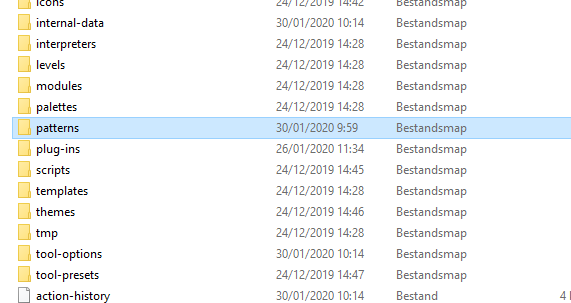
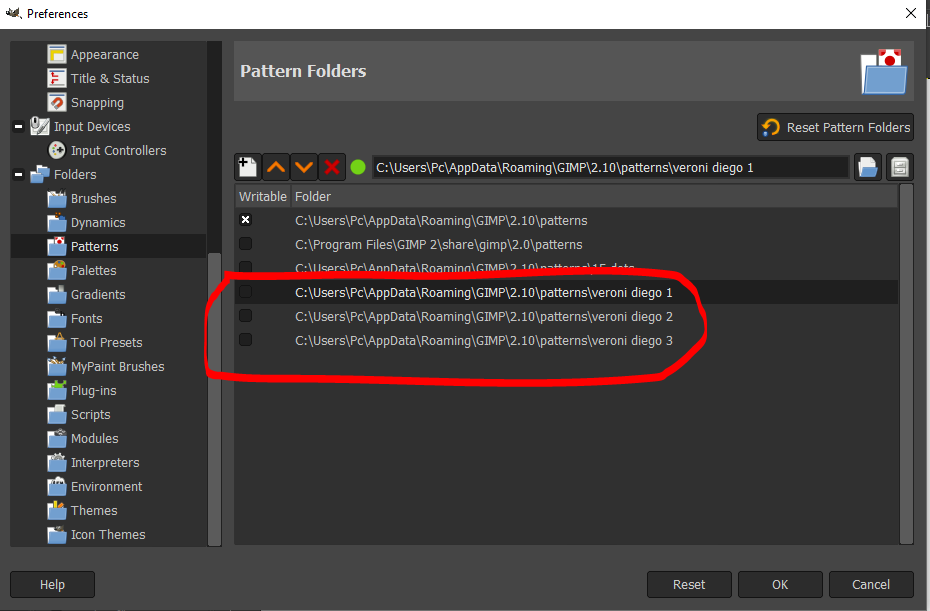
I have placed the patterns correctly in my gimp folder but I cannot find them in my patern dialogue

Image

Image

Image

I have placed the paterns in a folder and gave the folder the name veroni diego 1-2 and 3
as seen in my preferences, the folders are placed in it correctly.
it is possible that something went wrong?!

gimper66


Top
 Post subject: Re: My two "Voronoi" filters
PostPosted: Thu Jan 30, 2020 5:02 am  (#7) 
Offline
GimpChat Member
User avatar

Joined: Jan 20, 2013
Posts: 14831
Location: roma, italy
I use Samj's portable pack, hence out situations are not the same.
I have them all in one folder (Voronoi_Diego) and I use Ofnuts AddonsCollectionManager to activate/deactivate them.

Attachment:
CatturaPatterns.PNG
CatturaPatterns.PNG [ 67.9 KiB | Viewed 3017 times ]


You need a double-check with one having a similar config to yours (I suppose to be the std official Gimp)

_________________
"Where am I ?"


Top
 Post subject: Re: My two "Voronoi" filters
PostPosted: Thu Jan 30, 2020 5:20 am  (#8) 
Offline
GimpChat Member
User avatar

Joined: Mar 01, 2014
Posts: 14073
Location: Spain, Aragón
Perhaps the problem is a mistake in the name of the patterns. you have written "veroni" and it is "voronoi"

_________________
Image

Gimp 2.10.30(samj) portable _ OS Windows 10 Home_ 64bits
Don’t be afraid to start over. It’s a new chance to rebuild what you want.


Top
 Post subject: Re: My two "Voronoi" filters
PostPosted: Thu Jan 30, 2020 5:35 am  (#9) 
Offline
GimpChat Member
User avatar

Joined: Jan 20, 2013
Posts: 14831
Location: roma, italy
Gimper, can you "expand" one of your "veroni" to see what's inside?
There must be the single patterns (each of them is named "Voronoi_...", not another folder

for instance I have...
Attachment:
CatturaList.PNG
CatturaList.PNG [ 417.13 KiB | Viewed 3005 times ]

_________________
"Where am I ?"


Top
 Post subject: Re: My two "Voronoi" filters
PostPosted: Thu Jan 30, 2020 6:23 am  (#10) 
Offline
GimpChat Member

Joined: Apr 09, 2018
Posts: 1888
Location: France
:wvy
Dinasset,I just tried again, like last night, without changing anything, the Voronoi diego 3 folder is in the patterns, and I see them in the patterns dialog and I clicked on the filter then my Gimp is frozen for a while, so I started writing this message and suddenly the filter worked ...?
Is it because I put 0 to keep the same image size?
Image

The image used is 1920x1305 and cannot be put with this size on GC.

_________________
Les parfums, les couleurs et les sons se répondent.Baudelaire (Les fleurs du mal)
2.10.36/(Samj) Gimp 2.10.38 OS Windows 10 Home 64 bits


Top
 Post subject: Re: My two "Voronoi" filters
PostPosted: Thu Jan 30, 2020 6:25 am  (#11) 
Offline
GimpChat Member

Joined: Apr 09, 2018
Posts: 1888
Location: France
reduced image:

Image

_________________
Les parfums, les couleurs et les sons se répondent.Baudelaire (Les fleurs du mal)
2.10.36/(Samj) Gimp 2.10.38 OS Windows 10 Home 64 bits


Top
 Post subject: Re: My two "Voronoi" filters
PostPosted: Thu Jan 30, 2020 6:32 am  (#12) 
Offline
GimpChat Member

Joined: Apr 09, 2018
Posts: 1888
Location: France
an other

Image

_________________
Les parfums, les couleurs et les sons se répondent.Baudelaire (Les fleurs du mal)
2.10.36/(Samj) Gimp 2.10.38 OS Windows 10 Home 64 bits


Top
 Post subject: Re: My two "Voronoi" filters
PostPosted: Thu Jan 30, 2020 6:35 am  (#13) 
Offline
GimpChat Member
User avatar

Joined: Jan 20, 2013
Posts: 14831
Location: roma, italy
level_0 wrote:
:wvy
Dinasset,I just tried again, like last night, without changing anything, the Voronoi diego 3 folder is in the patterns, and I see them in the patterns dialog and I clicked on the filter then my Gimp is frozen for a while, so I started writing this message and suddenly the filter worked ...?
Is it because I put 0 to keep the same image size?
[ Image ]

The image used is 1920x1305 and cannot be put with this size on GC.

The filter is "frozen for a while" while it is preparing the 32 colour areas.
Just a bit of patience... (or reduce the number of the areas)

_________________
"Where am I ?"


Top
 Post subject: Re: My two "Voronoi" filters
PostPosted: Thu Jan 30, 2020 6:39 am  (#14) 
Offline
GimpChat Member
User avatar

Joined: Jan 20, 2013
Posts: 14831
Location: roma, italy
Also, you have too few patterns using only set 3, so there is not too much variability in the patterns used (randomly btw)

_________________
"Where am I ?"


Top
 Post subject: Re: My two "Voronoi" filters
PostPosted: Thu Jan 30, 2020 6:45 am  (#15) 
Offline
GimpChat Member

Joined: Apr 09, 2018
Posts: 1888
Location: France
dinasset wrote:
The filter is "frozen for a while" while it is preparing the 32 colour areas.
Just a bit of patience... (or reduce the number of the areas)


you're right, I reduced the size and also number of areas and it's OK! :)

Image

_________________
Les parfums, les couleurs et les sons se répondent.Baudelaire (Les fleurs du mal)
2.10.36/(Samj) Gimp 2.10.38 OS Windows 10 Home 64 bits


Top
 Post subject: Re: My two "Voronoi" filters
PostPosted: Thu Jan 30, 2020 6:48 am  (#16) 
Offline
GimpChat Member

Joined: Apr 09, 2018
Posts: 1888
Location: France
dinasset wrote:
Also, you have too few patterns using only set 3, so there is not too much variability in the patterns used (randomly btw)


Will the filter work if I mix the patterns I want to try and put them in a Voronoi Diego folder?

_________________
Les parfums, les couleurs et les sons se répondent.Baudelaire (Les fleurs du mal)
2.10.36/(Samj) Gimp 2.10.38 OS Windows 10 Home 64 bits


Top
 Post subject: Re: My two "Voronoi" filters
PostPosted: Thu Jan 30, 2020 9:50 am  (#17) 
Offline
GimpChat Member
User avatar

Joined: Mar 01, 2014
Posts: 14073
Location: Spain, Aragón
:paint
I think that the filter needs room while acting, so it's better to set the size of the image at 2000 or more.
What is the criterion to know if the result is good? I get different results with the same image without changing anything. Is this correct?


Attachments:
portrait_with_lilies_by_mariababintseva_d9ojbhpsl_DN_EasyVoronoi_Issa.jpg
portrait_with_lilies_by_mariababintseva_d9ojbhpsl_DN_EasyVoronoi_Issa.jpg [ 797.54 KiB | Viewed 2197 times ]
portrait_with_lilies_by_mariababintseva_d9ojbhp_DN_EasyVoronoi_Issa.jpg
portrait_with_lilies_by_mariababintseva_d9ojbhp_DN_EasyVoronoi_Issa.jpg [ 1.03 MiB | Viewed 2197 times ]

_________________
Image

Gimp 2.10.30(samj) portable _ OS Windows 10 Home_ 64bits
Don’t be afraid to start over. It’s a new chance to rebuild what you want.
Top
 Post subject: Re: My two "Voronoi" filters
PostPosted: Thu Jan 30, 2020 10:33 am  (#18) 
Offline
GimpChat Member
User avatar

Joined: Jan 20, 2013
Posts: 14831
Location: roma, italy
level_0 wrote:
dinasset wrote:
Also, you have too few patterns using only set 3, so there is not too much variability in the patterns used (randomly btw)


Will the filter work if I mix the patterns I want to try and put them in a Voronoi Diego folder?


Absolutely: YES !
The filter looks for a set of patterns whose names contain "Voronoi"!

_________________
"Where am I ?"


Top
 Post subject: Re: My two "Voronoi" filters
PostPosted: Thu Jan 30, 2020 10:35 am  (#19) 
Offline
GimpChat Member
User avatar

Joined: Jan 20, 2013
Posts: 14831
Location: roma, italy
Issabella wrote:
:paint
I think that the filter needs room while acting, so it's better to set the size of the image at 2000 or more.
What is the criterion to know if the result is good? I get different results with the same image without changing anything. Is this correct?

Yes, it's correct, the filter applies each pattern by choosing randomly from the set.
If you get an outcome you do not like, throw it away and rerun (that's what I do)

_________________
"Where am I ?"


Top
 Post subject: Re: My two "Voronoi" filters
PostPosted: Thu Jan 30, 2020 10:38 am  (#20) 
Offline
GimpChat Member
User avatar

Joined: Apr 26, 2014
Posts: 3816
Location: belgium
Image


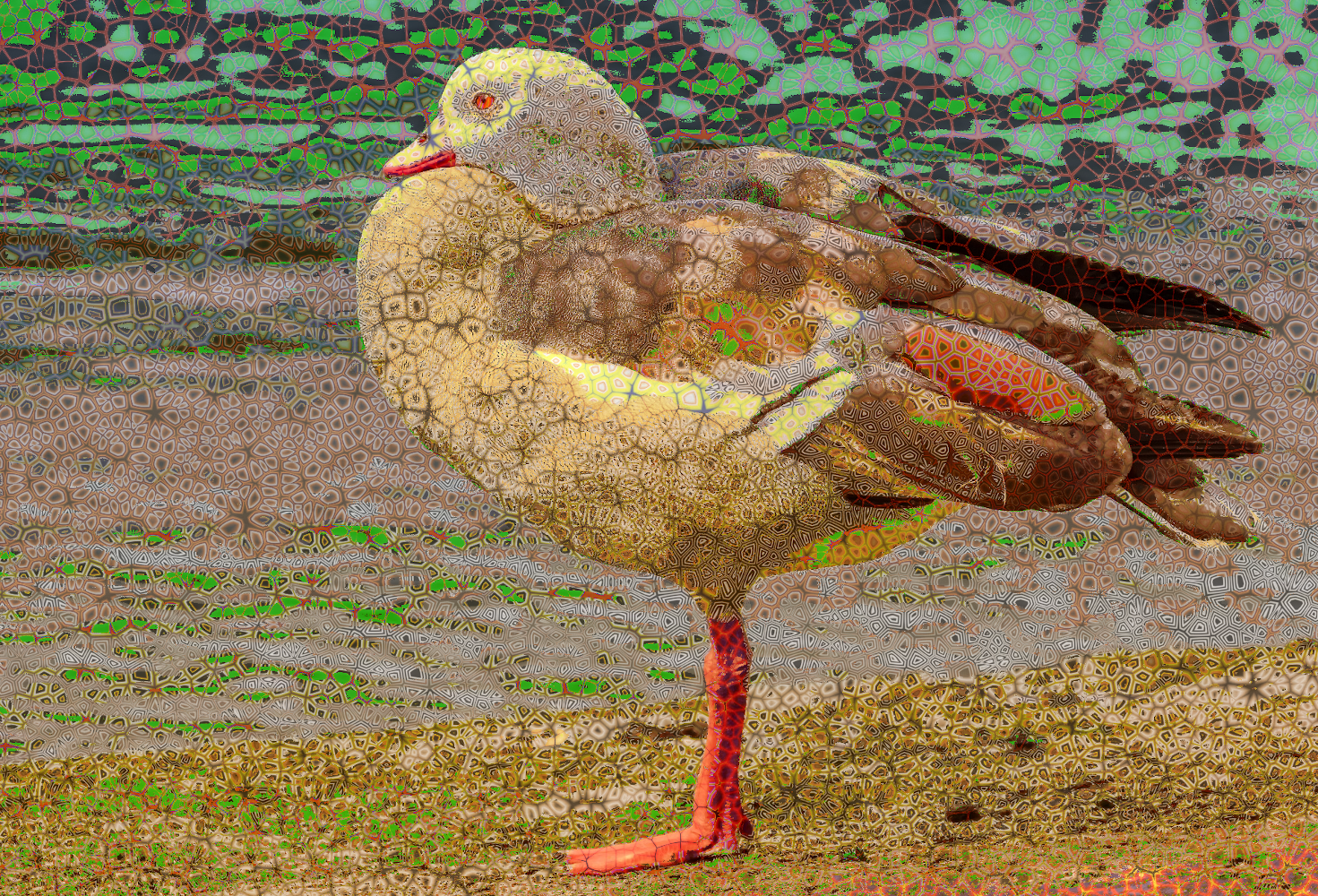
I succeeded thanks Diego for the patterns


Top
Post new topic Reply to topic  [ 26 posts ]  Go to page 1, 2  Next

All times are UTC - 5 hours [ DST ]


* Login  


Powered by phpBB3 © phpBB Group