It is currently Wed Sep 09, 2026 11:33 am


All times are UTC - 5 hours [ DST ]


Post new topic Reply to topic  [ 14 posts ] 
Author Message
 Post subject: Kirlian
PostPosted: Sat Feb 08, 2020 10:07 am  (#1) 
Online
GimpChat Member
User avatar

Joined: Sep 24, 2010
Posts: 12845
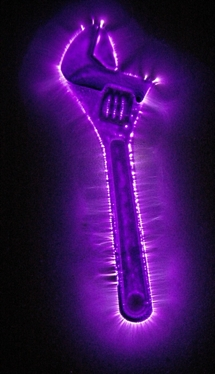
Been trying to do this for literally years (on and off of course). Getting close now. Just sharing the result of that effort (not ready for prime time; i.e., way too many steps currently and no time to outline them (have to get ready for work in about an hour so now I need to chill)). lol). :)

ref: http://www.fontplay.com/freephotos/seve ... 806-01.jpg


Attachments:
kirlian.jpg
kirlian.jpg [ 306.07 KiB | Viewed 3254 times ]

_________________
Lyle

Psalm 109:8

Image
Share on Facebook Share on Twitter Share on Orkut Share on Digg Share on MySpace Share on Delicious Share on Technorati
Top
 Post subject: Re: Kirlian
PostPosted: Sat Feb 08, 2020 12:06 pm  (#2) 
Offline
GimpChat Member
User avatar

Joined: May 10, 2013
Posts: 1442
Location: Finland
It's probably easier to built the corona discharge machine if you've played with it for years :hehe

www.youtube.com Video from : www.youtube.com


I checked some pics. How the light spreads from the inanimate objects reminds me of the "Bleed color into transparent areas" script.

Image


Top
 Post subject: Re: Kirlian
PostPosted: Sat Feb 08, 2020 1:07 pm  (#3) 
Offline
GimpChat Member

Joined: Apr 09, 2018
Posts: 1888
Location: France
:wvy
:clap Nice effect!

_________________
Les parfums, les couleurs et les sons se répondent.Baudelaire (Les fleurs du mal)
2.10.36/(Samj) Gimp 2.10.38 OS Windows 10 Home 64 bits


Top
 Post subject: Re: Kirlian
PostPosted: Sat Feb 08, 2020 11:23 pm  (#4) 
Online
GimpChat Member
User avatar

Joined: Sep 24, 2010
Posts: 12845
Nidhogg wrote:
It's probably easier to built the corona discharge machine if you've played with it for years :hehe

www.youtube.com Video from : www.youtube.com


I checked some pics. How the light spreads from the inanimate objects reminds me of the "Bleed color into transparent areas" script.

[ Image ]


Maybe so, Nidhogg, but the quest is in the try; what fun would it be just to actually do something instead of simulating it. As a side note, do a search on kirlian here and you will find how far back I've tried to do this. lol

:)

_________________
Lyle

Psalm 109:8

Image


Top
 Post subject: Re: Kirlian
PostPosted: Sun Feb 09, 2020 4:06 am  (#5) 
Offline
GimpChat Member
User avatar

Joined: May 10, 2013
Posts: 1442
Location: Finland
You're right lylejk. And of course I hope that you will find that last element for the secret sauce of Kirlian electrography. :)
Searched, found make squiggly and plasmic (based on your composition). Haven't played with these but certainly will when I have time.
Make squiggly seems to be one of those filters you could tweak for hours.


Top
 Post subject: Re: Kirlian
PostPosted: Sun Feb 09, 2020 5:42 am  (#6) 
Offline
GimpChat Member
User avatar

Joined: Aug 08, 2016
Posts: 2864
Location: East Midlands of England
Attachment:
cool.png
cool.png [ 398.72 KiB | Viewed 3171 times ]

_________________
Image
"Let no one steal your dreams."
Paul Cookson

Custom Font Links
2.10 Tools
Character Paths
White Bases


Top
 Post subject: Re: Kirlian
PostPosted: Mon Feb 10, 2020 1:10 am  (#7) 
Online
GimpChat Member
User avatar

Joined: Sep 24, 2010
Posts: 12845
Appreciate the feedback. Didn't want to start another thread, so just copying this effort here too. I call this one Kirlian Cabbage. lol

:)

ref: http://www.fontplay.com/freephotos/four ... 08a-15.jpg

https://www.flickr.com/photos/163034485 ... 26/sizes/o

Image

_________________
Lyle

Psalm 109:8

Image


Top
 Post subject: Re: Kirlian
PostPosted: Mon Feb 10, 2020 2:27 am  (#8) 
Offline
Global Moderator
User avatar

Joined: Apr 01, 2012
Posts: 8470
Location: On the other side of your screen
[quote="Nidhogg"
reminds me of the "Bleed color into transparent areas" script.
[/quote]
Is that script still accessible for gimp 2.10?

_________________
Image
Free Fun Photo Editing & resources
Poems from the Lord
Gimp Newby
Gimp version 3.2.4 and GMIC-Qt 4.0.2 OS :- Windows 10 Home 64


Top
 Post subject: Re: Kirlian
PostPosted: Tue Feb 11, 2020 4:47 pm  (#9) 
Online
GimpChat Member
User avatar

Joined: Sep 24, 2010
Posts: 12845
The binge continues. lol

In case the tute gets lost, click here.

ref: http://www.fontplay.com/freephotos/4thf ... 205-44.jpg


Attachments:
k_cont.jpg
k_cont.jpg [ 451.84 KiB | Viewed 2819 times ]

_________________
Lyle

Psalm 109:8

Image
Top
 Post subject: Re: Kirlian
PostPosted: Tue Feb 11, 2020 11:09 pm  (#10) 
Offline
GimpChat Member

Joined: May 12, 2015
Posts: 4693
Keep going, Lyle! You know how I love your binges!


Top
 Post subject: Re: Kirlian
PostPosted: Wed Feb 12, 2020 7:02 am  (#11) 
Offline
GimpChat Member
User avatar

Joined: May 10, 2013
Posts: 1442
Location: Finland
sallyanne wrote:
Is that script still accessible for gimp 2.10?


Yes. Attached if you want it.


Attachments:
filltrans.scm [4.8 KiB]
Downloaded 127 times
Top
 Post subject: Re: Kirlian
PostPosted: Wed Feb 12, 2020 2:40 pm  (#12) 
Offline
GimpChat Member
User avatar

Joined: Aug 16, 2012
Posts: 4271
Location: Göteborg, Sweden
lylejk: Wow, your latest binge is mesmerizing! I loved the French lily and the cabbage especially.

_________________


Top
 Post subject: Re: Kirlian
PostPosted: Wed Feb 12, 2020 4:10 pm  (#13) 
Offline
GimpChat Member
User avatar

Joined: May 10, 2013
Posts: 1442
Location: Finland
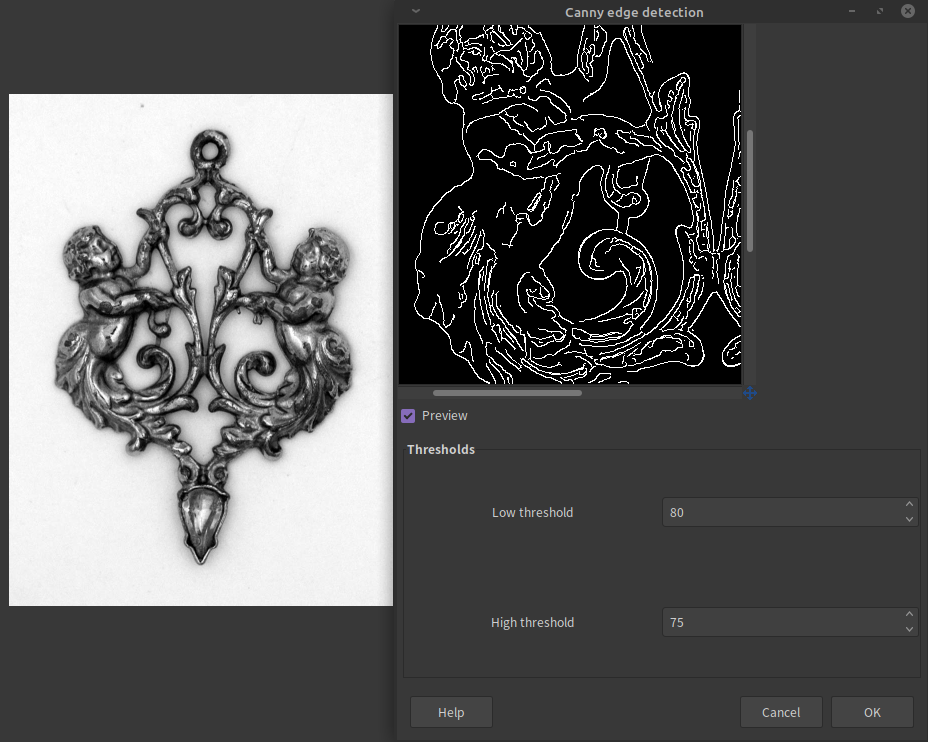
I got alternative edge detection filter installed on Ubuntu called canny edge detection.

Image

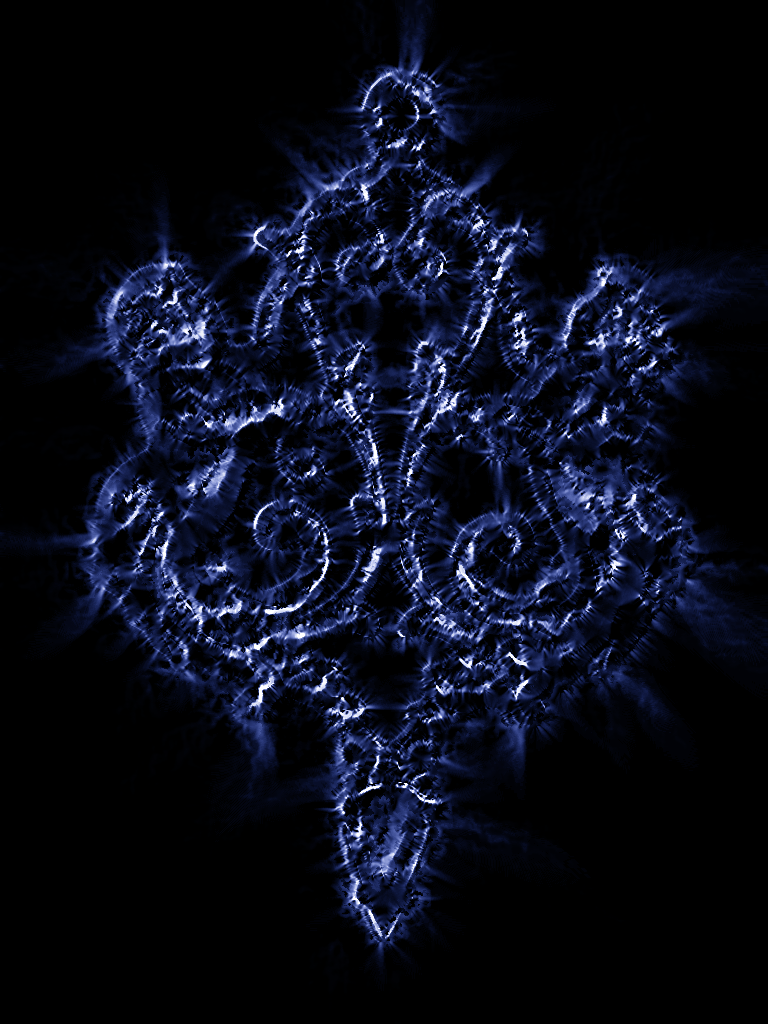
Tested on same source image.

Image


Top
 Post subject: Re: Kirlian
PostPosted: Wed Feb 12, 2020 6:22 pm  (#14) 
Online
GimpChat Member
User avatar

Joined: Sep 24, 2010
Posts: 12845
Great Nighogg; now I hope someone compiles it for Windows. lolol

You effort looks great too; my bet is this all can be automated in G'MIC; maybe samj can be coaxed to use her programming prowess to generate these automagically. :)

_________________
Lyle

Psalm 109:8

Image


Top
Post new topic Reply to topic  [ 14 posts ] 

All times are UTC - 5 hours [ DST ]


* Login  


Powered by phpBB3 © phpBB Group