It is currently Wed Sep 30, 2026 7:27 pm


All times are UTC - 5 hours [ DST ]


Post new topic Reply to topic  [ 7 posts ] 
Author Message
 Post subject: Material like smooth texture
PostPosted: Wed Mar 04, 2020 10:35 am  (#1) 
Offline
GimpChat Member

Joined: Nov 19, 2019
Posts: 209
GIMP Version: 2.10.14
Operating System: Linux
OS Version: 18.04
GIMP Experience: Basic Level

List any relevant plug-ins or scripts:
NA

List any ERROR messages you received:
NA


I am trying to mimic the Microsoft Fluent design in a logo. They use a smooth, bright, material like texture for logos to make it look real life. Using gradients + mild shadow in Inkscape is helpful, but not perfect. If anyone can tell me how to do this to logos I have it will be great.


Share on Facebook Share on Twitter Share on Orkut Share on Digg Share on MySpace Share on Delicious Share on Technorati
Top
 Post subject: Re: Material like smooth texture
PostPosted: Wed Mar 04, 2020 8:26 pm  (#2) 
Offline
GimpChat Member

Joined: Nov 19, 2019
Posts: 209
A good read if you want to use Fluent Acrylic

https://medium.com/microsoft-design/diy ... 2eac2a40bb


Top
 Post subject: Re: Material like smooth texture
PostPosted: Thu Mar 05, 2020 5:39 am  (#3) 
Offline
GimpChat Member
User avatar

Joined: May 10, 2013
Posts: 1442
Location: Finland
Read it, and found this link:

https://docs.microsoft.com/en-us/windows/uwp/design/style/images/acrylicrecipe_diagram.jpg


On this article, seems very helpful if you want to create the effect.
The layer composition is on the bottom of the page.
"The acrylic recipe: background, blur, exclusion blend, color/tint overlay, noise."

https://docs.microsoft.com/en-us/window ... le/acrylic

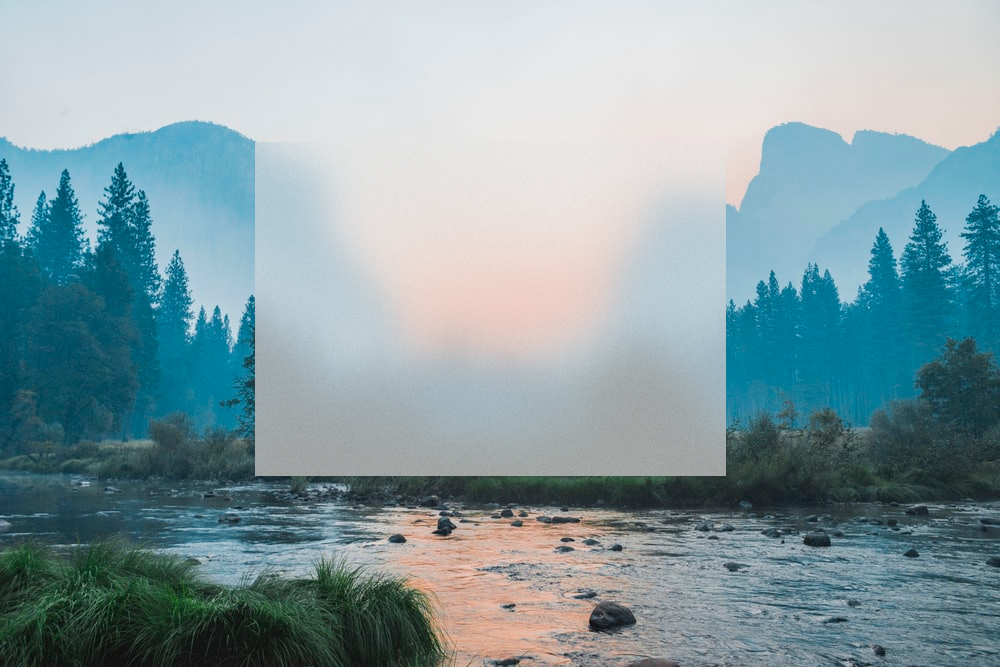
Testing with a random wallpaper

Image


Top
 Post subject: Re: Material like smooth texture
PostPosted: Thu Mar 05, 2020 6:45 am  (#4) 
Offline
GimpChat Member

Joined: Nov 19, 2019
Posts: 209
Thanks Nidhogg. It is that noise I am looking for. Possibly PNG.

So nice of you to point out that it is a multi-process mask. I was using the noise alone.

Quote:
exclusion blend, color/tint overlay


Where can I find these ?


Top
 Post subject: Re: Material like smooth texture
PostPosted: Thu Mar 05, 2020 7:00 am  (#5) 
Offline
GimpChat Member
User avatar

Joined: May 10, 2013
Posts: 1442
Location: Finland
You'll find exclusion blending mode if you go through them.
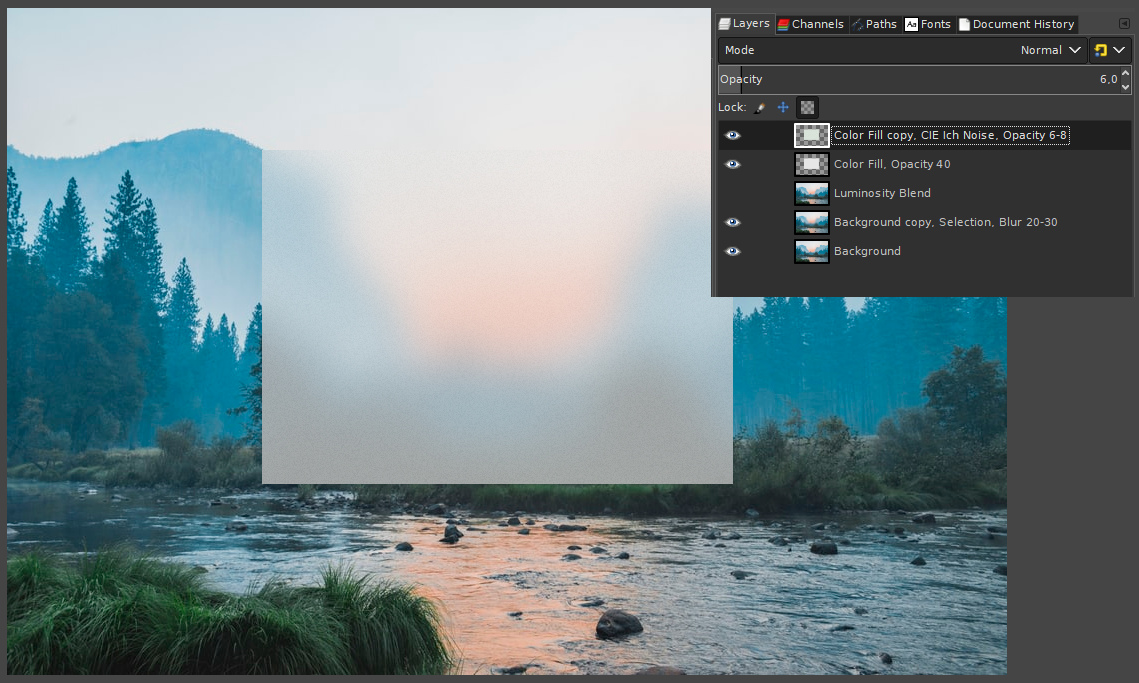
Here's the layer structure I used for the first test, it's not same and could be better. Gotta try more later.

Image


Top
 Post subject: Re: Material like smooth texture
PostPosted: Thu Mar 05, 2020 7:49 am  (#6) 
Offline
GimpChat Member

Joined: Nov 19, 2019
Posts: 209
Awesome. I forgot about the noise filter. Let me try.

Update :

It works, thanks. But how do we use them on logos ? Such a mask will make the logo almost invisible.


Attachments:
first attempt.jpg
first attempt.jpg [ 3.11 MiB | Viewed 3827 times ]
Top
 Post subject: Re: Material like smooth texture
PostPosted: Thu Mar 05, 2020 8:28 am  (#7) 
Offline
GimpChat Member

Joined: Nov 19, 2019
Posts: 209
For logo, I created a new layer over the selection and filled it with white. Then applied Noise to it and set opacity as 8 for small sizes and between 6-8 for normal canvas. It now has a soft matte finish now.


Top
Post new topic Reply to topic  [ 7 posts ] 

All times are UTC - 5 hours [ DST ]


* Login  


Powered by phpBB3 © phpBB Group