I have updated Metallic TextFX and Translucent TextFX filters to work with Gimp 2.10. and put them both into this zipped folder.
Attachment:
I have removed the trouble-some colour selector tools from both filters and they now use the currently selected foreground and/or background colours instead.
Both filters have long dialogs that require a solution to scrolling down to the bottom. Help may be found here (Post 8 for Gimp 2.10):
viewtopic.php?f=9&t=13714&start=0The Metallic TextFx Filter performs exactly as in version 1.03. To create metallic effect text make sure that the current active layer is an empty, transparent layer. If the layer contains any non-transparent pixels the filter will attempt to give whatever is there a metallic treatment - not a particularly good look for a whole filled layer.
Attachment:
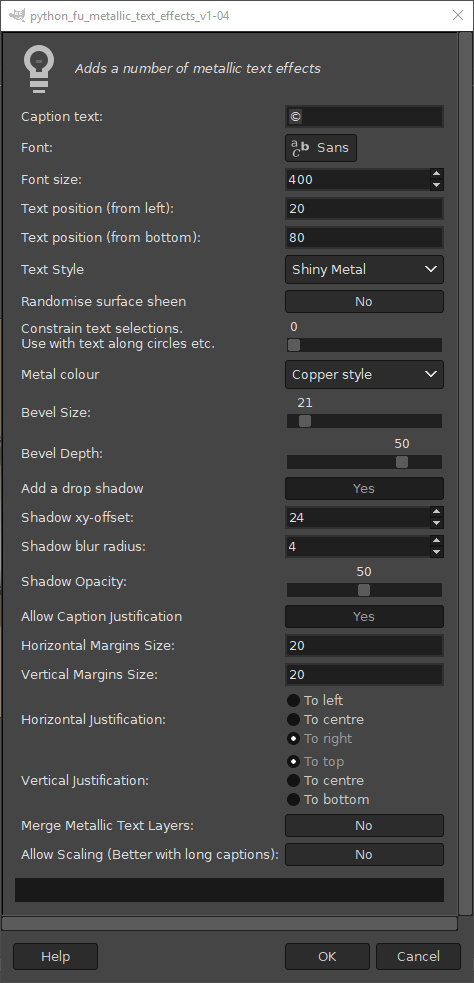 dialog_metallic_v104.jpg [ 190.38 KiB | Viewed 7596 times ]
A quick example:
Attachment:
 Metallic_Text_v104.jpg [ 188.84 KiB | Viewed 7596 times ]
 Login
Login Register
 Tweets
 FAQ
FAQ Advanced Search