It is currently Tue Nov 24, 2026 12:35 pm


All times are UTC - 5 hours [ DST ]


Post new topic Reply to topic  [ 126 posts ]  Go to page Previous  1, 2, 3, 4, 5, 6, 7  Next
Author Message
 Post subject: Re: Ice Cold Text or anything else you want icy cold.
PostPosted: Sat Jun 18, 2011 9:30 pm  (#41) 
Offline
GimpChat Member

Joined: Mar 07, 2011
Posts: 206
how do i do the reflection anyone help please


Top
 Post subject: Re: Ice Cold Text or anything else you want icy cold.
PostPosted: Sat Jun 18, 2011 10:10 pm  (#42) 
Offline
GimpChat Member

Joined: Mar 07, 2011
Posts: 206
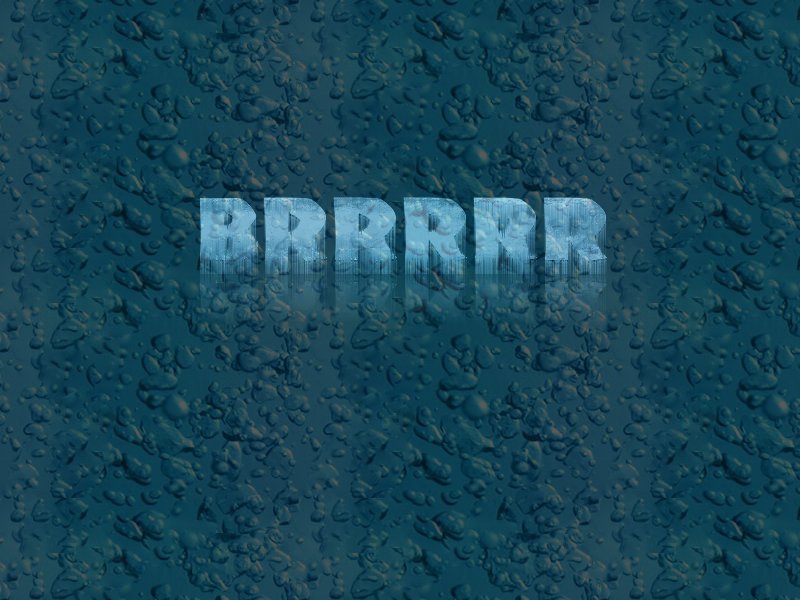
look at my attempt on it tell me what u think? Image


Top
 Post subject: Re: Ice Cold Text or anything else you want icy cold.
PostPosted: Sun Jun 19, 2011 4:58 am  (#43) 
Offline
GimpChat Member
User avatar

Joined: Apr 07, 2010
Posts: 14182
M1GU3L05 wrote:
how do i do the reflection anyone help please


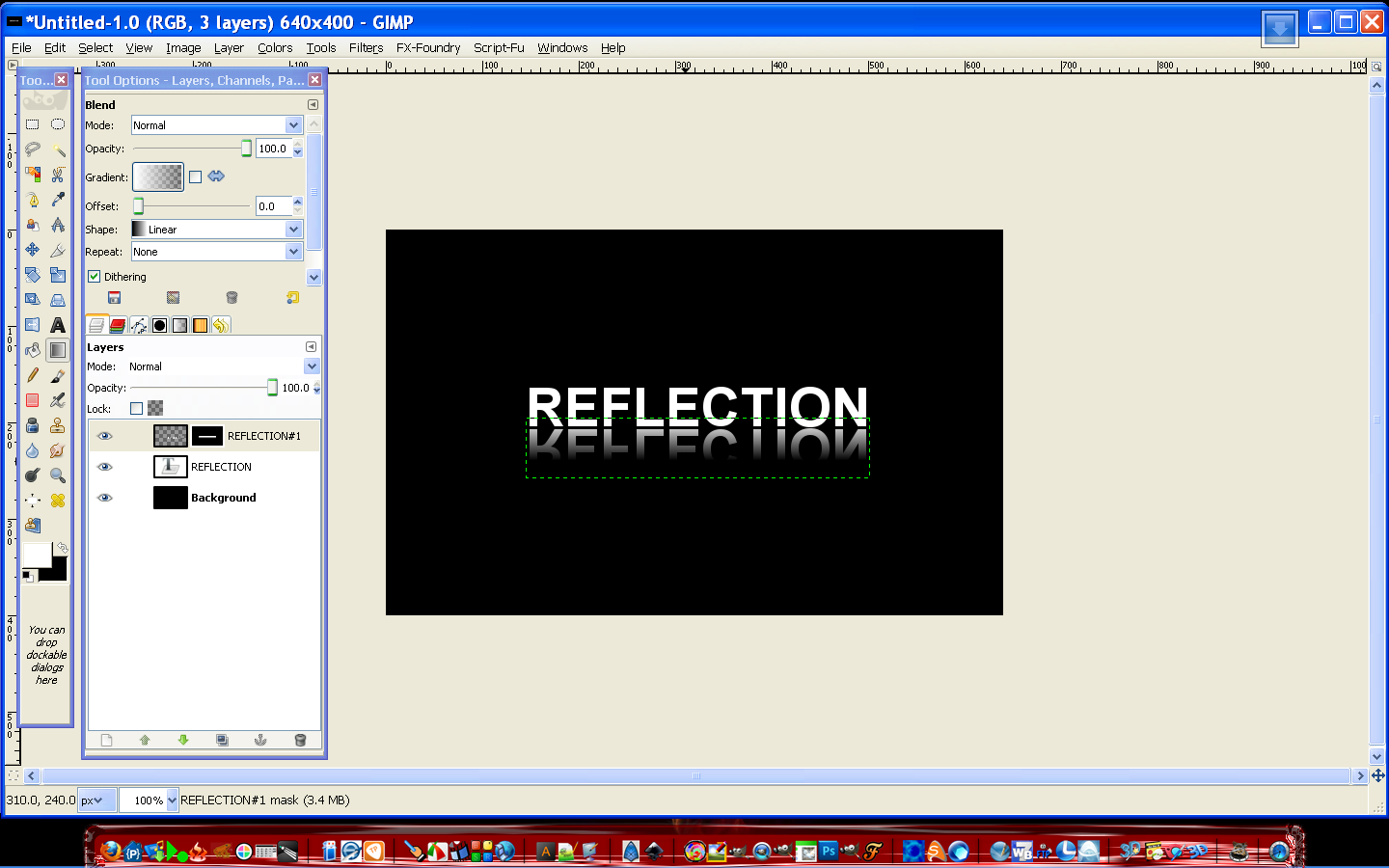
Here are some instrucs I posted back in Rod's icy text thread...

Akky,
This isn't a real tutorial but you may be able to do your reflection from these steps.
Create a duplicate of your text. :dupe
Use flip tool and flip vertically. :flip
Right click on the duplicate layer and add layer mask
On the layer mask window that pops up click Black (full transparency)
Click the blend tool, :blend Click the box beside gradient and select foreground to
background (RGB) using the default colors :fg2bg

With the mask box selected, (the black box), drag a short vertical line with your gradient. You can use the opacity slider to suit the look you want.
Right click on mask and select apply mask, (that will make it into one box, (the text).

After you get your reflection the way you want it, merge it down to the layer below..
Please post back if you have any questions..... Someone will help.....

_________________
Image


Top
 Post subject: Re: Ice Cold Text or anything else you want icy cold.
PostPosted: Sun Jun 19, 2011 5:46 am  (#44) 
Offline
Global Moderator
User avatar

Joined: May 16, 2010
Posts: 16309
There are a couple of ways you can do it.

The way Molly mentioned is the one mostly used, but there is another way.
Duplicate what you want to reflect - flip it vertical - grab the move tool and move it where you want it - right click the layer that is your reflection add layer mask - choose black full transparency
Your foreground color should switch to white.
Now select the gradient tool fg to transparent, and add the gradient (make sure the mask is selected)
Draw a gradient - starting from the area you want to be seen to the area where the reflection stops.

Result
Image

_________________
Image


Top
 Post subject: Re: Ice Cold Text or anything else you want icy cold.
PostPosted: Sun Jun 19, 2011 1:41 pm  (#45) 
Offline
GimpChat Member

Joined: Mar 07, 2011
Posts: 206
well thank you i kinda know how know tho but what u guys think of my icey text


Top
 Post subject: Re: Ice Cold Text or anything else you want icy cold.
PostPosted: Sun Jun 19, 2011 7:25 pm  (#46) 
Offline
GimpChat Member
User avatar

Joined: Apr 08, 2010
Posts: 5420
Location: Northwest Ohio
I love your icy text, it has a real frosty look! Your reflection layer could have a bit less opacity and I think it would look better.


Top
 Post subject: Re: Ice Cold Text or anything else you want icy cold.
PostPosted: Sun Jun 19, 2011 9:34 pm  (#47) 
Offline
GimpChat Member

Joined: Mar 07, 2011
Posts: 206
well i did my best give me a break yea lol


Top
 Post subject: Re: Ice Cold Text or anything else you want icy cold.
PostPosted: Sat Jul 09, 2011 10:08 am  (#48) 
Offline
GimpChat Member
User avatar

Joined: Jul 08, 2011
Posts: 285
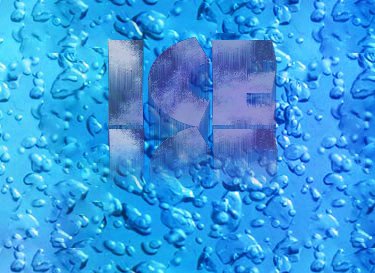
i like this tutorial :) this is my example

Image

_________________
Image

My Flickr
http://anaplus.deviantart.com/


Top
 Post subject: Re: Ice Cold Text or anything else you want icy cold.
PostPosted: Sat Jul 09, 2011 10:18 am  (#49) 
Offline
GimpChat Member
User avatar

Joined: Apr 07, 2010
Posts: 14182
very nice ana.....

_________________
Image


Top
 Post subject: Re: Ice Cold Text or anything else you want icy cold.
PostPosted: Sat Jul 09, 2011 10:31 am  (#50) 
Offline
GimpChat Member
User avatar

Joined: Jul 08, 2011
Posts: 285
molly wrote:
very nice ana.....


thank you Molly:) :smiley2 :D

_________________
Image

My Flickr
http://anaplus.deviantart.com/


Top
 Post subject: Re: Ice Cold Text or anything else you want icy cold.
PostPosted: Sat Jul 09, 2011 11:28 am  (#51) 
Offline
GimpChat Member
User avatar

Joined: Jul 08, 2011
Posts: 285
I try with reflection but I'm not sure that i done good

Image

_________________
Image

My Flickr
http://anaplus.deviantart.com/


Top
 Post subject: Re: Ice Cold Text or anything else you want icy cold.
PostPosted: Sat Jul 09, 2011 5:47 pm  (#52) 
Offline
Global Moderator
User avatar

Joined: May 16, 2010
Posts: 16309
Looks real good but you may want to place your refection under your water drops layer.Then lower the water drops layer opacity a bit.
Not sure if that's the effect you are aiming for though. :)

_________________
Image


Top
 Post subject: Re: Ice Cold Text or anything else you want icy cold.
PostPosted: Sat Jul 09, 2011 6:40 pm  (#53) 
Offline
GimpChat Member
User avatar

Joined: Jul 08, 2011
Posts: 285
Rod wrote:
Looks real good but you may want to place your refection under your water drops layer.Then lower the water drops layer opacity a bit.
Not sure if that's the effect you are aiming for though. :)

thanks Rod :) I did what you say and this is the result

Image

_________________
Image

My Flickr
http://anaplus.deviantart.com/


Top
 Post subject: Re: Ice Cold Text or anything else you want icy cold.
PostPosted: Sat Jul 09, 2011 8:37 pm  (#54) 
Offline
Global Moderator
User avatar

Joined: May 16, 2010
Posts: 16309
You could either do it that way or place the reflection layer above the waterdrops layer and place the reflection layer in overlay mode.
That would give the effect the text reflection is in the drops. :)

That looks pretty good the way you did it though!

_________________
Image


Top
 Post subject: Re: Ice Cold Text or anything else you want icy cold.
PostPosted: Sat Jul 09, 2011 10:07 pm  (#55) 
Offline
GimpChat Member

Joined: Aug 27, 2010
Posts: 491
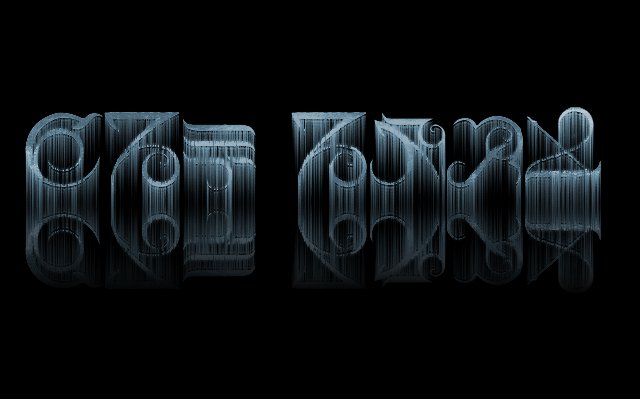
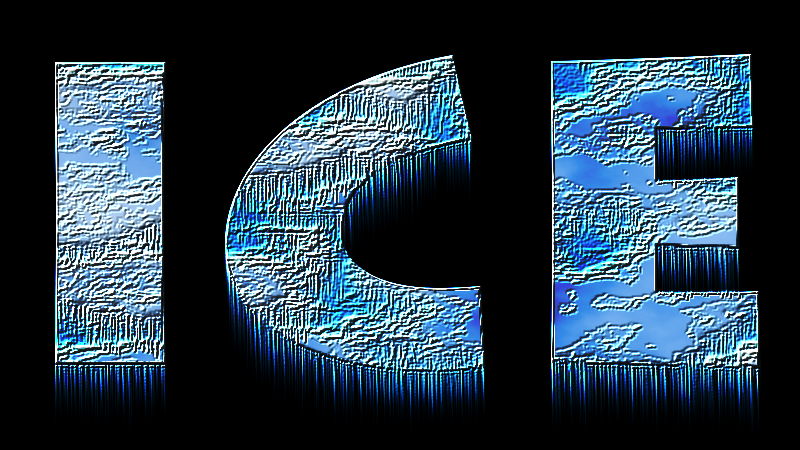
Gave this a quick try. Nice result for very little effort.

Image


Top
 Post subject: Re: Ice Cold Text or anything else you want icy cold.
PostPosted: Sat Jul 09, 2011 11:15 pm  (#56) 
Offline
Global Moderator
User avatar

Joined: May 16, 2010
Posts: 16309
Cool result Mike! :)
What font is that?

_________________
Image


Top
 Post subject: Re: Ice Cold Text or anything else you want icy cold.
PostPosted: Sun Jul 10, 2011 7:12 am  (#57) 
Offline
GimpChat Member

Joined: Aug 27, 2010
Posts: 491
Rod wrote:
Cool result Mike! :)
What font is that?


Lithos Pro Heavy


Top
 Post subject: Re: Ice Cold Text or anything else you want icy cold.
PostPosted: Sun Jul 10, 2011 7:29 am  (#58) 
Offline
GimpChat Member
User avatar

Joined: Apr 08, 2010
Posts: 5420
Location: Northwest Ohio
Mike wrote:
Rod wrote:
Cool result Mike! :)
What font is that?


Lithos Pro Heavy


*runs off to google and download*

drat...not finding it for free


Top
 Post subject: Re: Ice Cold Text or anything else you want icy cold.
PostPosted: Sun Jul 10, 2011 8:32 am  (#59) 
Offline
GimpChat Member
User avatar

Joined: Apr 07, 2010
Posts: 14182
Here are some Lithos Fonts. I think they are an Adobe trademark so the one you want may not be in this list.
http://www.linotype.com/1181/lithos-family.html

_________________
Image


Top
 Post subject: Re: Ice Cold Text or anything else you want icy cold.
PostPosted: Sun Jul 10, 2011 9:54 pm  (#60) 
Offline
GimpChat Member
User avatar

Joined: Apr 08, 2010
Posts: 5420
Location: Northwest Ohio
They are all $26, so they are not for me! No way would I ever pay for a font.


Top
Post new topic Reply to topic  [ 126 posts ]  Go to page Previous  1, 2, 3, 4, 5, 6, 7  Next

All times are UTC - 5 hours [ DST ]


* Login  


Powered by phpBB3 © phpBB Group