It is currently Tue Nov 24, 2026 11:16 pm


All times are UTC - 5 hours [ DST ]


Post new topic Reply to topic  [ 56 posts ]  Go to page Previous  1, 2, 3  Next
Author Message
 Post subject: Re: patchwork quilts
PostPosted: Sun Jun 26, 2011 6:50 pm  (#21) 
Offline
GimpChat Member
User avatar

Joined: Apr 07, 2010
Posts: 14182
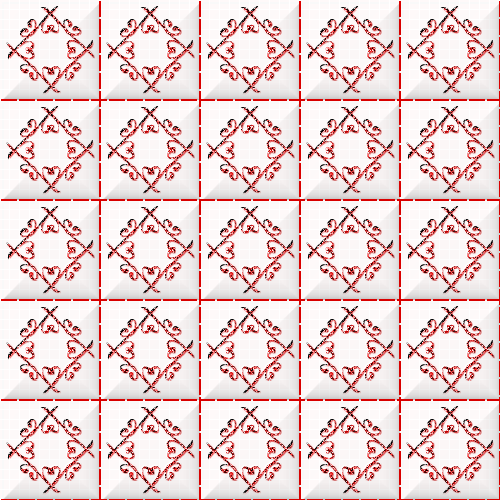
Love the way you puffed it up "0", Looks like it has quilt batting in behind the squares. The bevel set it off and gave it a 3D look. Very nice....
I guess you stitched in the ditch huh? :hehe :mrgreen:

_________________
Image


Top
 Post subject: Re: patchwork quilts
PostPosted: Sun Jun 26, 2011 6:53 pm  (#22) 
Offline
Retired Staff
User avatar

Joined: May 22, 2008
Posts: 6946
Location: Somewhere in GIMP
molly wrote:
I guess you stitched in the ditch huh? :hehe :mrgreen:
Of course, how else? :hehe

_________________
Image
World War IV will be fought with sticks and stones. - Albert Einstein


Top
 Post subject: Re: patchwork quilts
PostPosted: Sun Jun 26, 2011 7:21 pm  (#23) 
Offline
GimpChat Member
User avatar

Joined: Oct 06, 2010
Posts: 4050
O: To add another angle to your process, all I did was keep my grid layer, but invert it (so its black squares with white trim) blurred it to about 10px, then bump mapped that result on the quilt layer, at about 3px. Looks "almost" the same as your result, not quite as crisp. But then again I didn't make any other efforts to improve it.

Image

_________________
"In order to attain the impossible, one must attempt the absurd."
~ Miguel de Cervantes


Top
 Post subject: Re: patchwork quilts
PostPosted: Sun Jun 26, 2011 8:23 pm  (#24) 
Offline
Retired Staff
User avatar

Joined: May 22, 2008
Posts: 6946
Location: Somewhere in GIMP
Looks great, mahvin! :bigthup :paint

_________________
Image
World War IV will be fought with sticks and stones. - Albert Einstein


Top
 Post subject: Re: patchwork quilts
PostPosted: Sun Jun 26, 2011 9:59 pm  (#25) 
Offline
Retired Staff
User avatar

Joined: May 22, 2008
Posts: 6946
Location: Somewhere in GIMP
mahvin wrote:
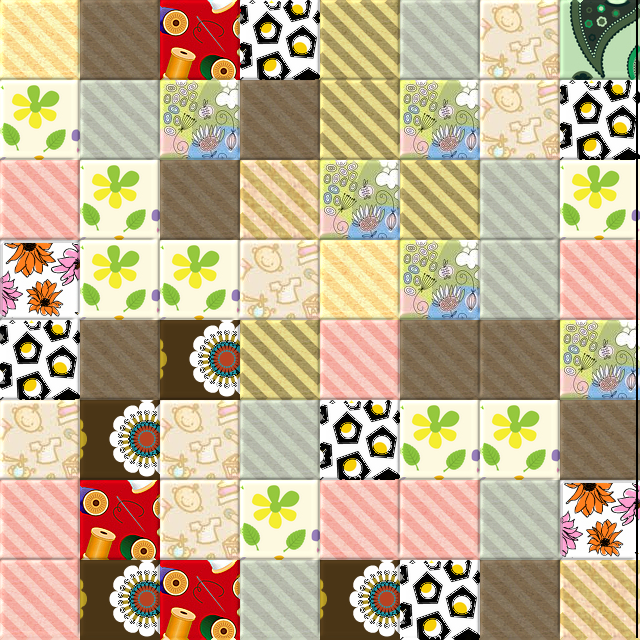
This is an example of RobA's multifill script with ripple applied to the grid:
I haven't the foggiest notion how to use that script. Is it the one that's called flatting in Filters and has a couple folders?

What/how do I get the patterns to work in the script? I have a folder I put some patterns in and browsed to that folder from the script but it just sat there and kept doing the same thing over and over and never stopped. Had to use a shutdown thing to close the script.

_________________
Image
World War IV will be fought with sticks and stones. - Albert Einstein


Top
 Post subject: Re: patchwork quilts
PostPosted: Sun Jun 26, 2011 10:24 pm  (#26) 
Offline
GimpChat Member
User avatar

Joined: Oct 06, 2010
Posts: 4050
How many patterns are in the folder and how big are they? The script doesn't zip through in a few seconds, it performs several processes on each individual image after it goes through each grid space selection, then propagates each grid before it presents the new image. If you have a lot of grids it will take a few minutes to complete.

_________________
"In order to attain the impossible, one must attempt the absurd."
~ Miguel de Cervantes


Top
 Post subject: Re: patchwork quilts
PostPosted: Sun Jun 26, 2011 10:33 pm  (#27) 
Offline
Retired Staff
User avatar

Joined: May 22, 2008
Posts: 6946
Location: Somewhere in GIMP
Well there are 11 patterns in the folder.

I make a grid, right? I started out with a 500 x 500 and made a 100px grid which made 25 cells.

Started up the script and waited and waited and waited while it kept doing its thing.

_________________
Image
World War IV will be fought with sticks and stones. - Albert Einstein


Top
 Post subject: Re: patchwork quilts
PostPosted: Sun Jun 26, 2011 10:37 pm  (#28) 
Offline
GimpChat Member
User avatar

Joined: Oct 06, 2010
Posts: 4050
Do you have the latest version? I think he posted it on page 5.

_________________
"In order to attain the impossible, one must attempt the absurd."
~ Miguel de Cervantes


Top
 Post subject: Re: patchwork quilts
PostPosted: Mon Jun 27, 2011 7:30 am  (#29) 
Offline
GimpChat Member
User avatar

Joined: Apr 09, 2011
Posts: 1764
I had the same issue as Oregonian...I went off and had a shower and came back and it was still going...it happened several times and each time I had to shut down gimp to get it to stop. So there must be a glitch in there somewhere....and I got it from your link mahvin...LOL I think you are blessed mate!


Top
 Post subject: Re: patchwork quilts
PostPosted: Mon Jun 27, 2011 7:47 am  (#30) 
Offline
GimpChat Member
User avatar

Joined: Apr 09, 2011
Posts: 1764
At least I think thats where it came from....sorry if I am mistaken


Top
 Post subject: Re: patchwork quilts
PostPosted: Mon Jun 27, 2011 8:30 am  (#31) 
Offline
Retired Staff
User avatar

Joined: May 22, 2008
Posts: 6946
Location: Somewhere in GIMP
Mahvin, maybe step-by-step instructions might be helpful. Yes, I downloaded the latest script in the other thread.

What I did: I went to Filters > Render > Patterns and made a grid.

Filters > Flatting > Multifill, browsed to the folder where I had the patterns stored.

I think this font would make some cool stitching patterns on quilts.
http://www.dafont.com/svgfont-1.font

_________________
Image
World War IV will be fought with sticks and stones. - Albert Einstein


Top
 Post subject: Re: patchwork quilts
PostPosted: Mon Jun 27, 2011 3:13 pm  (#32) 
Offline
GimpChat Member
User avatar

Joined: Oct 06, 2010
Posts: 4050
There is no step by step for using the multifill script. There are tips:

1. make sure your grid or stained glass pattern have solid black outlines, including the entire border around the grid, etc. Any open color will cause a failure because the script looks for closed cells and makes selections of those cells.

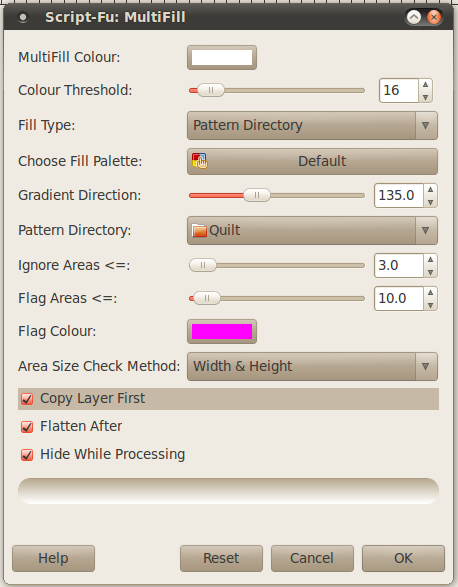
2. Choose the Pattern Directory on the Multifill menu, then browse to the folder that contains the patterns you want to fill those cells/selections:

Image

_________________
"In order to attain the impossible, one must attempt the absurd."
~ Miguel de Cervantes


Top
 Post subject: Re: patchwork quilts
PostPosted: Mon Jun 27, 2011 3:49 pm  (#33) 
Offline
Retired Staff
User avatar

Joined: May 22, 2008
Posts: 6946
Location: Somewhere in GIMP
That's the way I did it and it doesn't do anything but sit there and grind forever. Can you attach your version of the script? I downloaded the one that's in the other thread. I think it's the only download for it so it must be the latest version.

_________________
Image
World War IV will be fought with sticks and stones. - Albert Einstein


Top
 Post subject: Re: patchwork quilts
PostPosted: Mon Jun 27, 2011 3:52 pm  (#34) 
Offline
GimpChat Member
User avatar

Joined: Oct 06, 2010
Posts: 4050
That is the one I downloaded on my office computer a couple of days ago (I wanted to make sure it was the right one). Someone might want to open a new thread to ask RobA if he can troubleshoot or help. I do know that if I didn't make an enclosed grid (black border with white cells) the script wouldn't run correctly. Can you post a copy of your grid alone and I will run the script on it.

_________________
"In order to attain the impossible, one must attempt the absurd."
~ Miguel de Cervantes


Top
 Post subject: Re: patchwork quilts
PostPosted: Mon Jun 27, 2011 4:01 pm  (#35) 
Offline
Retired Staff
User avatar

Joined: May 22, 2008
Posts: 6946
Location: Somewhere in GIMP
mahvin wrote:
I do know that if I didn't make an enclosed grid (black border with white cells) the script wouldn't run correctly. Can you post a copy of your grid alone and I will run the script on it.
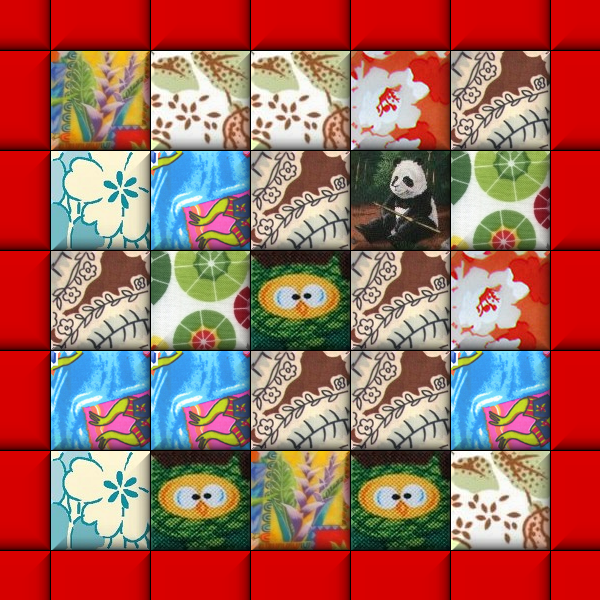
I didn't know the grid needed to be filled. I was trying to run it on a black grid with a transparent background. The script worked fine after I merged my grid with a white background layer.

_________________
Image
World War IV will be fought with sticks and stones. - Albert Einstein


Top
 Post subject: Re: patchwork quilts
PostPosted: Mon Jun 27, 2011 4:14 pm  (#36) 
Offline
GimpChat Member
User avatar

Joined: Oct 06, 2010
Posts: 4050
I don't believe the process can find selectable regions within transparent backgrounds, it has to be solid. Well it's good to know we at least solved it without having to go outside the scope of this thread. Cool beans.

_________________
"In order to attain the impossible, one must attempt the absurd."
~ Miguel de Cervantes


Top
 Post subject: Re: patchwork quilts
PostPosted: Mon Jun 27, 2011 4:27 pm  (#37) 
Offline
Retired Staff
User avatar

Joined: May 22, 2008
Posts: 6946
Location: Somewhere in GIMP
Image

_________________
Image
World War IV will be fought with sticks and stones. - Albert Einstein


Top
 Post subject: Re: patchwork quilts
PostPosted: Mon Jun 27, 2011 4:54 pm  (#38) 
Offline
GimpChat Member
User avatar

Joined: Apr 07, 2010
Posts: 14182
Wow that is very nice, and still stitching in the ditch I see...

_________________
Image


Top
 Post subject: Re: patchwork quilts
PostPosted: Mon Jun 27, 2011 6:11 pm  (#39) 
Offline
Retired Staff
User avatar

Joined: May 22, 2008
Posts: 6946
Location: Somewhere in GIMP
Thanks Molly.

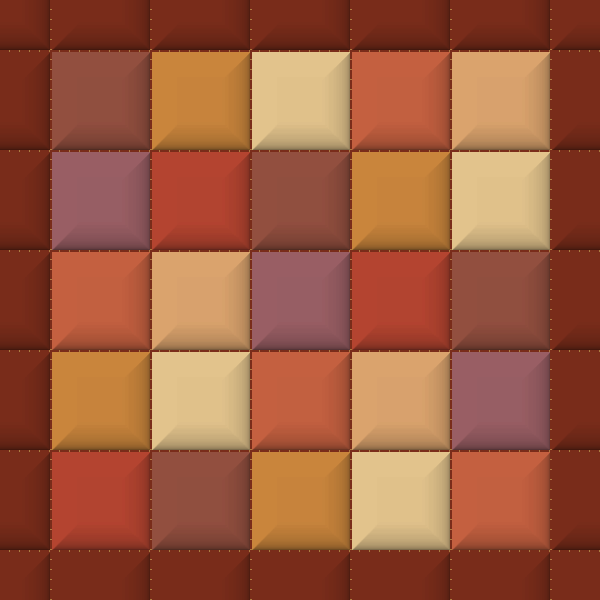
With the help of some scanlines, stitches.

Image

Image

_________________
Image
World War IV will be fought with sticks and stones. - Albert Einstein


Top
 Post subject: Re: patchwork quilts
PostPosted: Tue Jun 28, 2011 7:50 am  (#40) 
Offline
GimpChat Member
User avatar

Joined: Apr 09, 2011
Posts: 1764
help me out here guys please bc I just dont get it happening:(


Top
Post new topic Reply to topic  [ 56 posts ]  Go to page Previous  1, 2, 3  Next

All times are UTC - 5 hours [ DST ]


* Login  


Powered by phpBB3 © phpBB Group