It is currently Tue Sep 22, 2026 4:38 am


All times are UTC - 5 hours [ DST ]


Post new topic Reply to topic  [ 27 posts ]  Go to page Previous  1, 2
Author Message
 Post subject: Re: stroke path with pattern
PostPosted: Tue Jul 27, 2021 12:16 am  (#21) 
Offline
GimpChat Member

Joined: Jun 22, 2020
Posts: 98
PixLab wrote:
iti wrote:
those are nice arrows! mine are always crooked.

take a brush, make 1 dot, hold Shift key down, move it somewhere else and while holding the Shift key down make your second dot (continue with the arrow's tip) :bigthup


lol, thanks


Top
 Post subject: Re: stroke path with pattern
PostPosted: Tue Jul 27, 2021 3:00 am  (#22) 
Offline
GimpChat Member
User avatar

Joined: Apr 26, 2014
Posts: 3824
Location: belgium
Image


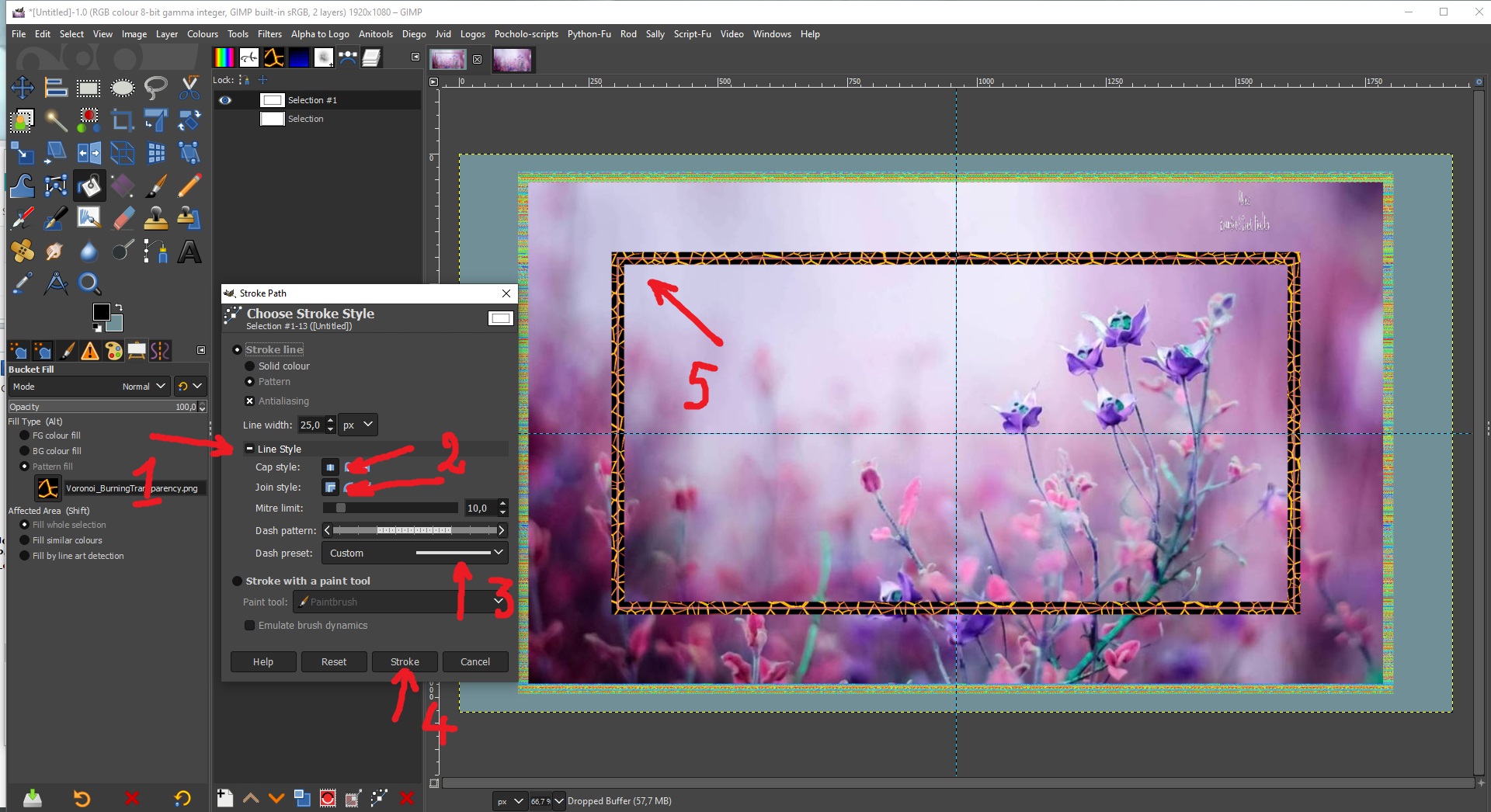
maybe you need to adjust the line style


Attachments:
a path around my image.zip [766.33 KiB]
Downloaded 127 times
Top
 Post subject: Re: stroke path with pattern
PostPosted: Tue Jul 27, 2021 7:46 am  (#23) 
Offline
GimpChat Member
User avatar

Joined: Apr 26, 2014
Posts: 3824
Location: belgium
Image


Top
 Post subject: Re: stroke path with pattern
PostPosted: Tue Jul 27, 2021 12:28 pm  (#24) 
Offline
GimpChat Member

Joined: Jun 22, 2020
Posts: 98
gimper66 wrote:
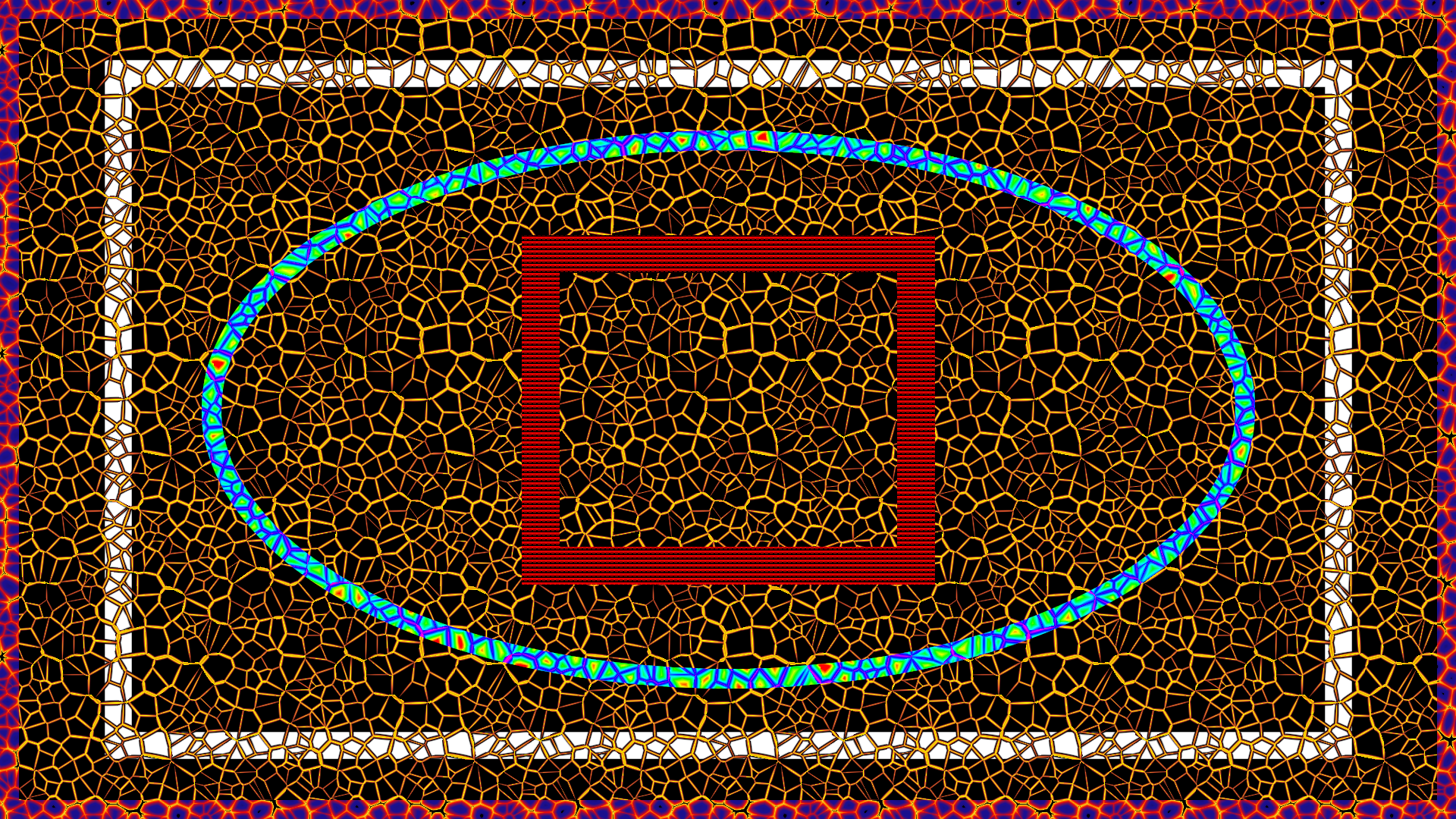
[ Image ]


is that web in the public domain? if so may i get a copy of it? i love it


Top
 Post subject: Re: stroke path with pattern
PostPosted: Tue Jul 27, 2021 1:22 pm  (#25) 
Offline
GimpChat Member

Joined: Jun 22, 2020
Posts: 98
gimper66 wrote:
[ Image ]


maybe you need to adjust the line style


I tried it 6 times, and still get the same thing, not sure what the heck im doing wrong, here is the file with the image and lace, the lace is not smooth tiling, lol. its just to do it. Thank you so much.


Attachments:
Untitled.xcf [2.36 MiB]
Downloaded 115 times
Top
 Post subject: Re: stroke path with pattern
PostPosted: Tue Jul 27, 2021 11:49 pm  (#26) 
Offline
GimpChat Member
User avatar

Joined: May 24, 2021
Posts: 859
Location: SEA - South East Asia
iti wrote:
I tried it 6 times, and still get the same thing, not sure what the heck im doing wrong...

Nothing, you are doing nothing wrong! :bigthup

gimper66 is using a seamless pattern which works on each side (the 4 sides) of its pattern.
Your pattern works seamlessly only on 2 sides (left - right), that's why you cannot stroke a path with your pattern (unless the path is a single horizontal line) because patterns are not dynamic like a brush could be.

A pattern will always start to fill left to right on the first row, then continue to the second row in the same order (left to right) and so on -> thus the top and bottom of a pattern should be seamless as well.

So no worries, you are doing nothing wrong as your pattern cannot work that way as it is not seamless top to bottom and vice versa.
With your pattern you actually got 2 solutions, (I can think of)
you can make a dynamic brush with it (or even a simple brush that you change angle when "drawing" vertically, need to be on 4 different paths to stroke to be able to change angle between strokes or create 3 other patterns with a different angle then stroke each path with a different pattern...),
or you can follow @teapot advice (I would follow the teapot's way as it's the cleanest/fastest IMO)

_________________
Patrice


Top
 Post subject: Re: stroke path with pattern
PostPosted: Wed Jul 28, 2021 9:34 am  (#27) 
Offline
GimpChat Member

Joined: Jun 22, 2020
Posts: 98
PixLab wrote:
iti wrote:
I tried it 6 times, and still get the same thing, not sure what the heck im doing wrong...

Nothing, you are doing nothing wrong! :bigthup

gimper66 is using a seamless pattern which works on each side (the 4 sides) of its pattern.
Your pattern works seamlessly only on 2 sides (left - right), that's why you cannot stroke a path with your pattern (unless the path is a single horizontal line) because patterns are not dynamic like a brush could be.

A pattern will always start to fill left to right on the first row, then continue to the second row in the same order (left to right) and so on -> thus the top and bottom of a pattern should be seamless as well.

So no worries, you are doing nothing wrong as your pattern cannot work that way as it is not seamless top to bottom and vice versa.
With your pattern you actually got 2 solutions, (I can think of)
you can make a dynamic brush with it (or even a simple brush that you change angle when "drawing" vertically, need to be on 4 different paths to stroke to be able to change angle between strokes or create 3 other patterns with a different angle then stroke each path with a different pattern...),
or you can follow @teapot advice (I would follow the teapot's way as it's the cleanest/fastest IMO)


Thank you very much! thought i was going crazy.


Top
Post new topic Reply to topic  [ 27 posts ]  Go to page Previous  1, 2

All times are UTC - 5 hours [ DST ]


* Login  


Powered by phpBB3 © phpBB Group