It is currently Wed Oct 28, 2026 6:53 pm


All times are UTC - 5 hours [ DST ]


Post new topic Reply to topic  [ 56 posts ]  Go to page Previous  1, 2, 3  Next
Author Message
 Post subject: Re: Fx-Foundry
PostPosted: Wed Jul 06, 2011 12:04 am  (#21) 
Offline
GimpChat Member
User avatar

Joined: Oct 06, 2010
Posts: 4050
My bad, I wasn't looking at the right scm. Overlay it is. Ok, that works. Thanks, O.

_________________
"In order to attain the impossible, one must attempt the absurd."
~ Miguel de Cervantes


Top
 Post subject: Re: Fx-Foundry
PostPosted: Wed Jul 06, 2011 12:08 am  (#22) 
Offline
Script Coder
User avatar

Joined: Apr 23, 2010
Posts: 1553
Location: not from Guildford after all
mahvin wrote:
Ok, rechecking... and no, mine doesn't give me an option to place it under or over.

There are two commands added by the one script: Combine Background and Overlay Background. The latter will place a copy of the bottommost layer onto each of the layers above it. Note that the word "Overlay" in the command has nothing to do with the "overlay" blend mode (the script actually honors whatever mode the bottommost layer has originally).

EDIT: ninja'd by the person to whom I was responding (that's gotta be a jinx).

_________________
Any sufficiently primitive technology is indistinguishable from a rock.


Top
 Post subject: Re: Fx-Foundry
PostPosted: Wed Jul 06, 2011 12:21 am  (#23) 
Offline
GimpChat Member
User avatar

Joined: Oct 06, 2010
Posts: 4050
Jinx, poke. You owe me a coke, Saulgoode.

_________________
"In order to attain the impossible, one must attempt the absurd."
~ Miguel de Cervantes


Top
 Post subject: Re: Fx-Foundry
PostPosted: Wed Jul 06, 2011 1:25 am  (#24) 
Offline
Retired Staff
User avatar

Joined: May 22, 2008
Posts: 6946
Location: Somewhere in GIMP
Image

_________________
Image
World War IV will be fought with sticks and stones. - Albert Einstein


Top
 Post subject: Re: Fx-Foundry
PostPosted: Wed Jul 06, 2011 4:51 am  (#25) 
Offline
GimpChat Member
User avatar

Joined: Apr 07, 2010
Posts: 14182
Wow, now isn't that sweeeet!

_________________
Image


Top
 Post subject: Re: Fx-Foundry
PostPosted: Wed Jul 06, 2011 5:05 am  (#26) 
Offline
GimpChat Member
User avatar

Joined: Apr 09, 2011
Posts: 1764
Thats rather impressive O


Top
 Post subject: Re: Fx-Foundry
PostPosted: Wed Jul 06, 2011 8:18 am  (#27) 
Offline
GimpChat Member
User avatar

Joined: Jan 03, 2011
Posts: 1656
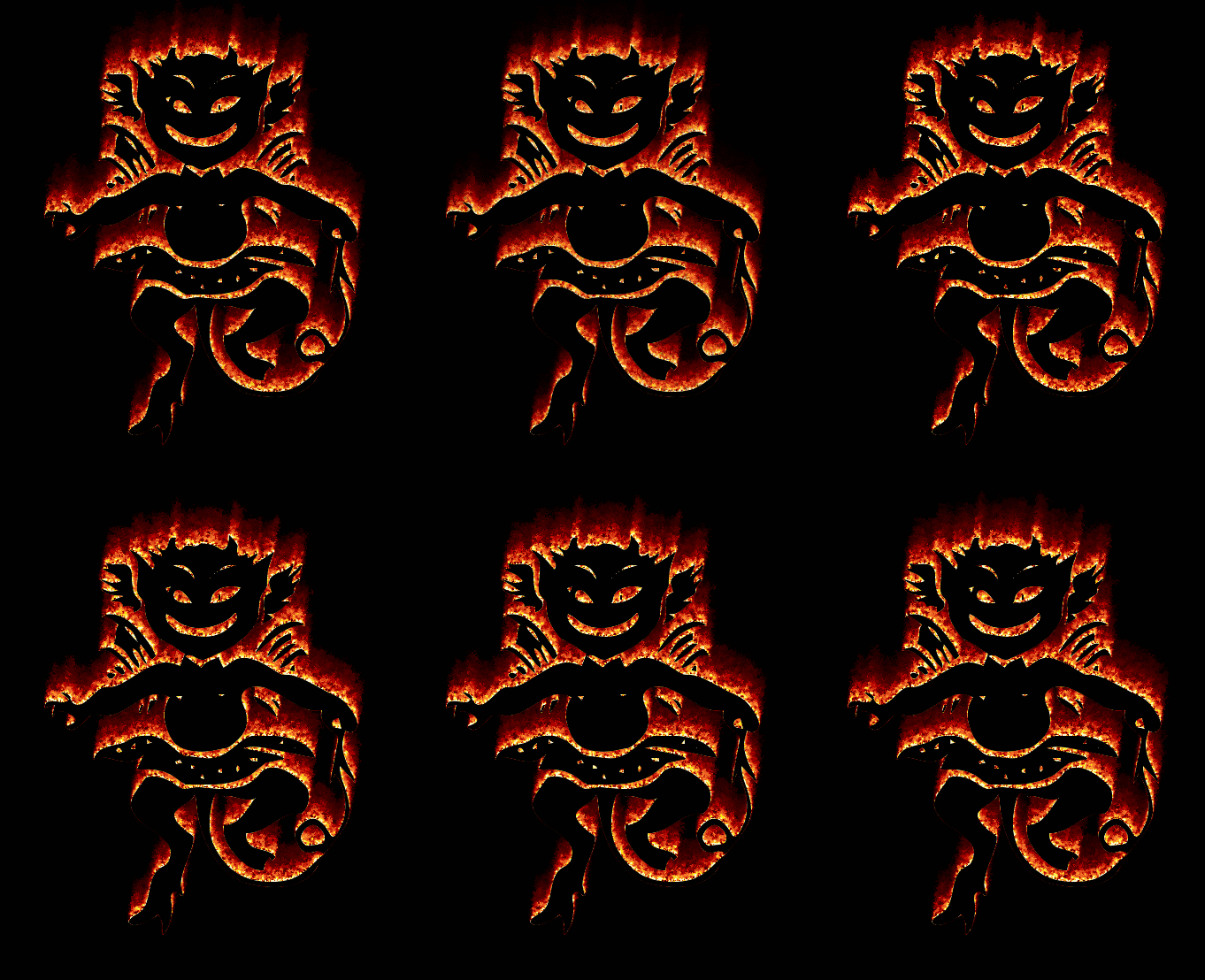
I used the same kind of technique in one of a G'MIC animation demo (command '-x_fire').
This gives something like this :

Image

Maybe I could push it as a new filter for the G'MIC plug-in, if anyone interested.
:keybdtype


Top
 Post subject: Re: Fx-Foundry
PostPosted: Wed Jul 06, 2011 8:27 am  (#28) 
Offline
GimpChat Member
User avatar

Joined: Apr 07, 2010
Posts: 14182
Oh yeah pleeeeeze. love it

_________________
Image


Top
 Post subject: Re: Fx-Foundry
PostPosted: Wed Jul 06, 2011 9:21 am  (#29) 
Offline
GimpChat Member
User avatar

Joined: Apr 08, 2010
Posts: 5420
Location: Northwest Ohio
Wow, that is awesome! Hard to believe it could be done as a filter!


Top
 Post subject: Re: Fx-Foundry
PostPosted: Wed Jul 06, 2011 9:31 am  (#30) 
Offline
GimpChat Member
User avatar

Joined: Mar 02, 2011
Posts: 1850
Location: Michigan
Wow would love to see that as a script!

_________________
Image
I'm back I think


Top
 Post subject: Re: Fx-Foundry
PostPosted: Wed Jul 06, 2011 9:41 am  (#31) 
Offline
GimpChat Member
User avatar

Joined: Apr 18, 2011
Posts: 620
Location: New York
Ronounours wrote:
I used the same kind of technique in one of a G'MIC animation demo (command '-x_fire').
This gives something like this :

Image

Maybe I could push it as a new filter for the G'MIC plug-in, if anyone interested.
:keybdtype

you have to ASK????? :rofl

I recall many many years ago working on fire in a 3D program (Imagine on the Amiga)...it looked spectacular, but sheesh was it a chore to get done.

I'm getting lazy in my old age. :zzz :sleepkbd

_________________
Ubuntu 24.04.1, Kernel i686, 6.8.0-52-generic
python3 v3.12.3 ----- GIMP - ver 2.10.38


Top
 Post subject: Re: Fx-Foundry
PostPosted: Wed Jul 06, 2011 10:29 am  (#32) 
Offline
GimpChat Member
User avatar

Joined: Jan 03, 2011
Posts: 1656
you have to ASK?????

Well as it probably uses the same kind of technique to render the fire, I was assuming the same effect could be done with the Fx Foundry fire script (I didn't tested though). I don't know actually.
It seems not straightforward, so I'll try to add such a 'Fire logo' filter in G'MIC next days.


Top
 Post subject: Re: Fx-Foundry
PostPosted: Wed Jul 06, 2011 11:09 am  (#33) 
Offline
Retired Staff
User avatar

Joined: May 22, 2008
Posts: 6946
Location: Somewhere in GIMP
Ronounours wrote:
Maybe I could push it as a new filter for the G'MIC plug-in, if anyone interested.
:keybdtype
Oh, yes!!! Please!!!

_________________
Image
World War IV will be fought with sticks and stones. - Albert Einstein


Top
 Post subject: Re: Fx-Foundry
PostPosted: Wed Jul 06, 2011 1:21 pm  (#34) 
Offline
GimpChat Member
User avatar

Joined: Apr 07, 2010
Posts: 14182
I wanted to make the fire look like it was coming out the windows. Is there a way to make the script do that? I know it is asking a lot but it would be cool.....
Image

_________________
Image


Top
 Post subject: Re: Fx-Foundry
PostPosted: Wed Jul 06, 2011 1:26 pm  (#35) 
Offline
Global Moderator
User avatar

Joined: May 16, 2010
Posts: 16213
That would look cool Molly!

Yes please add the filter too GMIC ... pretty please. ;)


Top
 Post subject: Re: Fx-Foundry
PostPosted: Wed Jul 06, 2011 4:34 pm  (#36) 
Offline
GimpChat Member
User avatar

Joined: Jan 03, 2011
Posts: 1656
Well, there is my first try. Not completely satisfied with it, I found the fire effect is not as clear as the one shown above, but let's consider this is a first version. Feel free to try and give feedbacks !

Image

Note that I didn't look at the fire effect script code of Fx-foundry yet. I guess I have to do it in order to improve the rendering of the fire effect. But again, this is a first version that can be updated in the future.


Top
 Post subject: Re: Fx-Foundry
PostPosted: Wed Jul 06, 2011 5:49 pm  (#37) 
Offline
Retired Staff
User avatar

Joined: May 22, 2008
Posts: 6946
Location: Somewhere in GIMP
Wow, David, that was fast! I'm having trouble with it cutting off edges. I enlarged my canvas to monster size and it still did it. It's a great filter though. I realize you want to work on it some more.

Here is a shot of the preview screen in G'MIC. I had the settings on default.
Image

Here is the same one in action.
Image

_________________
Image
World War IV will be fought with sticks and stones. - Albert Einstein


Top
 Post subject: Re: Fx-Foundry
PostPosted: Wed Jul 06, 2011 6:29 pm  (#38) 
Offline
GimpChat Member
User avatar

Joined: Mar 02, 2011
Posts: 1850
Location: Michigan
Wow this looks really cool!
I was checking it out but went to go swim and now too cold to think, I'll try it out later though :D

_________________
Image
I'm back I think


Top
 Post subject: Re: Fx-Foundry
PostPosted: Wed Jul 06, 2011 6:46 pm  (#39) 
Offline
GimpChat Member
User avatar

Joined: Sep 24, 2010
Posts: 12853
Ronounours wrote:
Well, there is my first try. Not completely satisfied with it, I found the fire effect is not as clear as the one shown above, but let's consider this is a first version. Feel free to try and give feedbacks !

Image

Note that I didn't look at the fire effect script code of Fx-foundry yet. I guess I have to do it in order to improve the rendering of the fire effect. But again, this is a first version that can be updated in the future.


Now that's cool David. I guess it's very primordial for human beings to be fascinated by fire. You already know how much I am (and being a former boyscout pyro (i.e., campfire fire starter) at that; lol). :)

_________________
Lyle

Psalm 109:8

Image


Top
 Post subject: Re: Fx-Foundry
PostPosted: Wed Jul 06, 2011 7:07 pm  (#40) 
Offline
Global Moderator
User avatar

Joined: May 16, 2010
Posts: 16213
SWEET! :)

Image


Top
Post new topic Reply to topic  [ 56 posts ]  Go to page Previous  1, 2, 3  Next

All times are UTC - 5 hours [ DST ]


* Login  


Powered by phpBB3 © phpBB Group