It is currently Sun Nov 22, 2026 2:15 pm


All times are UTC - 5 hours [ DST ]


Post new topic Reply to topic  [ 52 posts ]  Go to page Previous  1, 2, 3  Next
Author Message
 Post subject: Re: GEGL Clay Bevel effect
PostPosted: Sat Jul 09, 2022 1:58 pm  (#21) 
Offline
GimpChat Member
User avatar

Joined: Oct 31, 2020
Posts: 2025
Image
In just a little over two months GEGL has managed to significantly challenge the alpha to logo meta.


Top
 Post subject: Re: GEGL Clay Bevel effect
PostPosted: Sat Jul 09, 2022 3:00 pm  (#22) 
Offline
GimpChat Member
User avatar

Joined: Jul 06, 2013
Posts: 2667
Location: California
Is the update ready for windows users?


Top
 Post subject: Re: GEGL Clay Bevel effect
PostPosted: Sun Jul 10, 2022 3:32 am  (#23) 
Offline
GimpChat Member
User avatar

Joined: May 24, 2021
Posts: 865
Location: SEA - South East Asia
@contrast_ You're doing an absolute great job :bigthup
:tyspin

_________________
Patrice


Top
 Post subject: Re: GEGL Clay Bevel effect
PostPosted: Sun Jul 10, 2022 11:01 am  (#24) 
Offline
GimpChat Member
User avatar

Joined: Oct 06, 2010
Posts: 4050
Version for Gimp-2.10.32 Win 64 bit attached.
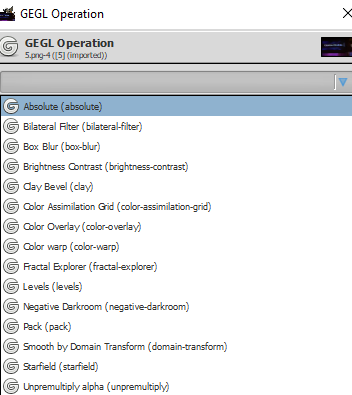
In menu: Tools➤GEGL Operation➤Clay Bevel

Place the file in gegl plugins in a directory: C:\Users\<your-user-name>\AppData\Local\gegl-0.4\plug-ins

Attachment:
clay_bevel.zip [183.83 KiB]
Downloaded 70 times

_________________
"In order to attain the impossible, one must attempt the absurd."
~ Miguel de Cervantes


Top
 Post subject: Re: GEGL Clay Bevel effect
PostPosted: Sun Jul 10, 2022 11:22 am  (#25) 
Offline
GimpChat Member
User avatar

Joined: Oct 06, 2010
Posts: 4050
Clay Bevel
Gradient Along Path
Didn't even need to use bump map or lighting effects

Image

_________________
"In order to attain the impossible, one must attempt the absurd."
~ Miguel de Cervantes


Top
 Post subject: Re: GEGL Clay Bevel effect
PostPosted: Wed Aug 10, 2022 3:59 pm  (#26) 
Offline
GimpChat Member
User avatar

Joined: Oct 31, 2020
Posts: 2025
Clay Bevel got an update that labels modes for image file overlays and default color mode.

Preserve Original Color Mode
Image

Image File Overlay and Color Change Mode
Image


Top
 Post subject: Re: GEGL Clay Bevel effect
PostPosted: Wed Aug 10, 2022 11:03 pm  (#27) 
Offline
GimpChat Member
User avatar

Joined: Jul 06, 2013
Posts: 2667
Location: California
Great update. Is an update ready for Windows users?


Top
 Post subject: Re: GEGL Clay Bevel effect
PostPosted: Thu Aug 11, 2022 1:54 am  (#28) 
Offline
GimpChat Member
User avatar

Joined: Oct 06, 2010
Posts: 4050
Version for Gimp-2.10.32 Win 64 bit attached.
In menu: Tools➤GEGL Operation➤Clay Bevel

Place the files in gegl plugins in a directory: C:\Users\<your-user-name>\AppData\Local\gegl-0.4\plug-ins
(preferably in it's own folder "clay text")

Attachment:
clay_text.zip [183.69 KiB]
Downloaded 72 times

_________________
"In order to attain the impossible, one must attempt the absurd."
~ Miguel de Cervantes


Top
 Post subject: Re: GEGL Clay Bevel effect
PostPosted: Thu Aug 11, 2022 11:03 pm  (#29) 
Offline
GimpChat Member
User avatar

Joined: May 24, 2021
Posts: 865
Location: SEA - South East Asia
Thank you contrast_ :tyspin

_________________
Patrice


Top
 Post subject: Re: GEGL Clay Bevel effect
PostPosted: Tue Aug 16, 2022 11:48 am  (#30) 
Offline
GimpChat Member
User avatar

Joined: Oct 31, 2020
Posts: 2025
Can someone try to call GEGL Clay from Script fu or python? gegl:gegl doesn't call it for some reason and I can't figure out why.


Top
 Post subject: Re: GEGL Clay Bevel effect
PostPosted: Tue Aug 16, 2022 2:42 pm  (#31) 
Offline
GimpChat Member
User avatar

Joined: Jan 13, 2011
Posts: 2648
Location: Poland
Hi Beaver.

It doesn't work for me either.
Perhaps it will help a little.
There is another possibility to use Gegl (by Samj):
viewtopic.php?f=9&t=18040&start=20#p256055
Will perform the --clay operation, but with some errors (essential part of the screenshot):


Attachments:
Screenshot Clay Error.png
Screenshot Clay Error.png [ 48.2 KiB | Viewed 2571 times ]

_________________
Image
Top
 Post subject: Re: GEGL Clay Bevel effect
PostPosted: Tue Aug 16, 2022 6:31 pm  (#32) 
Offline
GimpChat Member
User avatar

Joined: Jul 06, 2013
Posts: 2667
Location: California
Just a heads up for windows users using GIMP 2.10.32
When you put the GEGL files here: C:\Users\<your-user-name>\AppData\Local\gegl-0.4\plug-ins

If you have other, GEGL files, they don't show up... only the plug-ins folders for does:
Image

However, when GIMP is up and running, all of the GEGL files show up here:
Image

My point is when GIMP updated, they moved the files somewhere else, so now you download these GEGL files, you need to create a separate folder for each one.


Top
 Post subject: Re: GEGL Clay Bevel effect
PostPosted: Sun Aug 21, 2022 4:13 pm  (#33) 
Offline
GimpChat Member
User avatar

Joined: Oct 31, 2020
Posts: 2025
Would anyone like me to make a fork of Clay Bevel that can a Stroke or Shadow? It will be slower but may be it will be worth it for certain work flows. I'll name it gegl:ClaySS (stroke shadow) or gegl:claybonus I'm not going to do it unless someone shows interest.


Top
 Post subject: Re: GEGL Clay Bevel effect
PostPosted: Fri Sep 02, 2022 8:51 am  (#34) 
Offline
GimpChat Member
User avatar

Joined: Oct 31, 2020
Posts: 2025
In an unreleased build I removed all hidden zzoperations from Clay Bevel and now it work the same except a downgrade happened.

Clay Bevel can no longer put a multiply color-overlay over an image file. It can do a multiply color overlay or an image file but not both together. I am working on fixing this but it seems tough.


Top
 Post subject: Re: GEGL Clay Bevel effect
PostPosted: Fri Sep 02, 2022 11:57 am  (#35) 
Offline
GimpChat Member
User avatar

Joined: Oct 31, 2020
Posts: 2025
Clay Bevel has been successfully updated and it is now just one binary.

It has a hue rotation that will only work on image file overlays and a multipled color overlay that only works on recolor image mode without an image file overlay.


If you have them please keep gegl:mcol, and gegl:zzmlayer as they are needed for filters like rock text and maybe others. Just make sure you do not have two copies of them.


Top
 Post subject: Re: GEGL Clay Bevel effect
PostPosted: Fri Sep 02, 2022 11:39 pm  (#36) 
Offline
GimpChat Member
User avatar

Joined: Oct 06, 2010
Posts: 4050
This update was a major fail for me.

_________________
"In order to attain the impossible, one must attempt the absurd."
~ Miguel de Cervantes


Top
 Post subject: Re: GEGL Clay Bevel effect
PostPosted: Sat Sep 03, 2022 7:29 am  (#37) 
Offline
GimpChat Member
User avatar

Joined: Oct 31, 2020
Posts: 2025
What went wrong. Is it the lack of multiplied color overlay?


Top
 Post subject: Re: GEGL Clay Bevel effect
PostPosted: Sat Sep 03, 2022 8:47 am  (#38) 
Offline
GimpChat Member
User avatar

Joined: Oct 31, 2020
Posts: 2025
I am working extremely hard to get this back in the c file. The right way without any hidden operations.

This is it in the graph but I don't know how to depict it in a C file.
Image


Top
 Post subject: Re: GEGL Clay Bevel effect
PostPosted: Sat Sep 03, 2022 10:55 am  (#39) 
Offline
GimpChat Member
User avatar

Joined: Oct 31, 2020
Posts: 2025
Clay Bevel has been updated. It is back to normal and only uses one binary. Changes have been made though.

0. Multiply Color Overlay works on the entire image like it use too.

1. Alpha Percentile goes low as 20 not 17.

2. The Default preset is changed to look more clay like and less dark.

3. The Hue Rotation for image files only option was kept as I found it useful

Image

Oh yeah and I fixed the () text malinput from this preview.


Top
 Post subject: Re: GEGL Clay Bevel effect
PostPosted: Sat Sep 03, 2022 11:40 am  (#40) 
Offline
GimpChat Member
User avatar

Joined: Oct 06, 2010
Posts: 4050
The last update before this one was faded, and it ruined two other filters, even though I made sure there were no duplicate mcol and zzlayer. Loading this update now to see if it works for me...

_________________
"In order to attain the impossible, one must attempt the absurd."
~ Miguel de Cervantes


Top
Post new topic Reply to topic  [ 52 posts ]  Go to page Previous  1, 2, 3  Next

All times are UTC - 5 hours [ DST ]


* Login  


Powered by phpBB3 © phpBB Group