Re-Assembler
Once downloaded, de-compressed and saved to a folder the user can choose to re-assemble the custom font characters (using File>>Open as Layers...) or use the plug-in to automate the process.
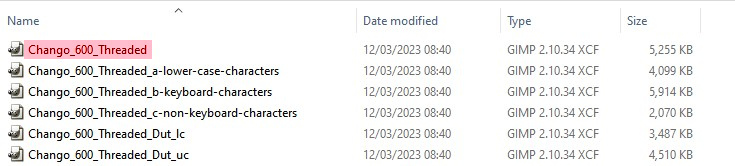
The base set of characters, containing the upper-case letters and any kerning paths, usually appear as the first item in the list of custom font xcf files and retain the original custom font filename; high-lighted in the screenshot below.
Attachment:
 Folder-Contents-Some-Files.jpg [ 54.75 KiB | Viewed 1267 times ]
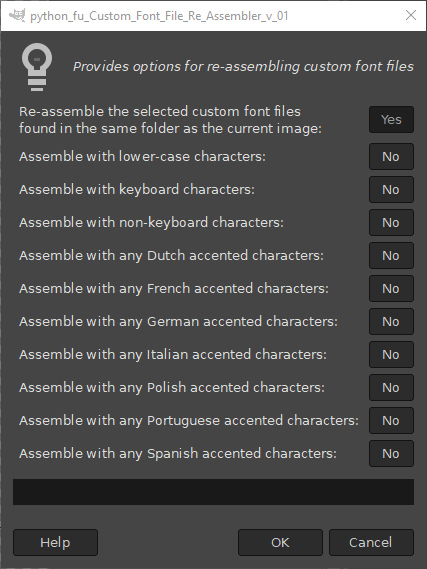
For example the user can elect to have either upper case or full case.
More importantly, the user can decide which, if any, of the accented characters to include in the final custom font upload; Dutch, French, German, Italian, Polish, Portuguese and Spanish language options are available.
Open the base custom font file in Gimp and call up the plug-in:
Filters>>Custom Fonts>>Utility Tools>>Custom Font File Re-Assembler v 01…
Attachment:
 Re-Assembler_Dialog_01.jpg [ 116.95 KiB | Viewed 1267 times ]
Select the options for the character layers to add to the image and click ‘OK’.
Save this file as you wish.
Any files that you downloaded and no longer need can now be deleted from your machine.
 Login
Login Register
 Tweets
 FAQ
FAQ Advanced Search










 Files other than providing a scaled version - which I agree goes against the grain.