It is currently Tue Jul 14, 2026 1:15 am


All times are UTC - 5 hours [ DST ]


Post new topic Reply to topic  [ 16 posts ] 
Author Message
 Post subject: Custom Fonts edger doesn't work
PostPosted: Sat Sep 28, 2024 4:16 am  (#1) 
Offline
GimpChat Member

Joined: Apr 11, 2024
Posts: 304
I cannot get the custom-fonts edger to work.
It gives the following error:

GIMP Error
Calling error for procedure 'gimp-context-set-brush':
Procedure 'gimp-context-set-brush' has been called with value '' for argument 'name' (#1, type gchararray). This value is out of range.


And in the terminal I get this:

Traceback (most recent call last):
  File "/usr/lib/gimp/2.0/python/gimpfu.py", line 741, in response
    dialog.res = run_script(params)
  File "/usr/lib/gimp/2.0/python/gimpfu.py", line 362, in run_script
    return apply(function, params)
  File "~/.config/GIMP/2.10/Custom Font Tools Release-16/Custom_Font_Edger_v_0_3.py", line 83, in do_stuff
    pdb.gimp_context_set_brush(current_brush)
RuntimeError: Procedure 'gimp-context-set-brush' has been called with value '' for argument 'name' (#1, type gchararray). This value is out of range


Is it because of the language setting "German"?
Or do I need a special brush for it?

My paintbrush is set to "2. Hardness 100", the paintbrush-tool is active.
I'm on GIMP 2.10.26 | Linux Mint 20.1 MATE


Share on Facebook Share on Twitter Share on Orkut Share on Digg Share on MySpace Share on Delicious Share on Technorati
Top
 Post subject: Re: Custom Fonts edger doesn't work
PostPosted: Sat Sep 28, 2024 4:43 am  (#2) 
Offline
GimpChat Member
User avatar

Joined: Aug 08, 2016
Posts: 2842
Location: East Midlands of England
Hi quietreader:
Wow not used this one in a long time but sadly...
I cannot seem to replicate the error on my Window PC.

Have tried with a variety of brushes, sizes etc but without errors.
Not sure about language setting.
Are you using German language settings?

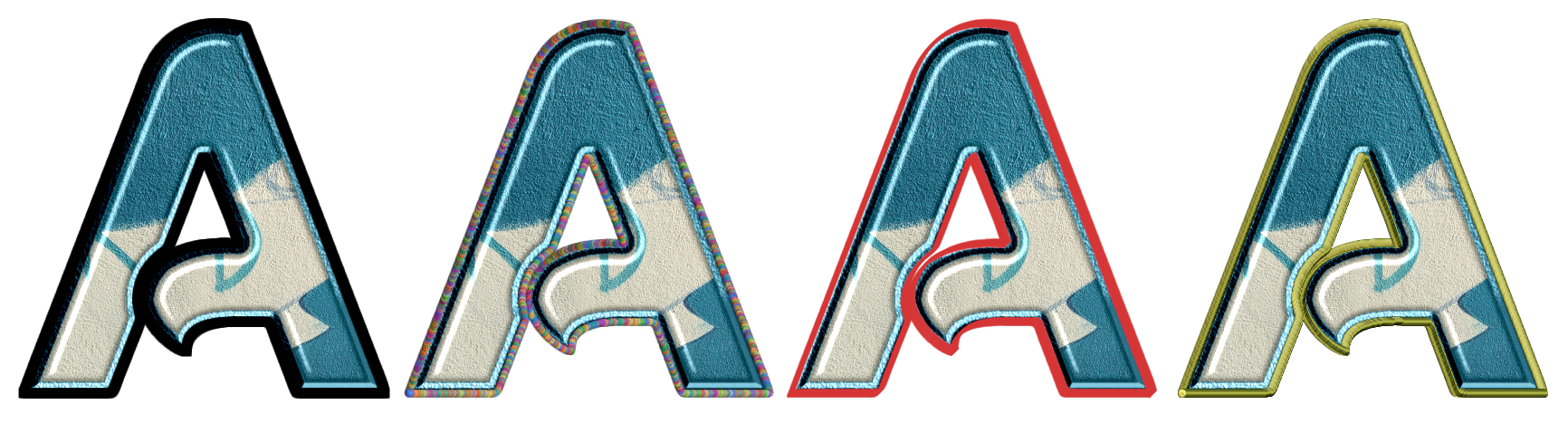
Image

_________________
Image
"Let no one steal your dreams."
Paul Cookson

Custom Font Links
2.10 Tools
Character Paths
White Bases


Top
 Post subject: Re: Custom Fonts edger doesn't work
PostPosted: Sat Sep 28, 2024 9:02 am  (#3) 
Offline
GimpChat Member

Joined: Apr 11, 2024
Posts: 304
Yes, I have German language setting.
But it also happens when set to English (just tried that out)


Top
 Post subject: Re: Custom Fonts edger doesn't work
PostPosted: Sat Sep 28, 2024 9:32 am  (#4) 
Offline
GimpChat Member
User avatar

Joined: Mar 01, 2014
Posts: 14053
Location: Spain, Aragón
I did a test with my copy and it works well. I have all Gimp in English Language. I hope you find out what is the problem.

_________________
Image

Gimp 2.10.30(samj) portable _ OS Windows 10 Home_ 64bits
Don’t be afraid to start over. It’s a new chance to rebuild what you want.


Top
 Post subject: Re: Custom Fonts edger doesn't work
PostPosted: Sat Sep 28, 2024 9:37 am  (#5) 
Offline
GimpChat Member

Joined: Apr 11, 2024
Posts: 304
Thanks for testing, Issabella.
I have a guess that it is a linux thing.
I guess it has to do with write permissions.

Wasn't it so that we cannot change the brushes shipped with the GIMP in scripts? Not sure.
I'll investigate ...


Top
 Post subject: Re: Custom Fonts edger doesn't work
PostPosted: Sat Sep 28, 2024 10:16 am  (#6) 
Offline
GimpChat Member
User avatar

Joined: Aug 08, 2016
Posts: 2842
Location: East Midlands of England
Will look through the code and see if there is an obvious language issue.

_________________
Image
"Let no one steal your dreams."
Paul Cookson

Custom Font Links
2.10 Tools
Character Paths
White Bases


Top
 Post subject: Re: Custom Fonts edger doesn't work
PostPosted: Sat Sep 28, 2024 10:22 am  (#7) 
Offline
GimpChat Member

Joined: Apr 11, 2024
Posts: 304
Tested some brushes ....
Some do work - and they are all in my user-folder.

What does not work are all those that come shipped with GIMP.
They are in their installation folder, which is marked non-writable in the GIMP settings.


Top
 Post subject: Re: Custom Fonts edger doesn't work
PostPosted: Sat Sep 28, 2024 11:11 am  (#8) 
Offline
GimpChat Member
User avatar

Joined: May 24, 2021
Posts: 859
Location: SEA - South East Asia
quietreader wrote:
I have a guess that it is a linux thing.

I don't think, Linux user here (Ubuntu-MATE 20.04 / GIMP 2.10.38 PPA from Panda Jim).

I made a test and used the default brush shipped with GIMP called "2. Hardness 075", as well as a non GIMP brush, those two brushes are system wide, see below
Attachment:
screenshot_20240929-000810.jpg
screenshot_20240929-000810.jpg [ 59.41 KiB | Viewed 1785 times ]


All worked like a charm :bigthup
Attachment:
screenshot_20240929-000524.jpg
screenshot_20240929-000524.jpg [ 260.34 KiB | Viewed 1785 times ]

_________________
Patrice


Top
 Post subject: Re: Custom Fonts edger doesn't work
PostPosted: Sat Sep 28, 2024 11:39 am  (#9) 
Offline
GimpChat Member
User avatar

Joined: Aug 08, 2016
Posts: 2842
Location: East Midlands of England
Looking at that section of the code.
It loops through the brushes in order to make sure that only brushes with editable settings are available for initial use.
Hmmm

_________________
Image
"Let no one steal your dreams."
Paul Cookson

Custom Font Links
2.10 Tools
Character Paths
White Bases


Top
 Post subject: Re: Custom Fonts edger doesn't work
PostPosted: Mon Sep 30, 2024 5:38 am  (#10) 
Offline
GimpChat Member
User avatar

Joined: Aug 08, 2016
Posts: 2842
Location: East Midlands of England
quietreader:

Having a think and a sleep ...
The plug-in needs to use a brush that can be edited in order to adjust spacing values.
If it cannot find any editable brushes it will fail.

Here is another version that will just inform you if the currently selected brush is not editable and invite you to choose a different brush.
If the filter works but you have no editable brushes then perhaps you could try one that you can download from the original thread and install in your user brushes folder.

Attachment:
Custom_Font_Edger_v_0_2b.zip [4.42 KiB]
Downloaded 65 times


Best of luck.

_________________
Image
"Let no one steal your dreams."
Paul Cookson

Custom Font Links
2.10 Tools
Character Paths
White Bases


Top
 Post subject: Re: Custom Fonts edger doesn't work
PostPosted: Mon Sep 30, 2024 8:31 am  (#11) 
Offline
GimpChat Member

Joined: Apr 11, 2024
Posts: 304
Hi skinnyhouse,
thanks so much for that version.
It works fine, and now we can see, what's expected.
We can always copy the non-executable brushes, so they will work.
:tyspin


Top
 Post subject: Re: Custom Fonts edger doesn't work
PostPosted: Mon Sep 30, 2024 10:03 am  (#12) 
Offline
GimpChat Member
User avatar

Joined: Mar 01, 2014
Posts: 14053
Location: Spain, Aragón
:clap :clap Skinnyhouse, I was sure you would find a solution to quietreader.

_________________
Image

Gimp 2.10.30(samj) portable _ OS Windows 10 Home_ 64bits
Don’t be afraid to start over. It’s a new chance to rebuild what you want.


Top
 Post subject: Re: Custom Fonts edger doesn't work
PostPosted: Mon Sep 30, 2024 11:33 am  (#13) 
Offline
GimpChat Member
User avatar

Joined: Aug 08, 2016
Posts: 2842
Location: East Midlands of England
All's well that ends well...

quietreader must have a pristine set of brushes - mine is enormous!

:hi5

_________________
Image
"Let no one steal your dreams."
Paul Cookson

Custom Font Links
2.10 Tools
Character Paths
White Bases


Top
 Post subject: Re: Custom Fonts edger doesn't work
PostPosted: Mon Sep 30, 2024 12:48 pm  (#14) 
Offline
GimpChat Member

Joined: Apr 11, 2024
Posts: 304
mine, too...
941 at the moment
I wonder where they all came from ... :hehe


Top
 Post subject: Re: Custom Fonts edger doesn't work
PostPosted: Mon Sep 30, 2024 7:03 pm  (#15) 
Offline
GimpChat Member
User avatar

Joined: Dec 09, 2018
Posts: 735
Surely it's bad from to edit peoples brushes.
I'm on Linux and I keep just about everything read only.
Besides which pdb.gimp_brush_set_spacing is for parametric brushes when you really do want to edit them.
For your needs I'd suggest using pdb.gimp_context_set_brush_spacing.


Top
 Post subject: Re: Custom Fonts edger doesn't work
PostPosted: Tue Oct 01, 2024 12:06 pm  (#16) 
Offline
GimpChat Member
User avatar

Joined: Aug 08, 2016
Posts: 2842
Location: East Midlands of England
Thanks for the tip Teapot.
Will investigate that possibility for any future releases.

_________________
Image
"Let no one steal your dreams."
Paul Cookson

Custom Font Links
2.10 Tools
Character Paths
White Bases


Top
Post new topic Reply to topic  [ 16 posts ] 

All times are UTC - 5 hours [ DST ]


* Login  


Powered by phpBB3 © phpBB Group