It is currently Fri Jul 10, 2026 5:43 am


All times are UTC - 5 hours [ DST ]


Post new topic Reply to topic  [ 6 posts ] 
Author Message
 Post subject: Gimp3.0.0-RC2 appimages
PostPosted: Sun Jan 12, 2025 7:41 am  (#1) 
Offline
GimpChat Member
User avatar

Joined: Mar 23, 2012
Posts: 7388
Location: Göteborg at last!
GIMP Version: 3.0.0
Operating System: Linux
GIMP Experience: Experienced User


I have downloaded the Gimp3.0.0-RC2 appimages and I am wondering what is the difference between them and can I safely delete one of them and still use the other. One is GIMP-3.0.0-RC2+git-aarch64 and the other is GIMP-3.0.0-RC2+git-x86_64. Also, can I delete the folder structure or is it important?


Share on Facebook Share on Twitter Share on Orkut Share on Digg Share on MySpace Share on Delicious Share on Technorati
Top
 Post subject: Re: Gimp3.0.0-RC2 appimages
PostPosted: Sun Jan 12, 2025 8:03 am  (#2) 
Offline
GimpChat Member

Joined: Mar 04, 2011
Posts: 2605
Erisian wrote:
GIMP Version: 3.0.0
Operating System: Linux
GIMP Experience: Experienced User


I have downloaded the Gimp3.0.0-RC2 appimages and I am wondering what is the difference between them and can I safely delete one of them and still use the other. One is GIMP-3.0.0-RC2+git-aarch64 and the other is GIMP-3.0.0-RC2+git-x86_64. Also, can I delete the folder structure or is it important?


From your earlier post: I ran dpkg --print-architecture and it is amd64.
That is the intel/amd architecture, the x86_64 so that is the one to use. the other one is the ARM cpu version.

You can put the file GIMP-3.0.0-RC2+git-x86_64.AppImage in any sensible location where you can find it again (and make a desktop file to there if you know how to do that) Make sure it is executable.

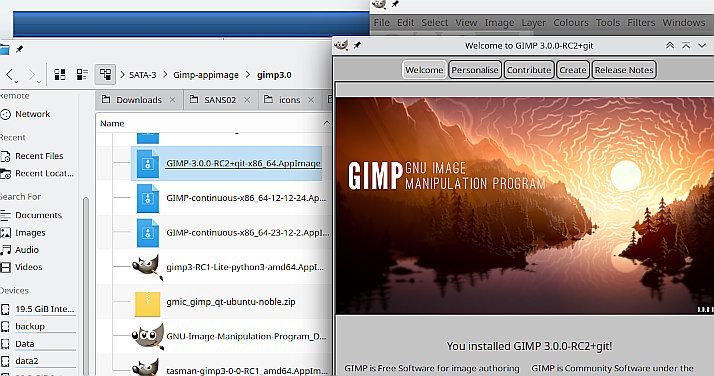
...and here it is running off a usb drive I just double-clicked and away it goes ;)

Attachment:
port.jpg
port.jpg [ 79.01 KiB | Viewed 2611 times ]


Top
 Post subject: Re: Gimp3.0.0-RC2 appimages
PostPosted: Sun Jan 12, 2025 8:25 am  (#3) 
Offline
GimpChat Member
User avatar

Joined: Mar 23, 2012
Posts: 7388
Location: Göteborg at last!
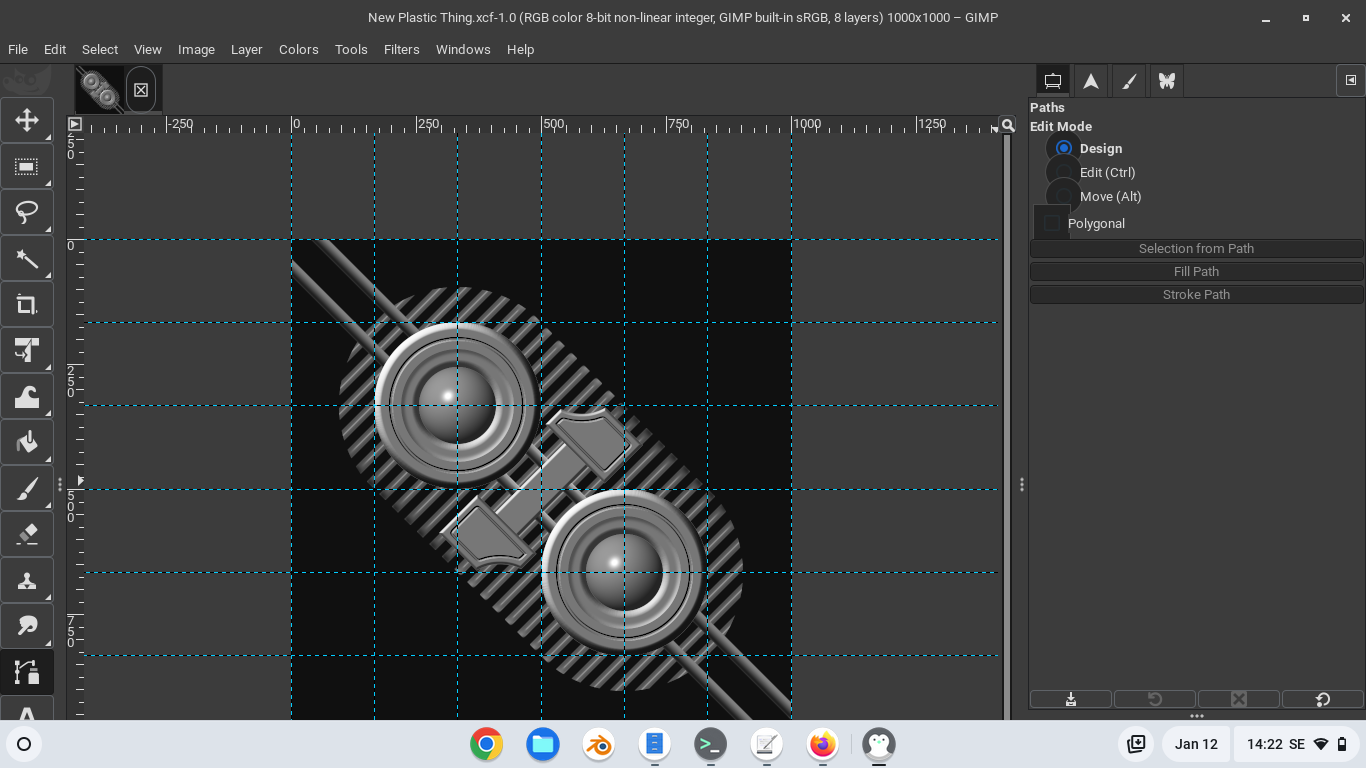
Thank you Rich. Up and running so now I just have to organize the GUI the way I like it and see if there is a small icon theme.

Image


Top
 Post subject: Re: Gimp3.0.0-RC2 appimages
PostPosted: Sun Jan 12, 2025 3:26 pm  (#4) 
Offline
GimpChat Member
User avatar

Joined: Oct 31, 2020
Posts: 2012
rc2 has several less crashes. For example RC1 crashes with re-opening a saved offset filter.


Top
 Post subject: Re: Gimp3.0.0-RC2 appimages
PostPosted: Sun Jan 12, 2025 3:27 pm  (#5) 
Offline
GimpChat Member
User avatar

Joined: Oct 31, 2020
Posts: 2012
rich2005 wrote:
Erisian wrote:
GIMP Version: 3.0.0
Operating System: Linux
GIMP Experience: Experienced User


I have downloaded the Gimp3.0.0-RC2 appimages and I am wondering what is the difference between them and can I safely delete one of them and still use the other. One is GIMP-3.0.0-RC2+git-aarch64 and the other is GIMP-3.0.0-RC2+git-x86_64. Also, can I delete the folder structure or is it important?


From your earlier post: I ran dpkg --print-architecture and it is amd64.
That is the intel/amd architecture, the x86_64 so that is the one to use. the other one is the ARM cpu version.

You can put the file GIMP-3.0.0-RC2+git-x86_64.AppImage in any sensible location where you can find it again (and make a desktop file to there if you know how to do that) Make sure it is executable.

...and here it is running off a usb drive I just double-clicked and away it goes ;)

Attachment:
port.jpg

RC2+Git just recently had a new bug where bucket fill and warp transform crashes GIMP. Make sure this version doesn't have that.


Top
 Post subject: Re: Gimp3.0.0-RC2 appimages
PostPosted: Sun Jan 12, 2025 4:48 pm  (#6) 
Offline
GimpChat Member
User avatar

Joined: Mar 23, 2012
Posts: 7388
Location: Göteborg at last!
contrast_ wrote:
RC2+Git just recently had a new bug where bucket fill and warp transform crashes GIMP. Make sure this version doesn't have that.

Both seem to be working so far. Thanks for the heads-up.


Top
Post new topic Reply to topic  [ 6 posts ] 

All times are UTC - 5 hours [ DST ]


* Login  


Powered by phpBB3 © phpBB Group