The free Paint.NET program seems to be the best option for handling 8bf files in Gimp 3 (+ a lot of other plugins e.g.
GMIC 3.5.3 ).
Paint_dot_NET_plugin is a simple modification of the
nikplugin.py plugin by iiey.My installation steps:1. downolad from
https://github.com/paintdotnet/release/ ... tag/v5.1.7 paint.net.5.1.7.portable.x64.zip
2. unzip this file
3. replace name paint.net.5.1.7.portable.x64 to paintdotnet
4. locate paintdotnet to c:\Program Files\paintdotnet\
5. downolad PSFilterPdn.zip from
https://forums.getpaint.net/topic/20622 ... ent-3432626. unzip this file
7. locate this folder to c:\Program Files\paintdotnet\Effects\PSFilterPdn\
8. download and instal Paint_dot_NET_plugin (in ... GIMP\3.0\plug-ins\Paint_dot_NET_plugin\Paint_dot_NET_plugin.py)
In menu: Filters ➤ ShellOut ➤ PaintdotNET

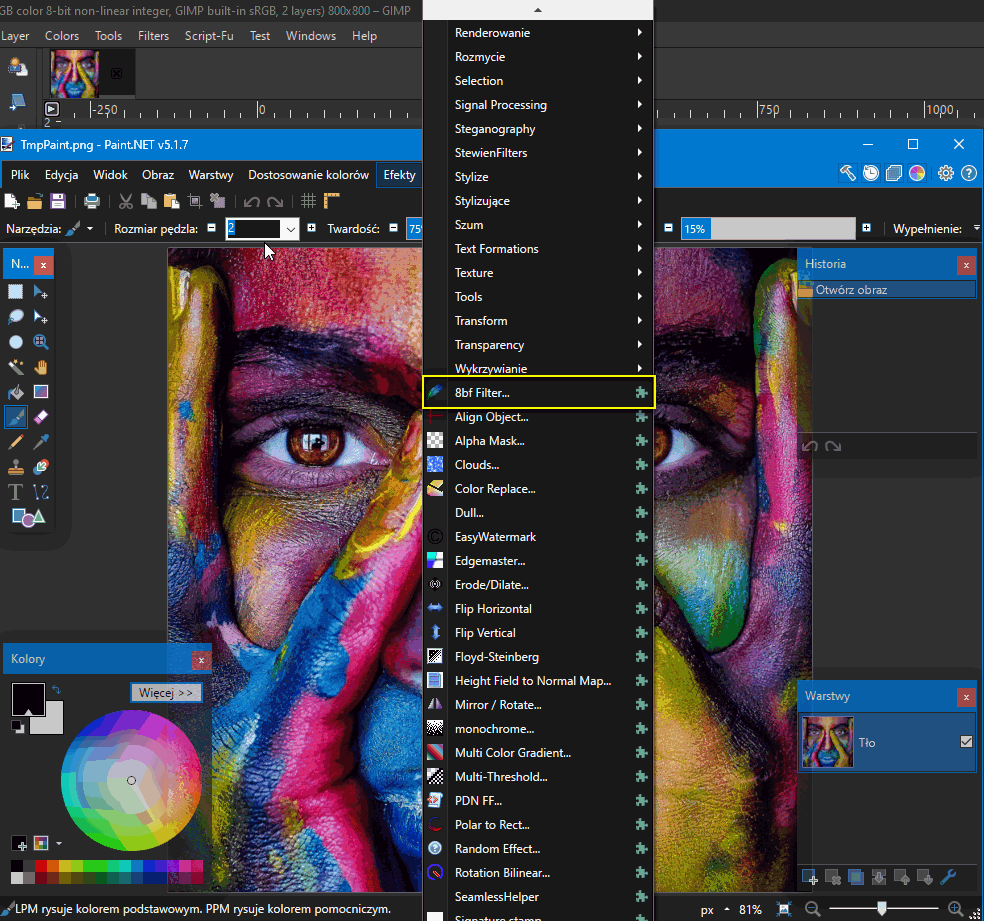


Temporary files are saved in:
C:\Users\YOUR_USERNAME\AppData\Local\Temp\
A little tip:
Some plugins don't work when the image has an alpha channel (e.g. Impressionist.8bf)
Then:
- copy the layer
- remove the alpha channel
- run the plugin with the option: "Use_current_layer"
 Login
Login Register
 Tweets
 FAQ
FAQ Advanced Search







