It is currently Wed Nov 04, 2026 4:46 pm


All times are UTC - 5 hours [ DST ]


Post new topic Reply to topic  [ 3 posts ] 
Author Message
 Post subject: Custom Font PreGiffer v0.2 for Gimp 2.10
PostPosted: Sun Mar 30, 2025 1:41 pm  (#1) 
Offline
GimpChat Member
User avatar

Joined: Aug 08, 2016
Posts: 2912
Location: East Midlands of England
Attachment:
Custom_Font_PreGiffer_v02.zip [9.18 KiB]
Downloaded 77 times


Download, unzip and add to your Gimp 2.10 user plug-ins folder.

pdf version of this small guide:

Attachment:
PreGiffer_Help_v02.pdf [94.13 KiB]
Downloaded 106 times


This version adds new options and new animation styles to the drop-down menu: These new styles provide ways of moving layers out of the image.

Image

I have added an option to randomize the order of the layers before applying an animation style
and an option to freeze the layers display which shortens the time required to create the gif base file.

Example gif using both old and new options...

Image

_________________
Image
"Let no one steal your dreams."
Paul Cookson

Custom Font Links
2.10 Tools
Character Paths
White Bases


Share on Facebook Share on Twitter Share on Orkut Share on Digg Share on MySpace Share on Delicious Share on Technorati
Top
 Post subject: Re: Custom Font PreGiffer v0.2 for Gimp 2.10
PostPosted: Sat Apr 05, 2025 11:23 am  (#2) 
Offline
GimpChat Member
User avatar

Joined: Aug 08, 2016
Posts: 2912
Location: East Midlands of England
Update to Custom Font Trailing to v0.4b PreGiffer option tab

pdf version

Attachment:
PreGiffer_GrowText_v02.pdf [174.48 KiB]
Downloaded 92 times


Download, extract and place in your Gimp 2.10 plug-ins folder:

Attachment:
Custom_Font_Trailing_v0_4b_Tabbed.zip [20.19 KiB]
Downloaded 74 times


This version of Custom Font Trailing adds a new option on the Pregiffer options tab of the dialog to make it easier to create gifs that appear to grow (or shrink) using PreGiffer. (Which is why I have added to this thread.)

Image

Create a new image and add a coloured background.

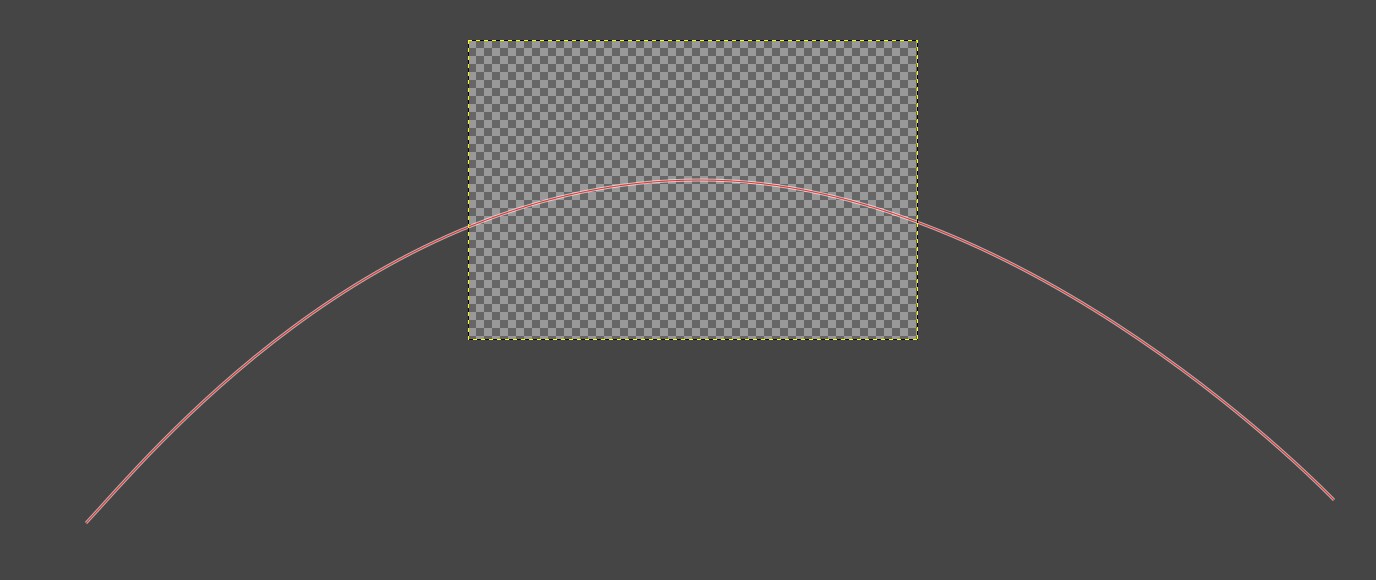
Use the path tool to add a path to the image; the path needs to be as big as the largest size of the text that you want to display. You will probably find it easier to zoom out of the image before drawing your path.
Image

Select the custom font that you want to use (on the first tab), set the option to merge all characters on the third tab and then set the options for ‘Grow text’ on the PreGiffer options tab.

Click on ‘OK’ to generate the required layers: Normally the image would expand in size to display the full extent of all the layers – but this is not the case when using this PreGiffer option.

Now open the PreGiffer dialog:

Filters>>Custom Fonts>>Utility Tools>>Custom Font PreGiffer v0.2…

Use the options shown below:

Image

Click on ‘OK’ to generate the layers ready for animation playback.

To achieve a smoother playback, you can merge the second layer down onto the first layer (this will also apply the correct layer name to the new first frame).

Image

You can now test out the gif with the animation playback filter.

Image

To achieve a shrinking text effect use the ‘Reverse the order’ option. You can also chain the two effects together to create a ‘yo-yo’ style animation (you may have to remove one of the long time frames when you do this).

Image

_________________
Image
"Let no one steal your dreams."
Paul Cookson

Custom Font Links
2.10 Tools
Character Paths
White Bases


Top
 Post subject: Re: Custom Font PreGiffer v0.2 for Gimp 2.10
PostPosted: Sat Apr 05, 2025 2:24 pm  (#3) 
Offline
GimpChat Member
User avatar

Joined: Mar 01, 2014
Posts: 14221
Location: Spain, Aragón
Starting to play your new vwesion. :hi5 :coolthup
Thanks a lot.


Attachments:
PreGiffer-Skinnyhouse-NewVersion_v0-4b.gif
PreGiffer-Skinnyhouse-NewVersion_v0-4b.gif [ 287.78 KiB | Viewed 6104 times ]

_________________
Image

Gimp 2.10.36 (samj) portable _ OS Windows 10 Home_ 64bits
Don’t be afraid to start over. It’s a new chance to rebuild what you want.
Top
Post new topic Reply to topic  [ 3 posts ] 

All times are UTC - 5 hours [ DST ]


* Login  


Powered by phpBB3 © phpBB Group