[Edited the 12.10.2026:]
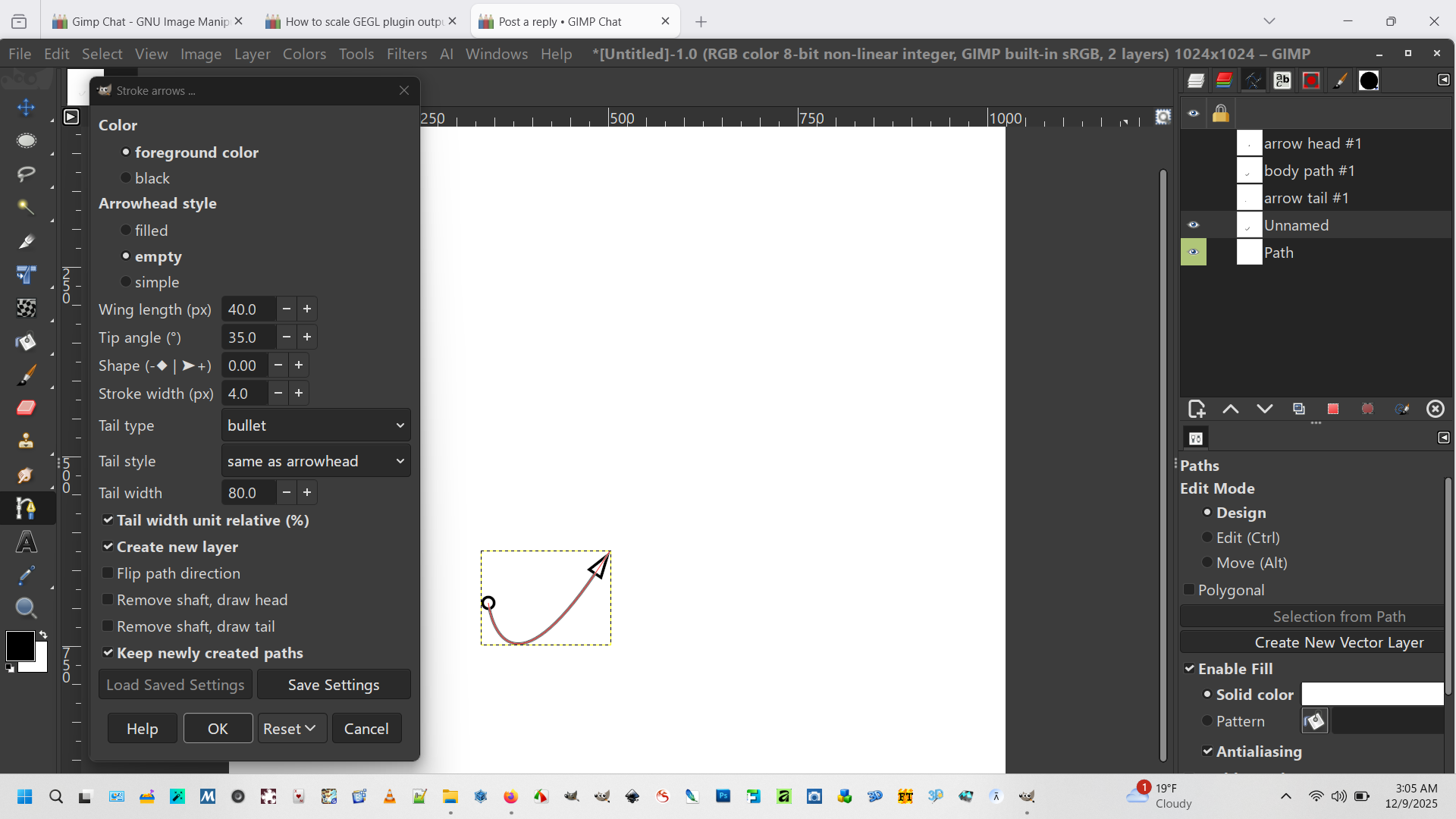
I've updated my plugin pl_stroke_arrows.py plugin to v0.9. It draws arrows based on user created paths. As before, the focus is on "technical" arrows rather than decorative ones.
Please note that this is not package as a release yet, as I'm giving some time to the de and pt-br translators to update. v10 should be the same script with translations updated.
You can download the updated .py file directly from the github if you want it.
Notable changes include:
- now takes all strokes on a same path into account (user request)
- added option to keep or delete user created paths (user request)
- slight reshaping of the filled and empty feather tails
- introduced variants for empty and simple feather tails; now empty tail is really empty
The readme has not been updated yet, so some dialog options might be slightly different.
See the documentation here:
https://github.com/Scallact/gimp-stroke-arrowsRead installation and usage carefully.
Download here:
https://github.com/Scallact/gimp-stroke-arrows/-----------------------------------------
This is my proposal for a plugin dedicated to a much requested feature in GIMP 3.0: stroke paths with an arrowhead at the end.
It has one genuine feature, compared to other similar plugins (AFAIK): the body path is shortened to ensure that the arrow tip ends up reasonably well aligned with the path's last point.
This apparently trivial feature actually hid a rabbit hole. The requirement of cutting a Bezier curve at a specific point send me through a deep dive into Bezier curves theory and algorithms. :-)
Make sure you place the folder named "pl_stroke_arrows" in the GIMP plug-ins folder inside your profile.
Depending on your operating system, make the file "pl_stroke_arrows.py" inside this folder executable.
The plugin should appear at the bottom of the "Edit" menu.
The plugin has been tested, but some new bugs will probably happen. Please report here, preferably with a downloadable .xcf file to exemplify the case.
Edit: A few examples of what the plugin can do:
 Login
Login Register
 Tweets
 FAQ
FAQ Advanced Search