From the Readme.txt file:
==============================================================================
FotoSketcher is a free application that transforms your digital photos
into works of art. With various artistic effects and a manual brush tool,
you can turn any photograph into a painting, sketch, or drawing in seconds.
What's new in version 4.30
---------------------------
- New LUTs effect (Photo Lab category): custom colour grading with 18 built-in presets (live preview) and support for your own .cube files
- New "Stylize" category with 4 new effects: Mosaic, Circles and Triangles (geometric, space-filling) plus Cartoon (clean lines and solid colours, or pure outlines at colour intensity 0)
- New Auto-Enhance feature for an instant clean, natural result (press E)
- New Full Reset to clear everything back to the initial state in one step (Ctrl+Shift+N)
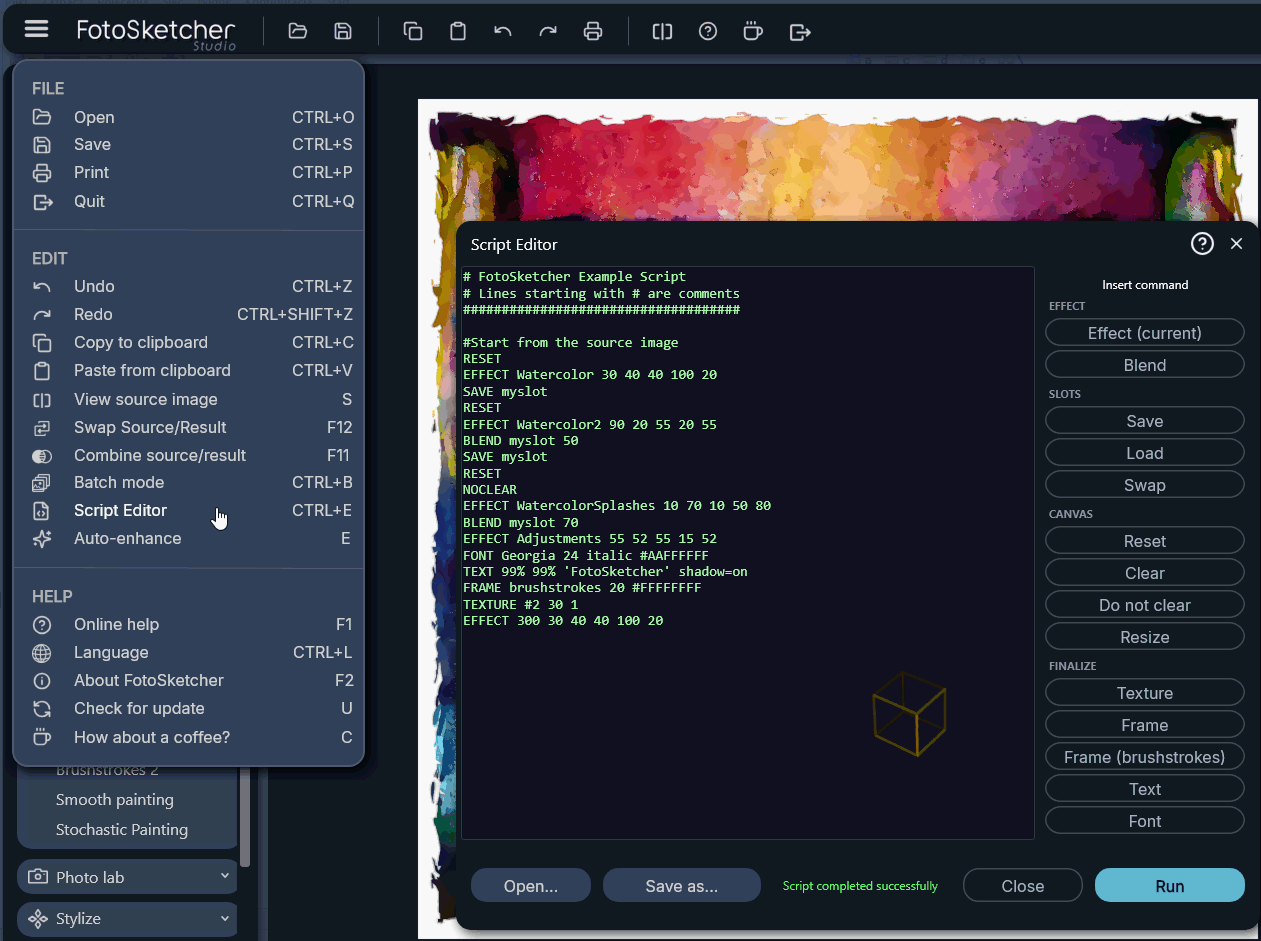
- Script engine updated for the new effects, with new commands and better scripts help
- Added support for opening .webp images
- UI improvements: new colour accents for better readability, plus history gallery tweaks
- Improved performance and various bug fixes
What's new in version 4.20
---------------------------
- 3 new artistic effects: Watercolor 2 and Brushstrokes 2 (ported from the classic Windows 3.98 version), plus a new Comic print effect
-
New advanced Script Editor: Write custom scripts to apply specific sequences of effects. Includes a ready-to-use default script combining three watercolor renderings
- Script engine is fully compatible with Batch mode to process entire folders automatically
- New circular magnifying glass preview in the history gallery
- Expanded history gallery options: You can now set any image from a thumbnail in the history gallery as the new source or result image
- Expanded main menu: Added a new "Check for update" function and a "Combine source/result" (F11) option to easily merge or blend images
- Effect improvements: Watercolor 1 now works better when the "Erase background" option is deselected
- UI improvements and bug fixes
What's new in version 4.10
---------------------------
- Batch processing
- 2 new photo effects (Vintage Sepia and Retro Film)
- 14 languages included with automatic system language detection
- New panning feature in manual brush mode (CTRL + left mouse button)
- UI improvements, bug fixes, and better stability
What's new in version 4.0
--------------------------
- First multi-platform release (Windows and MacOS)
- New rendering engine (Skia) for improved quality and performance
- Improved Manual Brush tool for hands-on artistic control
- Completely Redesigned interface
- New effects and improvements
Features
---------
- Pencil sketches, pen & ink drawings, watercolour, oil painting and more
- Manual Brush tool for painting effects by hand
- Advanced Scripting Engine to create, save, and run custom sequences of effects
- Batch processing to apply effects or scripts to entire folders of images automatically
- Combine and blend multiple images (Source/Result merging)
- Crop, rotate, and resize
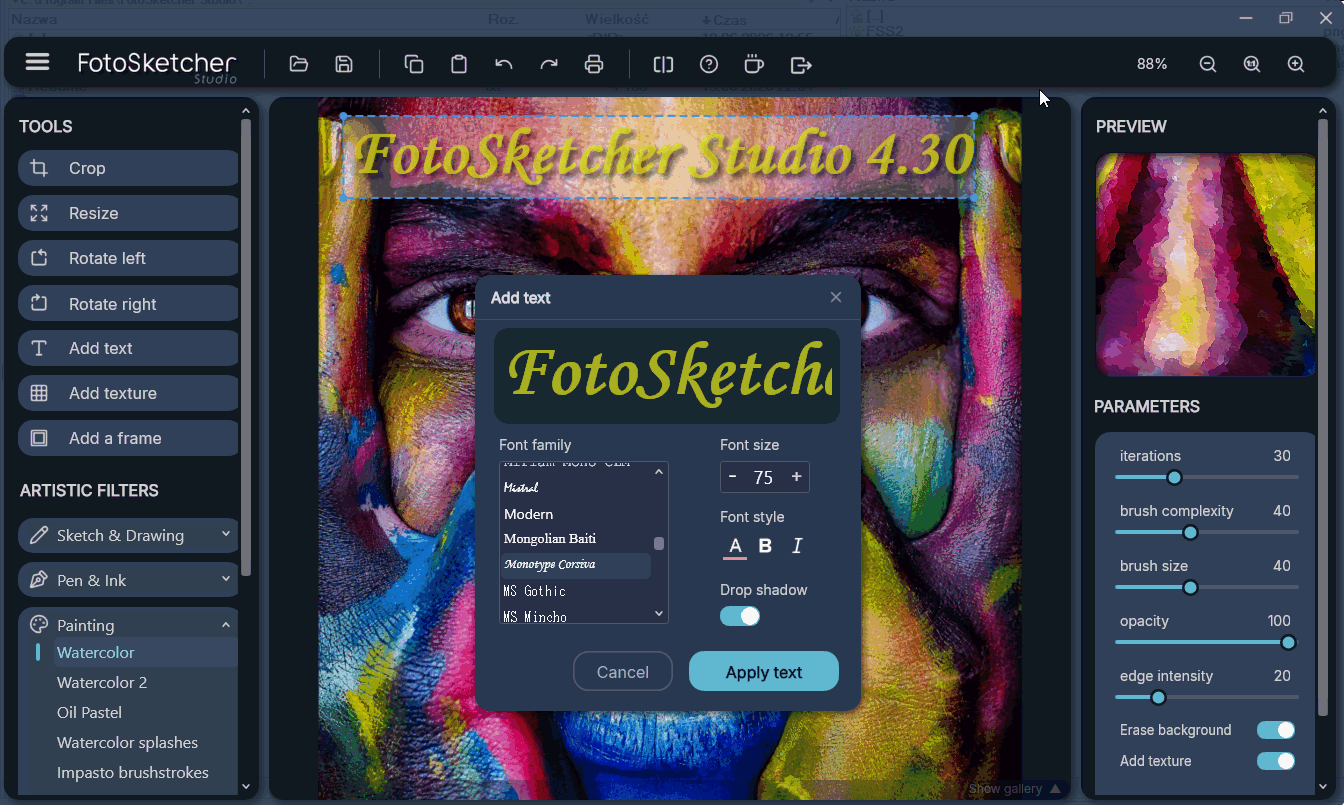
- Add text, frames, and textures
- Split view and circular magnifying glass to compare originals and inspect fine details
- Full undo/redo history gallery with the ability to set any previous state as a new source/result image
- Multilingual support (14 languages) with automatic system detection
- Built-in updater to easily check for new versions
System requirements
--------------------
- Windows 10, 11 or later (64-bit) or MacOS (Intel or Apple CPUs)
- 4 GB RAM minimum (8 GB recommended)
- 100 MB free disk space
Getting started
----------------
1. Open a photo using File > Open or drag and drop an image
2. Choose an effect from the Parameters panel on the left
3. Adjust the settings and click Draw on the right panel
4. Save your result using File > Save As
Support and contact
--------------------
Website:
https://www.fotosketcher.com/Email:
[email protected]Blog:
https://fotosketcher.blogspot.com/License
--------
FotoSketcher is freeware. Please see FotoSketcher_License_Notice.txt
for the full license terms.
Copyright (C) 2026 David THOIRON. All rights reserved.
==============================================================================
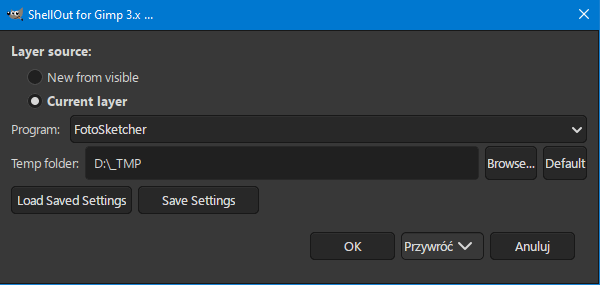
For convenient use with Gimp 3, install ShellOut_for_Gimp3:
https://www.gimp-forum.net/Thread-Conve ... 9#pid47259and add it to your programlist [line 89]:
["FotoSketcher", "\"C:\\Program Files\\FotoSketcher Studio\\FotoSketcher.exe\"", "png"],
 Login
Login Register
 Tweets
 FAQ
FAQ Advanced Search