It is currently Tue Oct 27, 2026 9:40 am


All times are UTC - 5 hours [ DST ]


Post new topic Reply to topic  [ 27 posts ]  Go to page 1, 2  Next
Author Message
 Post subject: Re: Creating Globules
PostPosted: Tue Sep 13, 2011 11:10 am  (#1) 
Offline
Script Coder
User avatar

Joined: Apr 23, 2010
Posts: 1553
Location: not from Guildford after all
One of the first things I remember having fun* doing with GIMP was creating globules using the Blend Tool. I think I originally read about the basic technique from one of Kai Krause's early Photoshop tutorial and it went something like this:

  • Create a black background layer
  • Use default black FG and white BG colors
  • Set your Blend Tool options as follows:
    Attachment:
    SSBlendToolOptions.png
    SSBlendToolOptions.png [ 4.83 KiB | Viewed 2496 times ]

  • Draw...

Use Colorize to change the colors.


* Anybody remember the old rectangle selection tool? I must have spend a month trying to figure that out and it was not "fun" at all.

_________________
Any sufficiently primitive technology is indistinguishable from a rock.


Share on Facebook Share on Twitter Share on Orkut Share on Digg Share on MySpace Share on Delicious Share on Technorati
Top
 Post subject: Re: Perls
PostPosted: Tue Sep 13, 2011 11:56 am  (#2) 
Offline
Global Moderator
User avatar

Joined: May 16, 2010
Posts: 16213
saulgoode wrote:
One of the first things I remember having fun* doing with GIMP was creating globules using the Blend Tool. I think I originally read about the basic technique from one of Kai Krause's early Photoshop tutorial and it went something like this:

  • Create a black background layer
  • Use default black FG and white BG colors
  • Set your Blend Tool options as follows:
    Attachment:
    SSBlendToolOptions.png

  • Draw...

Use Colorize to change the colors.


* Anybody remember the old rectangle selection tool? I must have spend a month trying to figure that out and it was not "fun" at all.


You mean this old relic? (Gimp-1.2) :lol
Image

This is so old it doesn't give you a user directory it creates one in a newly created C:\msys directory


Top
 Post subject: Re: Perls
PostPosted: Tue Sep 13, 2011 12:14 pm  (#3) 
Offline
Global Moderator
User avatar

Joined: May 16, 2010
Posts: 16213
How about the path tool.

Image

The path tool actually connected the last node with the first, if you clicked the first node last.. :)

And who could forget Fear The Cow. :lol

Image

It's been a while since i played with Gimp-1.2 :)


Top
 Post subject: Re: Perls
PostPosted: Tue Sep 13, 2011 12:44 pm  (#4) 
Offline
Global Moderator
User avatar

Joined: May 16, 2010
Posts: 16213
Check it out.I was curious to see if the old 1.2 supported themes and it worked :)

Image


Top
 Post subject: Re: Perls
PostPosted: Tue Sep 13, 2011 12:54 pm  (#5) 
Offline
Retired Staff
User avatar

Joined: May 22, 2008
Posts: 6946
Location: Somewhere in GIMP
Lorraine, if you are interested in jewelry, here are a couple tutorials you may find useful.

Opals
viewtopic.php?p=349#p349

Mother of Pearl
viewtopic.php?p=414#p414

_________________
Image
World War IV will be fought with sticks and stones. - Albert Einstein


Top
 Post subject: Re: Perls
PostPosted: Tue Sep 13, 2011 12:55 pm  (#6) 
Offline
GimpChat Member
User avatar

Joined: Sep 24, 2010
Posts: 12853
See my XCF file for how I started out to create pearls. Adding a few embellishiments (including Inkscape's Mother of Pearl preset) yielded the result below. :)

Attachment:
pearls.png
pearls.png [ 53.51 KiB | Viewed 2339 times ]


Attachments:
starter_pearls.xcf [111.48 KiB]
Downloaded 96 times

_________________
Lyle

Psalm 109:8

Image


Last edited by lylejk on Tue Sep 13, 2011 1:01 pm, edited 1 time in total.
Top
 Post subject: Re: Perls
PostPosted: Tue Sep 13, 2011 12:59 pm  (#7) 
Offline
GimpChat Member
User avatar

Joined: Sep 12, 2011
Posts: 377
Location: UK
copy-cat haha smart :D


Top
 Post subject: Re: Perls
PostPosted: Tue Sep 13, 2011 1:04 pm  (#8) 
Offline
GimpChat Member
User avatar

Joined: Sep 24, 2010
Posts: 12853
lol; well I didn't use gradients. ;)

I just replaced my png file since the original one was the one I used to figure out a flow that would work (I like concocting things and enjoyed this challenge; lol). As you already figured out, there are more then one way to skin a cat (but nobody better lay a finger on my boy (my cat Socks)). :)

_________________
Lyle

Psalm 109:8

Image


Top
 Post subject: Re: Perls
PostPosted: Wed Sep 14, 2011 4:13 am  (#9) 
Offline
GimpChat Member
User avatar

Joined: Sep 12, 2011
Posts: 377
Location: UK
you have to teach me some time Lyle lol


Top
 Post subject: Re: Perls
PostPosted: Wed Sep 14, 2011 8:20 am  (#10) 
Offline
GimpChat Member
User avatar

Joined: Apr 07, 2010
Posts: 14182
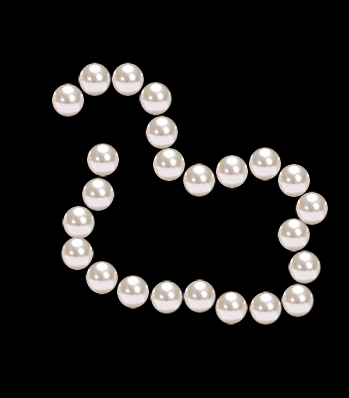
Lorri, if you would like a pearl brush, here is one I made a while back, just change the spacing to space it the way you want.
Image

The brush attachment is below.


Attachments:
's_Pearl7.gbr [4.17 KiB]
Downloaded 96 times

_________________
Image
Top
 Post subject: Re: Perls
PostPosted: Wed Sep 14, 2011 8:25 am  (#11) 
Offline
GimpChat Member
User avatar

Joined: Sep 12, 2011
Posts: 377
Location: UK
oo I like that Molly and yes please


Top
 Post subject: Re: Perls
PostPosted: Wed Sep 14, 2011 9:37 am  (#12) 
Offline
GimpChat Member
User avatar

Joined: Apr 07, 2010
Posts: 14182
Lorri, I posted the brush in the post above yours under attachments, just download it and put it in your brushes folder.

_________________
Image


Top
 Post subject: Re: Perls
PostPosted: Wed Sep 14, 2011 9:45 am  (#13) 
Offline
GimpChat Member
User avatar

Joined: Sep 12, 2011
Posts: 377
Location: UK
that's just picture do i have edit to use the brush?


Top
 Post subject: Re: Perls
PostPosted: Wed Sep 14, 2011 9:48 am  (#14) 
Offline
GimpChat Member
User avatar

Joined: Sep 06, 2011
Posts: 368
Location: US, Ohio
You don't just open it with gimp, you have to add the brush file to your brushes folder


Top
 Post subject: Re: Perls
PostPosted: Wed Sep 14, 2011 10:15 am  (#15) 
Offline
GimpChat Member
User avatar

Joined: Apr 07, 2010
Posts: 14182
yes, when I said open the file, I meant download it to you desktop or somewhere, right click it and add it to your brush folder. You will see a lot, if not most of your brush files have a picture of wilber in the name.

_________________
Image


Top
 Post subject: Re: Perls
PostPosted: Wed Sep 14, 2011 1:18 pm  (#16) 
Offline
GimpChat Member
User avatar

Joined: Sep 12, 2011
Posts: 377
Location: UK
I had done what you said but they're are not in the list of the brushes and yet they're the brushes listed if you know what i mean


Top
 Post subject: Re: Perls
PostPosted: Wed Sep 14, 2011 8:12 pm  (#17) 
Offline
GimpChat Member
User avatar

Joined: Sep 24, 2010
Posts: 12853
molly wrote:
Lorri, if you would like a pearl brush, here is one I made a while back, just change the spacing to space it the way you want.
Image

The brush attachment is below.


Sorry for my delayed response (just woke up from a 3 hour nap after doing an 18 hour {no joke} contract job; lol). Very cool brush Molly. Kudos. :)

_________________
Lyle

Psalm 109:8

Image


Top
 Post subject: Re: Perls
PostPosted: Thu Sep 15, 2011 12:31 pm  (#18) 
Offline
GimpChat Member
User avatar

Joined: Aug 24, 2011
Posts: 1785
Location: Dallas, TX
Well, I was surfing around active topics and this one made me start thinking so I googled up images of pearls and made a set of brushes. Maybe this should go in resources. Let me know what you guys think.


Attachments:
Pearls.rar [204.54 KiB]
Downloaded 101 times
Pearlification.jpg
Pearlification.jpg [ 86.04 KiB | Viewed 1933 times ]

_________________
Image
Top
 Post subject: Re: Perls
PostPosted: Thu Sep 15, 2011 12:38 pm  (#19) 
Offline
Global Moderator
User avatar

Joined: May 16, 2010
Posts: 16213
Nice Molly! :)
I like #4 the best.


Top
 Post subject: Re: Perls
PostPosted: Thu Sep 15, 2011 1:40 pm  (#20) 
Offline
GimpChat Member
User avatar

Joined: Aug 24, 2011
Posts: 1785
Location: Dallas, TX
Thanks Rod. As long as we're changing my name, do I at least get a kiss? :rofl

It occurred to me that I was not the first person to think of making pearl brushes so I googles it up and there are lots others. Oh well, they were fun to make. :)

_________________
Image


Top
Post new topic Reply to topic  [ 27 posts ]  Go to page 1, 2  Next

All times are UTC - 5 hours [ DST ]


* Login  


Powered by phpBB3 © phpBB Group