It is currently Tue Oct 27, 2026 4:51 pm


All times are UTC - 5 hours [ DST ]


Post new topic Reply to topic  [ 9 posts ] 
Author Message
 Post subject: Utilizing Fenceposts new brush
PostPosted: Wed Nov 16, 2011 2:33 pm  (#1) 
Offline
Global Moderator
User avatar

Joined: May 16, 2010
Posts: 16213
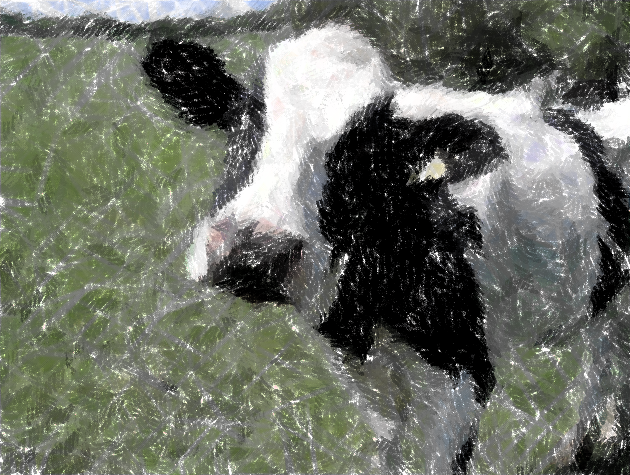
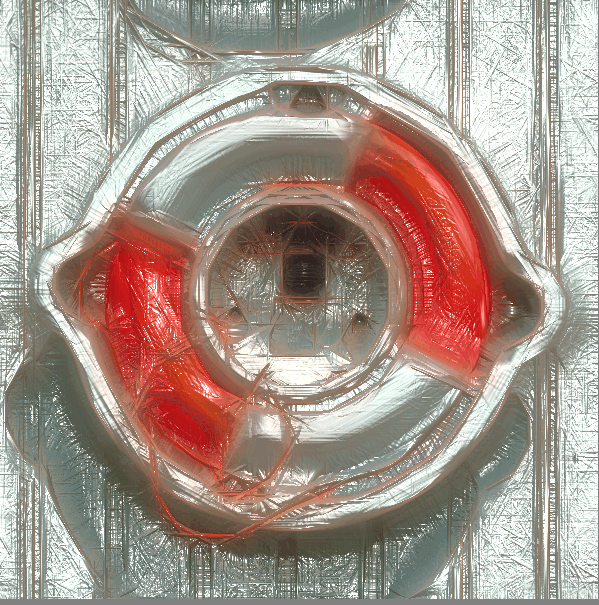
I created a new Gimpressionist brush and used it first.
Then i opened the image in Impressionist (8bf), and added small crayon strokes.
Then i put the image through Rodilius (lighter and saturation for channel)
Results

Image


Share on Facebook Share on Twitter Share on Orkut Share on Digg Share on MySpace Share on Delicious Share on Technorati
Top
 Post subject: Re: Utilizing Fenceposts new brush
PostPosted: Wed Nov 16, 2011 3:00 pm  (#2) 
Offline
Retired Staff
User avatar

Joined: May 22, 2008
Posts: 6946
Location: Somewhere in GIMP
Rod, that looks just like some one painted it. Most cool. :bigthup

_________________
Image
World War IV will be fought with sticks and stones. - Albert Einstein


Top
 Post subject: Re: Utilizing Fenceposts new brush
PostPosted: Wed Nov 16, 2011 3:44 pm  (#3) 
Offline
GimpChat Member
User avatar

Joined: Sep 24, 2010
Posts: 12853
I like it too Rod. Thanks for sharing. :)

_________________
Lyle

Psalm 109:8

Image


Top
 Post subject: Re: Utilizing Fenceposts new brush
PostPosted: Wed Nov 16, 2011 4:15 pm  (#4) 
Offline
GimpChat Member
User avatar

Joined: Oct 06, 2010
Posts: 4050
Rod, just a thought: the workflow pipe that you gave David from your Filter Forge, didn't that create a set of maps? Gimpressionist could use the bump map as a brush, I'm thinking. I like your result!

_________________
"In order to attain the impossible, one must attempt the absurd."
~ Miguel de Cervantes


Top
 Post subject: Re: Utilizing Fenceposts new brush
PostPosted: Wed Nov 16, 2011 6:00 pm  (#5) 
Offline
Global Moderator
User avatar

Joined: May 16, 2010
Posts: 16213
Thanks folks.
Mahvin the filter i gave to David is a simple filter and uses no maps.There are two types in Filter Forge.
Simple
Surface
If on the other hand i made it a surface filter, (which i did to create the underglass filter)
Image
You would be able to create any kind of map you wanted.Bump, normal, ambient occlusion...ect.
But it is only possible as far as i know to create the map from the image opened in Filter Forge itself.
The effect uses the opened image depth to create the maps, and effect.
Simple filters use only the pixels in the image and change them on the fly...such as motion blur.

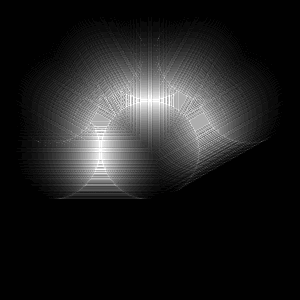
The best way to create a bump-map of Rodilius's effect is to create just the effect on a black bg with a white circle.
Rodilius utilizes the L channel to motion blur.
Example...you can grab this one and save it as Rodilius.pgm file if you like.All the work of composing, and decomposing is done.

Image

You see that is why the Rodilius effect is so hard to mimic in Gimp itself. :)
It's immensely difficult to duplicate using Gimps motion blur tool with a actual image.

Just a black bg with a white dot, well that is a simple matter all together.
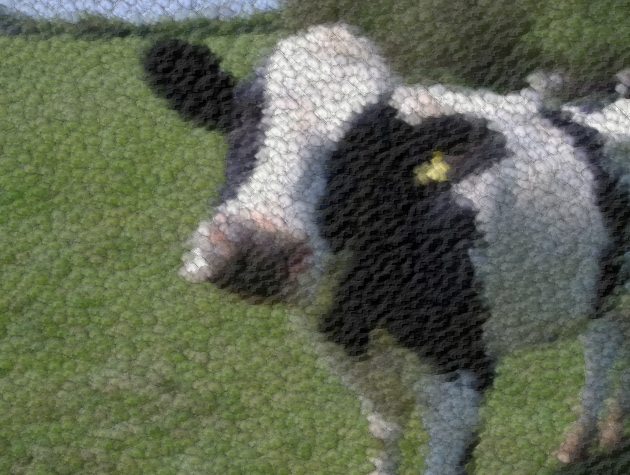
The new Rodilius brush in Gimpressionist
Image

As you can see the brush doesn't look all that nice with Gimpressionist applications. :)
Now what i could do is open that png in Filter Forge and create any map you want.

Would you like me to do that?


Top
 Post subject: Re: Utilizing Fenceposts new brush
PostPosted: Wed Nov 16, 2011 6:21 pm  (#6) 
Offline
GimpChat Member
User avatar

Joined: Oct 06, 2010
Posts: 4050
Sure, if you don't mind. I thought the maps were more singular stroked in shape (it looks a lot differently than what I was expecting, but the result in G'MIC is terrific, btw.)

_________________
"In order to attain the impossible, one must attempt the absurd."
~ Miguel de Cervantes


Top
 Post subject: Re: Utilizing Fenceposts new brush
PostPosted: Wed Nov 16, 2011 6:32 pm  (#7) 
Offline
Global Moderator
User avatar

Joined: May 16, 2010
Posts: 16213
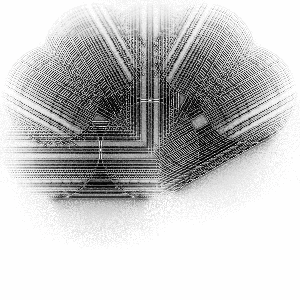
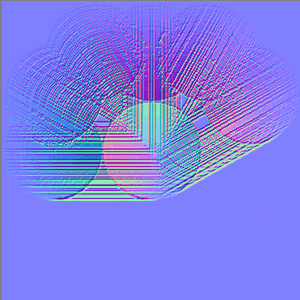
Just tell me if you need any more different types of maps Mahvin.

Bump
Image
Ambient Occlusion
Image
Normal
Image


Top
 Post subject: Re: Utilizing Fenceposts new brush
PostPosted: Wed Nov 16, 2011 6:37 pm  (#8) 
Offline
Global Moderator
User avatar

Joined: May 16, 2010
Posts: 16213
Remember though that Rodilius grabs all the light from an image and motion blurs the L channel.This isn't really how Rodilius would look.Not on color images anyways.
Using Rodilius as a brush is sort of mundane because of that reason.It isn't really a brush, it's more of a re direction of the lighting in the image sort of speak.

You can try and duplicate it in Gimp.I will PM you the flow chart if you would like.


Top
 Post subject: Re: Utilizing Fenceposts new brush
PostPosted: Wed Nov 16, 2011 7:06 pm  (#9) 
Offline
GimpChat Member
User avatar

Joined: Oct 06, 2010
Posts: 4050
Actually, I want to sample these maps, first. I'm starting to think that the idea in my head isn't going to mesh with a map being used as a brush, as your example already shows. It seems more like the need to brush one singular stroke and have it multiply at various angles with max duplicity (which gimpressionist can do) just not sure how neatly, or if at all to the degree I would expect.

_________________
"In order to attain the impossible, one must attempt the absurd."
~ Miguel de Cervantes


Top
Post new topic Reply to topic  [ 9 posts ] 

All times are UTC - 5 hours [ DST ]


* Login  


Powered by phpBB3 © phpBB Group