Oregonian wrote:
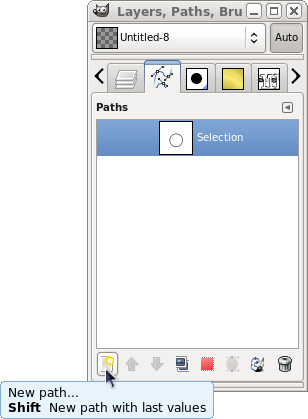
Thanks Odin & mahvin. It still doesn't work for me. I can't make a new path in the newly created path in the Paths dialog. I don't know what I need to do to take advantage of that.
Double click on the blank path icon/thumb in the path list. That will make it the active path. Then you can start adding points to the path.
It's just like a new layer - blank until you put something in it. However, unlike a new layer which becomes the active layer when it's created, the new path has to be selected by clicking on it to make it active. Seems strange, but that's the way it works.
The advantage of the new path button is you can name the layer when it is created instead of getting the generic new path name and then having to change the name later.
 Login
Login Register
 Tweets
 FAQ
FAQ Advanced Search