molly wrote:
I need to know step by step how to do this if anyone has the time. There is no hurry, but I think I have made a decision what will work best for me being such a n00b.
You can do everything you need to do from Windows. This is what I would do:
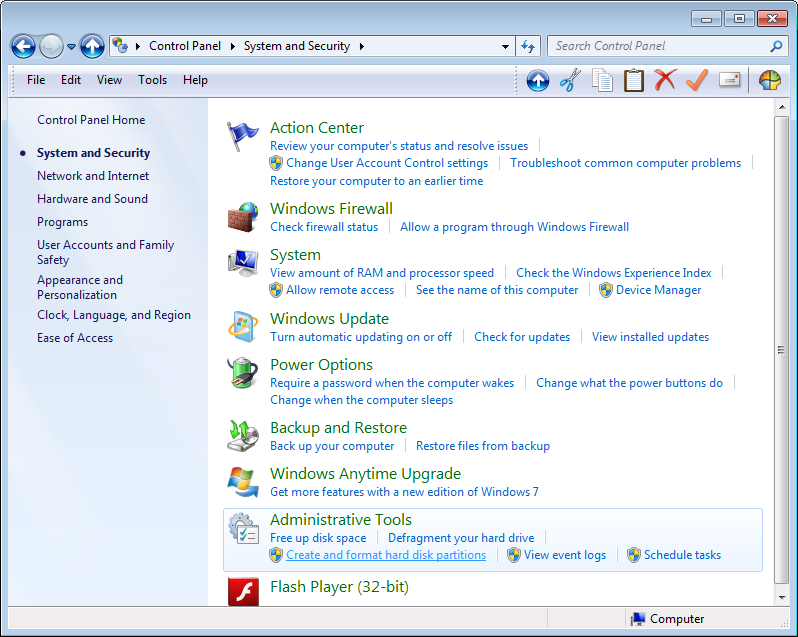
Go to the Control Panel and click on System and Security

Near the bottom of that page is "Administrative Tools" Click on the "
Create and format hard disk partitions"
This brings up the Disk Management window. The bottom half of the window contains graphic representations of your disk drives. Scroll down until you find your second drive. In my case, my second drive is an external backup drive and it is Disk 5. (Disks 1-4 are memory card readers)
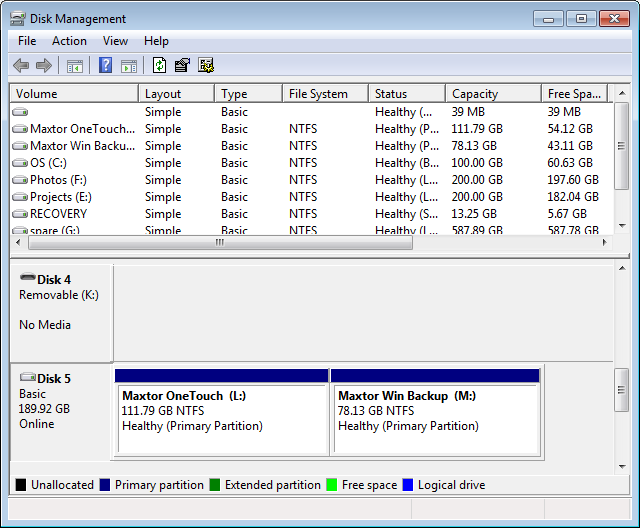
You will probably see several partitions there, only one of which is a Windows partition. The others are the Linux partitions.
What you want to do is to delete all the partitions on your second drive, leaving it blank.
It is really simple. I'm going to delete the last two partitions (yellow box) on my main drive because I don't want to mess up my backup drive.

Right click on one of the partitions on your second drive. The pop-up menu will look like this
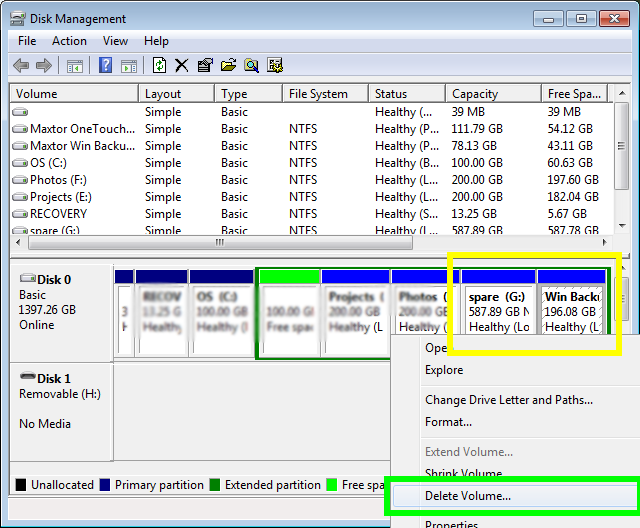
Click "Delete volume"
It will ask you if you are sure. Answer yes.
(You won't have the delete option on your Windows system drive so it's really hard to make a mistake.)
Delete all of the volumes on your second drive.
The free space should be automatically combined, like it was when I deleted the last two partitions on my main drive.
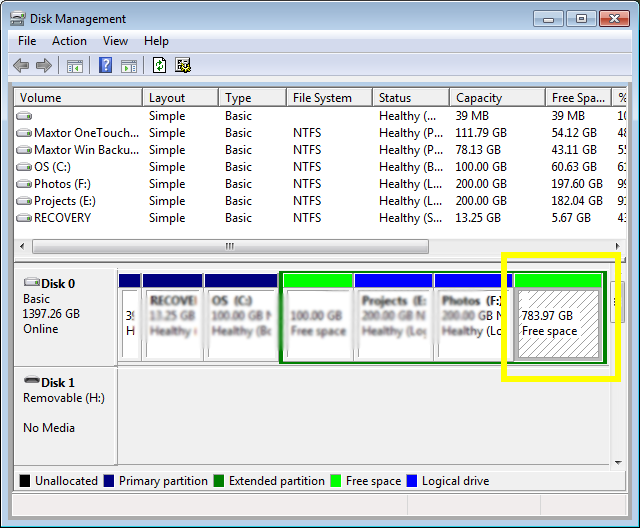
I'd stop right there and let Linux handle all the rest.
But...
...If you want to, you can create a Windows readable partition on that drive, right click on the Free Space block and select "New Simple Volume".
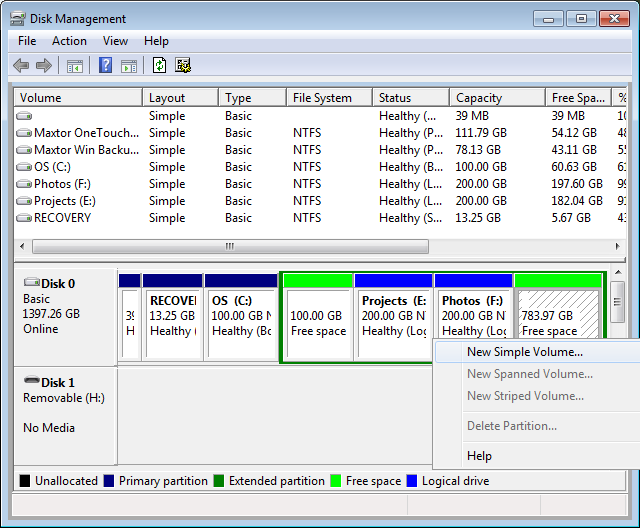
A "Wizard" will open. Select the size you want in MB, I'd suggest something around 200 GB on a 500 GB drive. So enter about 202500 MB as the size. It will format that section of the disk as a Windows file system and leave the other 300 GB empty. When you install Linux, it should automatically find that space and format it as needed ... at least that's what it did when I tried installing Ubuntu last month.
Hope that helps and no one ninja'd me.
P.S. You could use the Windows partition on your second drive as a backup for you main Windows drive. Plenty of room on that drive. I'd use the Windows backup utility and set it up to do it automatically. You could also backup your flash drive in that partition so you won't accidentally loose the data again.
 Login
 Register
 Tweets
 FAQ
 Advanced Search