It is currently Thu Sep 24, 2026 7:50 am


All times are UTC - 5 hours [ DST ]


Post new topic Reply to topic  [ 14 posts ] 
Author Message
 Post subject: How to make text like this?
PostPosted: Fri Jan 20, 2012 6:54 pm  (#1) 
Offline
GimpChat Member
User avatar

Joined: Dec 03, 2011
Posts: 149
GIMP Version: 2.6.11
Operating System: Windows
OS Version: XP - SP3
GIMP Experience: Beginner Level


Does anyone know how i could create something like this in GIMP? I know this was created in photoshop but sure there must be a way to get close with GIMP. http://i.imgur.com/MpD3s.png

Thanks to anyone who can help.


Share on Facebook Share on Twitter Share on Orkut Share on Digg Share on MySpace Share on Delicious Share on Technorati
Top
 Post subject: Re: How to make text like this?
PostPosted: Fri Jan 20, 2012 7:35 pm  (#2) 
Offline
GimpChat Member
User avatar

Joined: Sep 24, 2010
Posts: 12845
Looks very similar to Drac's Snowglobe text results. Might look there for inspiration/help. :)

viewtopic.php?f=23&t=3537

_________________
Lyle

Psalm 109:8

Image


Top
 Post subject: Re: How to make text like this?
PostPosted: Fri Jan 20, 2012 7:42 pm  (#3) 
Offline
GimpChat Member
User avatar

Joined: Dec 03, 2011
Posts: 149
Wow yeah it does cool thanks now just got to convert that PS tut :D


Top
 Post subject: Re: How to make text like this?
PostPosted: Fri Jan 20, 2012 7:47 pm  (#4) 
Offline
Global Moderator
User avatar

Joined: May 16, 2010
Posts: 16174
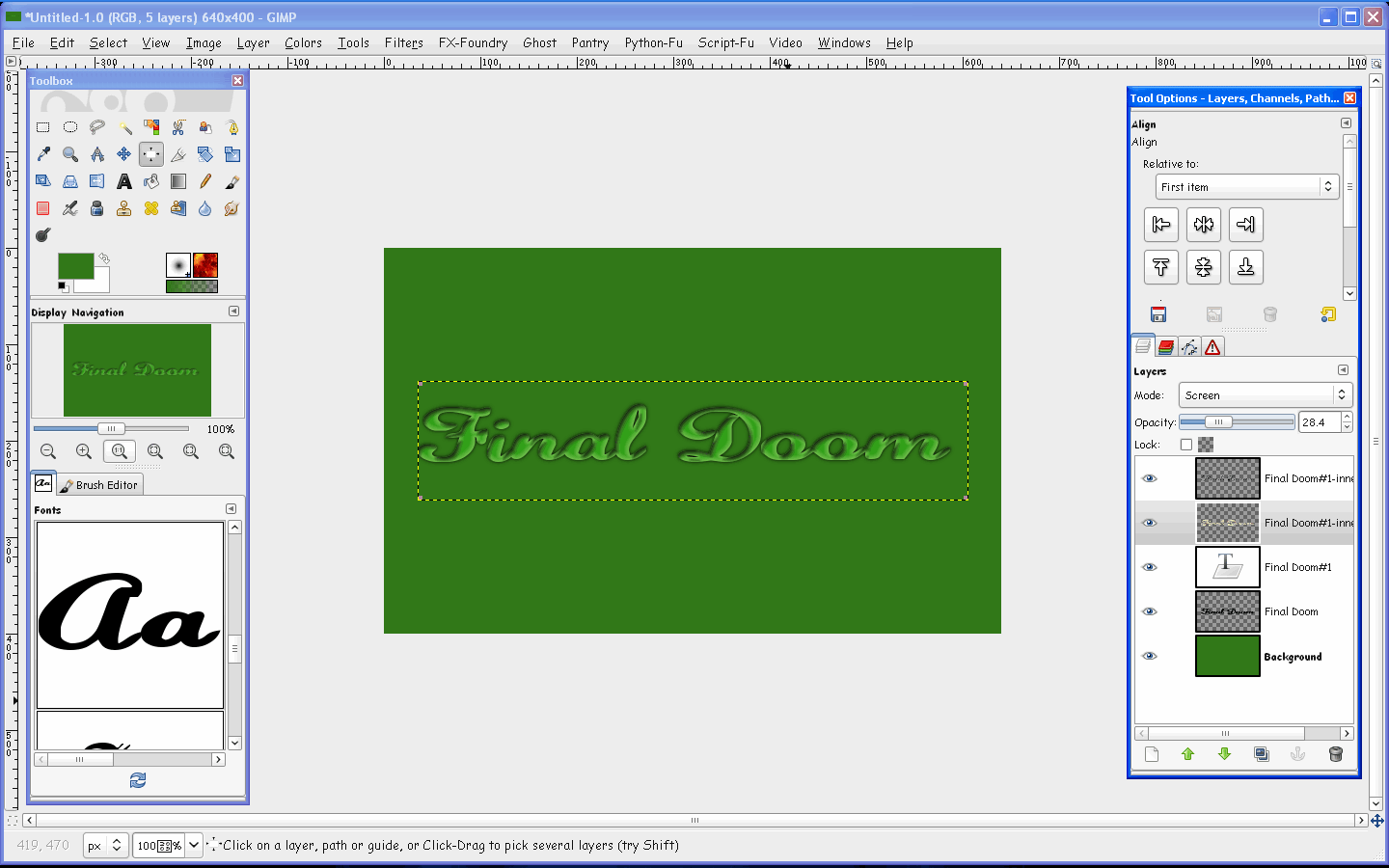
This is very possible in Gimp.The filter "layerFX" will probably do most of it.
Grab a nice smooth cursive font
Give it an inner shadow and a inner glow
Give it a shadow for depth.

Original
Image

Mine
Image


Top
 Post subject: Re: How to make text like this?
PostPosted: Fri Jan 20, 2012 9:12 pm  (#5) 
Offline
GimpChat Member
User avatar

Joined: Apr 08, 2010
Posts: 5420
Location: Northwest Ohio
Hmmm, I tried this but it doesn't look good. Can you add a few intermediate steps and settings?


Top
 Post subject: Re: How to make text like this?
PostPosted: Sat Jan 21, 2012 8:42 am  (#6) 
Offline
GimpChat Member
User avatar

Joined: Aug 24, 2011
Posts: 1785
Location: Dallas, TX
Ya beat me to it Rod.

2-ton - Layer Effects is exactly what I would use for this. You have to really play arround with the settings to become familiar with the nuances of all the filters under Layer Effects. I'm still learning where the settings need to be.

_________________
Image


Top
 Post subject: Re: How to make text like this?
PostPosted: Sat Jan 21, 2012 8:51 am  (#7) 
Offline
GimpChat Member
User avatar

Joined: Apr 08, 2010
Posts: 5420
Location: Northwest Ohio
Oh, btw, any clue to the name of the fonts in both the "original" and the "Rod's version"? And Rod, did you start with black text and what color did you use for the inner glow? I did use the layer fx but sort of failed trying to use the settings, lol. I couldn't get the highlights to be on the upper corners only.


Top
 Post subject: Re: How to make text like this?
PostPosted: Sat Jan 21, 2012 9:12 am  (#8) 
Offline
GimpChat Member
User avatar

Joined: Oct 11, 2011
Posts: 55
If that was done in PS first, you can bet it wasn't done using a script. Most ps users despise auto scripts, whereas most Gimp users love them.

Give me some time. I'll see if I can recreate without a script, and then I'll post a tut.

_________________
Image


Top
 Post subject: Re: How to make text like this?
PostPosted: Sat Jan 21, 2012 9:58 am  (#9) 
Offline
Global Moderator
User avatar

Joined: May 16, 2010
Posts: 16174
Actually my plastic text tutorial produces the same results. :)

viewtopic.php?f=23&t=464&hilit=plastic#p4158


Top
 Post subject: Re: How to make text like this?
PostPosted: Sat Jan 21, 2012 10:26 am  (#10) 
Offline
Global Moderator
User avatar

Joined: May 16, 2010
Posts: 16174
2-ton wrote:
Oh, btw, any clue to the name of the fonts in both the "original" and the "Rod's version"? And Rod, did you start with black text and what color did you use for the inner glow? I did use the layer fx but sort of failed trying to use the settings, lol. I couldn't get the highlights to be on the upper corners only.


Sorry 2-ton i forgot the name of the font.The color for the inner glow is the default, and i used black text to start.
Then i did an alpha to selection>edit> clear - with the text still selected i ran the layerFX.
I will post the font face when i find it again, as i didn't save the xcf file. (i have over 2k fonts so...) :)

The blur for the drop shadow is set at 7 and dropped down 4 pixels "bottom-> right"
I created a duplicate of the text for a drop shadow (no script)

As for the settings for the LayerFX inner glow, and inner shadow...all default pretty much.It is going to depend on text size (mine was 165)
Doc size is 640x480


Top
 Post subject: Re: How to make text like this?
PostPosted: Sat Jan 21, 2012 10:28 am  (#11) 
Offline
GimpChat Member
User avatar

Joined: Dec 03, 2011
Posts: 149
Wow Rod thanks Image Not bad very close!


Top
 Post subject: Re: How to make text like this?
PostPosted: Sat Jan 21, 2012 10:53 am  (#12) 
Offline
Global Moderator
User avatar

Joined: May 16, 2010
Posts: 16174
You are welcome Jamie. :)
Any time you need a certain effect search the tutorials here.Chances are you will find something very close.

2-ton the fontface is called Brussels Thin
I believe it is a default font on Windows XP. :)
I can not find it at dafont.com


Top
 Post subject: Re: How to make text like this?
PostPosted: Sat Jan 21, 2012 8:39 pm  (#13) 
Offline
GimpChat Member
User avatar

Joined: Apr 08, 2010
Posts: 5420
Location: Northwest Ohio
Rod, is your plastic text tutorial anywhere as a written tut?


Top
 Post subject: Re: How to make text like this?
PostPosted: Sun Jan 22, 2012 5:17 pm  (#14) 
Offline
Global Moderator
User avatar

Joined: May 16, 2010
Posts: 16174
2-ton wrote:
Rod, is your plastic text tutorial anywhere as a written tut?


No it isn't at this time. Sorry 2-ton.
I will try and get one up for it.I have a few tutorials in mind for this year and i will add that one also. :)


Top
Post new topic Reply to topic  [ 14 posts ] 

All times are UTC - 5 hours [ DST ]


* Login  


Powered by phpBB3 © phpBB Group