It is currently Thu Sep 03, 2026 1:53 pm


All times are UTC - 5 hours [ DST ]


Post new topic Reply to topic  [ 8 posts ] 
Author Message
 Post subject: My First Animation
PostPosted: Fri Feb 24, 2012 11:02 pm  (#1) 
Offline
GimpChat Member

Joined: Feb 24, 2012
Posts: 158
Image


Share on Facebook Share on Twitter Share on Orkut Share on Digg Share on MySpace Share on Delicious Share on Technorati
Top
 Post subject: Re: My First Animation
PostPosted: Sat Feb 25, 2012 7:19 am  (#2) 
Offline
GimpChat Member
User avatar

Joined: Aug 24, 2011
Posts: 1785
Location: Dallas, TX
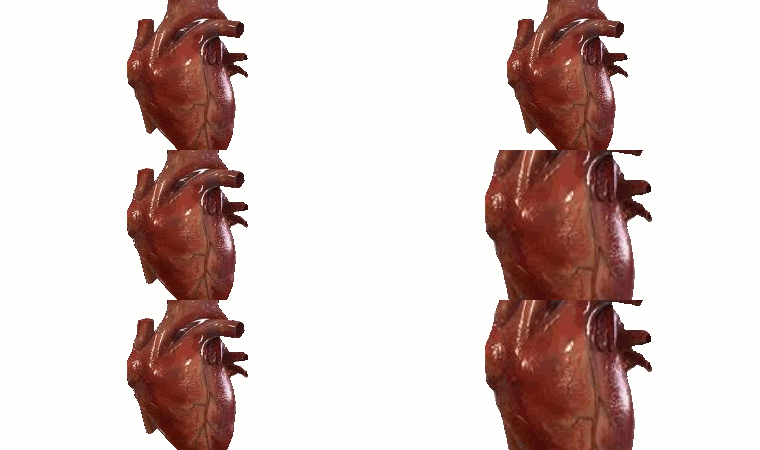
That's a really cool idea but there seems to be something wrong with the sequence. How many layers are you using and did you select "replace" for the frame disposal?

I think this would be better if you could get rid of the big white flash and make the size changes in smaller increments. Might make it more realistic looking. Just a thought. Try those tweaks and see if you like it any better.

_________________
Image


Top
 Post subject: Re: My First Animation
PostPosted: Sat Feb 25, 2012 7:34 am  (#3) 
Offline
GimpChat Member
User avatar

Joined: Mar 02, 2011
Posts: 1850
Location: Michigan
what file format can't see it on my phone :(

Nvm good old default browser like the idea but the white flash is odd and I think you need more layers to smooth it out

_________________
Image
I'm back I think


Top
 Post subject: Re: My First Animation
PostPosted: Sat Feb 25, 2012 8:14 pm  (#4) 
Offline
Global Moderator
User avatar

Joined: May 16, 2010
Posts: 16169
Most likely you need to delete your background layer which seems to be a all white layer?
Then it should flow much better.
Also you can slow down the animation inside the layers by making this (100ms) a larger number say 400-500 ms. :)

Pretty cool animation though.

_________________
Image


Top
 Post subject: Re: My First Animation
PostPosted: Sat Feb 25, 2012 8:37 pm  (#5) 
Offline
GimpChat Member

Joined: Feb 24, 2012
Posts: 158
thank u but idk how to edit it after i have already closed it


Top
 Post subject: Re: My First Animation
PostPosted: Sat Feb 25, 2012 9:33 pm  (#6) 
Offline
GimpChat Member
User avatar

Joined: Dec 03, 2011
Posts: 149
Just open the GIF file as it saves layers.


Top
 Post subject: Re: My First Animation
PostPosted: Sat Feb 25, 2012 9:57 pm  (#7) 
Offline
GimpChat Member
User avatar

Joined: Mar 02, 2011
Posts: 1850
Location: Michigan
War Hero wrote:
thank u but idk how to edit it after i have already closed it

as said above in this case as it is an animation you can just reopen the GIF but for future reference always save an xcf file to avoid having to restart your work

_________________
Image
I'm back I think


Top
 Post subject: Re: My First Animation
PostPosted: Mon Feb 27, 2012 2:51 am  (#8) 
Offline
Global Moderator
User avatar

Joined: May 16, 2010
Posts: 16169
If you download this GIF you can look at the layers and see what i mean. :)

Image

_________________
Image


Top
Post new topic Reply to topic  [ 8 posts ] 

All times are UTC - 5 hours [ DST ]


* Login  


Powered by phpBB3 © phpBB Group