It is currently Sun Sep 13, 2026 1:10 am


All times are UTC - 5 hours [ DST ]


Post new topic Reply to topic  [ 42 posts ]  Go to page Previous  1, 2, 3  Next
Author Message
 Post subject: Re: Gimp 2.8
PostPosted: Sat May 12, 2012 7:38 pm  (#21) 
Offline
GimpChat Member
User avatar

Joined: Sep 29, 2011
Posts: 120
Location: Texas
I installed the 64-bit gimp I d'loaded off Your website...I see the python folder in the gimp folders....I have python 3.2 on my machine...I'm a bit confused now.

Here is where I posted screenshots.... on the other thread of yours.. viewtopic.php?f=7&t=4254&start=10#p52571

I downloaded it from here http://www.partha.com/

and did a clean install....only installed gimp for windows 64, the new useful plugins...and that's it....all is working great except the phython issue, which i see the python folders in the gimp folder....I have 3.2..it worked in your build 2.76 (I only use your builds and always do a clean install.....so what should I do to fix? I'm confused.

_________________
“There´s tools and colours for all of us,
to lend from nature to make the world
more understandable and beautiful”.

Image


Top
 Post subject: Re: Gimp 2.8
PostPosted: Sat May 12, 2012 8:29 pm  (#22) 
Offline
Global Moderator
User avatar

Joined: May 16, 2010
Posts: 16173
Jorden could you open the \lib\gimp\2.0\interpreters\pygimp.interp file and paste the contents here nested within code tags?
I am pretty sure Parthas versions all have python27 working out of the program directory itself.So there shouldn't be any need for a C:\Python32 install for them to work.
I am just curious as to what path is in that file.

_________________
Image


Top
 Post subject: Re: Gimp 2.8
PostPosted: Sat May 12, 2012 8:58 pm  (#23) 
Offline
Global Moderator
User avatar

Joined: May 16, 2010
Posts: 16173
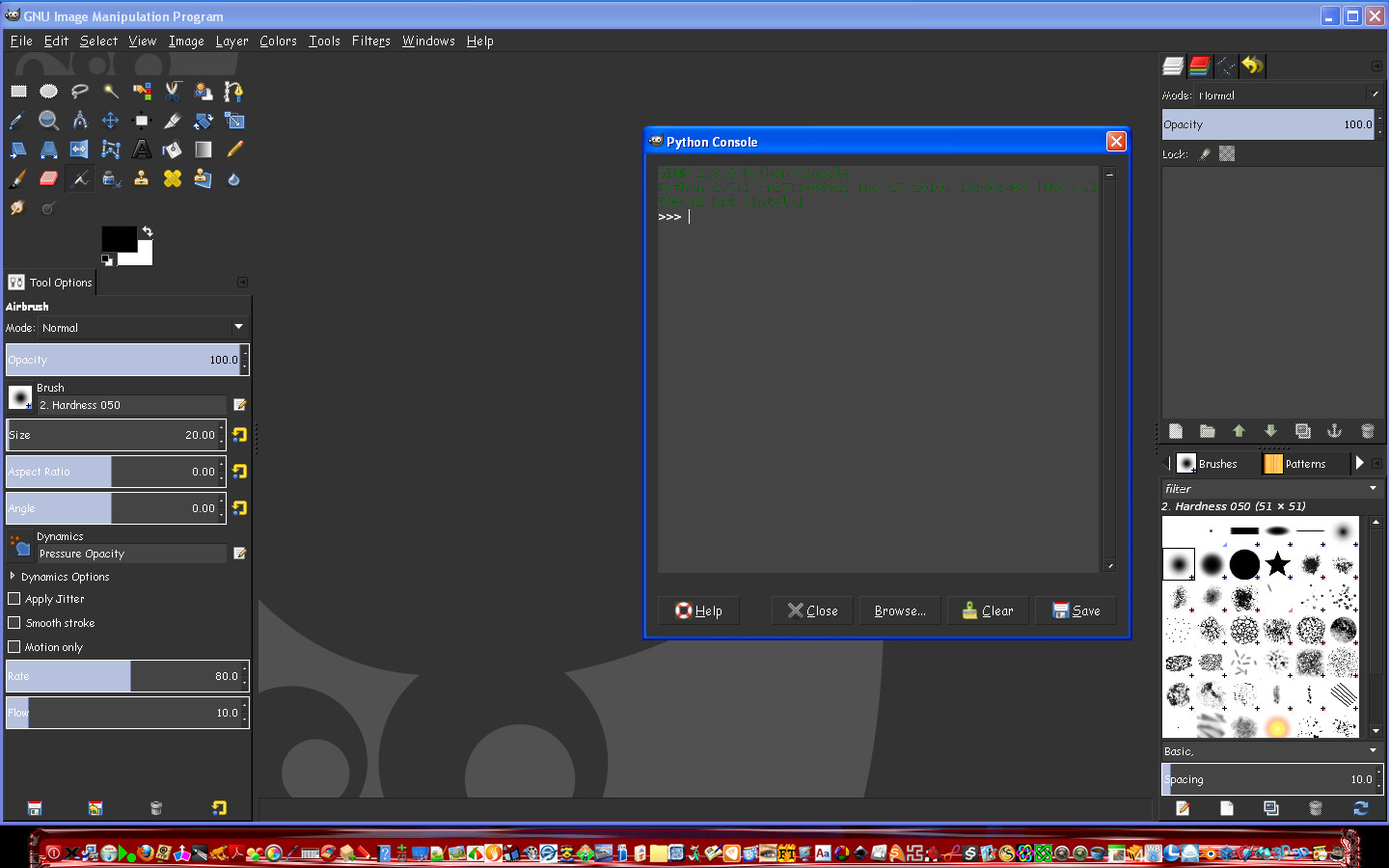
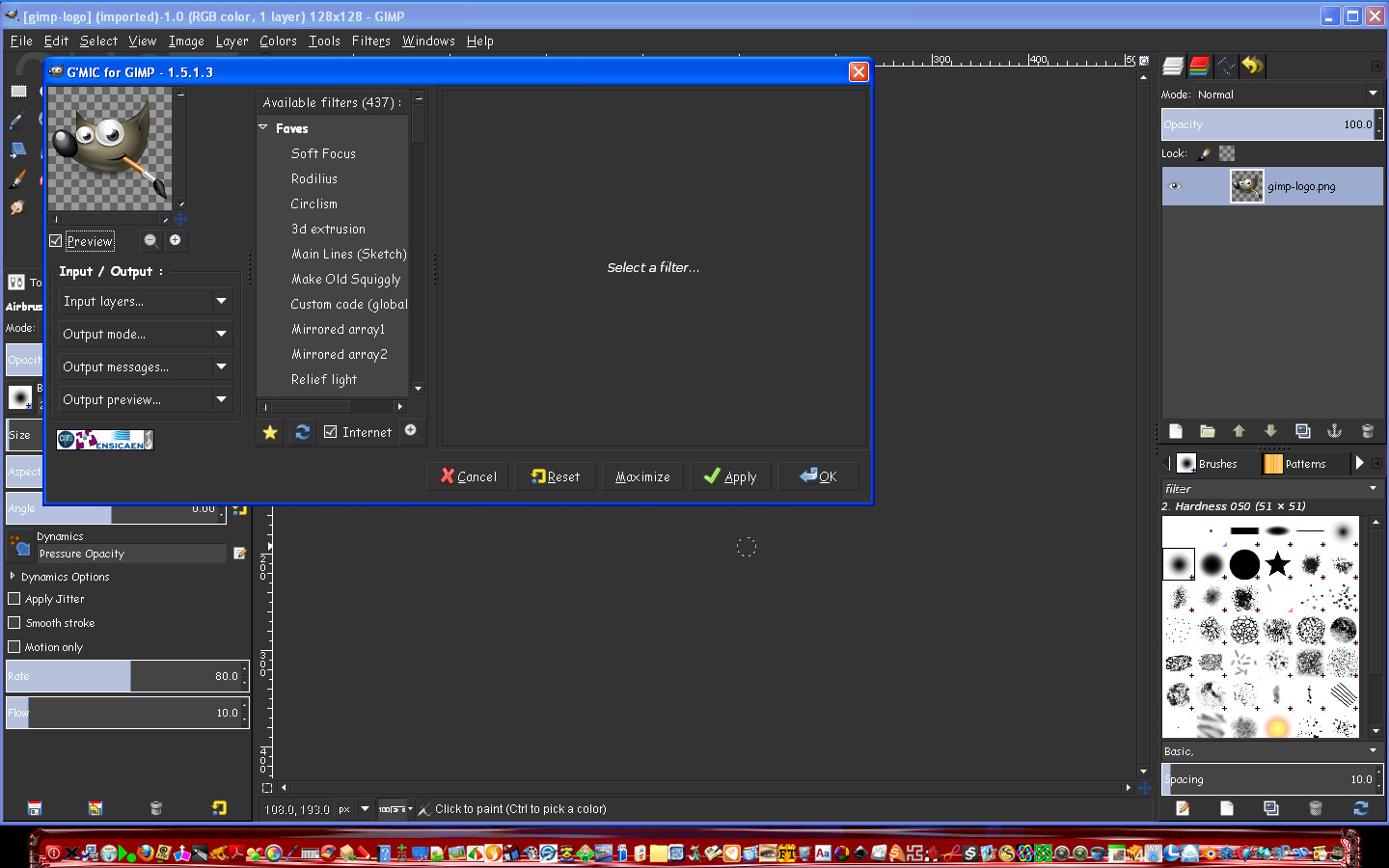
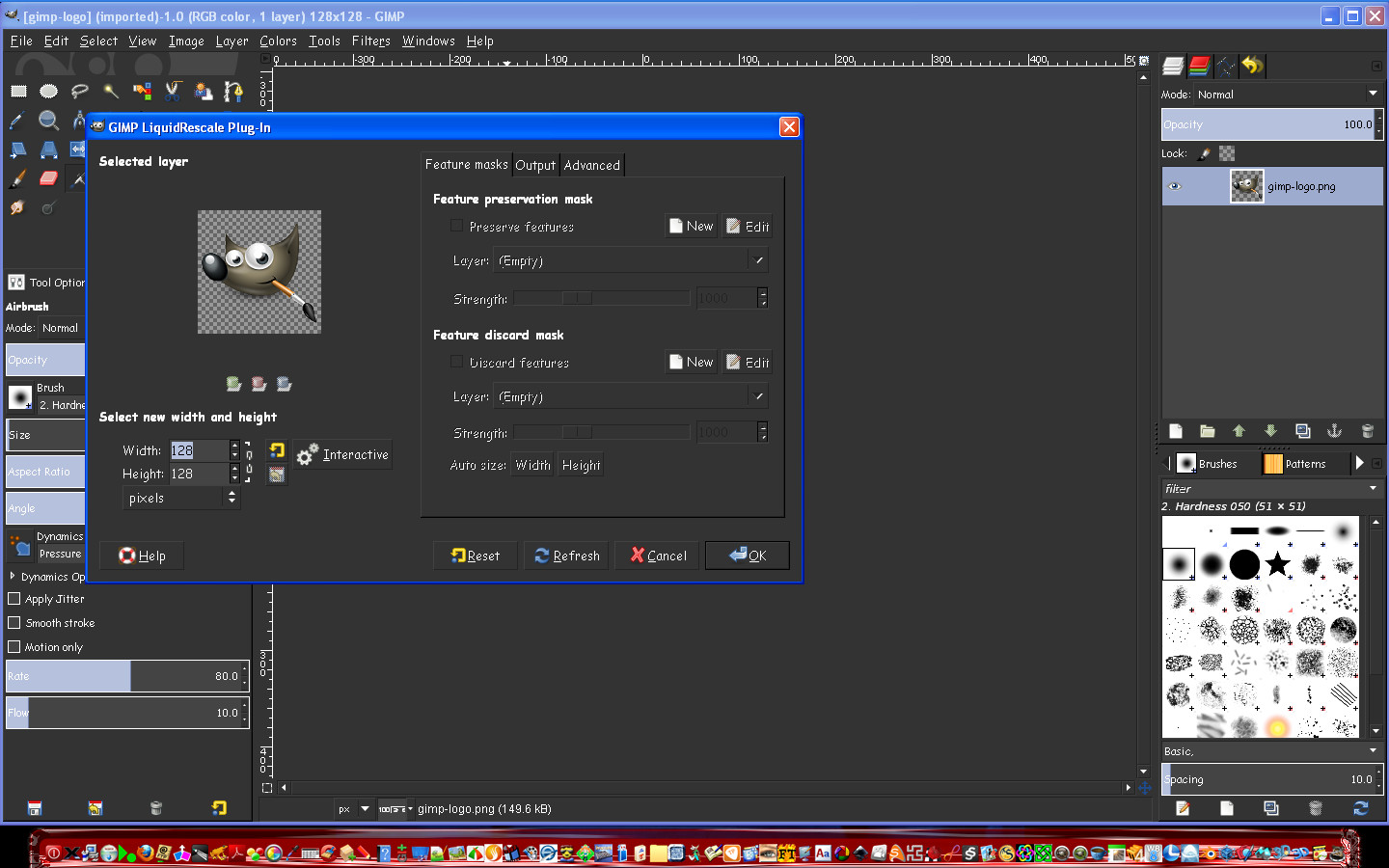
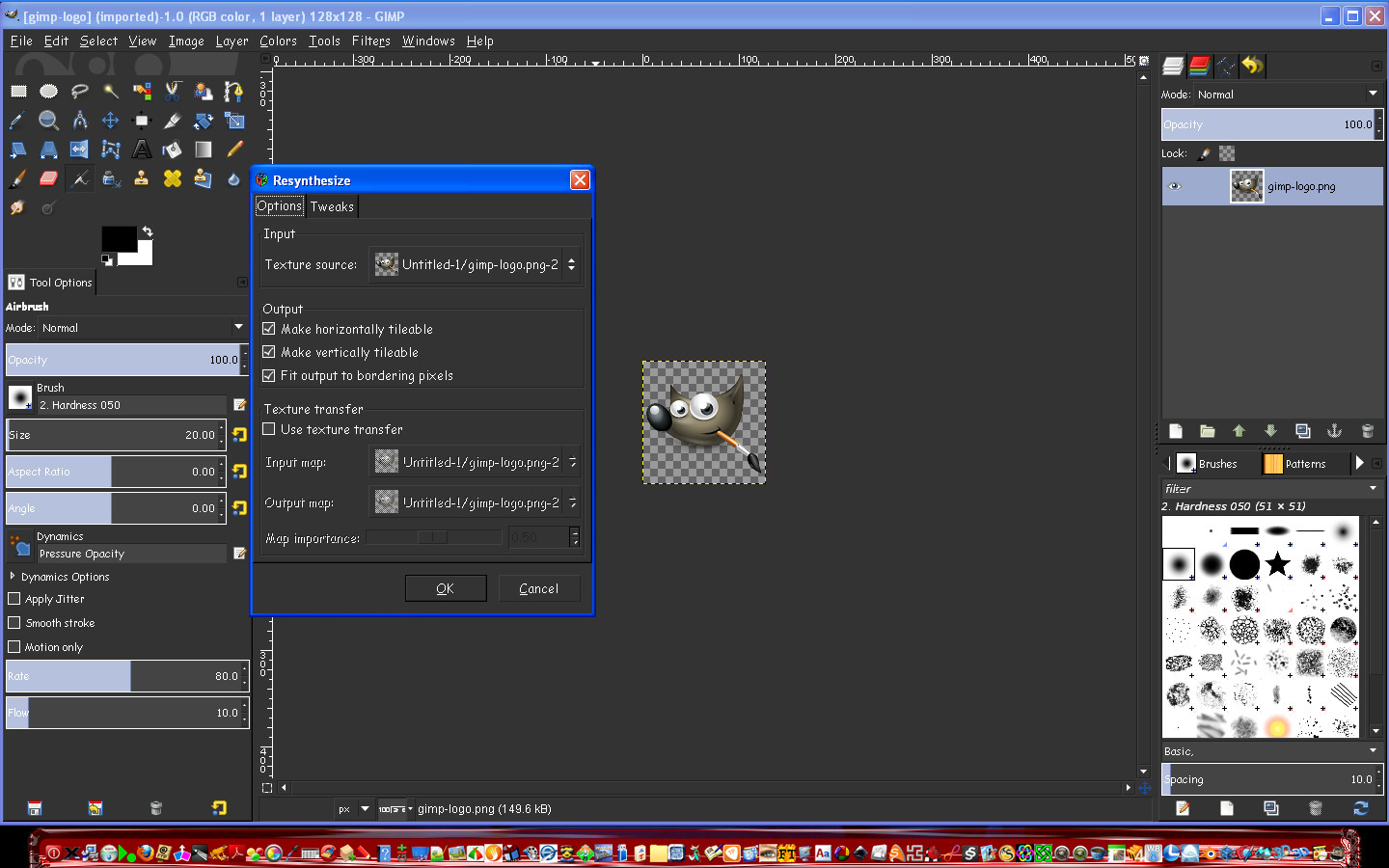
Partha this build for windows 32 is perfect. All plugins work for me as well as python. :)
Nicely done! :hi5
Here are some screenshots.

Image
Image
Image
Image
Image

And my final setup. :)
Image

I have one request however.
The default theme allows a nice theme (i love the colors)
BUT it will not allow me to use small icons without switching back to the blah theme for Gimp.
Can you include a way to enable small icons with the dark theme?
I know how to fix this myself but others may not want to go that route.

Thanks and you have another perfect build here. :bigthup

_________________
Image


Top
 Post subject: Re: Gimp 2.8
PostPosted: Sat May 12, 2012 9:04 pm  (#24) 
Offline
Global Moderator
User avatar

Joined: May 16, 2010
Posts: 16173
Image with the gtkrc file fix. (small icons)

Image

_________________
Image


Top
 Post subject: Re: Gimp 2.8
PostPosted: Sat May 12, 2012 9:10 pm  (#25) 
Offline
GimpChat Member

Joined: Mar 14, 2011
Posts: 998
Jorden wrote:
I installed the 64-bit gimp I d'loaded off Your website...I see the python folder in the gimp folders....I have python 3.2 on my machine...I'm a bit confused now.

Here is where I posted screenshots.... on the other thread of yours.. viewtopic.php?f=7&t=4254&start=10#p52571

I downloaded it from here http://www.partha.com/

and did a clean install....only installed gimp for windows 64, the new useful plugins...and that's it....all is working great except the phython issue, which i see the python folders in the gimp folder....I have 3.2..it worked in your build 2.76 (I only use your builds and always do a clean install.....so what should I do to fix? I'm confused.

Jorden,

You don't need to install python. My build has python included and during installation, I set the path in the file that Rod was talking about. So, no need for you to install python. If it was working for 2.7.6, it will work for 2.8.

If you have issues, just PM me or leave me a message on my website. We can straighten this out. :)

Thanks,
Partha


Top
 Post subject: Re: Gimp 2.8
PostPosted: Sat May 12, 2012 9:14 pm  (#26) 
Offline
GimpChat Member

Joined: Mar 14, 2011
Posts: 998
Rod wrote:
Partha this build for windows 32 is perfect. All plugins work for me as well as python. :)
Nicely done! :hi5
Here are some screenshots.

...
And my final setup. :)
Image

I have one request however.
The default theme allows a nice theme (i love the colors)
BUT it will not allow me to use small icons without switching back to the blah theme for Gimp.
Can you include a way to enable small icons with the dark theme?
I know how to fix this myself but others may not want to go that route.

Thanks and you have another perfect build here. :bigthup

Thanks Rod. :)

I see you fixed it yourself. :)


Top
 Post subject: Re: Gimp 2.8
PostPosted: Sat May 12, 2012 9:17 pm  (#27) 
Offline
GimpChat Member
User avatar

Joined: Sep 29, 2011
Posts: 120
Location: Texas
I sent a PM it's just so wierd.... everything is perfect..cept for this..and I installed it as normal....thanks so much partha!!!!!!!!

_________________
“There´s tools and colours for all of us,
to lend from nature to make the world
more understandable and beautiful”.

Image


Top
 Post subject: Re: Gimp 2.8
PostPosted: Sat May 12, 2012 9:28 pm  (#28) 
Offline
GimpChat Member
User avatar

Joined: Sep 29, 2011
Posts: 120
Location: Texas
Rod wrote:
Jorden could you open the \lib\gimp\2.0\interpreters\pygimp.interp file and paste the contents here nested within code tags?
I am pretty sure Parthas versions all have python27 working out of the program directory itself.So there shouldn't be any need for a C:\Python32 install for them to work.
I am just curious as to what path is in that file.


python=c:\Win64\Python27\pythonw.exe
/usr/bin/python=c:\Win64\Python27\pythonw.exe
:Python:E::py::python:

_________________
“There´s tools and colours for all of us,
to lend from nature to make the world
more understandable and beautiful”.

Image


Top
 Post subject: Re: Gimp 2.8
PostPosted: Sat May 12, 2012 9:47 pm  (#29) 
Offline
GimpChat Member

Joined: Mar 14, 2011
Posts: 998
Jorden wrote:
Rod wrote:
Jorden could you open the \lib\gimp\2.0\interpreters\pygimp.interp file and paste the contents here nested within code tags?
I am pretty sure Parthas versions all have python27 working out of the program directory itself.So there shouldn't be any need for a C:\Python32 install for them to work.
I am just curious as to what path is in that file.


python=c:\Win64\Python27\pythonw.exe
/usr/bin/python=c:\Win64\Python27\pythonw.exe
:Python:E::py::python:

That's not right. You found a bug. I sent you a PM.


Top
 Post subject: Re: Gimp 2.8
PostPosted: Sat May 12, 2012 9:48 pm  (#30) 
Offline
Global Moderator
User avatar

Joined: May 16, 2010
Posts: 16173
Jorden wrote:
Rod wrote:
Jorden could you open the \lib\gimp\2.0\interpreters\pygimp.interp file and paste the contents here nested within code tags?
I am pretty sure Parthas versions all have python27 working out of the program directory itself.So there shouldn't be any need for a C:\Python32 install for them to work.
I am just curious as to what path is in that file.


python=c:\Win64\Python27\pythonw.exe
/usr/bin/python=c:\Win64\Python27\pythonw.exe
:Python:E::py::python:


As i thought.
Change it to this Jorden. :) Or to where ever you installed Gimp-2.8.

python=C:\Program Files\Gimp-2.8\python\pythonw.exe
/usr/bin/python=C:\Program Files\Gimp-2.8\python\pythonw.exe
:Python:E::py::python:

_________________
Image


Top
 Post subject: Re: Gimp 2.8
PostPosted: Sat May 12, 2012 9:57 pm  (#31) 
Offline
GimpChat Member
User avatar

Joined: Sep 29, 2011
Posts: 120
Location: Texas
VICTORY!!!!!!!

_________________
“There´s tools and colours for all of us,
to lend from nature to make the world
more understandable and beautiful”.

Image


Top
 Post subject: Re: Gimp 2.8
PostPosted: Sat May 12, 2012 9:59 pm  (#32) 
Offline
Global Moderator
User avatar

Joined: May 16, 2010
Posts: 16173
:wh

_________________
Image


Top
 Post subject: Re: Gimp 2.8
PostPosted: Sat May 12, 2012 10:03 pm  (#33) 
Offline
GimpChat Member

Joined: Mar 14, 2011
Posts: 998
Rod wrote:
Jorden wrote:
Rod wrote:
Jorden could you open the \lib\gimp\2.0\interpreters\pygimp.interp file and paste the contents here nested within code tags?
I am pretty sure Parthas versions all have python27 working out of the program directory itself.So there shouldn't be any need for a C:\Python32 install for them to work.
I am just curious as to what path is in that file.


python=c:\Win64\Python27\pythonw.exe
/usr/bin/python=c:\Win64\Python27\pythonw.exe
:Python:E::py::python:


As i thought.
Change it to this Jorden. :) Or to where ever you installed Gimp-2.8.

python=C:\Program Files\Gimp-2.8\python\pythonw.exe
/usr/bin/python=C:\Program Files\Gimp-2.8\python\pythonw.exe
:Python:E::py::python:

Thanks Rod. I just told Jorden to do the same. I just replaced my build on my website. Thanks Jorden and sorry for the trouble.


Top
 Post subject: Re: Gimp 2.8
PostPosted: Sat May 12, 2012 10:04 pm  (#34) 
Offline
GimpChat Member
User avatar

Joined: Sep 29, 2011
Posts: 120
Location: Texas
oh no worries at all! thank You!!!!!!!!!!!!!!!!

_________________
“There´s tools and colours for all of us,
to lend from nature to make the world
more understandable and beautiful”.

Image


Top
 Post subject: Re: Gimp 2.8
PostPosted: Sat May 12, 2012 10:15 pm  (#35) 
Offline
Global Moderator
User avatar

Joined: May 16, 2010
Posts: 16173
partha wrote:
Rod wrote:
Partha this build for windows 32 is perfect. All plugins work for me as well as python. :)
Nicely done! :hi5
Here are some screenshots.

...
And my final setup. :)
Image

I have one request however.
The default theme allows a nice theme (i love the colors)
BUT it will not allow me to use small icons without switching back to the blah theme for Gimp.
Can you include a way to enable small icons with the dark theme?
I know how to fix this myself but others may not want to go that route.

Thanks and you have another perfect build here. :bigthup

Thanks Rod. :)

I see you fixed it yourself. :)


Yes all you really need to do is place the aurora midnight (or any themed) gtkrc file in the UserFolder\.gimp-2.8 folder (overwrite the old one) and it's good to go.Edit>Pref>Themes> select small.The theme will remain and the icons will be small. :)

I do not know how you could go about this with the installer though. Portable may be possible.

_________________
Image


Top
 Post subject: Re: Gimp 2.8
PostPosted: Sat May 12, 2012 10:22 pm  (#36) 
Offline
GimpChat Member

Joined: Mar 14, 2011
Posts: 998
Rod wrote:
partha wrote:
Rod wrote:
Partha this build for windows 32 is perfect. All plugins work for me as well as python. :)
Nicely done! :hi5
Here are some screenshots.

...
And my final setup. :)
Image

I have one request however.
The default theme allows a nice theme (i love the colors)
BUT it will not allow me to use small icons without switching back to the blah theme for Gimp.
Can you include a way to enable small icons with the dark theme?
I know how to fix this myself but others may not want to go that route.

Thanks and you have another perfect build here. :bigthup

Thanks Rod. :)

I see you fixed it yourself. :)


Yes all you really need to do is place the aurora midnight (or any themed) gtkrc file in the UserFolder\.gimp-2.8 folder (overwrite the old one) and it's good to go.Edit>Pref>Themes> select small.The theme will remain and the icons will be small. :)

I do not know how you could go about this with the installer though. Portable may be possible.

Currently I modify Gimp system files on the fly while installing. It may be possible. Or build it into a theme and add it to the default?


Top
 Post subject: Re: Gimp 2.8
PostPosted: Sat May 12, 2012 10:45 pm  (#37) 
Offline
Global Moderator
User avatar

Joined: May 16, 2010
Posts: 16173
Quote:
Currently I modify Gimp system files on the fly while installing. It may be possible. Or build it into a theme and add it to the default?

You could do that. :)

_________________
Image


Top
 Post subject: Re: Gimp 2.8
PostPosted: Sat May 12, 2012 10:55 pm  (#38) 
Offline
GimpChat Member
User avatar

Joined: Apr 04, 2012
Posts: 51
Location: Hammond, IN, USA
Rod wrote:
Image with the gtkrc file fix. (small icons)


What's the fix? Where can I get it?

Tony

_________________
Tony

mechatherium.deviantart.com


What did you expect? Shakespeare?


Top
 Post subject: Re: Gimp 2.8
PostPosted: Sat May 12, 2012 10:58 pm  (#39) 
Offline
GimpChat Member
User avatar

Joined: Apr 04, 2012
Posts: 51
Location: Hammond, IN, USA
Rod wrote:

Yes all you really need to do is place the aurora midnight (or any themed) gtkrc file in the UserFolder\.gimp-2.8 folder (overwrite the old one) and it's good to go.Edit>Pref>Themes> select small.The theme will remain and the icons will be small. :)

I do not know how you could go about this with the installer though. Portable may be possible.


Never mind (forgot to RTFT) :oops:

_________________
Tony

mechatherium.deviantart.com


What did you expect? Shakespeare?


Top
 Post subject: GIMP 2.8 plugins
PostPosted: Sat May 12, 2012 11:00 pm  (#40) 
Offline
GimpChat Member
User avatar

Joined: Apr 04, 2012
Posts: 51
Location: Hammond, IN, USA
Any way I can put Mathmap on this bad boy?

Tony

_________________
Tony

mechatherium.deviantart.com


What did you expect? Shakespeare?


Top
Post new topic Reply to topic  [ 42 posts ]  Go to page Previous  1, 2, 3  Next

All times are UTC - 5 hours [ DST ]


* Login  


Powered by phpBB3 © phpBB Group