Sorry about not getting this up last night. It was late and I was sleepy.

From this point on we will assume your external 80g USB drive is
sdb and that will be the target of our Linux install. Boot Fedora 17 Live CD and verify that Linux is seeing your 80g USB drive as
sdb. After confirming that, select
Install to Hard Drive from the application list.
I've put together some screen-shots that should help with the installation.
Select your language and click next.

Choose basic storage devices and click next.

You can use the default settings for hostname and click next.

Select timezone and click next.

Create an administrator password (root password). You will be asked to create a User Name and password later.

1) Select "use all space" for the installation
2) Unselect "Use LVM"
3) Select "Review and modify partitioning layout" and click next.

Highlight your 80g USB drive on the left side list and click the right arrow to move it to the install list on the right.

Check the bootloader box beside the 80g USB drive (
sdb) on the right side install list then click next.
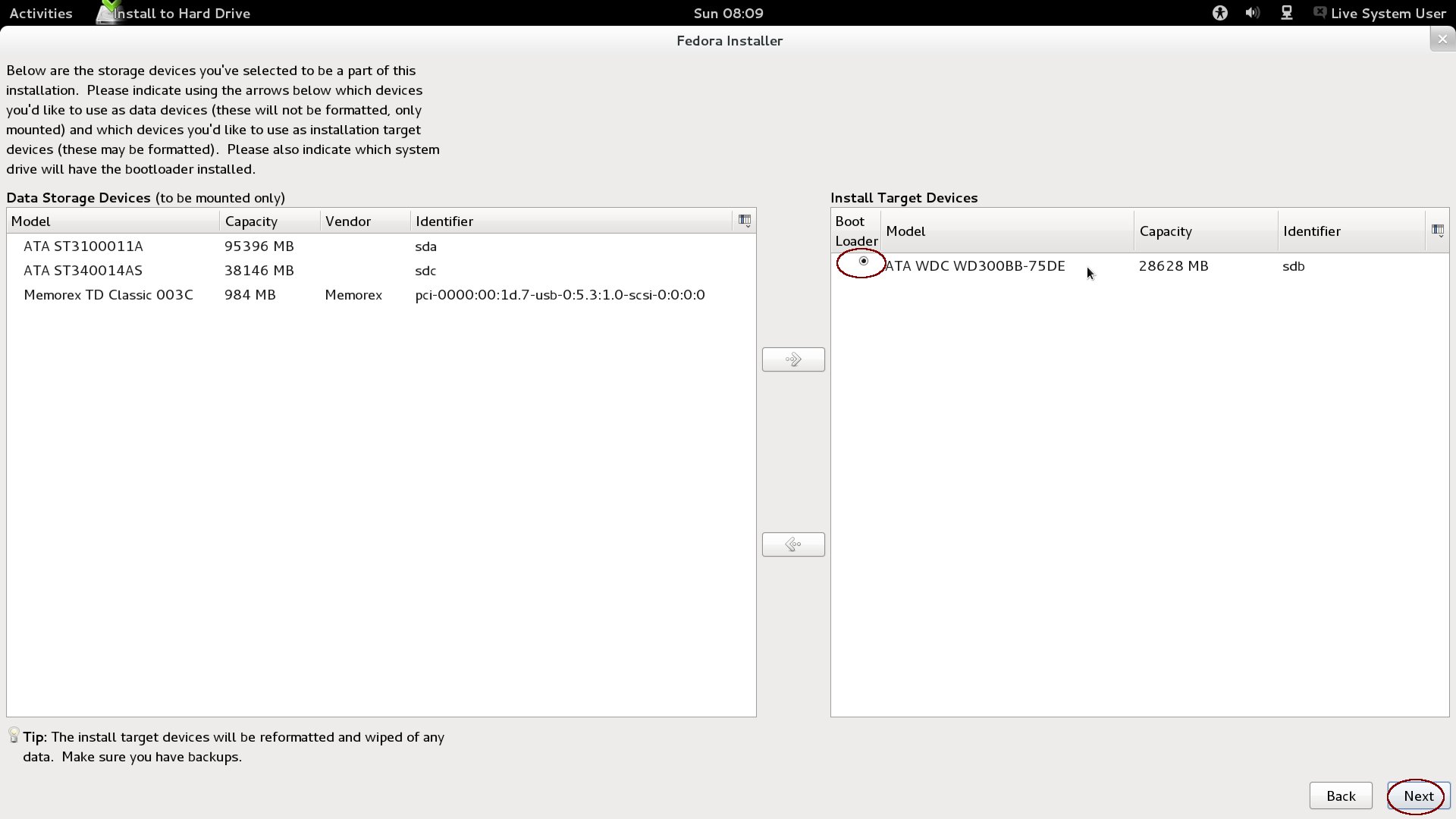
You can verify your selection on the next screen then click next.

Click "Write Changes to Disk" and then click next.

1) Select that the bootloader will be installed to your 80g USB drive /dev/sdb
2) Click "Change Device" to verify that the MRB will be used on your USB drive designated
sdb3) Click OK then next.
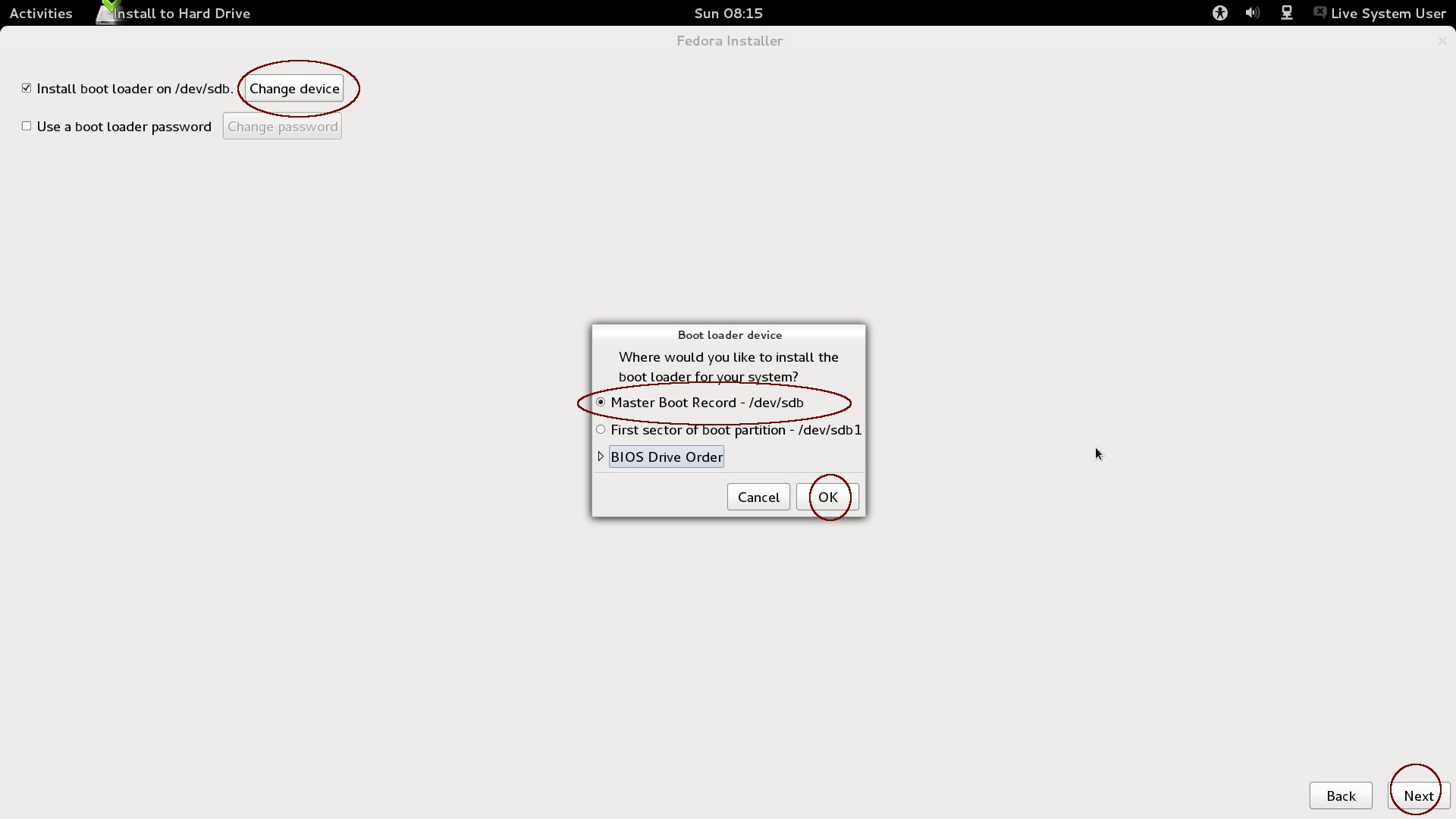
The next screen will install Fedora 17 to the target drive.

After install is complete, reboot and select your USB drive using the dynamic boot menu.

After a few seconds on the Grub Menu,the system will boot to Fedora 17. You will be asked to create a username and password, setup time/date and such, then you'll be presented the logon screen and you can sign into Fedora 17 using the username and password you just created.
That completes the install process. You can remove the Live CD.
Fedora will also see your Windows installation and give you the option to boot to Windows From the grub menu, as well. Report back when you complete the install and I can direct you to the software installer, where you can start installing applications, codecs and such.
Hope that helps and good luck!!

 Login
Login Register
 Tweets
 FAQ
FAQ Advanced Search








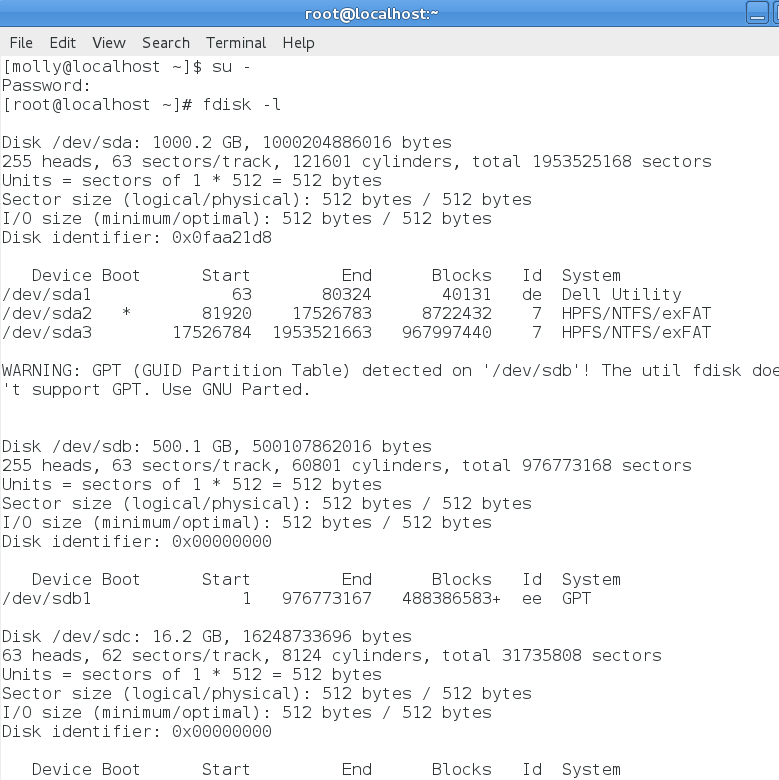

 what Molly said. On the live CD, you first enter

