It is currently Wed Nov 25, 2026 10:01 am


All times are UTC - 5 hours [ DST ]


Post new topic Reply to topic  [ 15 posts ] 
Author Message
 Post subject: Gimp tools brushes keeps reverting back to white background
PostPosted: Fri Jul 20, 2012 4:42 am  (#1) 
Offline
GimpChat Member
User avatar

Joined: Apr 07, 2010
Posts: 14182
GIMP Version: 2.6.8
Operating System: Linux
OS Version: Linux Fedora & Windows 7 (64-bit)
GIMP Experience: Basic Level


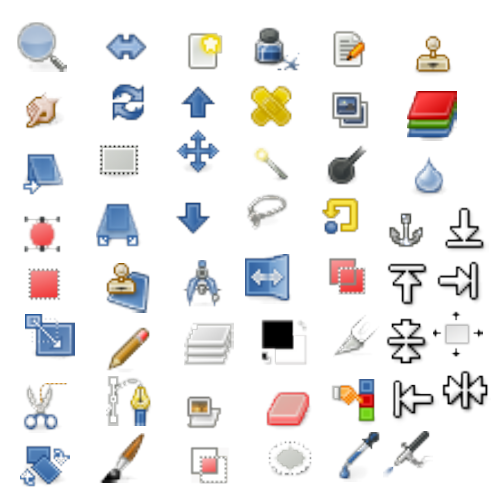
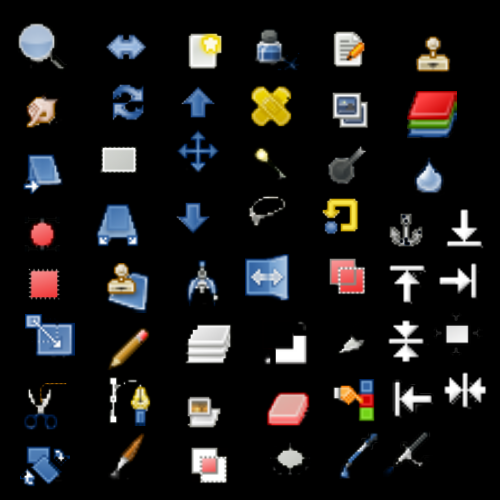
I have all the Gimp tools brushes and when they were in my Brushes folder they had the transparent backgrounds. When I made a new alternate folder for the Brush Manager to work, they all reverted to a white background.
Has this happened to anyone else?
:flip :colsel :alncent :eraser :brush

Image

_________________
Image


Share on Facebook Share on Twitter Share on Orkut Share on Digg Share on MySpace Share on Delicious Share on Technorati
Top
 Post subject: Re: Gimp tools brushes keeps reverting back to white background
PostPosted: Fri Jul 20, 2012 5:28 am  (#2) 
Offline
GimpChat Member

Joined: Mar 04, 2011
Posts: 2630
A long shot,

You could try changing the theme (Edit -> Preferences -> Theme) see what happens
Then change back to your existing theme, see what happens.


Top
 Post subject: Re: Gimp tools brushes keeps reverting back to white background
PostPosted: Fri Jul 20, 2012 6:12 am  (#3) 
Offline
GimpChat Member
User avatar

Joined: Apr 07, 2010
Posts: 14182
Thanks Rich...but it didn't work. I would reload these brushes in their transparency but I can't find them anywhere.

_________________
Image


Top
 Post subject: Re: Gimp tools brushes keeps reverting back to white background
PostPosted: Fri Jul 20, 2012 6:20 am  (#4) 
Offline
GimpChat Member

Joined: Mar 04, 2011
Posts: 2630
sorry Molly, totally mis-read your original post. Sent you on a wild-goose-chase.
Is this set of brushes equivalent to the Gimp icons, or do I still not understand?


Top
 Post subject: Re: Gimp tools brushes keeps reverting back to white background
PostPosted: Fri Jul 20, 2012 6:29 am  (#5) 
Offline
GimpChat Member
User avatar

Joined: Apr 07, 2010
Posts: 14182
Yes, these are the set of brushes that were made to have transparent backgrounds. That is how they were then they changed somehow to white backgrounds. I either need another set, or find a way to change them back to transparent.

_________________
Image


Top
 Post subject: Re: Gimp tools brushes keeps reverting back to white background
PostPosted: Fri Jul 20, 2012 6:56 am  (#6) 
Offline
Global Moderator
User avatar

Joined: May 16, 2010
Posts: 16309
The original set should still exist Molly. The managers do not change the original they just copy and paste another duplicate to the brushes folder.
I can only guess the manager loaded them as JPG instead of PNG.
Here is a set if you do need them though. :)

Attachment:
Gimp-Tools.zip [34.29 KiB]
Downloaded 113 times

_________________
Image


Top
 Post subject: Re: Gimp tools brushes keeps reverting back to white background
PostPosted: Fri Jul 20, 2012 6:59 am  (#7) 
Offline
GimpChat Member

Joined: Mar 04, 2011
Posts: 2630
I think I know the source for the brushes, the gimp help files.
on this machine it is
/home/rich/.gimp-2.6/help/en/images/toolbox/
substitute, appropriate names and gimp version for you system
But, they are png files, lots of them and with names like 'stock-tool-paintbrush-22.png'
and would have to be converted to .gbr files. I have tried that one and it maintains transparency, now to find a batch converter, wonder if IM works??

edit: just seem Rods post, I will give them a try with MrQ


Top
 Post subject: Re: Gimp tools brushes keeps reverting back to white background
PostPosted: Fri Jul 20, 2012 7:08 am  (#8) 
Offline
GimpChat Member
User avatar

Joined: Apr 07, 2010
Posts: 14182
Thank you guys, thanks for the brushes Rod. I will try them again and see what happens

EDIT: darn, they are still coming up with white backgrounds Rod, the ones you posted.
I should be able to use those brushes on different colored backgrounds so the white doesn't show... :gaah

_________________
Image


Top
 Post subject: Re: Gimp tools brushes keeps reverting back to white background
PostPosted: Fri Jul 20, 2012 7:37 am  (#9) 
Offline
GimpChat Member

Joined: Mar 04, 2011
Posts: 2630
It is not you, those brushes do not have transparency.


Top
 Post subject: Re: Gimp tools brushes keeps reverting back to white background
PostPosted: Fri Jul 20, 2012 7:57 am  (#10) 
Offline
GimpChat Member
User avatar

Joined: Apr 07, 2010
Posts: 14182
I thought for sure they did. I used them on different things. Maybe that was in another life, but....are you sure... :roll:

_________________
Image


Top
 Post subject: Re: Gimp tools brushes keeps reverting back to white background
PostPosted: Fri Jul 20, 2012 9:07 am  (#11) 
Offline
Global Moderator
User avatar

Joined: May 16, 2010
Posts: 16309
Hrmmm...i could have sworn they were transparent.
No big deal. I will make a new set. :)

_________________
Image


Top
 Post subject: Re: Gimp tools brushes keeps reverting back to white background
PostPosted: Fri Jul 20, 2012 9:10 am  (#12) 
Offline
GimpChat Member
User avatar

Joined: Apr 07, 2010
Posts: 14182
How would you go about making a new set. I tried taking the white out of one and it was a disaster.
I am 90% sure there was a transparent set. I remember when we were discussing opaque vs transparent and transparent won out. way back two years ago. I think it was Jolie that started them.

_________________
Image


Top
 Post subject: Re: Gimp tools brushes keeps reverting back to white background
PostPosted: Fri Jul 20, 2012 9:19 am  (#13) 
Offline
Global Moderator
User avatar

Joined: May 16, 2010
Posts: 16309
Yes its here. The icon not the brushes. :)
viewtopic.php?f=13&t=189&hilit=tool+brushes&start=30#p1268

_________________
Image


Top
 Post subject: Re: Gimp tools brushes keeps reverting back to white background
PostPosted: Fri Jul 20, 2012 9:44 am  (#14) 
Offline
GimpChat Member
User avatar

Joined: Apr 07, 2010
Posts: 14182
I knew it. I was searching and searching, I typed in everything I could think of. What did you type in Rod, just out of curiosity?

What is the best way besides doing them one at a time to change them from png to gbr?

_________________
Image


Top
 Post subject: Re: Gimp tools brushes keeps reverting back to white background
PostPosted: Fri Jul 20, 2012 11:01 am  (#15) 
Offline
Global Moderator
User avatar

Joined: May 16, 2010
Posts: 16309
I typed in "Gimp Tool Brushes" and search all the posts. :)
It took me a little while to find it too.

I have the brush set ready here Molly. let me know if these work for you.
Image

Image

Zip attached

Attachment:
TransGimpToolGBR_RD.zip [44.01 KiB]
Downloaded 163 times

_________________
Image


Top
Post new topic Reply to topic  [ 15 posts ] 

All times are UTC - 5 hours [ DST ]


* Login  


Powered by phpBB3 © phpBB Group