It is currently Tue Sep 08, 2026 3:33 am


All times are UTC - 5 hours [ DST ]


Post new topic Reply to topic  [ 35 posts ]  Go to page Previous  1, 2
Author Message
 Post subject: Re: More text art
PostPosted: Sat Jul 21, 2012 1:36 pm  (#21) 
Offline
Global Moderator
User avatar

Joined: May 16, 2010
Posts: 16170
Bug Sampson wrote:
The OP is really great Rod. It makes me think of velvet paintings and for some reason, biblical. I started on at least a couple tutorials to do something like this but found them too incomplete to continue.

Kevin, Tux, and Saulgoode wrote a script for me for this Bug. More information here.
viewtopic.php?f=9&t=2994&hilit=script+request

_________________
Image


Top
 Post subject: Re: More text art
PostPosted: Sat Jul 21, 2012 2:33 pm  (#22) 
Offline
GimpChat Member

Joined: Jul 14, 2012
Posts: 162
How nice of them. I'll have to give it a try. I really like that look and the possibilities.


Top
 Post subject: Re: More text art
PostPosted: Sat Jul 21, 2012 5:02 pm  (#23) 
Offline
Global Moderator
User avatar

Joined: May 16, 2010
Posts: 16170
I just tested the script in Gimp-2.8.1 and it works great! :)
Here are the icons i converted to brushes earlier.

Image

_________________
Image


Top
 Post subject: Re: More text art
PostPosted: Sun Jul 22, 2012 10:15 pm  (#24) 
Offline
GimpChat Member

Joined: Jul 14, 2012
Posts: 162
I was playing around with that script today. I didn't really come up with much to write home about. I think part of it is the shots I tend to take. I did come up with some nice abstract stuff like this:

Image

I like this one even though it knocked out the background details. That might be why I like the way it turned out, though.

Image

This is probably the best result I got.

Image


Top
 Post subject: Re: More text art
PostPosted: Mon Jul 23, 2012 11:40 am  (#25) 
Offline
Global Moderator
User avatar

Joined: May 16, 2010
Posts: 16170
Those are all pretty nice in my eyes. :)
That bottom one with the dials is superb though.Very nicely done.

_________________
Image


Top
 Post subject: Re: More text art
PostPosted: Mon Jul 23, 2012 11:54 am  (#26) 
Offline
GimpChat Member
User avatar

Joined: Sep 24, 2010
Posts: 12845
I'm a big text art fan but my only issue with this is multiple fade within the same character. Wish there would be a way to isolate each character and give that said character one solid color. I know programs like ASCIIgen can do this. Anyway, why couldn't this same effect be done simply by importing a text file and inserting a blurred (or not blurred) image set to lighten or darken depending on the text? Anyway, sorry that I'm in a not so enthusiastic mood today so if I offended someone, I ask forgiveness in advance. :)

_________________
Lyle

Psalm 109:8

Image


Top
 Post subject: Re: More text art
PostPosted: Mon Jul 23, 2012 12:59 pm  (#27) 
Offline
Global Moderator
User avatar

Joined: May 16, 2010
Posts: 16170
Pretty big difference actually Lyle. :)
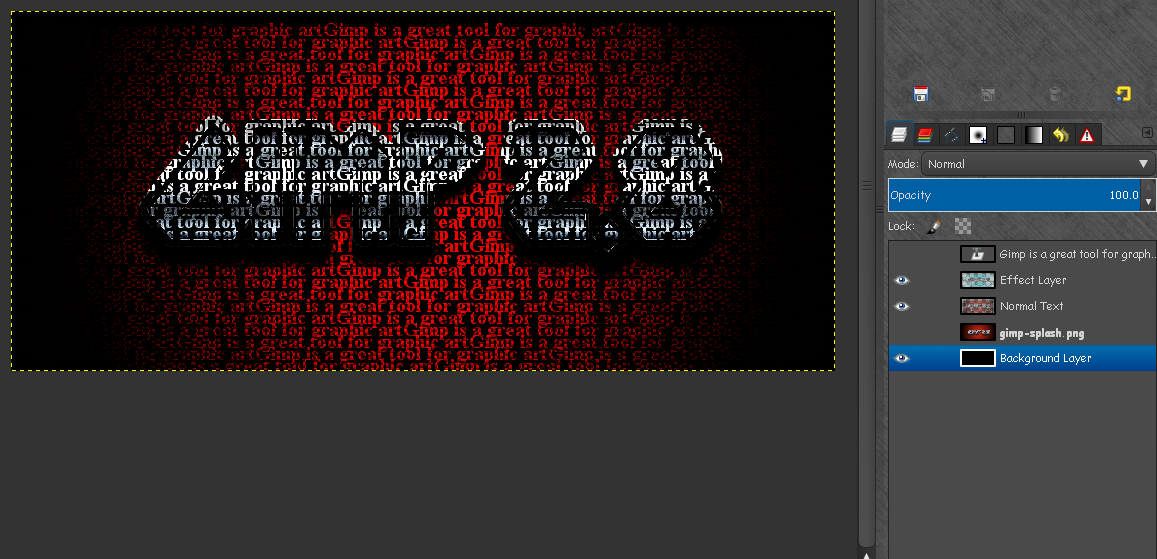
Here is the xcf without bg
Image

with
Image

I really do not think you can duplicate that effect with layer modes.I have been wrong before though. :)

_________________
Image


Top
 Post subject: Re: More text art
PostPosted: Mon Jul 23, 2012 1:10 pm  (#28) 
Offline
GimpChat Member
User avatar

Joined: Nov 16, 2011
Posts: 5127
Location: Metro Vancouver, BC
I thought I'd give it a go.


Attachments:
File comment: Original Text
md_1969_Silent_Way_Info.zip [1.63 KiB]
Downloaded 75 times
text-art-015_15a-gc.png
text-art-015_15a-gc.png [ 310.94 KiB | Viewed 1258 times ]

_________________
Image
Gimp 2.8.18, Linux, median user
Gimp Chat Tutorials Index
Spirit Bear (Kermode)


Last edited by Odinbc on Mon Jul 23, 2012 4:14 pm, edited 1 time in total.
Top
 Post subject: Re: More text art
PostPosted: Mon Jul 23, 2012 1:22 pm  (#29) 
Offline
GimpChat Member
User avatar

Joined: Sep 24, 2010
Posts: 12845
OK Rod; attached the text file (7z) that I created with an online text generator and used GIMP to justify fill it. Including the text with transparent background and with solid black background. All I did was set the target image on top (with alpha channel) set to lighten and dup set the top layer to overlay. :)

Attachment:
text_t.png
text_t.png [ 816.07 KiB | Viewed 1257 times ]


Attachments:
text_b.png
text_b.png [ 639.61 KiB | Viewed 1257 times ]
sample_txt.7z [2.14 KiB]
Downloaded 75 times

_________________
Lyle

Psalm 109:8

Image
Top
 Post subject: Re: More text art
PostPosted: Mon Jul 23, 2012 1:51 pm  (#30) 
Offline
GimpChat Member

Joined: Jul 14, 2012
Posts: 162
Thanks Rod. Maybe I'm being too hard on myself. I'm going to keep playing with it, trying different fonts, spacing, and so on. I like the idea. It's just getting it to work and not just be a novelty.

Lyle, I'm deeply offended you have your own opinions and preferences. Those are some nice results. I like how the black turned into a dark gray. I do think I prefer specific text rather than word salad.

Odinbc, your results came out pretty well. Nice choice of image to use. Nice choice of text as well. I can't tell what it was but I like how it came out as different values.


Top
 Post subject: Re: More text art
PostPosted: Mon Jul 23, 2012 3:26 pm  (#31) 
Offline
GimpChat Member
User avatar

Joined: Sep 24, 2010
Posts: 12845
lol; What would be cool is to use the text itself as a mask and there is, believe it or not, a G'MIC and also a Script-fu that can create mean fills to do this, but your Script-fu is pretty good too. Mine requires some work as opposed to being automated. :)

_________________
Lyle

Psalm 109:8

Image


Top
 Post subject: Re: More text art
PostPosted: Mon Jul 23, 2012 4:37 pm  (#32) 
Offline
GimpChat Member
User avatar

Joined: Sep 24, 2010
Posts: 12845
As a side note, here's a result that uses G'MIC's Shape average preset to fill in the color based on the character. :)


Attachments:
solid_fill-b.png
solid_fill-b.png [ 385.96 KiB | Viewed 961 times ]

_________________
Lyle

Psalm 109:8

Image
Top
 Post subject: Re: More text art
PostPosted: Mon Jul 23, 2012 5:44 pm  (#33) 
Offline
GimpChat Member

Joined: Jul 14, 2012
Posts: 162
It seems like I've seen you use that photo for other things. Is that someone significant to you? My side note, especially being a beginner, I really appreciate the power of scripts and plugins. I would like to eventually figure out how at least some of them work and do the work myself. That's way off, though.


Top
 Post subject: Re: More text art
PostPosted: Mon Jul 23, 2012 6:12 pm  (#34) 
Offline
GimpChat Member
User avatar

Joined: Sep 24, 2010
Posts: 12845
He's my Dad Bug Sampson so yes he's significant. :)

Good that you are pursuing the script side. I never have and have been using GIMP regularly since 2002 (actually installed and used it some in 2001). :)

_________________
Lyle

Psalm 109:8

Image


Top
 Post subject: Re: More text art
PostPosted: Wed Jul 25, 2012 8:08 pm  (#35) 
Offline
GimpChat Member

Joined: Jul 14, 2012
Posts: 162
I actually meant doing the work manually instead of using scripts. At least until I can say I can do the work myself. Shortcuts or automation can be fine sometimes. Some of you guys have been around long enough to know what these scripts are doing. If you already know how to do the work step by step, it's understandable you might want to use scripts as much as possible to cut down on production time. I actually would like to eventually work on some scripts, though.


Top
Post new topic Reply to topic  [ 35 posts ]  Go to page Previous  1, 2

All times are UTC - 5 hours [ DST ]


* Login  


Powered by phpBB3 © phpBB Group