It is currently Fri Nov 13, 2026 4:19 pm


All times are UTC - 5 hours [ DST ]


Post new topic Reply to topic  [ 64 posts ]  Go to page Previous  1, 2, 3, 4  Next
Author Message
 Post subject: Re: Antique Metal Tutorial
PostPosted: Wed Aug 01, 2012 6:23 am  (#21) 
Offline
GimpChat Member
User avatar

Joined: Apr 07, 2010
Posts: 14182
I dunno Drac. I don't even remember where I got it, I just saw where someone was looking for it so I posted it. Is that the one you gave me? I dunno???...all I know is that there are many places to get it from.
http://www.ufonts.com/download/de-vinne ... 25176.html

_________________
Image


Top
 Post subject: Re: Antique Metal Tutorial
PostPosted: Wed Aug 01, 2012 6:46 am  (#22) 
Offline
GimpChat Member
User avatar

Joined: Aug 24, 2011
Posts: 1785
Location: Dallas, TX
No big deal. I just thought it was interesting that they were so similar. I just noticed the "becker" in the middle of the font name is all.

_________________
Image


Top
 Post subject: Re: Antique Metal Tutorial
PostPosted: Wed Aug 01, 2012 7:03 am  (#23) 
Offline
GimpChat Member
User avatar

Joined: Jun 24, 2010
Posts: 504
Location: Western Vic Australia
I just downloaded DeVinneOrn Regulat ttf from µFont for free , Just be careful what you click on!

_________________
Image


Top
 Post subject: Re: Antique Metal Tutorial
PostPosted: Wed Aug 22, 2012 3:41 pm  (#24) 
Offline
GimpChat Member
User avatar

Joined: Aug 16, 2012
Posts: 4271
Location: Göteborg, Sweden
i've done it!!! draconian, your metal tutorials looked so interesting but they scared me a bit and this one was the worst and it was also the one i really wanted to do the most. i missed out in a few places but i now know exactly what went wrong so i don't mind. i also suspected the result would be too dark if used on a bigger space, so i tweaked it a little to get some more light in - and here is my rusty old paisley unit. probably cast iron, made sometime in the beginning of last century and found in a dark recess of the old tool shed at my grandparents' old farm. i might use it for a door handle.

you've really taken on a handful with the metal tutorials, thank you for sharing all this!


Attachments:
antique metal paisleysmall.png
antique metal paisleysmall.png [ 498.84 KiB | Viewed 4268 times ]

_________________
Top
 Post subject: Re: Antique Metal Tutorial
PostPosted: Wed Aug 22, 2012 4:03 pm  (#25) 
Offline
GimpChat Member
User avatar

Joined: Mar 23, 2012
Posts: 7388
Location: Göteborg at last!
Beautiful work AnMal. It's Drac's tutes that got me going with metal and textures and enabled my latest creations.


Top
 Post subject: Re: Antique Metal Tutorial
PostPosted: Wed Aug 22, 2012 5:19 pm  (#26) 
Offline
GimpChat Member
User avatar

Joined: Mar 23, 2012
Posts: 7388
Location: Göteborg at last!
I got lost somewhere during this and had to improvise. I used my own grunge brushes for the grunge layer. The font "Angelic War" was already decayed which is why I chose it.

Image


Top
 Post subject: Re: Antique Metal Tutorial
PostPosted: Wed Aug 22, 2012 10:05 pm  (#27) 
Offline
GimpChat Member
User avatar

Joined: Aug 24, 2011
Posts: 1785
Location: Dallas, TX
They both look good to me. I really like that font Erisian, hard to read tho.

_________________
Image


Top
 Post subject: Re: Antique Metal Tutorial
PostPosted: Wed Aug 22, 2012 11:24 pm  (#28) 
Offline
GimpChat Member
User avatar

Joined: Jul 17, 2012
Posts: 2769
Draconian wrote:
I really like that font Erisian, hard to read tho.
The lord of chaos likes that ;) :hehe


Top
 Post subject: Re: Antique Metal Tutorial
PostPosted: Thu Aug 23, 2012 12:16 am  (#29) 
Offline
GimpChat Member
User avatar

Joined: Aug 16, 2012
Posts: 4271
Location: Göteborg, Sweden
erisian: that text looks beautifully corroded. i understand your choice of font completely, it looks made for this kind of treatment. i'll definitely try out more of draconian's metal tutorials, they seem to inspire people all over the place.

_________________


Top
 Post subject: Re: Antique Metal Tutorial
PostPosted: Thu Aug 23, 2012 3:12 pm  (#30) 
Offline
GimpChat Member
User avatar

Joined: Mar 23, 2012
Posts: 7388
Location: Göteborg at last!
Thanks all. AnMal - Drac's tutorials are excellent and help to develop a lot of different skills but do try other tutorials as well. You'll be surprised what you can learn from them.

Esper wrote:
The lord of chaos likes that ;) :hehe


I prefer the Lady of Chaos - Eris herself. :)


Top
 Post subject: Re: Antique Metal Tutorial
PostPosted: Thu Aug 23, 2012 5:25 pm  (#31) 
Offline
GimpChat Member
User avatar

Joined: Apr 07, 2010
Posts: 14182
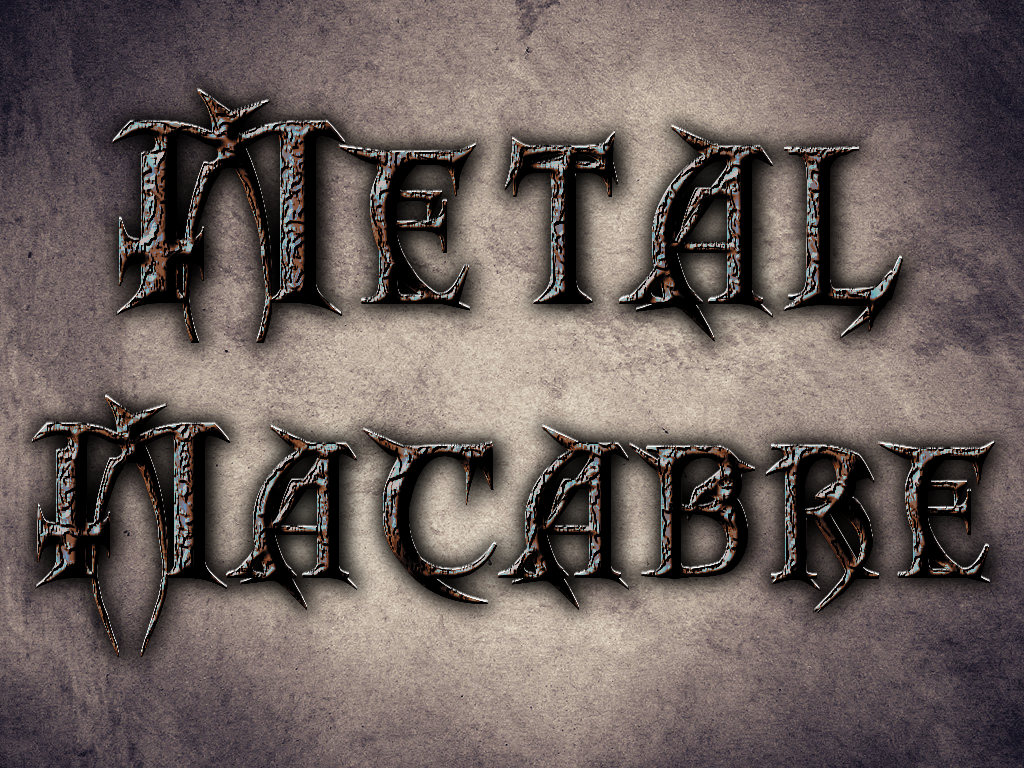
I did this tute before but I don't remember having this problem with the color curves. I think mine look like they are set the same way but I don't have that white triangle and mine is quite a bit darker. Can anyone see what I am doing wrong. I would like to finish it so I saved it this far. Mine is the one on the right.

Image

_________________
Image


Top
 Post subject: Re: Antique Metal Tutorial
PostPosted: Thu Aug 23, 2012 5:34 pm  (#32) 
Offline
GimpChat Member
User avatar

Joined: Mar 23, 2012
Posts: 7388
Location: Göteborg at last!
The curve is fine. I think the only difference is the Gimp theme used.


Top
 Post subject: Re: Antique Metal Tutorial
PostPosted: Fri Aug 24, 2012 7:44 am  (#33) 
Offline
GimpChat Member
User avatar

Joined: Aug 24, 2011
Posts: 1785
Location: Dallas, TX
Erisian may be right but I do notice a lot of intermediate points across the middle. Just a suggestion but you might try just downloading and installing all my metal curves presets.

viewtopic.php?f=23&t=4150

When I make that particular curve I just start on the left hand side and click on the points alternately from top and bottom as I work my way over to the right. I don't have any points in the middle.

The white part you see in my curves dialog is the representation of the RGB mix and your theme may be keeping it from showing up or you are working on an absolute color layer that contains no mix. What I mean by "absolute" color is one that is all one color like Red, Blue, Black, White where no other colors are present. Nothing will show up in the Curves dialog so you can't "adjust" anything.

_________________
Image


Top
 Post subject: Re: Antique Metal Tutorial
PostPosted: Fri Aug 24, 2012 9:15 am  (#34) 
Offline
GimpChat Member
User avatar

Joined: Apr 07, 2010
Posts: 14182
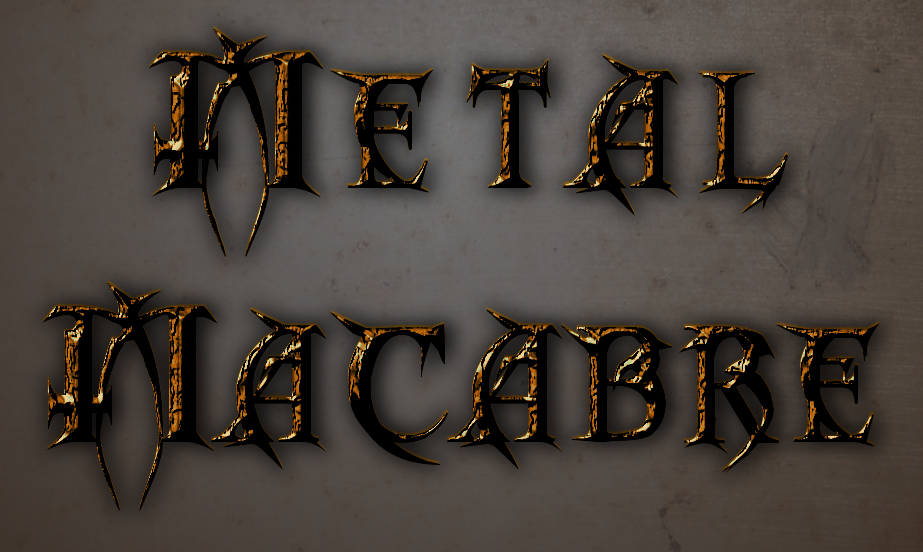
I did this tute 2 more times, (I eliminated the steps 31 thru 35 cuz of the font I used)
Anyway, I got stuck on step 30 every time so gave up and winged my own versions. The black layer mask had and has me stumped for two days, lol

Image

Image
Thanks Drac.

EDIT: this is step 30 in your tute Drac.


In the Layers dialog, right click on the top text layer and select
Add Layer Mask. When the dialog comes up, tick the button
That says Black (full transparency). Set the layer Opacity
to about 40%. Rename this layer to “Dark Mask”.
Right click
the text layer below to activate it (no need to tick the eye and
make it visible) and select Alpha to Selection. Now go to
Select>Invert then go to Edit>Cut or just hit Delete to cut out
the selection. This will darken the background without
darkening the text further.

_________________
Image


Top
 Post subject: Re: Antique Metal Tutorial
PostPosted: Fri Aug 24, 2012 10:19 am  (#35) 
Offline
GimpChat Member
User avatar

Joined: Aug 24, 2011
Posts: 1785
Location: Dallas, TX
Ahhhhhh. My bad. On my copy it reads differently. Here's what it should read like and I'll go back and change it in just a few minutes. It's not a layer mask, it's basically a black layer at 40% used as a "mask" to darken the background. Sorry about that.

30. In the Layers dialog, right click on the top text layer and select
New Layer. When the dialog comes up, tick the button
that says Foreground color Set the layer Opacity
to about 40%. Rename this layer to “Dark Mask”. Right click
the text layer below to activate it (no need to tick the eye and
make it visible) and select Alpha to Selection. Reselect the
Dark Mask layer to make it active again then just hit Delete to
cut out the text from the mask layer. This will darken the
background without darkening the text further.

_________________
Image


Top
 Post subject: Re: Antique Metal Tutorial
PostPosted: Fri Aug 24, 2012 10:21 am  (#36) 
Offline
GimpChat Member
User avatar

Joined: Apr 07, 2010
Posts: 14182
@Drac, will you put the link up here or in a pc the copy you are looking at so I can either change my pdf or make a new one. All I can find is your older version.

_________________
Image


Top
 Post subject: Re: Antique Metal Tutorial
PostPosted: Fri Aug 24, 2012 10:26 am  (#37) 
Offline
GimpChat Member
User avatar

Joined: Aug 24, 2011
Posts: 1785
Location: Dallas, TX
Molly, disregard my last PM, I just replace the attached PDF on the first page of this thread. Check it out and let me know if you find anything else. It is unfortunate that someone has not pointed out the error before this because the darn thing has been downloaded 142 times with that error. Grrrrrr :oops:

_________________
Image


Top
 Post subject: Re: Antique Metal Tutorial
PostPosted: Fri Aug 24, 2012 10:30 am  (#38) 
Offline
GimpChat Member
User avatar

Joined: Apr 07, 2010
Posts: 14182
Thats okay Drac, no prob, the other 141 people are smarter than me. I will download your new pdf and delete mine.

_________________
Image


Top
 Post subject: Re: Antique Metal Tutorial
PostPosted: Fri Aug 24, 2012 10:39 am  (#39) 
Offline
GimpChat Member
User avatar

Joined: Aug 24, 2011
Posts: 1785
Location: Dallas, TX
Did you get the curves thing figured out? Was it just your Theme? It looks like the text was actually altered by the curve settings judging from the part of the text that's showing the background of your screenshot.

_________________
Image


Top
 Post subject: Re: Antique Metal Tutorial
PostPosted: Fri Aug 24, 2012 11:02 am  (#40) 
Offline
GimpChat Member
User avatar

Joined: Apr 07, 2010
Posts: 14182
maybe all the curly cues made it like that, I dunno. anyway, I just moved it around until it looked like the picture you had.

_________________
Image


Top
Post new topic Reply to topic  [ 64 posts ]  Go to page Previous  1, 2, 3, 4  Next

All times are UTC - 5 hours [ DST ]


* Login  


Powered by phpBB3 © phpBB Group