It is currently Wed Sep 09, 2026 2:33 pm


All times are UTC - 5 hours [ DST ]


Post new topic Reply to topic  [ 6 posts ] 
Author Message
 Post subject: How to monitor new posts to gimpchat topics
PostPosted: Thu Sep 06, 2012 12:12 am  (#1) 
Offline
GimpChat Member

Joined: May 09, 2012
Posts: 28
how to monitor new posts to gimpchat topics I've subscribed to / posted to .... i.e. is it possible to get email notifications of new posts to "subscribed" topics?

I've looked around the User Control Panel - Manage subscriptions and can see the list and spot new posts there but want to make sure I haven't missed away to request email notifications of new posts in those topics, which, when available is my preferred method.

Photocomix was kind enough to suggest that this question belongs here ....

_________________
Regards ... Alec


Share on Facebook Share on Twitter Share on Orkut Share on Digg Share on MySpace Share on Delicious Share on Technorati
Top
 Post subject: Re: How to monitor new posts to gimpchat topics
PostPosted: Thu Sep 06, 2012 7:36 am  (#2) 
Offline
Script Coder
User avatar

Joined: Jun 22, 2010
Posts: 1171
Location: Here and there
Are you saying that you aren't getting e-mails from topics you've subscribed to?

Kevin


Top
 Post subject: Re: How to monitor new posts to gimpchat topics
PostPosted: Thu Sep 06, 2012 10:11 am  (#3) 
Offline
GimpChat Founder
User avatar

Joined: May 22, 2008
Posts: 5241
Location: Gimpville
You should be getting emails when a new post is made to a thread you started, posted or subscribed to. These notifications are working, as I'm getting emails.

Check to ensure that emails from gimpchat.com are not getting caught in your spam filter and if they are, you'll need allow gimpchat.com to pass the filters.

_________________
“If you reach for the stars, you just might land on a decently sized hill.” - Stuart Hill


Top
 Post subject: Re: How to monitor new posts to gimpchat topics
PostPosted: Thu Sep 06, 2012 12:17 pm  (#4) 
Offline
Global Moderator
User avatar

Joined: May 16, 2010
Posts: 16170
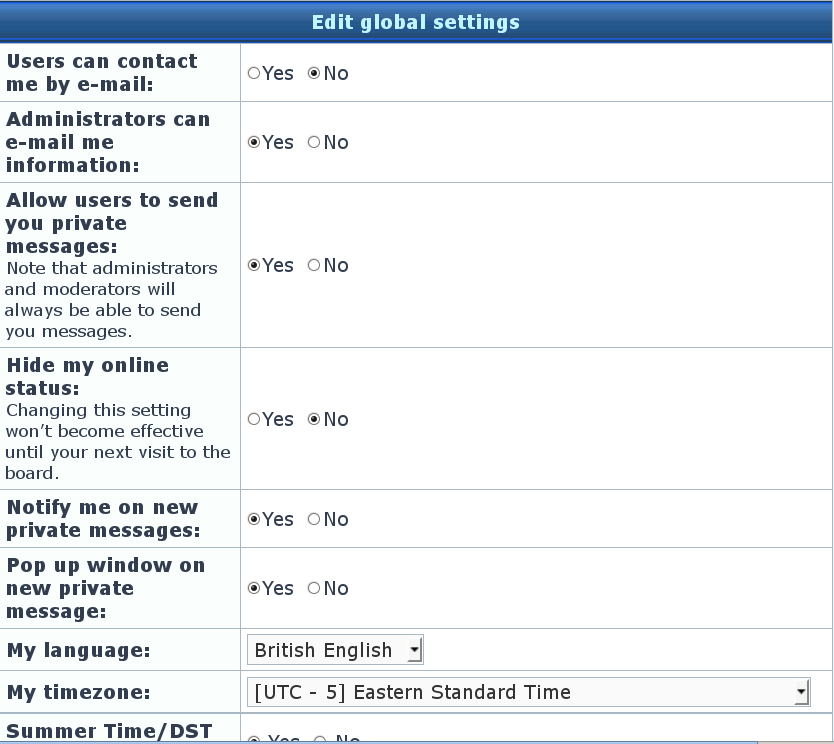
Alec right above any topic is the word Author,(top left) and right above that is a link "Subscribe Topic" click it and you will get email notification of new posts sent to the email you provide in your user control panel (profile)

Image

Hope that helps. :)

_________________
Image


Top
 Post subject: Re: How to monitor new posts to gimpchat topics
PostPosted: Thu Sep 06, 2012 12:24 pm  (#5) 
Offline
GimpChat Member
User avatar

Joined: Apr 07, 2010
Posts: 14182
I have it coming in for all topics, plus personal mail, They all come in to my email acc't

Image

_________________
Image


Top
 Post subject: Re: How to monitor new posts to gimpchat topics
PostPosted: Thu Sep 06, 2012 12:56 pm  (#6) 
Offline
GimpChat Member

Joined: May 09, 2012
Posts: 28
GnuTux wrote:
You should be getting emails when a new post is made to a thread you started, posted or subscribed to. These notifications are working, as I'm getting emails.

Check to ensure that emails from gimpchat.com are not getting caught in your spam filter and if they are, you'll need allow gimpchat.com to pass the filters.

Well, that's embarrassing! They were being trapped by my gmail-spam filter.
I follow quite a few groups and forums and and gmail's spam filter is normally so close to 100% at getting the decisions correct that I didn't check.

All fixed now, thanks everyone.

_________________
Regards ... Alec


Top
Post new topic Reply to topic  [ 6 posts ] 

All times are UTC - 5 hours [ DST ]


* Login  


Powered by phpBB3 © phpBB Group