It is currently Wed Jul 01, 2026 9:21 pm


All times are UTC - 5 hours [ DST ]


Post new topic Reply to topic  [ 18 posts ] 
Author Message
 Post subject: Drop curved shadow
PostPosted: Wed Nov 14, 2012 12:32 pm  (#1) 
Offline
GimpChat Member
User avatar

Joined: Jan 03, 2011
Posts: 1656
Hi there,
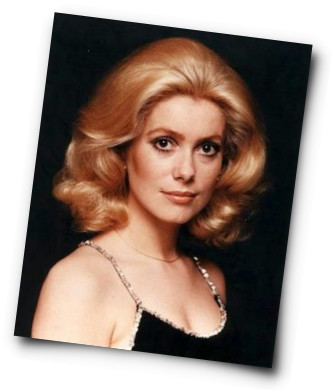
I've slightly updated the 'Drop shadow' filter in the G'MIC plug-in. Now it can render 'curved' shadows, as in the example below
Image

Nothing really spectacular, but I thought this may interest some of you. You should be able to get the update just clicking on the 'refresh button' under the filters tree.
Enjoy :)

PS : By the way, if you don't have the G'MIC plug-in installed, you can check the effect on the G'MIC Online web site too : https://gmicol.greyc.fr
Filter is located in 'Lights & Shadows' subfolder.


Share on Facebook Share on Twitter Share on Orkut Share on Digg Share on MySpace Share on Delicious Share on Technorati
Top
 Post subject: Re: Drop curved shadow
PostPosted: Wed Nov 14, 2012 1:35 pm  (#2) 
Offline
GimpChat Member
User avatar

Joined: Nov 16, 2011
Posts: 5127
Location: Metro Vancouver, BC
Thanks, David.
I tried a bit of an angle to show the effect.
Image
Image

_________________
Image
Gimp 2.8.18, Linux, median user
Gimp Chat Tutorials Index
Spirit Bear (Kermode)


Top
 Post subject: Re: Drop curved shadow
PostPosted: Wed Nov 14, 2012 2:00 pm  (#3) 
Offline
GimpChat Member
User avatar

Joined: Apr 07, 2010
Posts: 14182
Cool Odin, very nice effect David.

_________________
Image


Top
 Post subject: Re: Drop curved shadow
PostPosted: Wed Nov 14, 2012 2:42 pm  (#4) 
Offline
GimpChat Member
User avatar

Joined: Jan 03, 2011
Posts: 1656
Ha, very cool indeed Odinbc, I like the post-it effect particularly !


Top
 Post subject: Re: Drop curved shadow
PostPosted: Wed Nov 14, 2012 3:25 pm  (#5) 
Offline
GimpChat Member
User avatar

Joined: Sep 24, 2010
Posts: 12785
I do like the effect David. Thanks. Still hoping someone takes over the 64-bit compiles for G'MIC; will wait an update or two before going back to 32-bit (which will require a few additional files since I tried to do this before and at that time though it was a 32-bit conflict but now don't believe it is). :)


Attachments:
DSC00422crps.jpg
DSC00422crps.jpg [ 508.38 KiB | Viewed 4028 times ]

_________________
Lyle

Psalm 109:8

Image
Top
 Post subject: Re: Drop curved shadow
PostPosted: Wed Nov 14, 2012 8:54 pm  (#6) 
Offline
GimpChat Member
User avatar

Joined: Apr 08, 2010
Posts: 5420
Location: Northwest Ohio
How cool is that! It really does add depth and a 3D feeling to flat images!


Top
 Post subject: Re: Drop curved shadow
PostPosted: Thu Nov 15, 2012 5:28 am  (#7) 
Offline
GimpChat Member
User avatar

Joined: Jan 03, 2011
Posts: 1656
Another nice thing to add is an inverse vignette effect on the image before dropping the curved shadow. You get an interesting effect of 'rounded' corners. I've added a new option to the Drop Shadow filter to allow that.
Image


Top
 Post subject: Re: Drop curved shadow
PostPosted: Thu Nov 15, 2012 6:11 am  (#8) 
Offline
Script Coder
User avatar

Joined: Nov 06, 2012
Posts: 239
Location: Italy
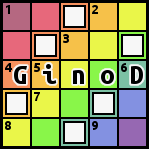
A small tribute to our mascot. :gimp
Attachment:
GMICImage.png
GMICImage.png [ 126.1 KiB | Viewed 3953 times ]

_________________
Gino D's GIMP scripts: https://sites.google.com/site/ginodonig/gimp-scripts


Top
 Post subject: Re: Drop curved shadow
PostPosted: Thu Nov 15, 2012 6:30 am  (#9) 
Offline
GimpChat Member
User avatar

Joined: Apr 07, 2010
Posts: 14182
pretty cute :teeth

_________________
Image


Top
 Post subject: Re: Drop curved shadow
PostPosted: Thu Nov 15, 2012 6:39 am  (#10) 
Offline
Global Moderator
User avatar

Joined: Apr 01, 2012
Posts: 8402
Location: On the other side of your screen
I only found update in G"MIC. I just updated my G'MIC and was advised to download a newer version. I did but had trouble installing it. So have aborted for now. Do I need to delete the G'MIC I have at the moment first?

BTW great :clap

_________________
Image
Free Fun Photo Editing & resources
Poems from the Lord
Gimp Newby
Gimp version 3.2.0 and GMIC-Qt 3.7.5 OS :- Windows 10 Home 64


Top
 Post subject: Re: Drop curved shadow
PostPosted: Thu Nov 15, 2012 7:24 am  (#11) 
Offline
GimpChat Member
User avatar

Joined: Apr 07, 2010
Posts: 14182
The newest version is on this page, GMIC just download whatever version you have of Gimp, then place the GMIC into your Gimp-plug-ins folder, make sure you remove the previous one.

_________________
Image


Top
 Post subject: Re: Drop curved shadow
PostPosted: Thu Nov 15, 2012 8:22 am  (#12) 
Offline
Global Moderator
User avatar

Joined: Apr 01, 2012
Posts: 8402
Location: On the other side of your screen
molly wrote:
The newest version is on this page, GMIC just download whatever version you have of Gimp, then place the GMIC into your Gimp-plug-ins folder, make sure you remove the previous one.

ty Molly

_________________
Image
Free Fun Photo Editing & resources
Poems from the Lord
Gimp Newby
Gimp version 3.2.0 and GMIC-Qt 3.7.5 OS :- Windows 10 Home 64


Top
 Post subject: Re: Drop curved shadow
PostPosted: Thu Nov 15, 2012 10:10 am  (#13) 
Offline
GimpChat Member
User avatar

Joined: Apr 07, 2010
Posts: 14182
I can't find it in lights and shadows. I refreshed twice. What is it called?

" is located in 'Lights & Shadows' subfolder."

_________________
Image


Top
 Post subject: Re: Drop curved shadow
PostPosted: Thu Nov 15, 2012 10:50 am  (#14) 
Offline
GimpChat Member
User avatar

Joined: Jan 03, 2011
Posts: 1656
It is called 'Drop Shadow'


Top
 Post subject: Re: Drop curved shadow
PostPosted: Thu Nov 15, 2012 11:27 am  (#15) 
Offline
GimpChat Member
User avatar

Joined: Apr 07, 2010
Posts: 14182
I was looking for curved shadow, anyway I got it now...thanks David. :teeth

_________________
Image


Top
 Post subject: Re: Drop curved shadow
PostPosted: Fri Nov 16, 2012 6:55 pm  (#16) 
Offline
Global Moderator
User avatar

Joined: Apr 01, 2012
Posts: 8402
Location: On the other side of your screen
:coolthup I think I finally have it. :tyspin
How do I get the shadow lighter though?
Think I have it now, dont save as a gif?

_________________
Image
Free Fun Photo Editing & resources
Poems from the Lord
Gimp Newby
Gimp version 3.2.0 and GMIC-Qt 3.7.5 OS :- Windows 10 Home 64


Last edited by sallyanne on Fri Nov 16, 2012 7:12 pm, edited 1 time in total.

Top
 Post subject: Re: Drop curved shadow
PostPosted: Fri Nov 16, 2012 7:09 pm  (#17) 
Offline
GimpChat Member
User avatar

Joined: Apr 07, 2010
Posts: 14182
Just lower the opacity on the shadow layer sallyanne

_________________
Image


Top
 Post subject: Re: Drop curved shadow
PostPosted: Fri Nov 16, 2012 7:26 pm  (#18) 
Offline
Global Moderator
User avatar

Joined: Apr 01, 2012
Posts: 8402
Location: On the other side of your screen
Thanx Molly

_________________
Image
Free Fun Photo Editing & resources
Poems from the Lord
Gimp Newby
Gimp version 3.2.0 and GMIC-Qt 3.7.5 OS :- Windows 10 Home 64


Top
Post new topic Reply to topic  [ 18 posts ] 

All times are UTC - 5 hours [ DST ]


* Login  


Powered by phpBB3 © phpBB Group