It is currently Thu Jun 04, 2026 1:50 am


All times are UTC - 5 hours [ DST ]


Post new topic Reply to topic  [ 66 posts ]  Go to page Previous  1, 2, 3, 4  Next
Author Message
 Post subject: Re: Heya Gimpers! Boy do I luv Gimp but man am I frustrated
PostPosted: Fri Apr 12, 2013 4:24 am  (#21) 
Offline
GimpChat Member

Joined: Apr 10, 2013
Posts: 23
That's awesome but alas only get's me to a circle. Is there a similar way to do this with any shaped path like a curved line?

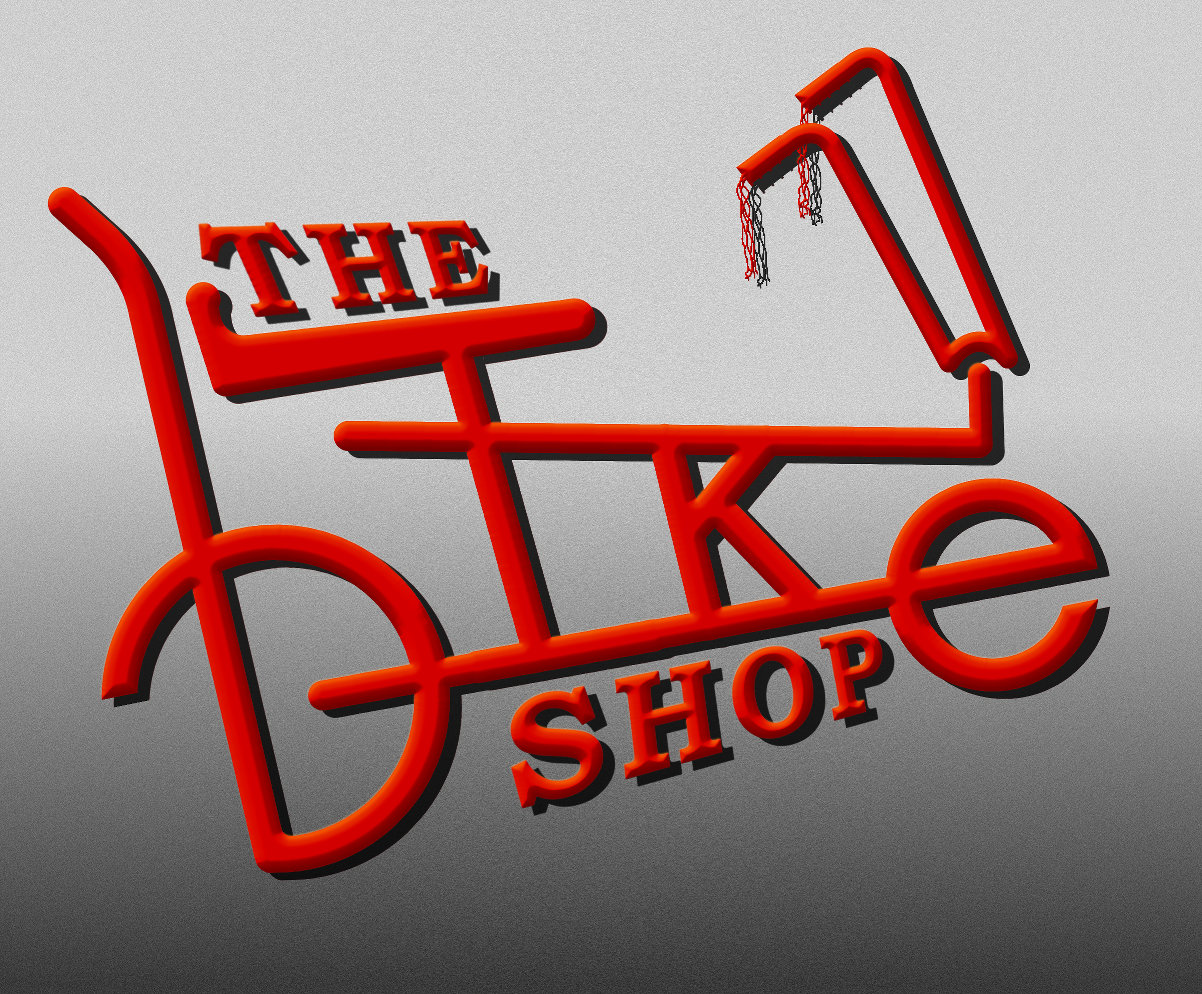
Here is a shot of what I have right now but it looks cheesy and flat so I'm trying to make it look less....huh...amateurish, flat, bad....

Image.

Thanks again!


Last edited by TheBikeMan on Fri Apr 12, 2013 4:32 am, edited 1 time in total.

Top
 Post subject: Re: Heya Gimpers! Boy do I luv Gimp but man am I frustrated
PostPosted: Fri Apr 12, 2013 4:27 am  (#22) 
Offline
GimpChat Member
User avatar

Joined: Jul 17, 2012
Posts: 2769
no, but my first idea was to construct it from various blurred circles

so what you could do is make your wavy shape with the path tool
stroke it on a new transparent layer, then blur
repeat this process with bigger values for the stroke width on a new layer and blur again

alternatively you could stroke the path with a fuzzy brush and save yourself the blurring

EDIT: you should have told us what you actually need this for right from the start....
if you want to make somehting look threedimensional, couldnt you do that with layerfx ?


Top
 Post subject: Re: Heya Gimpers! Boy do I luv Gimp but man am I frustrated
PostPosted: Fri Apr 12, 2013 4:40 am  (#23) 
Offline
GimpChat Member

Joined: Apr 10, 2013
Posts: 23
Sorry, I thought I could explain it but didn't do so well. I did try the layer effects but maybe I just didn't do it correctly.
Every time I try I just get solid red letters.


Top
 Post subject: Re: Heya Gimpers! Boy do I luv Gimp but man am I frustrated
PostPosted: Fri Apr 12, 2013 4:45 am  (#24) 
Offline
GimpChat Member
User avatar

Joined: Apr 07, 2010
Posts: 14182
I love your design bikeman. It is very neat and tidy.

_________________
Image


Top
 Post subject: Re: Heya Gimpers! Boy do I luv Gimp but man am I frustrated
PostPosted: Fri Apr 12, 2013 4:46 am  (#25) 
Offline
GimpChat Member
User avatar

Joined: Jul 17, 2012
Posts: 2769
so you want to make this logo, but its supposed to look more 3D-ish, right ?

as i said, you could try it with bevelling and there are lots of possibilities to work with that stuff as you can see on my blog

or maybe try the xgeous extrusion method from this tutorial:
http://gimpchat.com/viewtopic.php?f=23&t=6660

sometimes the easiest way of getting something to look a bit 3D is just make a second layer and offset it a bit

depending on what you actually want to do with your logo, simple is often the best

EDIT:
if you want to post your base design, i could have a go with it


Top
 Post subject: Re: Heya Gimpers! Boy do I luv Gimp but man am I frustrated
PostPosted: Fri Apr 12, 2013 5:05 am  (#26) 
Offline
GimpChat Member

Joined: Apr 10, 2013
Posts: 23
Thanks Esper. I'm not trying for 3d with shadowing so much as trying to make each letter look more rounded. The effect of the ring above is I think what I'm looking for. Then I would take the frame and handlebars and do the same but without red in the gradient.
I don't see how to post an XCF file to the forum. Is there a trick to it?


Top
 Post subject: Re: Heya Gimpers! Boy do I luv Gimp but man am I frustrated
PostPosted: Fri Apr 12, 2013 5:08 am  (#27) 
Offline
GimpChat Member
User avatar

Joined: Apr 07, 2010
Posts: 14182
When you reply, go to full editor and down below you will see attachments. Go to browse, look for your attachment and click that. and your xcf will load

Image

_________________
Image


Top
 Post subject: Re: Heya Gimpers! Boy do I luv Gimp but man am I frustrated
PostPosted: Fri Apr 12, 2013 5:12 am  (#28) 
Offline
GimpChat Member
User avatar

Joined: Jul 17, 2012
Posts: 2769
also zipping before you attach is sometimes a good idea to make the filesize smaller


Top
 Post subject: Re: Heya Gimpers! Boy do I luv Gimp but man am I frustrated
PostPosted: Fri Apr 12, 2013 5:58 am  (#29) 
Offline
GimpChat Member

Joined: Apr 10, 2013
Posts: 23
Attachment:
Plain Logo tester 2k.zip [1.28 MiB]
Downloaded 68 times

Thanks again! here's the file.


Top
 Post subject: Re: Heya Gimpers! Boy do I luv Gimp but man am I frustrated
PostPosted: Fri Apr 12, 2013 6:09 am  (#30) 
Offline
GimpChat Member

Joined: Apr 10, 2013
Posts: 23
molly wrote:
I love your design bikeman. It is very neat and tidy.


Thanks Molly!


Top
 Post subject: Re: Heya Gimpers! Boy do I luv Gimp but man am I frustrated
PostPosted: Fri Apr 12, 2013 6:16 am  (#31) 
Offline
GimpChat Member
User avatar

Joined: Jul 17, 2012
Posts: 2769
TheBikeMan wrote:
Attachment:
Plain Logo tester 2k.zip

Thanks again! here's the file.

ok, i have it

now please explain what you actually want

what do you mean with rounded ?
do you want the text more rounded instead of rectangular, as at the end of the B and the E ?

EDIT: i played a bit around for an example what bevelling might do

also i noticed you set the resolution to 600 - that might be a bit high, but we have experts who can give better advice on that

Image


Top
 Post subject: Re: Heya Gimpers! Boy do I luv Gimp but man am I frustrated
PostPosted: Fri Apr 12, 2013 10:23 am  (#32) 
Offline
GimpChat Member
User avatar

Joined: Feb 14, 2012
Posts: 426
If you stroke a path using the neon py script as a grey scale then you could use [Color] [Map] [Gradient Map] (while the new gradient is selected in your gradient tool pallet), to change the grey scale into your pre-made gradient. The pre-made gradient would have to be made as half of the gradient though, as you can see in the image below.

Image

I like espers rendition as a logo though. Logos generally are flat or beveled to be printed in small sizes.


Last edited by PegLeg44 on Fri Apr 12, 2013 10:36 am, edited 1 time in total.

Top
 Post subject: Re: Heya Gimpers! Boy do I luv Gimp but man am I frustrated
PostPosted: Fri Apr 12, 2013 10:36 am  (#33) 
Offline
GimpChat Member
User avatar

Joined: Apr 07, 2010
Posts: 14182
what about something like this
Image

_________________
Image


Top
 Post subject: Re: Heya Gimpers! Boy do I luv Gimp but man am I frustrated
PostPosted: Fri Apr 12, 2013 10:38 am  (#34) 
Offline
GimpChat Member
User avatar

Joined: Jul 17, 2012
Posts: 2769
wow molly, that looks really like a neon-sign - only thing i dislike is that its a bit fuzzy
maybe run un unsharp-mask on it ?


Top
 Post subject: Re: Heya Gimpers! Boy do I luv Gimp but man am I frustrated
PostPosted: Fri Apr 12, 2013 10:42 am  (#35) 
Offline
GimpChat Member
User avatar

Joined: Apr 07, 2010
Posts: 14182
Thank you,
Here it is with unsharp but I didn't play around with the settings much.
Image

_________________
Image


Top
 Post subject: Re: Heya Gimpers! Boy do I luv Gimp but man am I frustrated
PostPosted: Fri Apr 12, 2013 10:48 am  (#36) 
Offline
GimpChat Member
User avatar

Joined: Jul 17, 2012
Posts: 2769
i think its an improvement !


Top
 Post subject: Re: Heya Gimpers! Boy do I luv Gimp but man am I frustrated
PostPosted: Fri Apr 12, 2013 10:54 am  (#37) 
Offline
GimpChat Member

Joined: Apr 10, 2013
Posts: 23
That is really cool Molly. Love the double neon. Can the same be done with my gradient? The ring that Esper posted is the type of pattern that I'm hoping to get running through just the B-I-K-E parts of the logo.
You guys are awesome!


Top
 Post subject: Re: Heya Gimpers! Boy do I luv Gimp but man am I frustrated
PostPosted: Fri Apr 12, 2013 11:11 am  (#38) 
Offline
GimpChat Member
User avatar

Joined: Jul 17, 2012
Posts: 2769
it seems all you have to do is create a path that goes through the middle of your 'B-I-K-E' logo and then run ofnuts' neon.py script on it


Top
 Post subject: Re: Heya Gimpers! Boy do I luv Gimp but man am I frustrated
PostPosted: Fri Apr 12, 2013 11:14 am  (#39) 
Offline
GimpChat Member

Joined: Apr 10, 2013
Posts: 23
PegLeg44 wrote:
If you stroke a path using the neon py script as a grey scale then you could use [Color] [Map] [Gradient Map] (while the new gradient is selected in your gradient tool pallet), to change the grey scale into your pre-made gradient. The pre-made gradient would have to be made as half of the gradient though, as you can see in the image below.

Image

I like espers rendition as a logo though. Logos generally are flat or beveled to be printed in small sizes.


I agree that Espers is quite good. The one I'm working on is not for print but for the website. it will sit inside bike spinning bike sprokets.
I tried the method you described here and got close but it creates a red line in the middle with white border. How did you stroke it with greyscale. I tried changing it to greyscale first but it didn't help.


Top
 Post subject: Re: Heya Gimpers! Boy do I luv Gimp but man am I frustrated
PostPosted: Fri Apr 12, 2013 11:19 am  (#40) 
Offline
GimpChat Member
User avatar

Joined: Jul 17, 2012
Posts: 2769
cant you just desaturate the gradient ?


Last edited by Esper on Fri Apr 12, 2013 12:26 pm, edited 2 times in total.

Top
Post new topic Reply to topic  [ 66 posts ]  Go to page Previous  1, 2, 3, 4  Next

All times are UTC - 5 hours [ DST ]


* Login  


Powered by phpBB3 © phpBB Group