It is currently Tue Nov 24, 2026 3:37 am


All times are UTC - 5 hours [ DST ]


Post new topic Reply to topic  [ 92 posts ]  Go to page Previous  1, 2, 3, 4, 5  Next
Author Message
 Post subject: ImpactRel3 Script
PostPosted: Sat Apr 13, 2013 4:22 am  (#61) 
Offline
GimpChat Member
User avatar

Joined: Jan 20, 2013
Posts: 14835
Location: roma, italy
Request for information:
Graechan, just for me to know (maybe it's written somewhere...):
is it "wanted" a different effects result depending on the "centre" of the selection?
from the same image I took in two cases a circular selection, but in the first case I also "squared" the layer, in the second one I didn't (left rectangular).
These are the two results, both very nice but different: is the different behaviour wanted?
image 1:
Attachment:
squared.png
squared.png [ 1.65 MiB | Viewed 2093 times ]

image 2:
Attachment:
NonSquared.png
NonSquared.png [ 1.93 MiB | Viewed 2093 times ]

Many thanks for the beautiful script!!! and for the patience in answering my doubt...

_________________
"Where am I ?"


Top
 Post subject: Re: ImpactRel3 Script
PostPosted: Sat Apr 13, 2013 9:40 am  (#62) 
Offline
Global Moderator
User avatar

Joined: May 16, 2010
Posts: 16306
Quote:
Also was the larger canvas size on logo script big enough

Graechan the logo script still seems to cut off the effect at the ends because of canvas size.Below are the default settings (other then color), for the script.

Image

_________________
Image


Top
 Post subject: Re: ImpactRel3 Script
PostPosted: Sat Apr 13, 2013 7:05 pm  (#63) 
Offline
Script Coder
User avatar

Joined: Feb 18, 2011
Posts: 4826
Location: Bendigo Vic. Australia
Dinasset this behavior of the script you speak of I new about but there was little I could do but accept it.
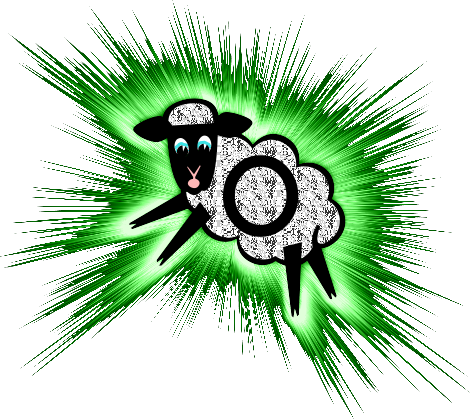
Rod I could increase the border further but there is an effect size setting you can reduce or create text on a canvas size of your choice and run the alpha script like the Splash image from 'O'
I am trying a couple of things now

_________________
Image
No matter how much you push the envelope, it'll still be stationery.


Top
 Post subject: Re: ImpactRel3 Script
PostPosted: Sat Apr 13, 2013 11:29 pm  (#64) 
Offline
Script Coder
User avatar

Joined: Feb 18, 2011
Posts: 4826
Location: Bendigo Vic. Australia
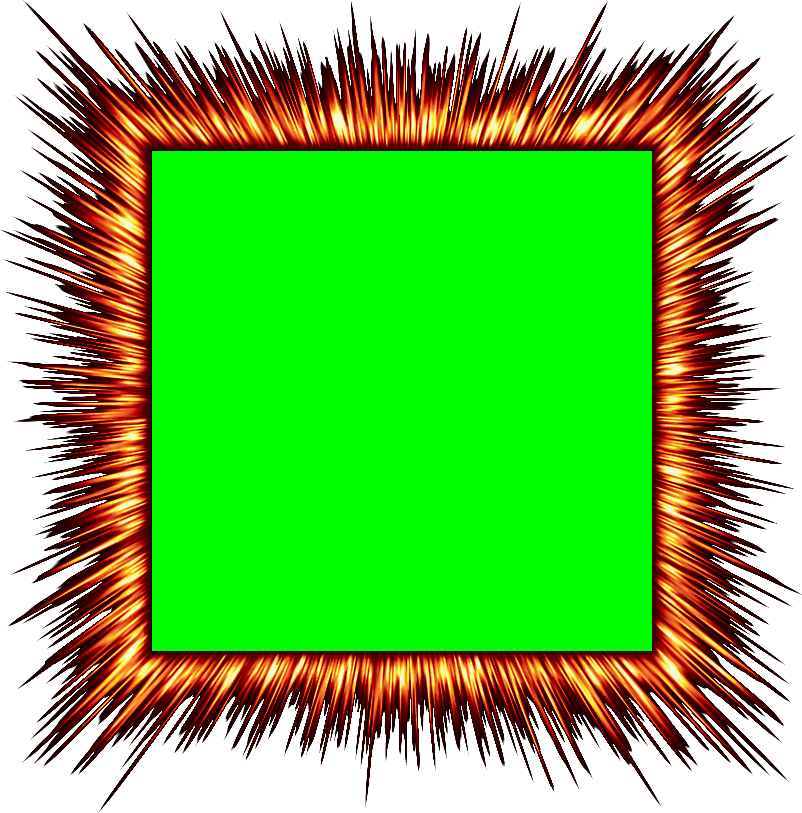
Here are some images↓ from Rel4 to be posted soon

Image 1 the layer with no transparency at all

Image

Image after impact is ran with a transparent border selected

Image

Image from Impact-Logo

Image

Impact is becoming more intuitive

_________________
Image
No matter how much you push the envelope, it'll still be stationery.


Top
 Post subject: Re: ImpactRel4 Script
PostPosted: Sun Apr 14, 2013 12:27 am  (#65) 
Offline
Script Coder
User avatar

Joined: Feb 18, 2011
Posts: 4826
Location: Bendigo Vic. Australia
Rel4 has now been posted see initial post

Image

Image

_________________
Image
No matter how much you push the envelope, it'll still be stationery.


Top
 Post subject: Re: ImpactRel4 Script
PostPosted: Sun Apr 14, 2013 12:43 am  (#66) 
Offline
Retired Staff
User avatar

Joined: May 22, 2008
Posts: 6946
Location: Somewhere in GIMP
Whoa! Impact 4 is great. I started with a monster image around the text and the script cropped it to the ends of the spikes. WTG Graechan! :yr :tyspin

Image

_________________
Image
World War IV will be fought with sticks and stones. - Albert Einstein


Top
 Post subject: Re: ImpactRel4 Script
PostPosted: Sun Apr 14, 2013 1:15 am  (#67) 
Offline
Script Coder
User avatar

Joined: Feb 18, 2011
Posts: 4826
Location: Bendigo Vic. Australia
'O' It was all due to R&D (not research and development) but Rod and Dinasset

also I stole a routine RobA used in the resize by area script but instead of scaleing the image I resized it

it pay's to read other scripts :rofl

_________________
Image
No matter how much you push the envelope, it'll still be stationery.


Top
 Post subject: Re: ImpactRel4 Script
PostPosted: Sun Apr 14, 2013 2:03 am  (#68) 
Offline
Retired Staff
User avatar

Joined: May 22, 2008
Posts: 6946
Location: Somewhere in GIMP
Graechan wrote:
also I stole a routine RobA used in the resize by area script but instead of scaleing the image I resized it

it pay's to read other scripts :rofl
Hey, we all learn from each other. That's what Gimp Chat is all about. :hehe

_________________
Image
World War IV will be fought with sticks and stones. - Albert Einstein


Top
 Post subject: Re: ImpactRel4 Script
PostPosted: Sun Apr 14, 2013 5:54 am  (#69) 
Offline
GimpChat Member
User avatar

Joined: Apr 07, 2010
Posts: 14182
Very nice, as usual Graechan. Why do I always get these splats in mine. It happens every time I try it. The only thing I changed in the filter is active gradient.
Image

_________________
Image


Top
 Post subject: Re: ImpactRel2 Script
PostPosted: Sun Apr 14, 2013 8:25 am  (#70) 
Offline
Global Moderator
User avatar

Joined: Apr 01, 2012
Posts: 8511
Location: On the other side of your screen
molly wrote:
Here is my cat, he was scared of the paper boy. Nice script Graechan.
[ Image ]

Missed your cat before. Even looked for it. It is great.
Someone may have mentioned here how to do that around pictures, I haven't been able to yet.

_________________
Image
Free Fun Photo Editing & resources
Poems from the Lord
Gimp Newby
Gimp version 3.2.8 and GMIC-Qt 4.0.2 OS :- Windows 10 Home 64


Top
 Post subject: Re: ImpactRel4 Script
PostPosted: Sun Apr 14, 2013 10:28 am  (#71) 
Offline
Retired Staff
User avatar

Joined: May 22, 2008
Posts: 6946
Location: Somewhere in GIMP
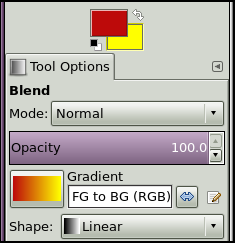
Graechan, is there any way for the script to use the FG to BG gradient with "Use Active Gradient"? They always come out black and white for me even if I have different colors in there.

This comes out black and white.
Image

_________________
Image
World War IV will be fought with sticks and stones. - Albert Einstein


Top
 Post subject: Re: ImpactRel4 Script
PostPosted: Sun Apr 14, 2013 3:02 pm  (#72) 
Offline
Global Moderator
User avatar

Joined: May 16, 2010
Posts: 16306
Excellent Graechan! :) :bigthup

Image

_________________
Image


Top
 Post subject: Re: ImpactRel4 Script
PostPosted: Sun Apr 14, 2013 3:13 pm  (#73) 
Offline
Retired Staff
User avatar

Joined: May 22, 2008
Posts: 6946
Location: Somewhere in GIMP
molly wrote:
Very nice, as usual Graechan. Why do I always get these splats in mine. It happens every time I try it. The only thing I changed in the filter is active gradient.
[ Image ]
Check the background of your image and make sure there are no artifacts in the image that you can't see. Use the Fuzzy Select Tool with the Threshold set to 1 or 2 in the options. That should show any very low visibility artifacts.

_________________
Image
World War IV will be fought with sticks and stones. - Albert Einstein


Top
 Post subject: Re: ImpactRel4 Script
PostPosted: Sun Apr 14, 2013 3:33 pm  (#74) 
Offline
GimpChat Member
User avatar

Joined: Apr 07, 2010
Posts: 14182
Thanks O. I will check that out. :cute

_________________
Image


Top
 Post subject: Re: ImpactRel4 Script
PostPosted: Sun Apr 14, 2013 6:49 pm  (#75) 
Offline
Script Coder
User avatar

Joined: Feb 18, 2011
Posts: 4826
Location: Bendigo Vic. Australia
'O' my blew think about it what are the fg/bg colors at that time oops, I'll fix after coffee

_________________
Image
No matter how much you push the envelope, it'll still be stationery.


Top
 Post subject: Re: ImpactRel4 Script
PostPosted: Sun Apr 14, 2013 7:42 pm  (#76) 
Offline
Retired Staff
User avatar

Joined: May 22, 2008
Posts: 6946
Location: Somewhere in GIMP
Graechan wrote:
'O' my blew think about it what are the fg/bg colors at that time oops, I'll fix after coffee
Oh, Graechan, you are so patient with all of us. I appreciate that you try to accommodate our wishes. Makes great karma. :hehe

_________________
Image
World War IV will be fought with sticks and stones. - Albert Einstein


Top
 Post subject: Re: ImpactRel4 Script
PostPosted: Sun Apr 14, 2013 7:57 pm  (#77) 
Offline
GimpChat Member
User avatar

Joined: Apr 07, 2010
Posts: 14182
:flirt = Graechan :curtsey

_________________
Image


Top
 Post subject: Re: ImpactRel5 Script
PostPosted: Sun Apr 14, 2013 8:16 pm  (#78) 
Offline
Script Coder
User avatar

Joined: Feb 18, 2011
Posts: 4826
Location: Bendigo Vic. Australia
Rel5 has been posted see initial post and my apologies for missing such an obvious mistake

_________________
Image
No matter how much you push the envelope, it'll still be stationery.


Top
 Post subject: Re: ImpactRel5 Script
PostPosted: Sun Apr 14, 2013 9:23 pm  (#79) 
Offline
Retired Staff
User avatar

Joined: May 22, 2008
Posts: 6946
Location: Somewhere in GIMP
Graechan wrote:
Rel5 has been posted see initial post and my apologies for missing such an obvious mistake
That's what you have us for. Can't think of everything. Love Rel5. Perfect. It was so nice of you to put the active gradient choice in the script for we Linux users. :hugme

Image

_________________
Image
World War IV will be fought with sticks and stones. - Albert Einstein


Top
 Post subject: Re: ImpactRel5 Script
PostPosted: Sun Apr 14, 2013 9:42 pm  (#80) 
Offline
Script Coder
User avatar

Joined: Feb 18, 2011
Posts: 4826
Location: Bendigo Vic. Australia
Our Linux users are our rock, 'always solid with advice and assistance' :gimp

_________________
Image
No matter how much you push the envelope, it'll still be stationery.


Top
Post new topic Reply to topic  [ 92 posts ]  Go to page Previous  1, 2, 3, 4, 5  Next

All times are UTC - 5 hours [ DST ]


* Login  


Powered by phpBB3 © phpBB Group