It is currently Sun Sep 20, 2026 9:29 pm


All times are UTC - 5 hours [ DST ]


Post new topic Reply to topic  [ 22 posts ]  Go to page 1, 2  Next
Author Message
 Post subject: Can't get my gimp to paint [Fixed]
PostPosted: Thu Apr 18, 2013 2:09 pm  (#1) 
Offline
GimpChat Member
User avatar

Joined: Apr 07, 2010
Posts: 14182
GIMP Version: 2.8.4
Operating System: Linux
OS Version: XP - SP3
GIMP Experience: Basic Level


I started another picture in Gimp and after about two hrs, I couldn't get it to paint, erase. In fact, it won't do anything. I tried to do a text, and that worked in my project, but why can't I use any of my tools all of a sudden. I opened up and screen shot I took with gimp and I can paint and edit in that but not in my project.
It has to be something really stupid...yes it is in RGB mode, the eye is on in the layer and it is active.

Image

_________________
Image


Share on Facebook Share on Twitter Share on Orkut Share on Digg Share on MySpace Share on Delicious Share on Technorati
Top
 Post subject: Re: Can't get my gimp to paint
PostPosted: Thu Apr 18, 2013 2:15 pm  (#2) 
Offline
Administrator
User avatar

Joined: Aug 10, 2012
Posts: 14206
Location: Native to NYC living in Arizona, Gimp 2.8 - 3.0, Win 11 PC.
molly wrote:
GIMP Version: 2.8.4
Operating System: Linux
OS Version: XP - SP3
GIMP Experience: Basic Level


I started another picture in Gimp and after about two hrs, I couldn't get it to paint, erase. In fact, it won't do anything. I tried to do a text, and that worked in my project, but why can't I use any of my tools all of a sudden. I opened up and screen shot I took with gimp and I can paint and edit in that but not in my project.
It has to be something really stupid...yes it is in RGB mode, the eye is on in the layer and it is active.

Image


Sounds like some kind of Gimp freeze up with the tools. This has happened to me and the only thing that I could do was close Gimp using the Task Manager, then restart it.
I hope that you can save your work or have been saving up until this occurred.

_________________
Image
"A wise man learns more from a foolish question than a fool can learn from a wise answer"
Image


Top
 Post subject: Re: Can't get my gimp to paint
PostPosted: Thu Apr 18, 2013 2:18 pm  (#3) 
Offline
GimpChat Member
User avatar

Joined: Apr 07, 2010
Posts: 14182
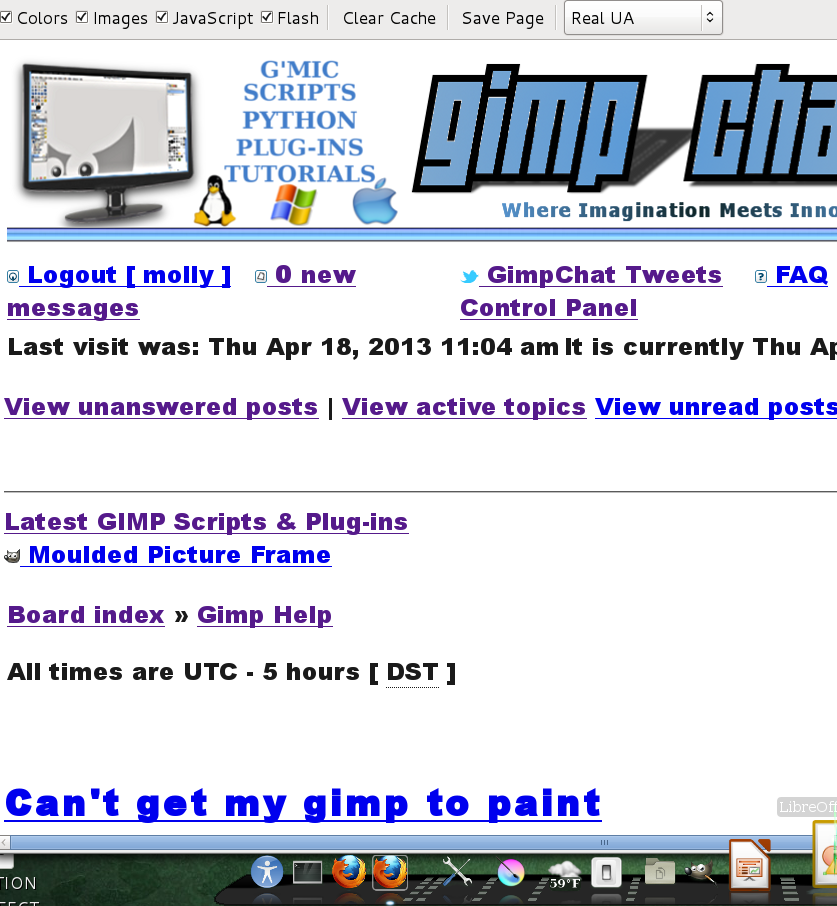
my work is saved and I rebooted right out of Fedora twice and my email and stuff come up ok but this Gimp thing still won't let me do anything. Now my main Gimp screen went all crazy.
Image

_________________
Image


Top
 Post subject: Re: Can't get my gimp to paint
PostPosted: Thu Apr 18, 2013 2:20 pm  (#4) 
Offline
Administrator
User avatar

Joined: Aug 10, 2012
Posts: 14206
Location: Native to NYC living in Arizona, Gimp 2.8 - 3.0, Win 11 PC.
molly wrote:
my work is saved and I rebooted right out of Fedora twice and my email and stuff come up ok but this Gimp thing still won't let me do anything. Now my main Gimp screen went all crazy.


@Molly,

What version of Gimp are you using?

_________________
Image
"A wise man learns more from a foolish question than a fool can learn from a wise answer"
Image


Top
 Post subject: Re: Can't get my gimp to paint
PostPosted: Thu Apr 18, 2013 2:23 pm  (#5) 
Offline
GimpChat Member
User avatar

Joined: Apr 07, 2010
Posts: 14182
Gimp-2.8.4 and look at my main page now. dam
Image

_________________
Image


Top
 Post subject: Re: Can't get my gimp to paint
PostPosted: Thu Apr 18, 2013 2:25 pm  (#6) 
Offline
Administrator
User avatar

Joined: Aug 10, 2012
Posts: 14206
Location: Native to NYC living in Arizona, Gimp 2.8 - 3.0, Win 11 PC.
molly wrote:
my work is saved and I rebooted right out of Fedora twice and my email and stuff come up ok but this Gimp thing still won't let me do anything. Now my main Gimp screen went all crazy.
Image


:wow You have more the a Gimp issue...

Your not using windows, so I really don't know what the issue might be. I don't think that a reboot was needed, but if that didn't fix the problem then I'd do a reinstall of Gimp. Making sure to save all my stuff for the new Gimp install.
I wouldn't do a Gimp reinstall yet though.

_________________
Image
"A wise man learns more from a foolish question than a fool can learn from a wise answer"
Image


Last edited by Wallace on Thu Apr 18, 2013 3:11 pm, edited 1 time in total.

Top
 Post subject: Re: Can't get my gimp to paint
PostPosted: Thu Apr 18, 2013 2:32 pm  (#7) 
Offline
GimpChat Member
User avatar

Joined: Apr 07, 2010
Posts: 14182
It is not just Gimp now. My GimpChat page is all out of whack. This happened before a long time ago but I don't remember how I got it fixed.

_________________
Image


Top
 Post subject: Re: Can't get my gimp to paint
PostPosted: Thu Apr 18, 2013 2:38 pm  (#8) 
Offline
Administrator
User avatar

Joined: Aug 10, 2012
Posts: 14206
Location: Native to NYC living in Arizona, Gimp 2.8 - 3.0, Win 11 PC.
molly wrote:
It is not just Gimp now. My GimpChat page is all out of whack. This happened before a long time ago but I don't remember how I got it fixed.


I don't know how 'mac' does it, but when this happened to me the date and time on my computer was showing incorrectly. I had to reset my 'Security Certificates' to get everything back to normal.

_________________
Image
"A wise man learns more from a foolish question than a fool can learn from a wise answer"
Image


Top
 Post subject: Re: Can't get my gimp to paint
PostPosted: Thu Apr 18, 2013 2:43 pm  (#9) 
Offline
GimpChat Member

Joined: Mar 04, 2011
Posts: 2615
I think the last time your display was like that it was a Firefox problem.

Try renaming ~/.mozilla to maybe ~/.mozilla_bak to disable it and restart Firefox. It will make a new default version. Might be the cause.

The gimp problem sounds like there is a tiny selection active.


Top
 Post subject: Re: Can't get my gimp to paint
PostPosted: Thu Apr 18, 2013 2:50 pm  (#10) 
Offline
Administrator
User avatar

Joined: Aug 10, 2012
Posts: 14206
Location: Native to NYC living in Arizona, Gimp 2.8 - 3.0, Win 11 PC.
Reset Firefox – easily fix most problems... https://support.mozilla.org/en-US/kb/re ... t-problems

_________________
Image
"A wise man learns more from a foolish question than a fool can learn from a wise answer"
Image


Top
 Post subject: Re: Can't get my gimp to paint
PostPosted: Thu Apr 18, 2013 3:04 pm  (#11) 
Offline
Administrator
User avatar

Joined: Aug 10, 2012
Posts: 14206
Location: Native to NYC living in Arizona, Gimp 2.8 - 3.0, Win 11 PC.
If you open another image in your gimp that has not been edited and you have everything, like your tools and stuff. Then there is something up with the image you were working with. I think someone said that there could be a tiny selection causing the tools malfunction.

_________________
Image
"A wise man learns more from a foolish question than a fool can learn from a wise answer"
Image


Top
 Post subject: Re: Can't get my gimp to paint
PostPosted: Thu Apr 18, 2013 3:24 pm  (#12) 
Offline
GimpChat Member
User avatar

Joined: Apr 07, 2010
Posts: 14182
Thanks Wallace. I ended up save both layers individually and opened them as new layers and rename it. It is fine now, so you are right, It is just something stupid that I either did or my mirror image, the bad one did it.
I still have the GC problem but I will go and watch Y&R and worry about that later. Be back at 5:30.

_________________
Image


Top
 Post subject: Re: Can't get my gimp to paint
PostPosted: Thu Apr 18, 2013 3:38 pm  (#13) 
Offline
Administrator
User avatar

Joined: Aug 10, 2012
Posts: 14206
Location: Native to NYC living in Arizona, Gimp 2.8 - 3.0, Win 11 PC.
molly wrote:
Thanks Wallace. I ended up save both layers individually and opened them as new layers and rename it. It is fine now, so you are right, It is just something stupid that I either did or my mirror image, the bad one did it.
I still have the GC problem but I will go and watch Y&R and worry about that later. Be back at 5:30.


@molly,

That's good...

But what's Y&R, Is it Young and Restless? :hehe

_________________
Image
"A wise man learns more from a foolish question than a fool can learn from a wise answer"
Image


Top
 Post subject: Re: Can't get my gimp to paint
PostPosted: Thu Apr 18, 2013 6:04 pm  (#14) 
Offline
GimpChat Member
User avatar

Joined: Apr 07, 2010
Posts: 14182
You bet, what else do people watch? :teeth

_________________
Image


Top
 Post subject: Re: Can't get my gimp to paint
PostPosted: Thu Apr 18, 2013 7:19 pm  (#15) 
Offline
Administrator
User avatar

Joined: Aug 10, 2012
Posts: 14206
Location: Native to NYC living in Arizona, Gimp 2.8 - 3.0, Win 11 PC.
molly wrote:
You bet, what else do people watch? :teeth


The show started back in 1973, that's 38 years and over 9,000+ episodes, never watch it. :hehe

List of The Young and the Restless characters

http://en.wikipedia.org/wiki/List_of_The_Young_and_the_Restless_characters

_________________
Image
"A wise man learns more from a foolish question than a fool can learn from a wise answer"
Image


Top
 Post subject: Re: Can't get my gimp to paint
PostPosted: Thu Apr 18, 2013 7:36 pm  (#16) 
Offline
Global Moderator
User avatar

Joined: May 16, 2010
Posts: 16173
I don't think they even ever changed the theme music.
My fave "Dark Shadows" still around from the 70's.Who could resist Barnabas Collins the vampire. :hehe

Molly i am guessing it's something to do with your image placeholders in your browser.Could be javascript also.

Tux would know more i would PM him and ask.He is the Fedora expert in my book. :bigthup

_________________
Image


Top
 Post subject: Re: Can't get my gimp to paint
PostPosted: Thu Apr 18, 2013 7:57 pm  (#17) 
Offline
GimpChat Member
User avatar

Joined: Apr 07, 2010
Posts: 14182
Yes he is that for sure. I know it is something simple cuz it happened before. Don't remember how I fixed it. It is hardly usable this way, it is a real mess. I will be emailing Tux.

_________________
Image


Top
 Post subject: Re: Can't get my gimp to paint
PostPosted: Thu Apr 18, 2013 7:59 pm  (#18) 
Offline
GimpChat Member
User avatar

Joined: Apr 07, 2010
Posts: 14182
What are image placeholders?

_________________
Image


Top
 Post subject: Re: Can't get my gimp to paint
PostPosted: Thu Apr 18, 2013 8:23 pm  (#19) 
Offline
GimpChat Member
User avatar

Joined: Apr 07, 2010
Posts: 14182
:pengy WOO HOO....I fixed it. :cool VIEW -> PAGE STYLE -> BASIC...NO STYLE -> i CHOSE BASIC. Somehow it got set to No style. A slip of the finger... :mrgreen: :roll:

_________________
Image


Top
 Post subject: Re: Can't get my gimp to paint
PostPosted: Thu Apr 18, 2013 9:12 pm  (#20) 
Offline
Administrator
User avatar

Joined: Aug 10, 2012
Posts: 14206
Location: Native to NYC living in Arizona, Gimp 2.8 - 3.0, Win 11 PC.
molly wrote:
:pengy WOO HOO....I fixed it. :cool VIEW -> PAGE STYLE -> BASIC...NO STYLE -> i CHOSE BASIC. Somehow it got set to No style. A slip of the finger... :mrgreen: :roll:


:clap

_________________
Image
"A wise man learns more from a foolish question than a fool can learn from a wise answer"
Image


Top
Post new topic Reply to topic  [ 22 posts ]  Go to page 1, 2  Next

All times are UTC - 5 hours [ DST ]


* Login  


Powered by phpBB3 © phpBB Group