It is currently Mon Jun 15, 2026 10:24 pm


All times are UTC - 5 hours [ DST ]


Post new topic Reply to topic  [ 4 posts ] 
Author Message
 Post subject: GIMP HDR from a single raw
PostPosted: Sun Apr 21, 2013 6:21 am  (#1) 
Offline
GimpChat Member

Joined: Oct 31, 2011
Posts: 112
Hello all,

Is there any script or plugin to combine three different exposure of a photo to create a fake HDR in GIMP? Like in Photomatix (but I don't like that one because I have to pay :D). Anyway my camera (nikon d3200) can shoot in raw, and there is software to increase or decrease the exposure (viewnx 2 from nikon itself or ufraw). I just need to blend the 3 of them to create a single fake HDR. Thanx


Share on Facebook Share on Twitter Share on Orkut Share on Digg Share on MySpace Share on Delicious Share on Technorati
Top
 Post subject: Re: GIMP HDR from a single raw
PostPosted: Sun Apr 21, 2013 6:51 am  (#2) 
Offline
GimpChat Member
User avatar

Joined: Nov 09, 2012
Posts: 65
Location: Bedfordshire, England
Will Luminance do what you want?
http://qtpfsgui.sourceforge.net

_________________
Gareth Kitchener
Bedfordshire, England


Top
 Post subject: Re: GIMP HDR from a single raw
PostPosted: Sun Apr 21, 2013 9:53 am  (#3) 
Offline
Global Moderator
User avatar

Joined: May 16, 2010
Posts: 16029
hanciong wrote:
Hello all,

Is there any script or plugin to combine three different exposure of a photo to create a fake HDR in GIMP? Like in Photomatix (but I don't like that one because I have to pay :D). Anyway my camera (nikon d3200) can shoot in raw, and there is software to increase or decrease the exposure (viewnx 2 from nikon itself or ufraw). I just need to blend the 3 of them to create a single fake HDR. Thanx


There is a plugin for Gimp here.
http://sourceforge.net/projects/gimpsim ... =directory

Simulate HDR is a plugin for The GIMP that creates two layers from a single image simulating an underexposed and a overexposed shots, creating a High Dynamic Range image.

It can create a tone mapping layer to compress the color range of the image.

You will find it here once installed
Filters/Enhance/_Simulate HDR...
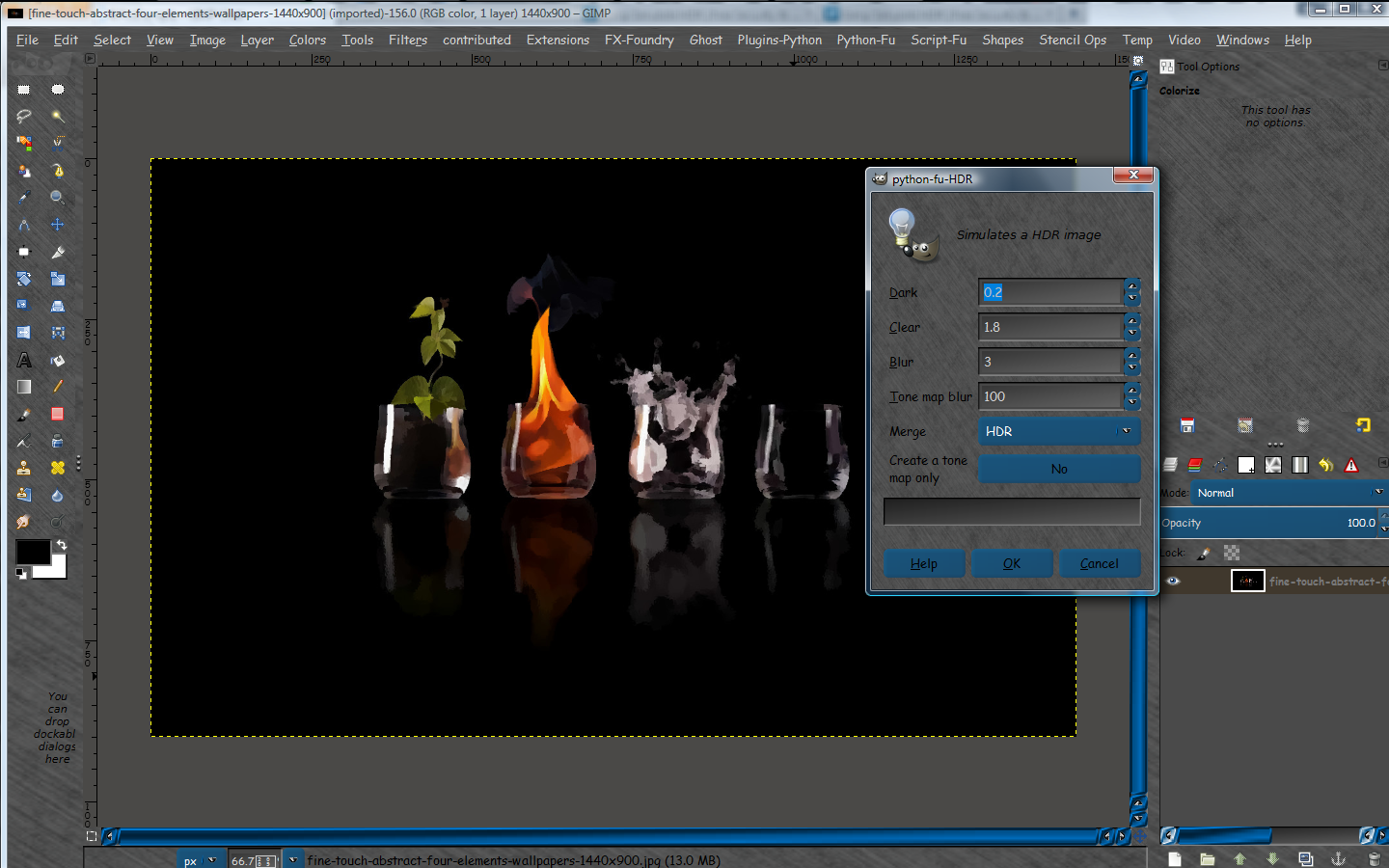
Image

And the results.

Image

_________________
Image


Top
 Post subject: Re: GIMP HDR from a single raw
PostPosted: Sun Apr 21, 2013 1:32 pm  (#4) 
Offline
GimpChat Member

Joined: Mar 14, 2011
Posts: 998
On the other hand Rod, since you are using my portable version, you already have a plugin installed (feca_hdr.py) under Filters -> Enhance -> HDR tone mapping. :)

It requires 3 layers (normal, +EV, -EV) and it will do HDR with tone mapping for you.


Top
Post new topic Reply to topic  [ 4 posts ] 

All times are UTC - 5 hours [ DST ]


* Login  


Powered by phpBB3 © phpBB Group